
Ready to see how you can get more mileage out of your footage by adjusting colors in Premiere Pro? Here’s a tutorial to get you started!
Have you ever found a stock video clip that’s perfect for your project, but the prominent colors weren’t the ones you needed? Luckily, Premiere Pro has some effects that allow you to change colors easily. This can be handy during your search for stock video clips, or if a client asks you to change a color scheme in the middle of a project.
In this tutorial, we’ll learn different methods for changing colors on video footage in Premiere Pro. Let’s get started!
Changing Color Hues
The first method for changing colors on footage is to shift the entire color hue. This will effectively shift all of the colors, so it works best on clips with one primary color.
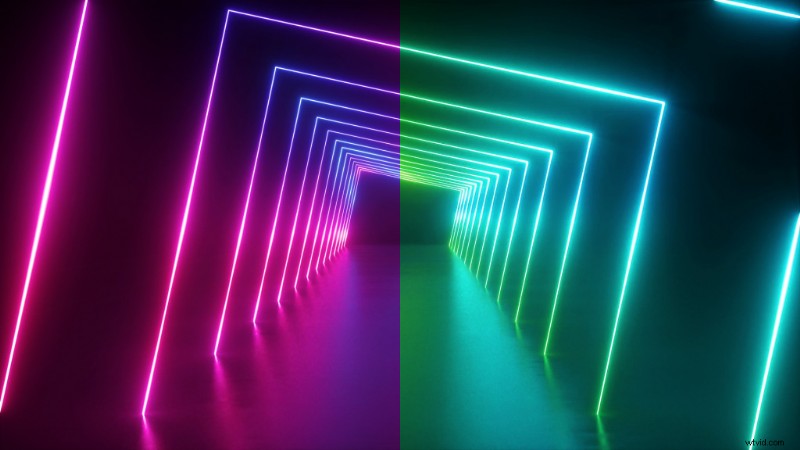
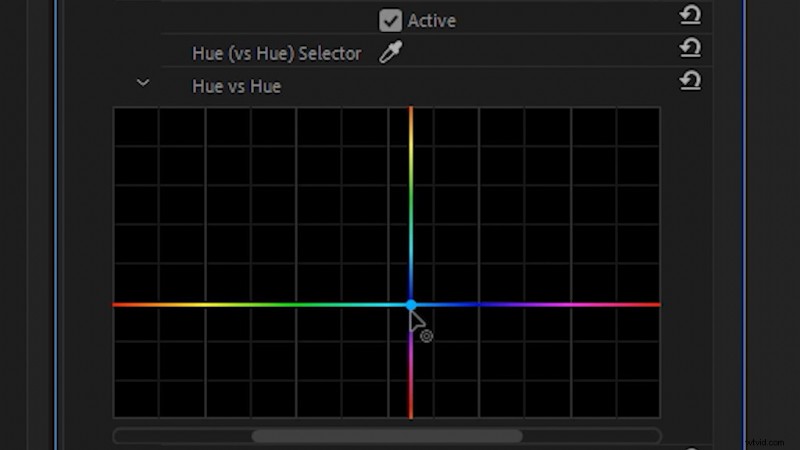
To do this, apply the effect Lumetri Color to your video clip. Then, under the Curves setting, find the Hue vs Hue color curve. (It looks like a rainbow line.) Click on the line, and drag it up and down to shift the entire color hue on your footage. This allows you to easily shift a clip from one color to another.
Change to Color
Next, we can change colors individually using the Change to Color effect. (This works best on bright, saturated colors in footage.) First, apply the Change to Color effect to your footage.

Next, select the color you’d like to change From with the color picker. Hold CTRL (CMD on Mac) when you select the color to select a better color average.

To change the selected color to a specified color, click on the To setting and shift the color hue. Then, you can alter the selected color under the Tolerance settings, primarily by adjusting the Hue setting.
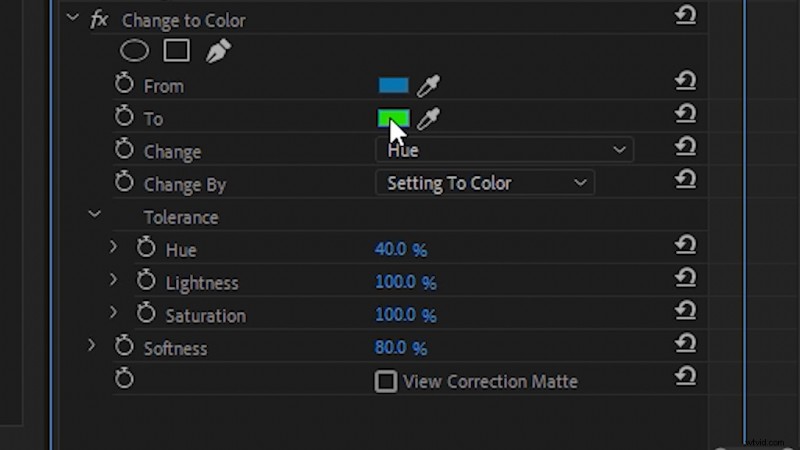
To get better results, you may want to apply the Lumetri Color effect before the Change to Color effect. This allows you to adjust the setting on your video clip (like the White Balance) before you apply the Change to Color effect.
Leave Color
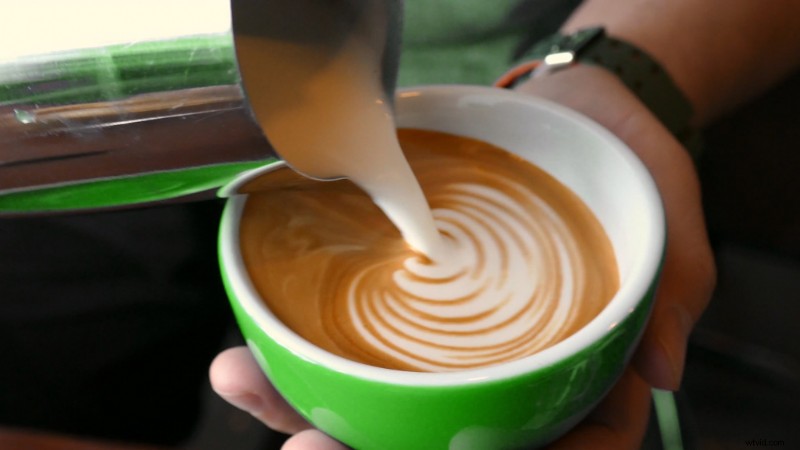
Finally, we can use the Leave Color effect to isolate a single color on black and white footage. Apply the effect Leave Color to your footage, then use the color picker to select the Color to Leave.
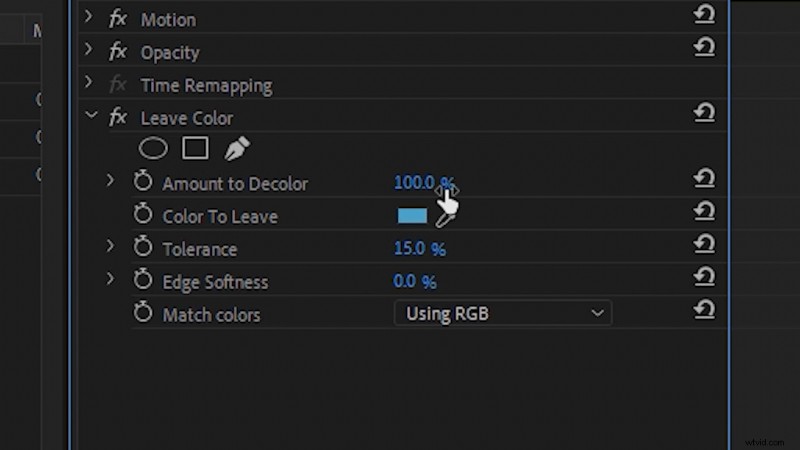
Shift the Amount to Decolor to 100 percent, then adjust the Tolerance and Edge Softness settings to dial in the final look. Leave Color can be a great effect to use when creating a stylized look.

Interested in the tracks we used to make this video?
- “Lo-Fi Dreams” by Trending Music
- “Lo Fi Abstract Chillhop” by Trending Music
- “Rain Rain Go Away” by Cosmo
- “Tropical Cruise” by Cymatix
- “Fresh Hip Hop” by Trending Music
Looking for more post-production tips and tricks? Check these out.
- After Effects Playbook Part 3: 10 AE Workflow Tips
- 5 Ways to Use Basic Compositing in Video
- A Step-By-Step Tutorial on How to Animate Flat 2D Images
- Edit for Social Media with Premiere Pro’s Auto Reframe
- 15 Things I Wish I Knew As A Beginner with Adobe Premiere