
Ever wondered how Hollywood action movies pull off stunts? Here’s a chance to learn how it’s done from professional stunt coordinator John Cann.
We invited stunt coordinator John Cann of Action PAC stunts to come teach us a thing or two about filming a realistic fight scene. He taught us the basics of punching for the camera, including where to place the camera and how to piece together a string of combos to make the fight brutal and entertaining. After the crash course, we went out and recorded a short that includes me getting into quite a brawl with Logan.
We choreographed and recorded this short in just one day. To pull this off, we had professional stunt coordinator John Cann teach us the basics of stunt work. This man was punched in the face by Chuck Norris, so his credentials speak for themselves.
He lead us through a few tricks of the trade that made our short look like a real fight, and we’re going to share those tricks with you today. The first thing he taught us is one of the cornerstones of stunt work: selling a punch. To make a punch seem believable, there are a few steps you need to take.
Selling a Punch
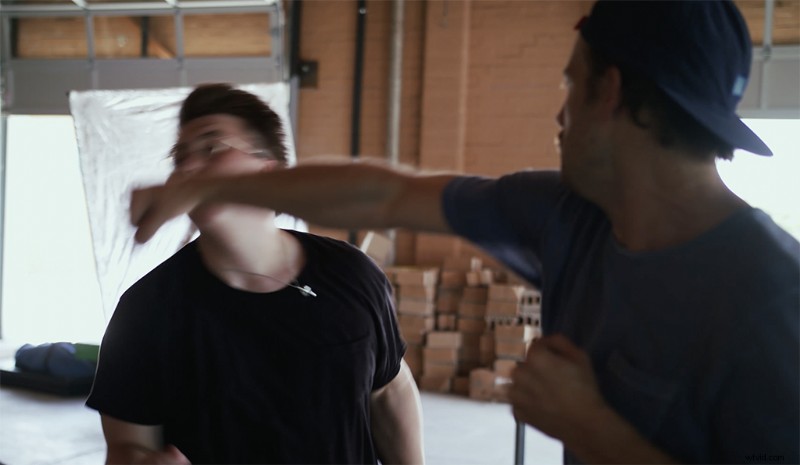
There are 3 things you need to remember when learning how to punch on camera:
- Eye Contact. When you keep your eyes on your opponent, you can anticipate their movements, and make sure that they have not forgotten the choreography. Eye contact also sells the fight to the camera, since you would be doing that in a real life scenario.
- Keep Your Arms Extended. This is where the punching differs from real life. In boxing, you keep your arms tight to your body to maintain momentum. But when punching for a camera, you want your arms extended so that the camera can pick up the full swing of your arm. It may feel silly, but trust me, it will look better on screen.
- On Target, Out of Distance. Your punches need to be on target (the opponents face, ribs, wherever), yet out of distance. Remember, 99% of punches on camera do not make contact. They’re just framed to look like they did.
To translate those punches into something believable, you have to work with the camera to pick it up. This is making sure that you “cross the plane.” Imagine a pane of glass going from the opponents face to the middle of the camera lens. You need to break that pane to sell the punch. Since the video is in a 2D space, if the fist crosses that plane, you will sell the hit.
Keep an eye on your camera’s location so you can cross the plane with your punches. When you don’t cross that plane, it will look like you haven’t made contact. Even when you go with low angles, play your punch to the camera so that it can translate well to the screen.
Keeping Control
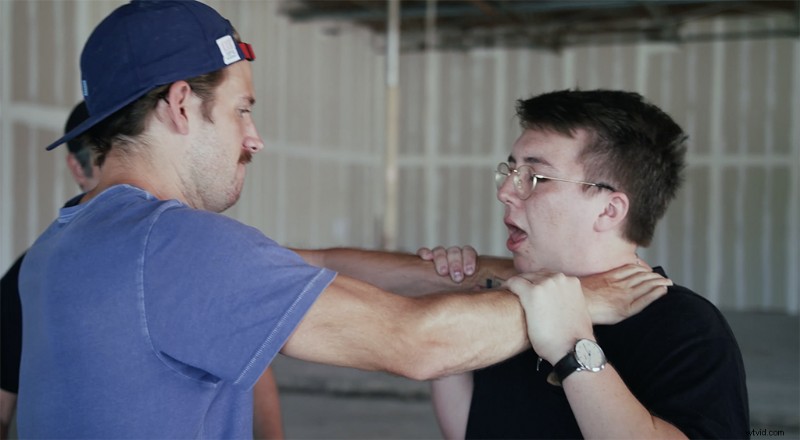
The thing to remember is that the person who is at the most risk of harm during the stunt should be the one in control. That even counts for choking stunts. The person getting choked should be pushing towards themselves, and the person choking them should be pulling away. That way the person at risk of getting choked is controlling how much pressure is applied to their neck. It may feel odd doing it, but since both actors are still using some form of force, their muscles will flex and the camera will pick up what looks like to be a realistic choking scene.
Tossin’ and Throws
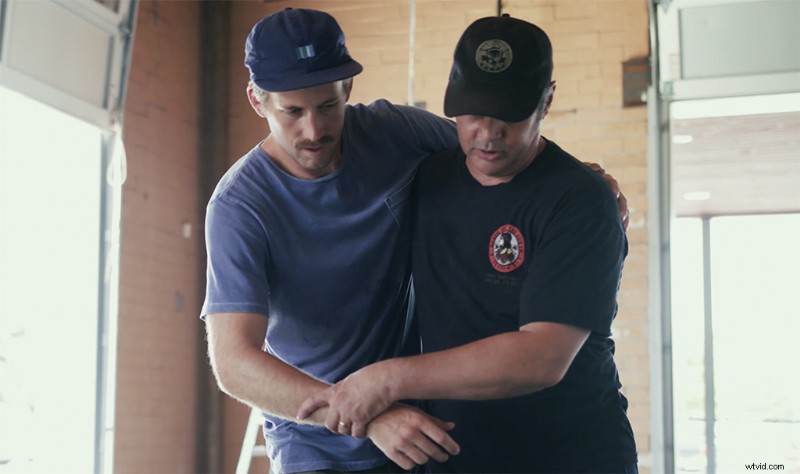
Fights aren’t all just punches, so John taught us how to properly throw someone without getting hurt. He brought out some mats so we could practice the stunts safely. The person getting thrown should control the toss. The person who is throwing should only be guiding them.
Now the mats are only there for rehearsal. Once you start recording, you’re actually going to be hitting the ground. That’s why we protected ourselves with padding and specialty armor. Since I was only getting hit on the back with a chair, I wore a spine protector to disperse the blow. Logan’s outfit included a protective motorcycle jacket to cover his shoulders, torso, and back.
Adding Props for Realism
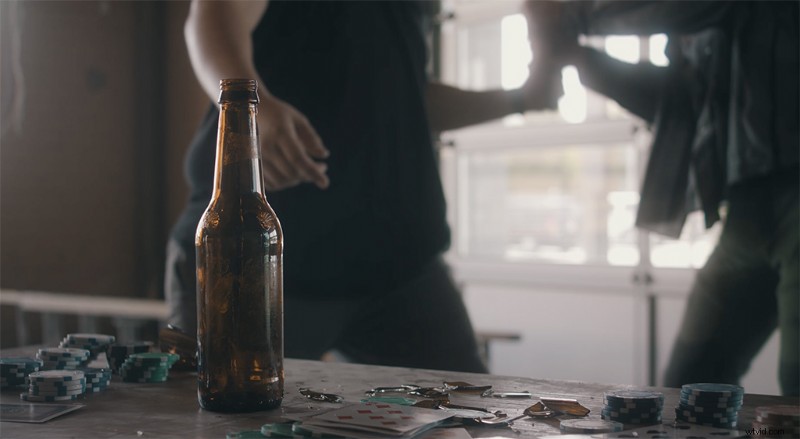
To make this fight more interesting, we added some props to sell the realism. These props included breakaway chairs and pool cues, as well as sugar glass. John made these breakaway chairs and pool cues specifically for this shoot. The breakaway chairs had all of the metal screws removed from the joints and replaced with toothpicks and wood glue to just barely keep them in one piece, but when it makes contact, it really breaks. The pool cues had weak points cut into them that shattered immediately upon contact.
Sugar glass is what they use in Hollywood when they need to break glass. It’s very fragile and breaks easily when it makes contact with something else, such as a human skull. It’s still sharp though, so don’t go around getting all stabby.
We had an absolute blast working on set with a real professional stunt coordinator, and getting to see how they pull off these stunts in real life is incredibly fascinating. But just remember, even though we aren’t professional stuntmen, we had a professional stunt choreographer on set to oversee us working through our stunts. So make sure you take every safety precaution when working on a set like this.