
So you have a ton of footage, but you aren’t sure which of the dozens of video editing programs you should choose when paring down your final project. If you’re not an editing whiz, trying to tackle professional, pricey programs can be more than intimidating.
It takes practice to master the highly intricate levels of most video editing software, which also takes time and money (meaning the process can be frustrating if you’re starting from scratch). Most free video editing programs, however, are simple and elegant — keeping user experience first so you don’t have to waste time bumbling around with confusing controls and options.
Free programs are a great option for newbies; they let you get a feel for video editing while polishing your technique for future film ventures. Read on for 5 video editing programs that will save you hundreds of dollars and hours of head-scratching.
1. iMovie
iMovie is great for first-time auteurs on Macintosh OS X. The interface is extremely clean and visual, making it easy to understand; your clips can be dragged and dropped into place with fluidity and ease.
iMovie also provides a host of visual effects, transitions, and text options if you’d like to add some excitement to your film without too much extra work. Trimming your clips is simple too — just drag your cursor over the film clips.
If you’d like to skip precise edits altogether, iMovie also has a “trailer” option where your clips can be dragged into a template and automatically edited together for a seamless, tidy-looking short film.

2. Movie Maker
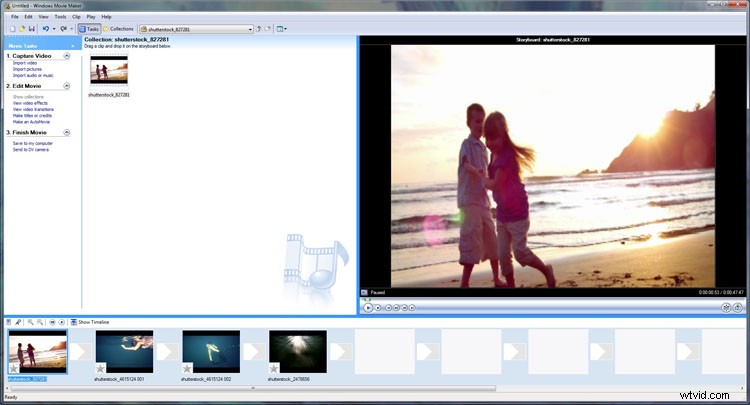
Windows users will likewise find Movie Maker to be a preferred first-time option. Like iMovie, the interface is extremely clean and simple to understand, especially if it’s your first go at editing video.
Clips are represented by thumbnail pictures, and trimming happens with a click and drag of the cursor. You can see where your video is louder or softer via a visual audio line on your clips. Another cool feature of Movie Maker is the ability to rotate clips, which can be especially useful for videos taken on a mobile phone. An option to stabilize your clips can then help minimize any wobble that comes from recording on a hand-held device.
3. Lightworks
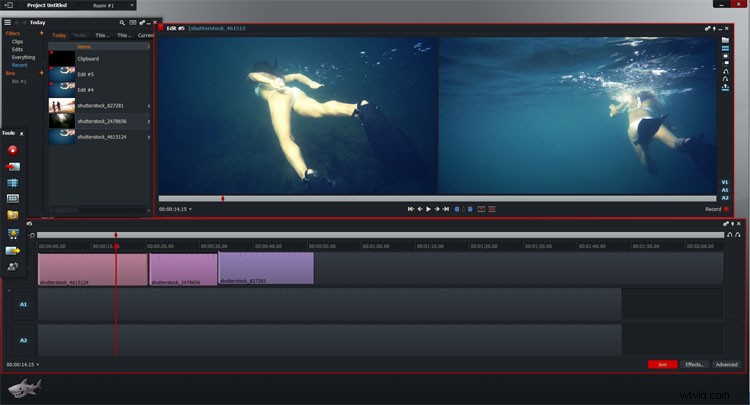
Lightworks isn’t exclusive to any one operating system; it works for Windows, Mac, or Linux. The program allows users to open a variety of free-floating windows at once, similar to other professional video editing programs. This means that you can configure audio, colors, timeline, playback, and effects all at once as you work. Alternatively, you can decide to limit your windows and focus on certain aspects at one time. Either way, Lightworks provides flexible customization that a lot of free programs don’t.
Another great feature: Lightworks autosaves your work, so you won’t have to fret over losing all the edits and color corrections you just labored over.
4. Wondershare Filmora
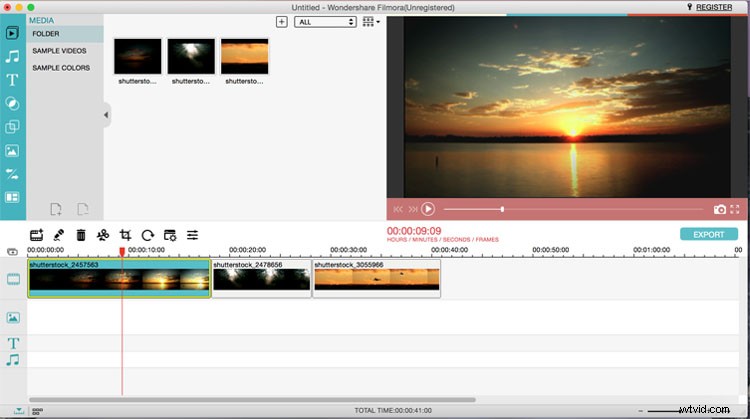
Filmora is a great platform for beginners and those looking to gain even more editing experience. There are options for either an “easy” or “advanced” mode, the former being super streamlined with drag-and-drop options, and the latter being more complex.
Filmora offers a wide selection of trendy text options, overlays, and filters that give your film the effect of an Instagram image in motion. If you’re especially proud of your finished film, the program allows you to upload it directly to Facebook or YouTube.
5. IvsEdits
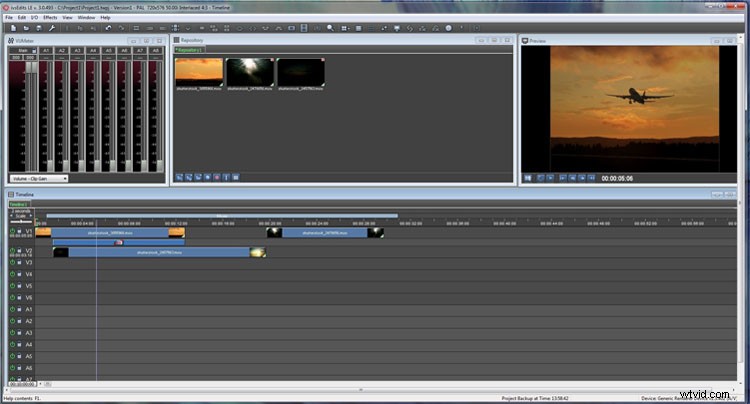
Although it may look intimidating, IvsEdits is actually a great way to practice your film-finessing skills. This Windows-supported program offers multiple windows for audio manipulation, timeline editing, and playback. Though the interface isn’t super slick, its windows can be added or taken away to your liking. If you’re feeling bold, this program even supports multi-camera editing for those that would like to edit film from more than one source.
If you’re using stock footage and want to see how your clips will fit into a project before downloading, you can also use our Shutterstock Sequence tool to edit stock video, your own clips, and music together in a test environment.
Looking for more info on which software to choose? Check out our previous blog!
Top image: Dark video editing room, flat vector concept by Crystal Eye Studio