
Virtual Studio Technology (VST) is a powerful audio‑plugin interface that lets you add sophisticated, synthesized effects to any DAW or editing suite, including Premiere Pro. While video effects and LUTs abound, audio plugins are equally essential for creating immersive, cinematic soundscapes.
Below are six top‑rated VST audio plugins that are completely free and can be integrated into Premiere Pro. Each plugin delivers a distinct sonic character, from vintage vinyl warmth to futuristic glitch effects, helping you craft a unique auditory identity for your projects.
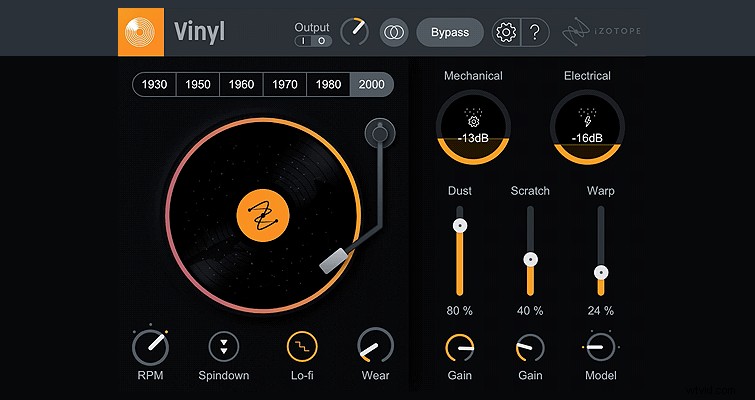
iZotope Vinyl – Authentic Record Grit for Free
iZotope’s Vinyl plugin instantly layers your audio with the texture of a worn vinyl record. Its clean interface and decade‑specific presets let you choose the exact era‑style noise you want—be it ’60s crackle or ’80s hiss. For those who want to fine‑tune the effect, adjustable dials let you dial in more scratches, dust, or mechanical wear, giving you full creative control.
Valhalla VSTs – Free Alternatives to Premium Reverb & Modulation Effects
Valhalla has earned a reputation for high‑quality audio tools. While their paid suite starts at $50, they currently offer three robust plugins for free: Freq Echo, SuperMassive, and SpaceModulator. Each can rival commercial alternatives and unlock creative possibilities without cost.
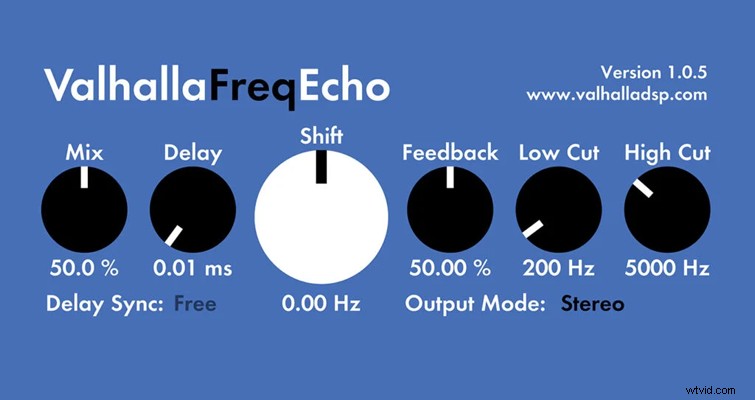
Freq Echo – Psychedelic Shifting & Echo
Freq Echo adds variable delay and frequency shifting, ideal for creating ethereal echoes or tense jump‑scare textures. Key controls include:
- Mix – Wet/Dry balance
- Delay – Time of the echo
- Shift – Frequency shift amount
- Feedback – Repeating delay amount
- Low/High Cut – Frequency filtering
- Output Mode – Stereo or Mono
- Delay Sync – Tempo‑aligned delay
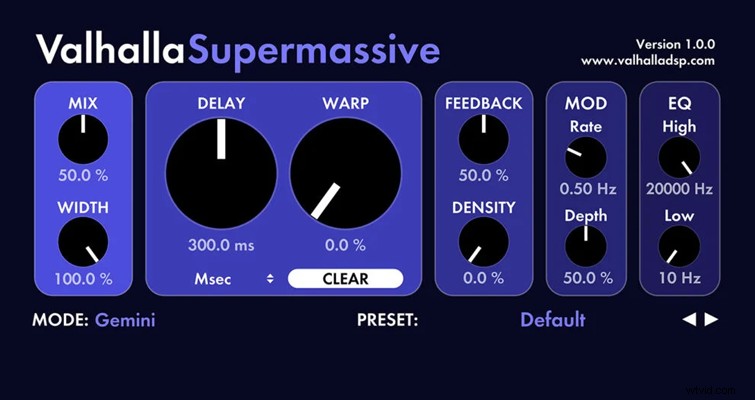
SuperMassive – Massive Delays & Reverb Playground
SuperMassive offers 16 preset modes (e.g., Gemini, Hydra, Andromeda) that transform your audio into vast, other‑worldly spaces. Adjustable parameters include:
- Mix – Wet/Dry ratio
- Width – Stereo spread
- Delay – Millisecond length
- Warp – Length warping for complex patterns
- Feedback – Echo decay control
- Density – Number of perceived echoes
- MOD Rate/Depth – Oscillator control for dynamic modulation
- EQ High/Low Cut – Frequency shaping
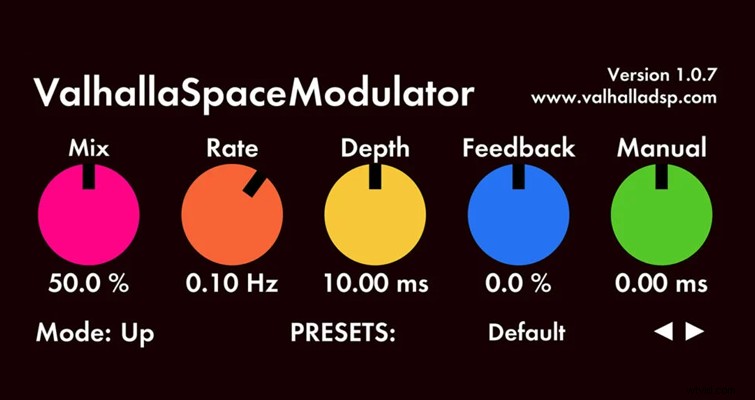
SpaceModulator – Advanced Flanger & Modulation
SpaceModulator emulates a high‑end flanger pedal, featuring eleven distinct modulation styles. Controls include:
- Mix – Wet/Dry balance
- Rate – Modulation speed (Hz)
- Depth – Millisecond modulation depth
- Feedback – Internal echo feedback
- Manual – Optional pre‑delay addition
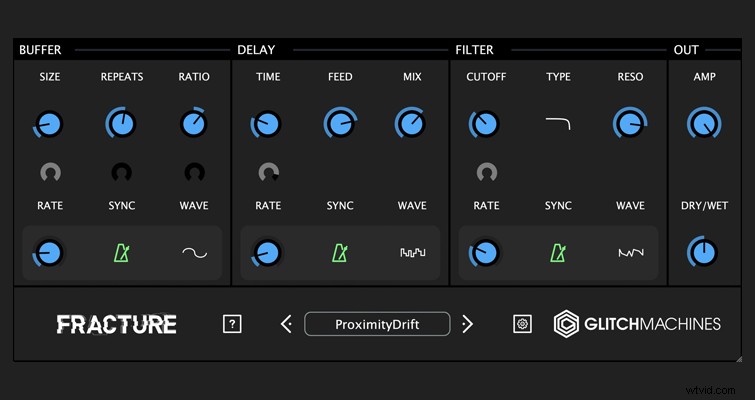
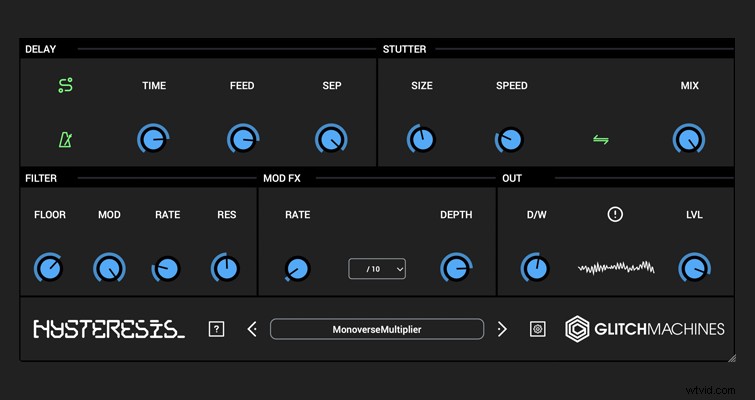
GlitchMachines Fracture & Hysteresis – Free Glitch & Delay Masterpieces
GlitchMachines delivers cutting‑edge glitch effects with its Fracture and Hysteresis plugins. Though free, they match the company’s paid products in quality. Fracture offers 100 factory presets and a built‑in randomizer, while Hysteresis supplies 60 presets, both perfect for robotic or error‑inspired sound design.
For additional audio inspiration, explore these related articles:
- Ambisonic, Binaural, and ASMR Sound Effects for VR/360 Videos
- Sound Effects: The Unsung Heroes of the Film Industry
- Free Epic Sound Effects for Film & Video Trailers
- The 10 Best Uses of Sound Effects in Filmmaking History