
Typing out lengthy documents or meeting notes can be tedious, especially when juggling multiple tasks. Free speech‑to‑text software eliminates that friction by converting spoken words into written text instantly.
These tools are not only easy to use but also versatile—whether you need a quick voice‑to‑text converter or a comprehensive transcription solution, the options below cover all scenarios without costing a dime.
With so many choices, finding the right fit can be daunting. This guide walks you through the five best free speech‑to‑text tools, highlighting their strengths and ideal use cases so you can choose the one that best matches your workflow.
In this article
-
- Wondershare Filmora

- Windows Speech Recognition
- LilySpeech
- Descript
- Apple Dictation
- Wondershare Filmora
Part 1. What You Can Do With Free Speech‑to‑Text Software
Modern speech‑to‑text solutions combine accurate transcription with voice‑controlled productivity. Beyond simple dictation, they interpret commands, automate routine tasks, and even interact with applications—making them indispensable for multitaskers.
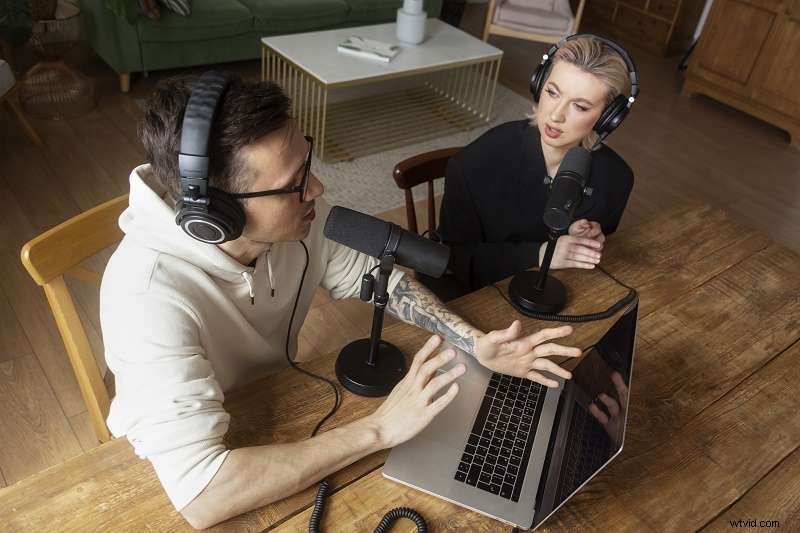
Here are some of the most valuable ways these tools can enhance your day:
- Hands‑Free Writing – Capture ideas while cooking, walking, or in meetings; the software transcribes in real time.
- Audio File Transcription – Convert recorded interviews, podcasts, or conference calls into editable text with minimal effort.
- Caption & Subtitle Creation – Generate subtitles automatically for videos, saving hours of manual typing.
- Language Learning Aid – Practice pronunciation and review spoken language through instant transcription.
- Customer Service Insight – Transcribe call center conversations for analysis, quality control, and training.
Part 2. The Best Free Speech‑to‑Text Software Available
Below is a curated list of the top free tools that deliver reliability, speed, and a range of features to suit different needs.
1. Wondershare Filmora
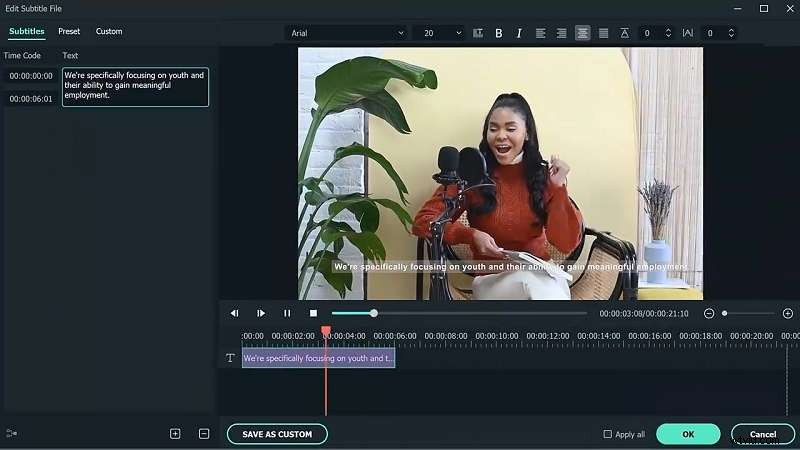
Filmora is a full‑featured video editor that now includes a powerful Speech‑to‑Text (STT) module. With one click, it transcribes on‑screen dialogue and produces subtitles in up to 27 languages, even supporting bilingual subtitles for complex projects.
Key Features:
- Single‑click conversion of video speech to text.
- Simultaneous transcription of two languages for bilingual subtitles.
- Accurate recognition that accelerates editing workflows.
- 27 supported languages and SRT import/export.
- Intuitive timeline for precise subtitle editing.
Ideal For: Content creators, vloggers, educators, podcasters, and video editors who need quick, reliable transcriptions.
Compatibility: Windows, macOS, Android, iPhone.
2. Windows Speech Recognition
Built into Windows, this free tool allows you to dictate text across applications and control your PC with voice commands—opening apps, setting reminders, or playing music—all without touching a keyboard.
Key Features:
- Native Windows integration—no extra downloads.
- Transcription across browsers, word processors, and other apps.
- Voice commands for PC navigation and task automation.
- Easy activation via the Windows search bar.
Ideal For: Windows users seeking a straightforward, built‑in dictation and voice‑control solution.
Compatibility: Windows 10/11 (Voice Access will replace it on Windows 11 22H2 and later).
3. LilySpeech
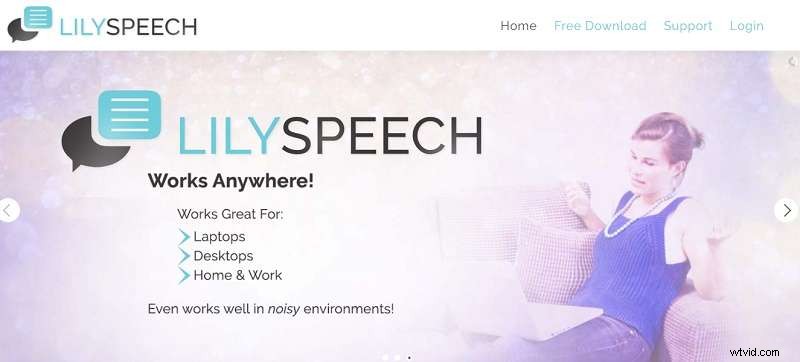
Designed for Windows, LilySpeech supports 51 languages and leverages Google’s highly accurate speech‑to‑text engine. It lets you dictate anywhere—emails, documents, web searches—while allowing custom vocabulary for industry terms.
Key Features:
- 51 language support.
- Powered by Google’s 99.5% accurate STT service.
- Custom word lists for improved accuracy.
- Lightweight, no performance impact.
- Full functionality at no cost.
Ideal For: Professionals, students, and anyone who prefers dictation over typing.
Compatibility: Windows.
4. Descript
Descript offers real‑time transcription with 95% accuracy, plus built‑in audio editing. Record directly or upload a file, and the platform automatically removes filler words and syncs text with audio—ideal for content creators who need a single tool for recording, transcribing, and editing.

Key Features:
- Real‑time, 95% accurate transcription.
- Direct editing of filler words in text and audio.
- Support for 22+ languages.
- Export options: Word, HTML, Markdown, and more.
Ideal For: Podcasters, video editors, and anyone needing an all‑in‑one recording, transcription, and editing workflow.
Compatibility: Windows & macOS.
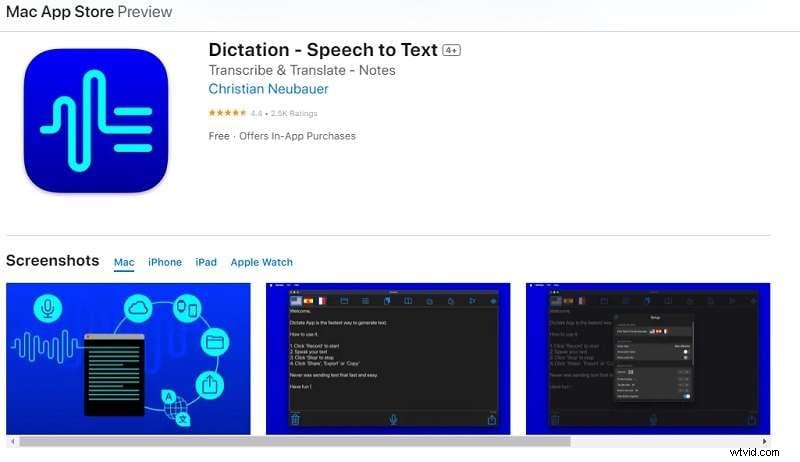
5. Apple Dictation
Apple’s native dictation tool supports over 40 languages, allows you to transcribe recorded audio, and syncs across devices via iCloud. It also offers accessibility features for the visually impaired and easy sharing options for social media or email.
Key Features:
- 40+ transcription and translation languages.
- Transcription of major audio file formats.
- iCloud sync for cross‑device access.
- Accessibility options: adjustable font and button sizes.
- Share dictated text to Twitter, WhatsApp, email, etc.
Ideal For: Users needing transcription, translation, and effortless text sharing across Apple ecosystems.
Compatibility: macOS, iPhone, iPad, Apple Watch.
Part 3. Convert Your Recordings into Text with the Best Free Speech‑to‑Text Software
After exploring the options, Wondershare Filmora stands out as the most versatile solution for video editors and content creators. Its advanced STT engine delivers accurate transcriptions in 27 languages and can generate bilingual subtitles automatically.
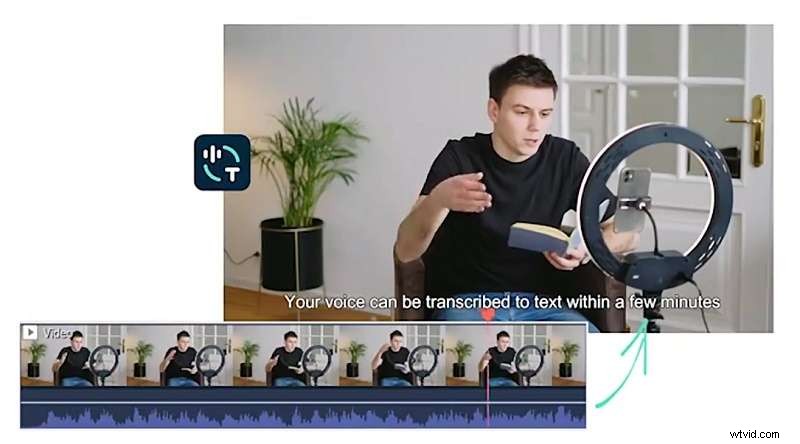
Below is a concise workflow to transform your audio or video into searchable text using Filmora’s Speech‑to‑Text feature.
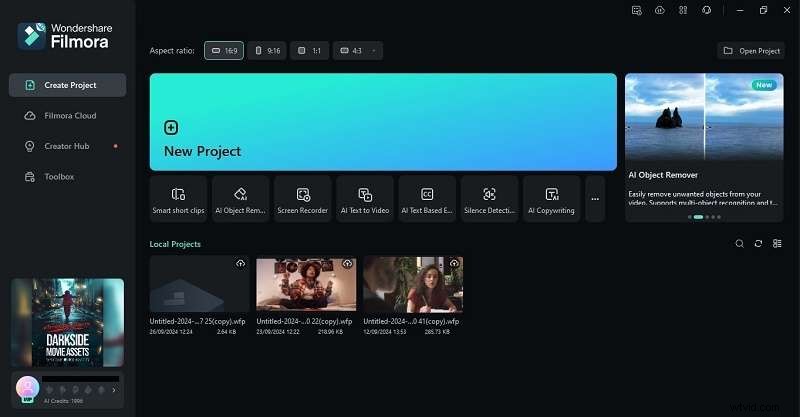
Step 1 – Launch Filmora and Import Your File
Download the latest version here and follow the installation steps. Once started, create a new project and drag your audio or video into the media library.
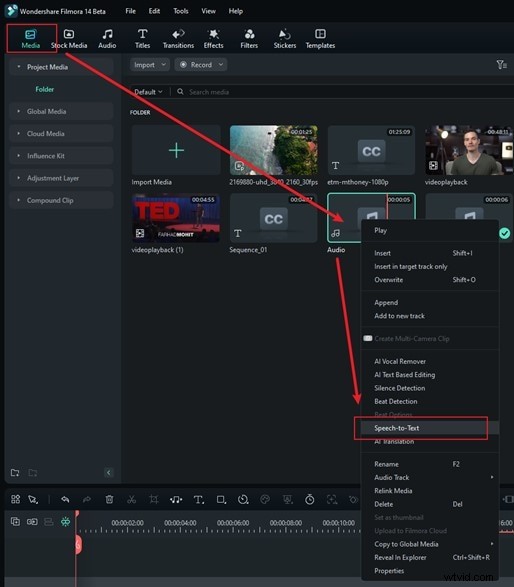
Step 2 – Open the Speech‑to‑Text Tool
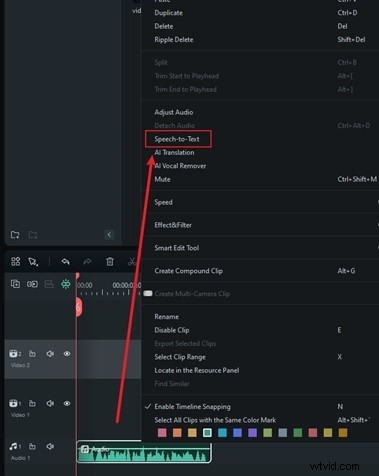
Right‑click the imported asset in the Media section and choose Speech‑to‑Text, or access the option directly from the timeline by right‑clicking the audio track.
Step 3 – Select Language and Generate Transcription
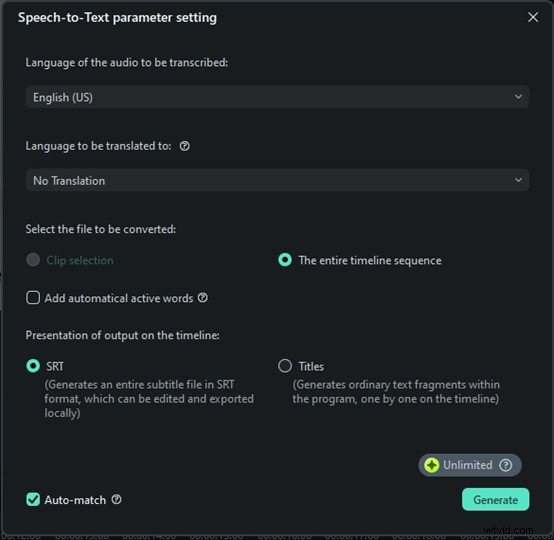
In the Speech‑to‑Text panel, pick the language of your recording and enable Auto‑Sync to match subtitles with the timeline. Filmora also offers bilingual subtitle support—simply choose a second language if needed. Click Generate to start the transcription.
Step 4 – Review, Edit, and Export
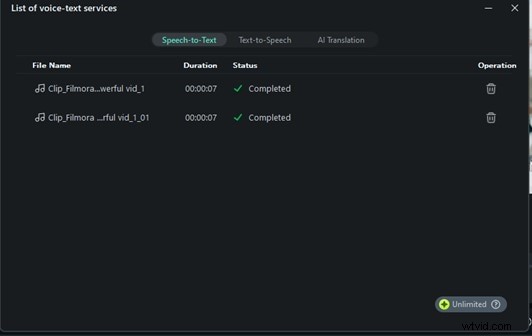
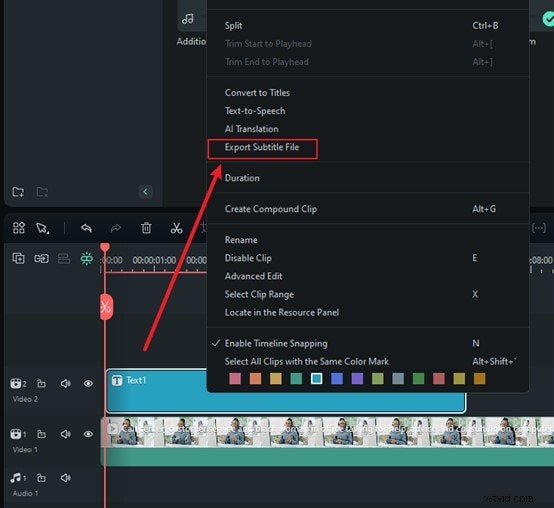
Once the process completes, review the text directly on the timeline, making timing or spelling adjustments as necessary. The final file appears in SRT format; right‑click the subtitle track and select Export Subtitle File to save it for your project.
Filmora’s workflow is fast, accurate, and supports bilingual subtitles—making it an ideal choice for professionals who need reliable transcriptions without a steep learning curve.
Conclusion
Free speech‑to‑text tools unlock new levels of productivity—from hands‑free note taking to polished subtitles and beyond. Whether you’re a video editor, podcaster, or language learner, the five options highlighted above—Wondershare Filmora, Windows Speech Recognition, LilySpeech, Descript, and Apple Dictation—offer robust, no‑cost solutions tailored to diverse needs.
For the most comprehensive experience, Filmora’s integrated STT module leads the pack, delivering swift, multilingual transcriptions and subtitle creation that fit seamlessly into your editing workflow.
Give these tools a try and watch your content creation and transcription process become smoother, faster, and more accurate.