
Audio management has become a professional field embraced by users of all experience levels. In the digital era, editing audio is a common task, and many tools compete to deliver the best experience. This article introduces Wave Editor – a free, lightweight audio editor for Windows – and examines its features, benefits, drawbacks, and usage instructions.
With its simple interface and robust functionality, Wave Editor offers an attractive option for both beginners and professionals. Let’s dive into the details.
In this article
Part 1: What is Wave Editor?
Wave Editor is a free audio editing solution designed specifically for Windows. It provides a clean, intuitive workspace that lets users modify any audio file efficiently. Whether you’re a novice or an experienced audio professional, the tool’s streamlined workflow helps you perform tasks quickly and accurately.
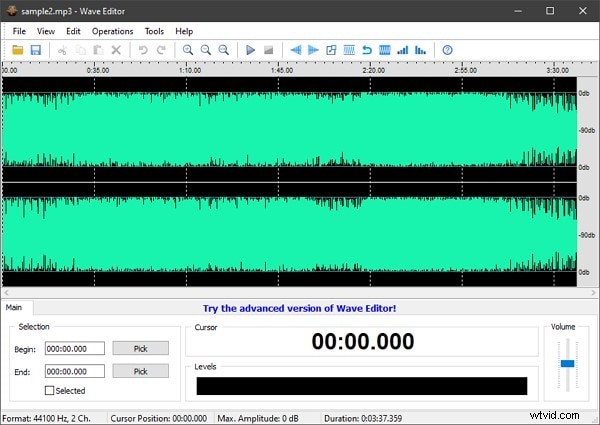
The editor includes a range of essential features that make everyday audio editing straightforward, from cutting and copying to applying fades and normalization. Its design focuses on speed and ease of use, allowing you to get results in minimal time.
Part 2: Key Features of Wave Editor
Wave Editor supports common audio formats such as MP3, WMA, and various WAV files. It handles 8‑bit and 16‑bit samples in both mono and stereo, ensuring high‑quality playback and editing.
Fading In and Out
Apply fade‑in and fade‑out effects to create smooth volume transitions. The tool offers precise control over fade duration and curve type.
Inserting Silence
Remove unwanted sections or create pauses by inserting silence at any point in the track.
Normalization
Adjust the overall loudness of a clip to reach its maximum level without clipping, improving consistency across recordings.
Audio Management
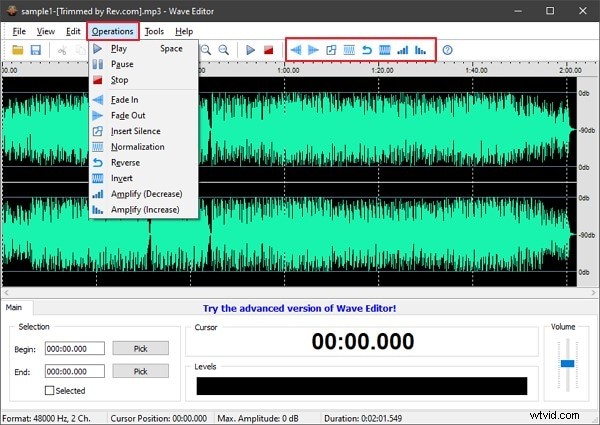
Standard editing operations – cut, copy, paste, delete – are available through an accessible toolbar and the “Operations” tab.
Multilingual Interface and Integration Support
Wave Editor offers a multilingual UI and can be integrated with other audio tools for expanded workflow options.
Reverse and Invert Sounds
Reversing rewrites the waveform to play backwards, while inversion flips sample polarity, useful for creative audio effects and mixing.
Part 3: Pros and Cons of Wave Editor
Advantages
- Ultra‑lightweight design minimizes system resource usage.
- Enhances audio quality without introducing distortion.
- Intuitive interface lowers the learning curve.
- Versatile features support a range of audio production tasks.
Disadvantages
- Windows‑only; not available on macOS or Linux.
- Interface design feels dated compared to newer editors.
- Advanced features require purchase of Wave Editor Pro.
Part 4: How to Use Wave Editor?
Follow these simple steps to edit an audio file:
Step 1: Open and Import a File
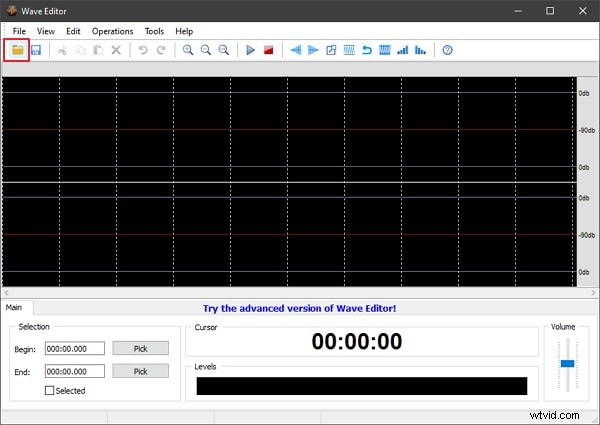
Launch Wave Editor, click the “Open” button, and select the audio file you wish to edit.
Step 2: Edit the Audio
Select the portion of the track you want to modify. Use the toolbar or the “Operations” tab to cut, copy, paste, or apply effects.
Step 3: Save Your Work
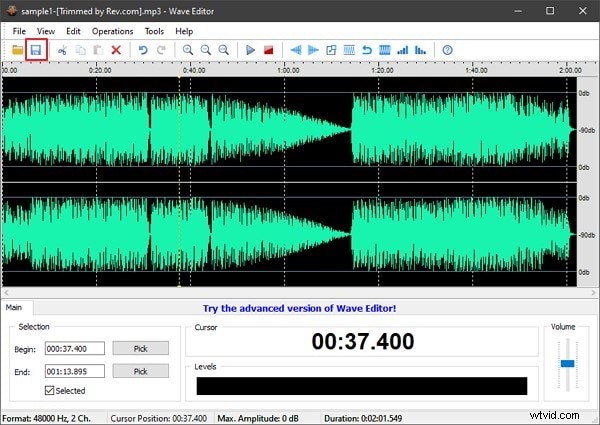
Once editing is complete, click “Save” to apply changes to the file.
Part 5: Alternatives to Wave Editor
While Wave Editor offers a solid free solution, there are other editors that might better suit certain needs:
Audacity
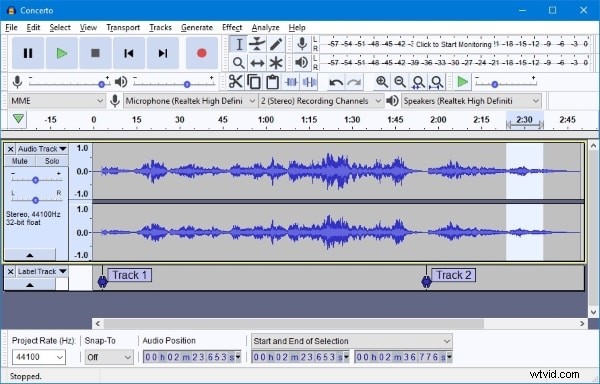
Audacity is a free, open‑source editor that runs on Windows, macOS, and Linux. It provides comprehensive recording, editing, and effect capabilities, making it a popular choice for a wide range of audio projects.
Ocenaudio
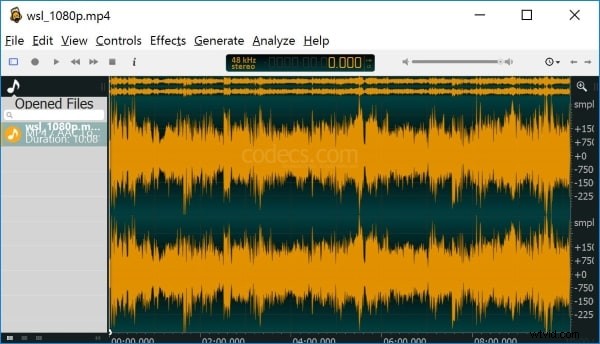
Ocenaudio is another cross‑platform editor known for its fast, user‑friendly interface. It supports a wide array of formats and real‑time effects, offering a convenient alternative for quick edits.
Closing Words
Wave Editor delivers a straightforward, efficient workflow for Windows users looking to edit audio files without cost. For video‑audio projects or advanced features, consider upgrading to Wave Editor Pro or exploring other tools like Wondershare Filmora Video Editor, which extends capabilities to video editing as well.
Whether you’re polishing a podcast, refining music samples, or experimenting with audio effects, Wave Editor offers a reliable foundation to get the job done.