
High‑quality audio elevates any media experience—whether you’re watching a film, editing a podcast, or streaming music. An effective audio enhancer simplifies post‑production, turning raw recordings into crisp, engaging sound. Below, we review five of the best Windows audio enhancers, outlining their standout features, how to use them, and practical tips to choose the right one for your needs.
1. Wondershare Filmora

Filmora blends video editing with AI‑powered audio enhancement. Its Voice‑Enhancer feature automatically cleans background hiss, sharpens speech, and balances levels, all within a familiar editing interface.
- AI Voice Enhancer: Improves clarity in spoken audio automatically.
- Comprehensive video editing tools for pre‑ or post‑audio work.
- Pre‑made templates and creative assets for quick project setup.
- Additional AI tools: smart cutout, AI thumbnail, AI text‑based editing.
- Export to MP4, MOV, MKV, MP3, and more.
How to Enhance Audio in Filmora
- Download and install Filmora from the official website.
- Open the app and create a new project or open an existing one.
- Import media via the Elements Panel and drag it onto the timeline.
- Select the audio clip; the right‑hand panel opens.
- Enable the AI Voice Enhancer toggle under the Basic tab.
- Fine‑tune Voice Clarity and Voice Beautification sliders to taste.
- Preview and, if satisfied, export your project.
2. DeskFX
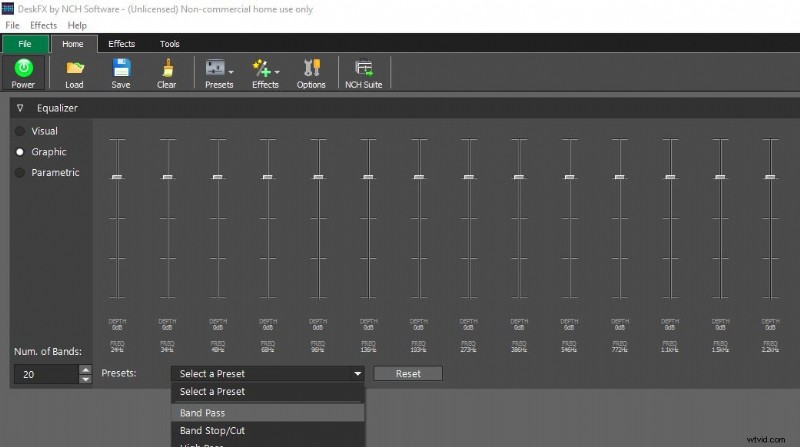
DeskFX offers granular control over every frequency band, making it ideal for professionals who need precise equalization and noise suppression.
- Extensive audio effects: equalizer, amplifier, reverb, chorus.
- Built‑in audio booster for bass and volume without distortion.
- Low‑ and high‑pass filters to eliminate unwanted noise.
- 20‑band equalizer for detailed spectral editing.
3. Boom 3D
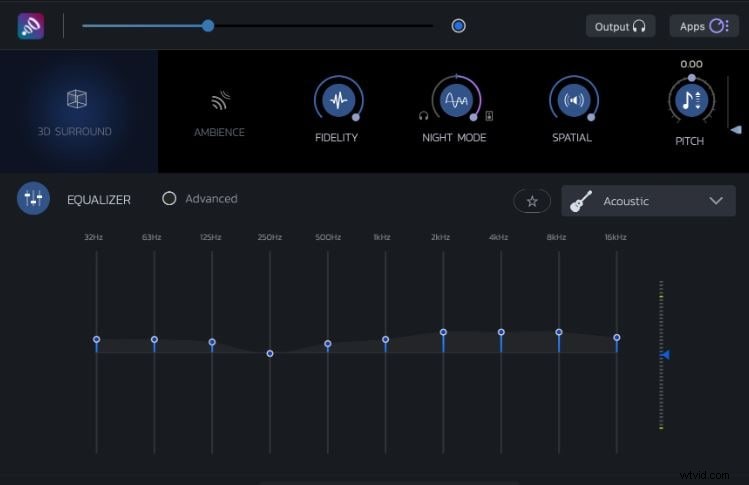
Popular for its immersive 3D surround sound, Boom 3D also serves as a versatile media player with customizable presets.
- 31‑band equalizer for fine‑tuned sound shaping.
- Integrated music player for seamless listening.
- 20+ audio presets covering various genres and environments.
- Instant 3‑D surround effects for richer audio.
4. ViPER4Windows
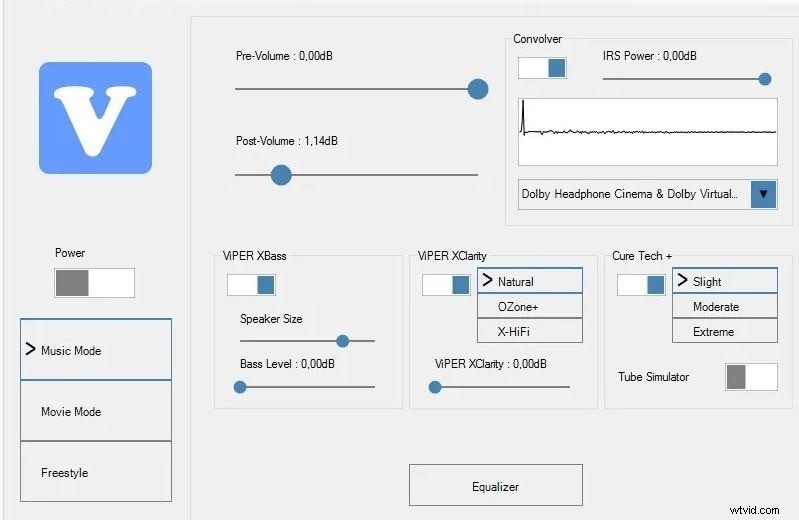
ViPER4Windows is a free, feature‑rich audio enhancer that supports multiple editing modes and advanced signal processing.
- Editing modes: Music, Movie, Freestyle.
- Preset management for quick application or custom creation.
- Full suite of effects: Compressor, Equalizer, Convolver, Surround, etc.
- Completely free to download and use.
5. Breakaway Audio Enhancer
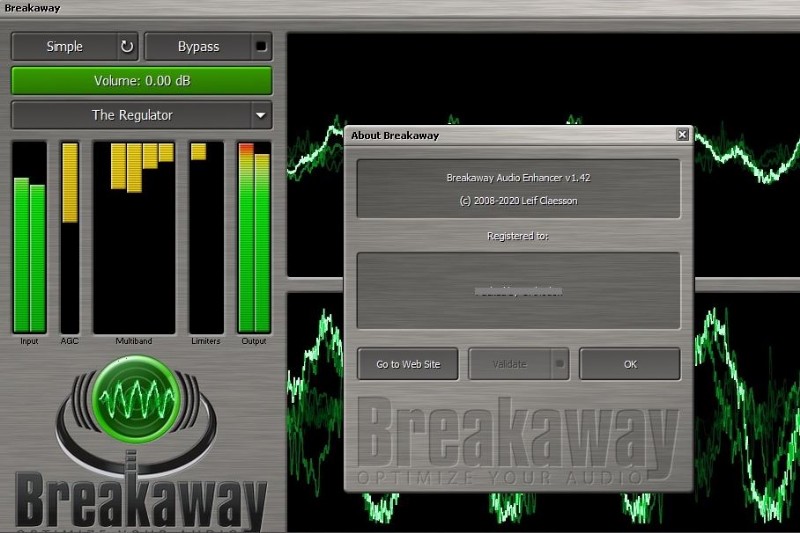
Breakaway provides a clean, user‑friendly interface with essential controls, making it accessible for beginners and professionals alike.
- Three visualizer styles for real‑time feedback.
- 16 preset selections tailored to different use cases.
- Intuitive navigation and responsive controls.
- Easy adjustments without needing audio engineering expertise.
Choosing the Right Enhancer
When selecting an audio enhancer, consider the following:
- Recording Environment: A quiet studio yields the best raw audio for post‑production.
- Equipment Quality: Invest in a high‑end microphone to capture detail.
- Feature Set: Match your workflow needs—equalizer depth, AI cleanup, surround sound, or free access.
Conclusion
Audio enhancement is no longer a niche skill; it’s a vital part of modern media production. Whether you need AI‑driven voice clarity, precise equalization, or immersive surround sound, the tools above provide robust solutions for Windows users. Start by downloading the one that aligns with your workflow, apply the enhancements, and elevate your audio to professional quality.