
Audio quality can make or break a viewing experience. Even the best visuals can feel flat if the sound is subpar. Fortunately, modern audio‑enhancement tools can lift the fidelity of any playback, from streaming services to local files.
One of the most widely used solutions on Windows is DFX Audio Enhancer (Full Version). Designed to improve the sound of all audio streams in real time, it offers a simple interface for users who want instant, professional‑grade audio without deep technical knowledge.
In this review we cover:
In this article
-
- Key Features
- Step‑by‑Step Guide
-
- Key Features
- Pros
- Cons
- Pricing
Best Alternative to DFX Audio Enhancer (Full Version)
While DFX is ideal for casual listeners, content creators often need a more comprehensive suite that combines video editing with audio enhancement. Wondershare Filmora is a leading choice, providing a robust AI voice enhancer and a full set of editing tools.

Key Features of Filmora
- AI Voice Enhancer: Improves speech clarity automatically.
- Basic and professional video editing tools.
- Wide selection of customizable video templates.
- Rich creative library (stock photos, clips, audio, effects, filters).
- Additional AI tools – Smart Cutout, Text‑Based Editing, Thumbnail Creator.
- Flexible export options: MP4, WMV, AVI, MOV, F4V, MKV, TS, 3GP, MPEG‑2, WEBM, GIF, MP3.
Step‑by‑Step Guide to Filmora
Getting started is straightforward. Follow the steps below to apply the AI Voice Enhancer to your project.
Step 1: Download and install Filmora from the official website.
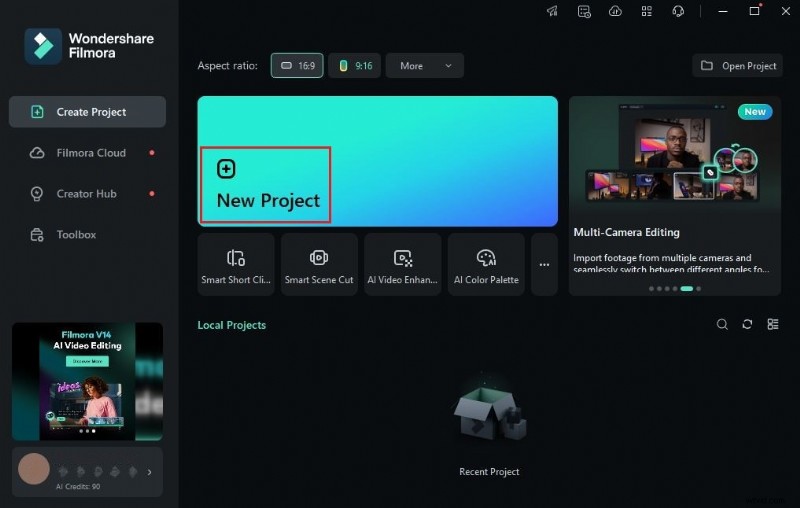
Step 2: Launch the app and click “New Project” or open an existing one.
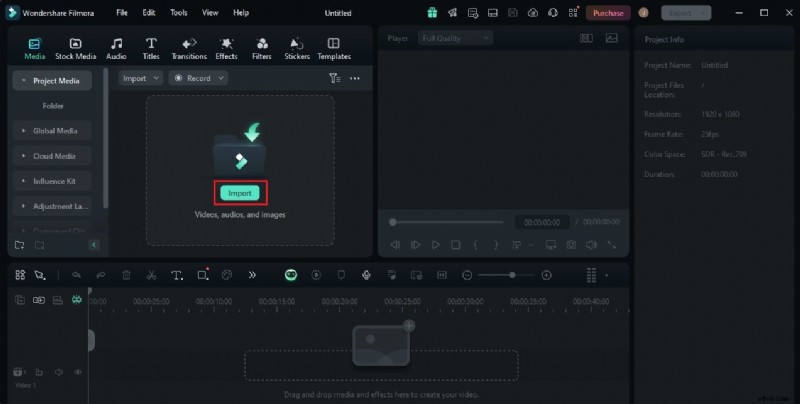
Step 3: Import your media via the Elements panel, then drag items to the timeline.
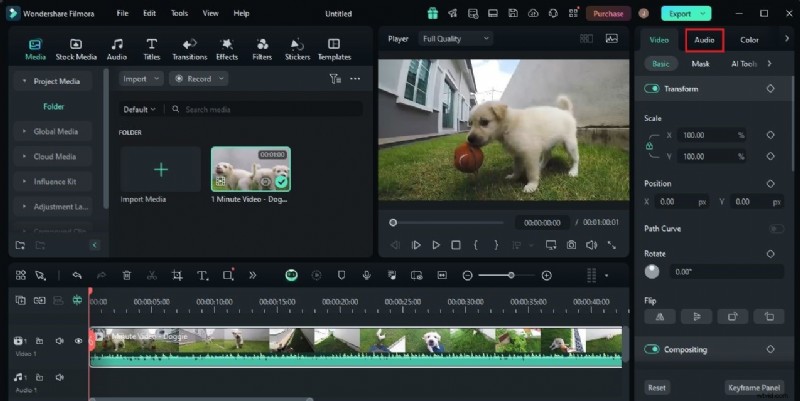
Step 4: Select a clip on the timeline, open the right‑hand panel, and click “Audio.”
Step 5: Enable “AI Voice Enhancement” from the Basic section.
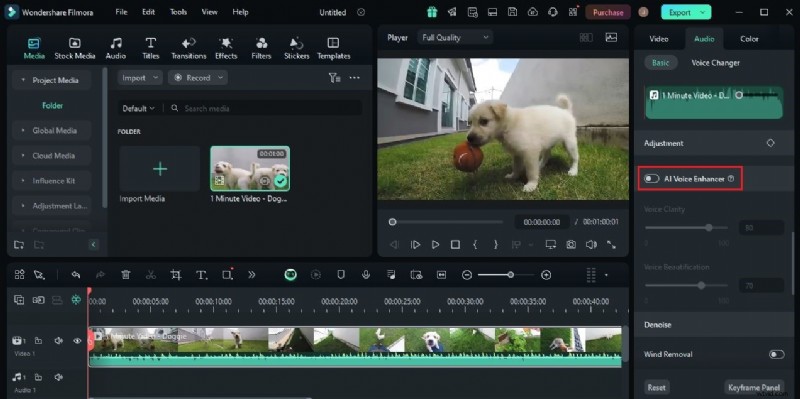
Step 6: Fine‑tune Voice Clarity and Beautification sliders to your preference.
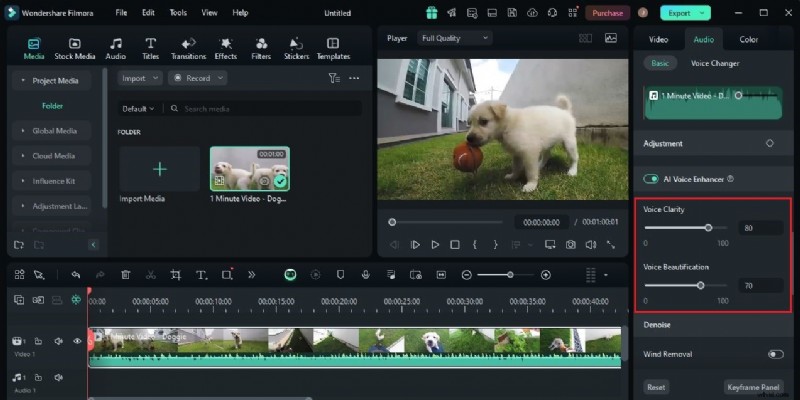
Step 7: Review the result, then export the finished video. Use the Revert button if you need to start over.
Everything You Need to Know About DFX Audio Enhancer (Full Version)
Audio enhancement is now accessible to everyone thanks to user‑friendly tools like DFX. With a single click, you can boost sound quality, add dynamic effects, and enjoy clear playback across all devices.
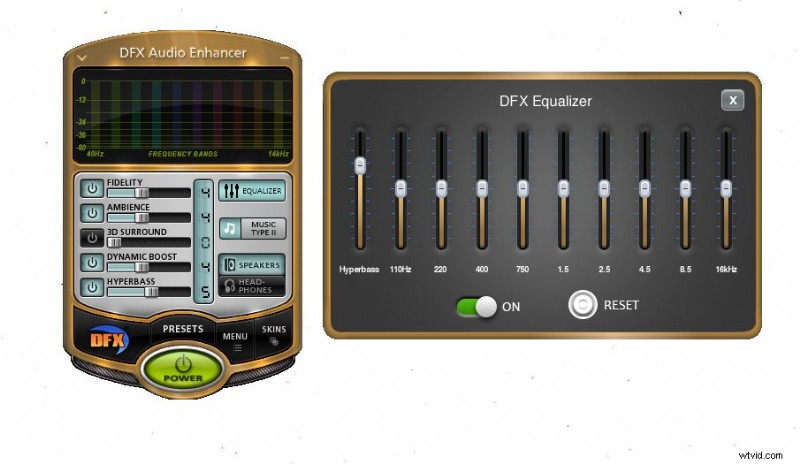
Key Features of DFX Audio Enhancer
- Boost Sound Quality: Enhances ambiance, dynamics, and fidelity.
- Frequency visualizer for precise adjustments.
- Parametric EQ lets you fine‑tune wavelengths and frequencies.
- Ready‑made presets for quick application.
- Customizable interface themes: Universal, Charcoal, Classic Blue, Classic Red.
- Hyper Bass toggle for bass‑boosted playback.
Pros
- Intuitive, beginner‑friendly interface.
- Wide compatibility with popular audio players.
- Extensive customization options.
- Produces professional‑grade audio.
- Simple download and installation process.
Cons
- Some advanced features require a paid subscription.
- Limited compatibility with certain legacy players.
- May struggle with very low‑quality recordings.
- Advanced settings may need basic audio knowledge.
Pricing
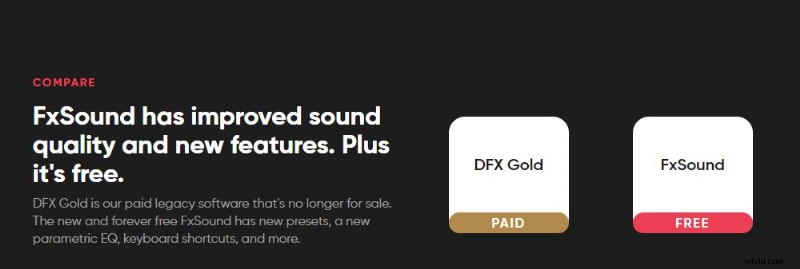
You can use DFX for free, but premium features unlock via a subscription. The free tier is sufficient for basic testing.
How to Use DFX Audio Enhancer (Full Version)
Using DFX is straightforward once you install it. Follow the steps below to enjoy real‑time audio enhancement.
Step 1: Download and install DFX for PC.
Step 2: Launch the application and turn on the main power button.
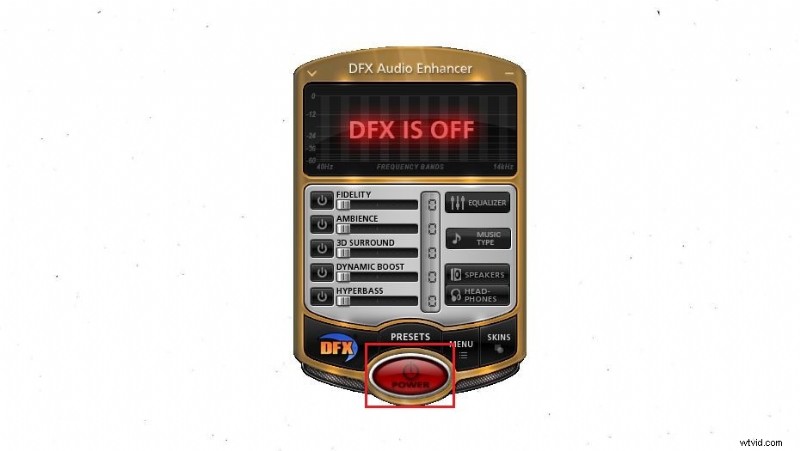
Step 3: Play any media; DFX automatically enhances the sound.
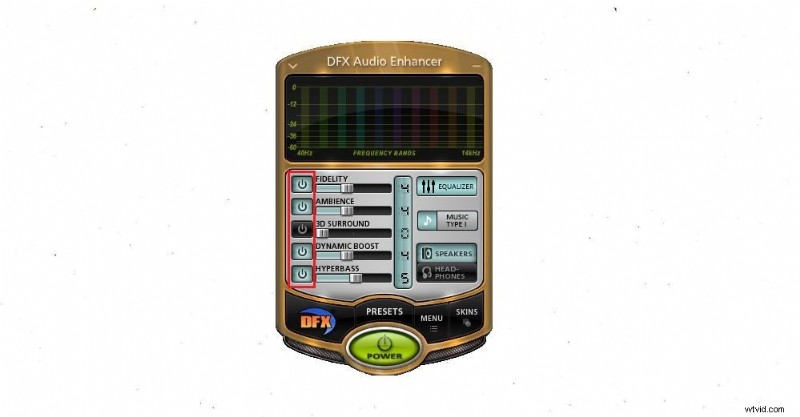
Step 4: Enable effects such as Fidelity, Ambiance, 3D Sound, Dynamic Boost, and Hyper Bass by toggling the corresponding buttons.
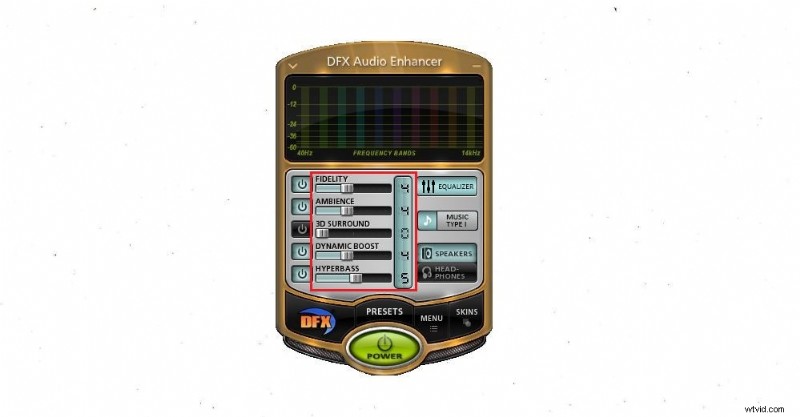
Step 5: Adjust effect intensity with sliders to match your preference.

Note: DFX is currently available for desktop. Android versions exist but may not support all features.
Conclusion
Modern audio‑enhancement tools bring studio‑quality sound to everyday playback. DFX Audio Enhancer (Full Version) is an excellent choice for listeners seeking instant, high‑quality audio across all media. For creators looking to combine video editing with voice enhancement, Wondershare Filmora offers a comprehensive, AI‑powered solution.