
While we all have some down time, this is the perfect opportunity to start creating your own library or catalog of sound effects — right in your own home.
Sound effects are an important tool that give your scenes depth and atmosphere. Perfect sound effects can make your scenes feel alive and lived in. So, let’s explore how to create and capture sound effects in your own domicile.
Sound Effects Gear to Get Started
To record high-quality sound effects, you’ll need some specific gear. I’ll break this down into three different tiers — you might be surprised by how easy it is to start recording.
Good Tier: Smartphone
Everyone has a smartphone in their pockets, which can surprisingly make great audio recorders. In just a few seconds, you can start recording using the phone’s built-in voice-memos app and share straight to a cloud service. While the clips are actually pretty high-quality, the downside is the control over the levels being recorded and the direction of the microphone. Your phone will do its best to guess what the levels should be, but you really have no control over it. Smartphones are great for the quick sound bite or when you have no other option available.
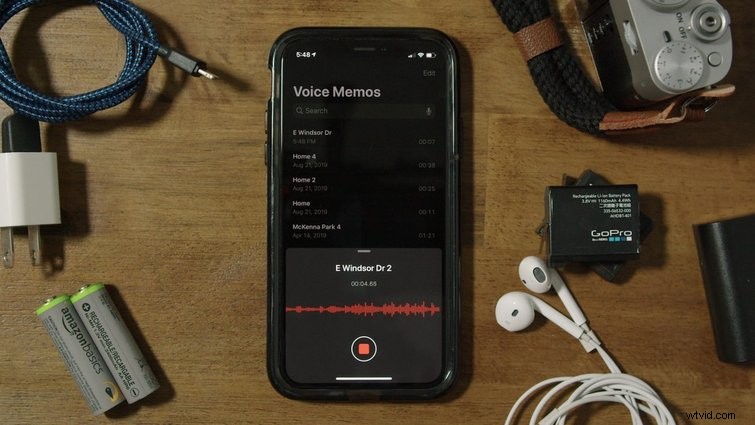
Smartphone’s are great for a quick sound bite.
Better Tier: Audio Recorder with Built-in Microphone
A dedicated audio recorder is great for the one reason it was built — to record audio and nothing else. You’ll have full control over the file formats, bit rates, and sample rates, with tons of features built-in. The downside of an audio recorder with built-in microphones is the directionality of the microphone. Similar to the smartphone, these built-in microphones aren’t as directional as I’d like them to be. Often, they’ll record in a wide pattern, picking up noises happening outside of what we’d like to record. This leads us to the best tier.
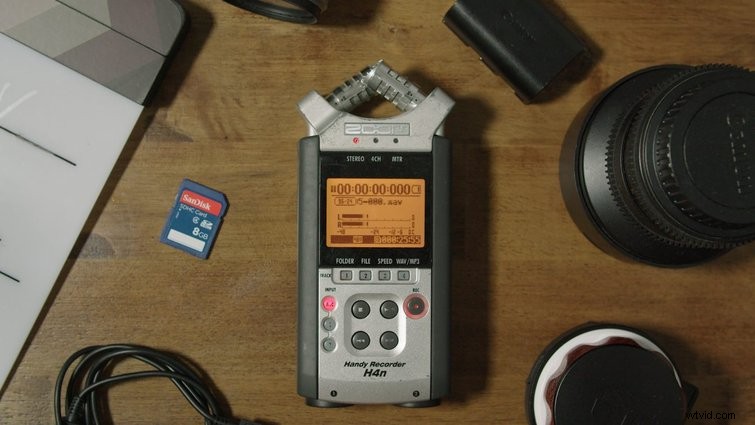
An audio recorder with a built-in microphone is good at recording, the problem lies within the directionality of the microphone.
Best Tier: Audio Recorder with Dedicated Microphone
Pairing the audio recording with a dedicated shotgun or directional microphone will ensure you’re recording only the exact sounds you’re needing to record. Below are the pickup patterns of each microphone, showing a huge difference in how each records the sounds around them.
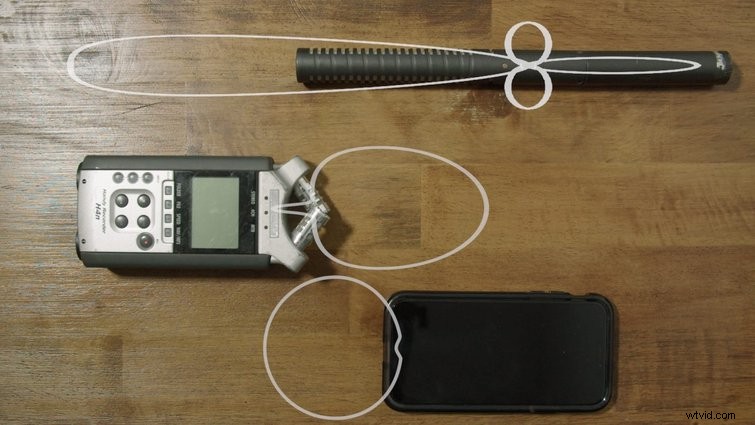
For the best sound results, pair the audio recorder with a dedicated microphone.
Recording
Once you have your gear squared away, it’s time to get recording. Keep in mind the types of sound effects you’ll need for future projects. Make sure the area you’re recording in is nice and quiet, to minimize extra sounds in your clips. The kitchen is a great place to start. Begin by positioning the microphone as close to your audio source, as possible. A few inches away should be perfect.
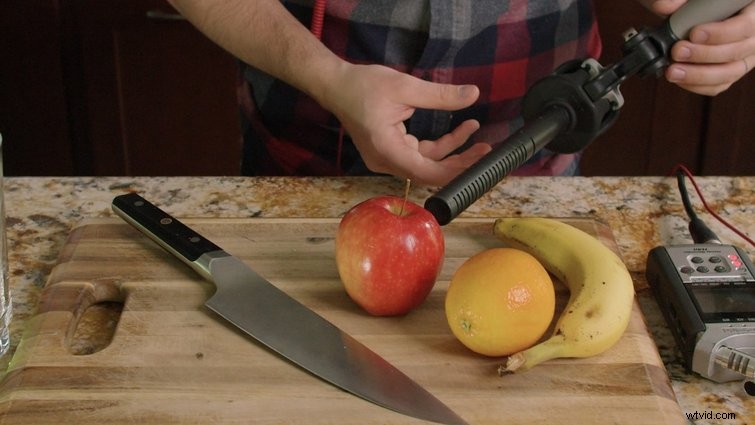
When recording, it’s important to position the microphone as close to the audio source, as possible.
Right before I begin the sound effect, I like to slate the recording with my voice by saying out loud what I’m recording. For instance, I’ll say “Door opening” or “Pouring liquid into glass.” This’ll help me later, when I’m organizing each file, to remember exactly what was being recorded.
During the recording, I’ll make clear and deliberate noises with the items, to ensure the sounds are coming out loud and clear. Secondly, I like to vary the sounds a little, to give myself a few options in the edit. When you have your fill of the sound, be sure to cut the recording and move on to the next effect.
Footsteps are a great sound effect to start cataloging in a library, and can be used across a lot of projects. Footsteps can vary based on the footwear, location, and surfaces you’re walking on. It may not be obvious at first, but wood flooring sounds a bit different than tile. Try recording footsteps in your house in every surface available and with different types of shoes, or even no shoes at all. While the differences may be subtle, the right sound effect can sell the scene.
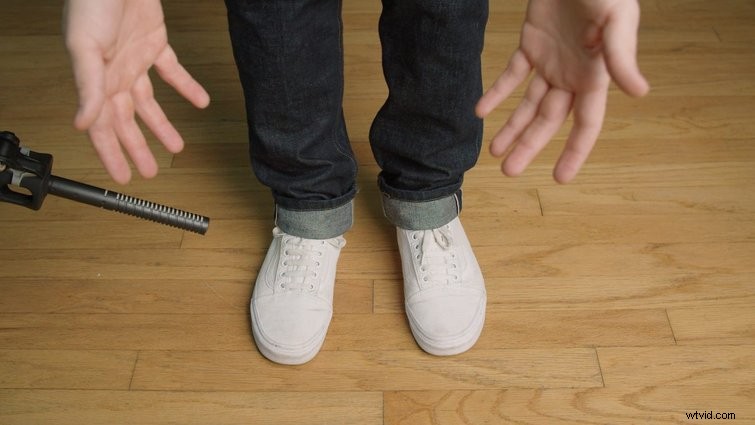
Capture a wide variety of footsteps by recording from every surface in your living space.
Cataloging
Once you have your effects recorded, it’s time to transfer them to a computer for future use. I like to find a dedicated location within my computer, where all my sound effects can live. This helps me find them easily when I need them. You can then break this location down into different sub-categories that relate to the effects recorded. For instance, I’ve divided mine up into “Atmosphere,” “Footsteps,” “Objects,” “Indoor,” and “Outdoor.” Feel free to continue dividing these folders, or be as narrow or wide as you want with the classifications.
I also have a folder titled “Needs Naming” dedicated to files that have not yet been named. Here is where I will drop all of the files I just recorded. This may take some time initially, but will save you time from listening to WAV_1021 through WAV_2054 to find the right sample you recorded eight months ago.
Now that each recording is named, it’s time to divvy them up into their respective folders. Find the folders that associate with the name given and drop them there. Next time I’m in an edit and I need specific foot steps, I know exactly where to find them in a few simple clicks.
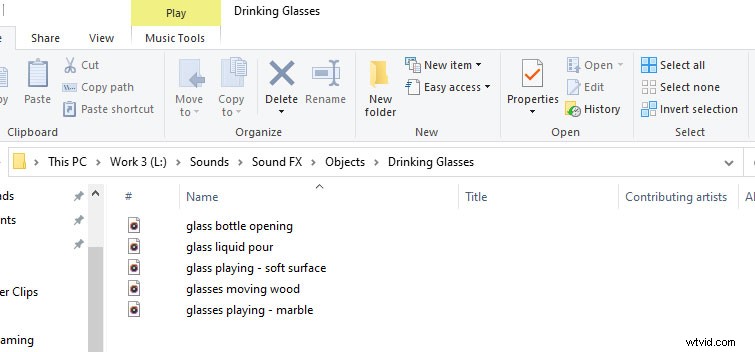
Cataloging involves dedicating a location for the file, as well as naming the file.
Keep in mind, there are sound effects to record all over your home, as well as right outside. Birds chirping, dogs barking, the wind, doors closing, etc. There really is no limit to how vast a personal sound effects library can be.
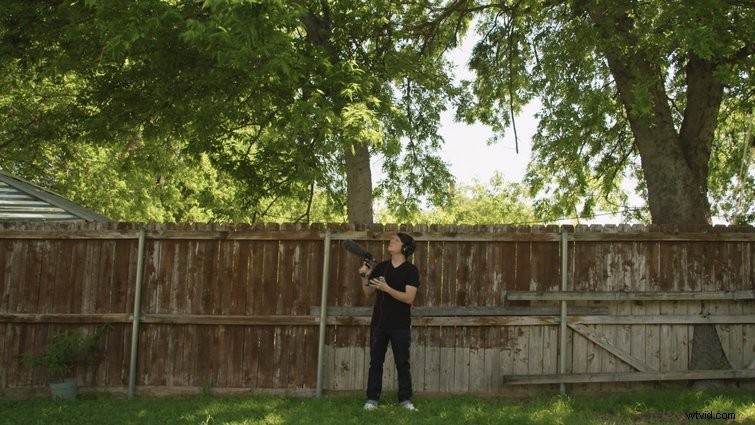
Your backyard or patio is a great resource for sound effects.
Stay inside, or venture out into your yard … and keep recording.
Interested in the tracks we used to make this video?
- “Stir-Crazy” by Tonemassif
- “Night Vision” by Make Music
- “Fried VHS” by Tiny Music
- “Minimal Hop” by Tiny Music
- “Ambient” by Sugar Beats
Looking for more audio and editing tips and tricks? Check out these articles.
- Free Epic Sound Effects for Film & Video Trailers
- 355 Free Motion Graphics, Sound Effects, Action Elements, and More
- Every Podcast Editing and Recording Software, Ranked
- Capturing Sound with the New 32-Bit Floating Audio
- Gear Roundup: The Best Laptops for Video Editing