
It’s all fun when recording and posing for great videos, not until you realize that the quality of the sound is far below your expectations, the joy derived fades off and you seek ways in which to perfect the quality of sound. Whenever you rely on the microphone of your camera, the sound recorded may be similar to that of someone mumbling in a cave. When the sound is of importance to you just like the images are, it is worth investing in an experienced audio producer to help the muffled sounds be much cleaner and clear. Generally, the biggest reason as to why one would want to improve the audio quality is to give presentable videos with clear audios and benefit from them.
Improve sound quality on home-recorded video with Wondershare Filmora
To begin with, get a free trial copy of Wondershare Filmora.
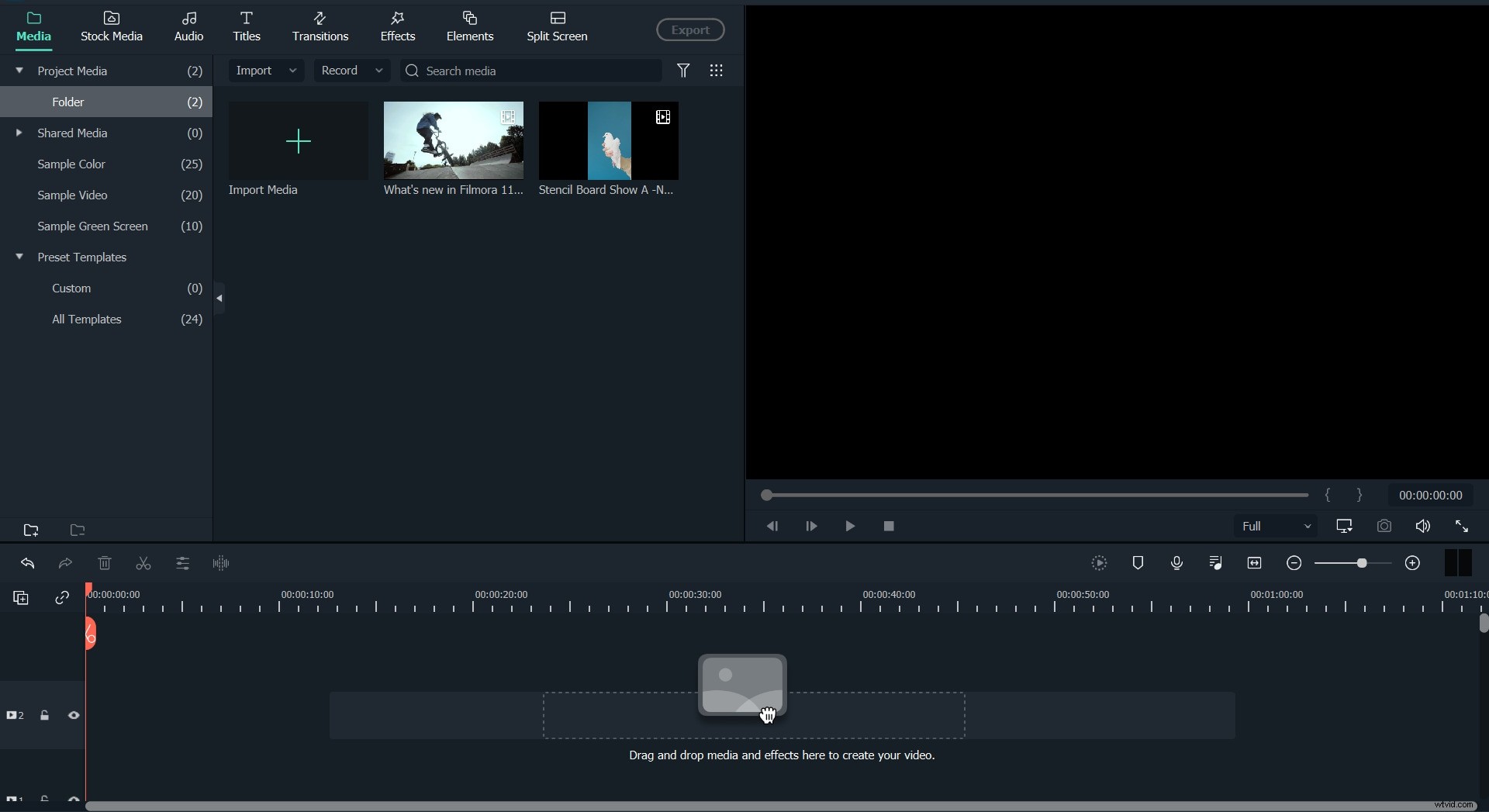
Step 1: Import video clips into Filmora
Using the software is not a great deal, it’s one of the most basic things that one does, and the first step involves importing videos on Filmora. The import function can easily be seen and it’s pretty easy to use.
Step 2: Cut, trim or split video (optional)
Secondly, you can opt to trim the video; however, this step is very optional. Sometimes the desire to perfect the whole video may be much and thus opt to improve the audio quality of the whole item.
Step 3: Audio denoise
The third step is also the main function of the software, it allows you to remove the background noise (audio denoise) the sounds can also be removed by audio detach and mute. Having done this, you can be sure that the quality of your audio is perfected to what you may have initially desired.
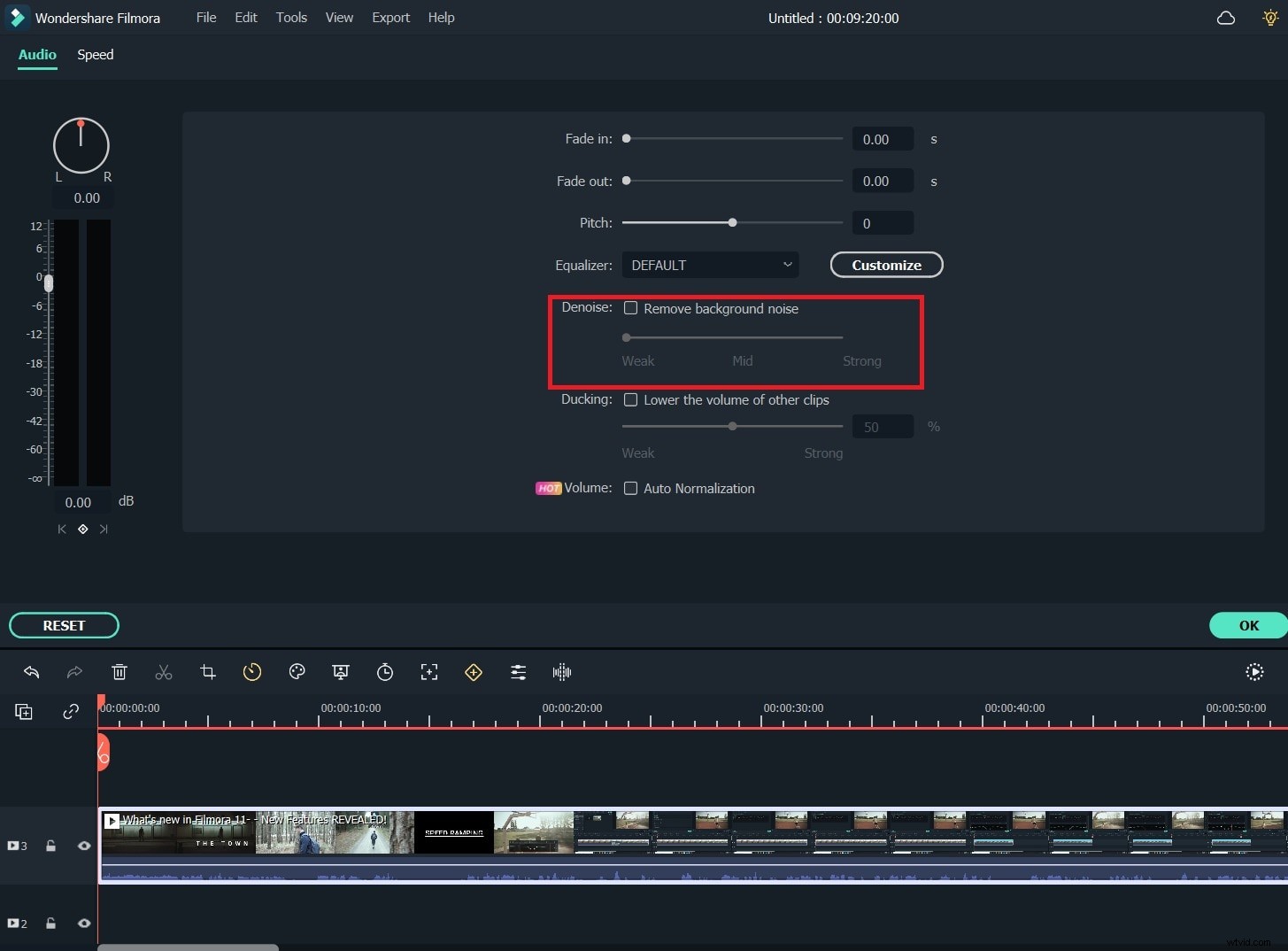
Step 4: Adjust video volume, pitch, etc
With a perfect sound, you have to adjust the pitch, the volume, and other effects of the sound that you were improving; this is set to match your needs and the feeling of the desired groups.
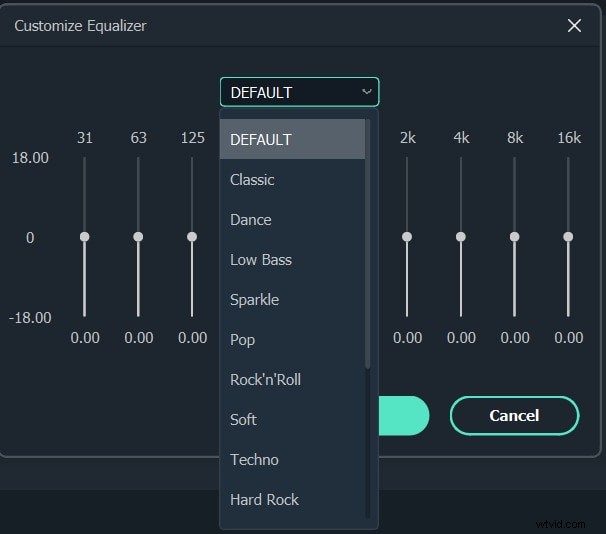
Step 5: Add audio effect with Audio Equalizer
You can also opt to add an effect with Audio Equalizer, like dance, and bass as per your desire.
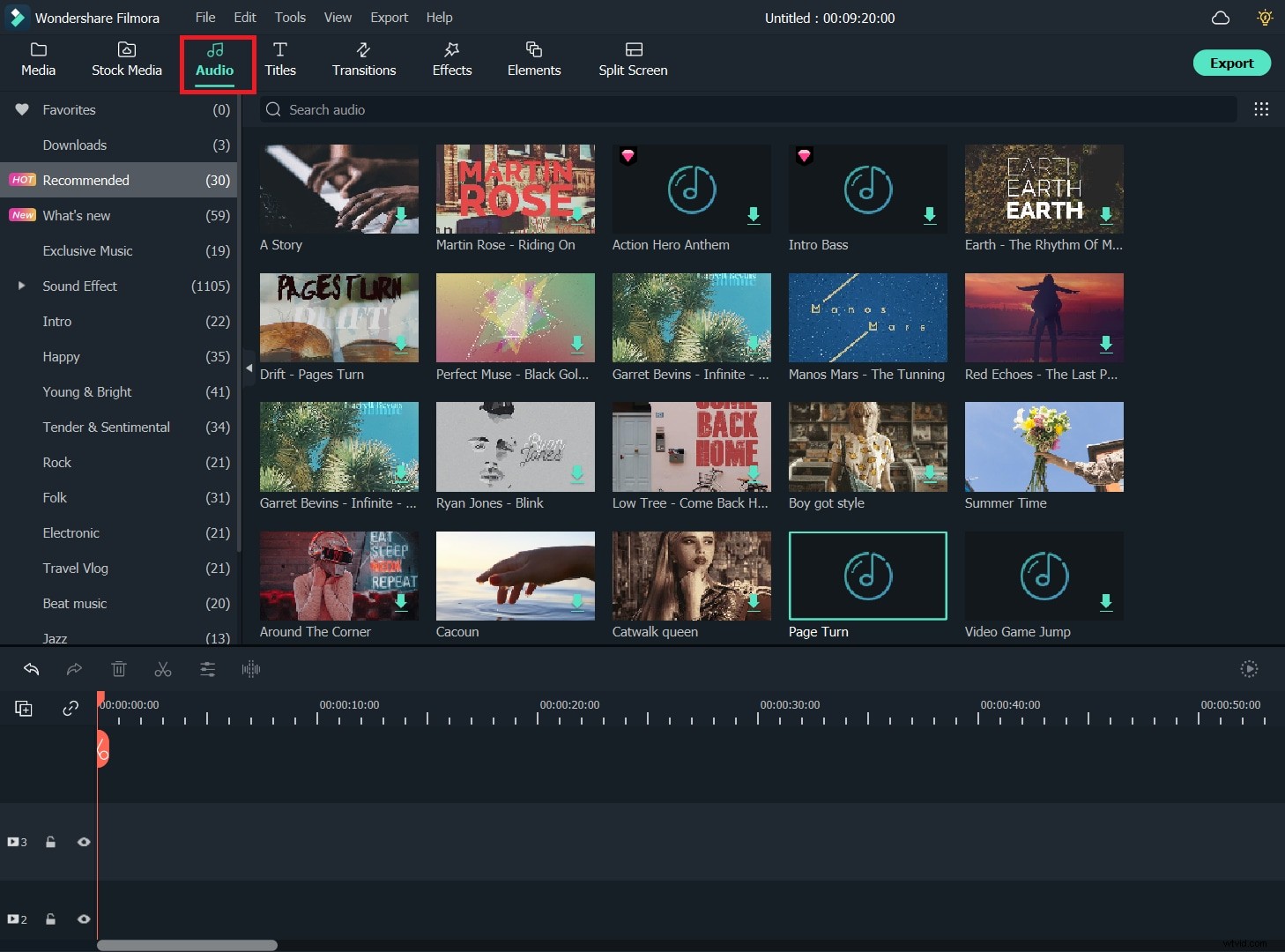
Step 6: Add background music
With the software, you can elevate the level of your recording by adding some royalty music as the background.
Step 7: Mix audio

Lastly, mixing different tracks into one file with an audio mixer is a crucial last step in perfecting your video. When done, feel free to share the perfected video, you can import it to your desired destination.
Why choose Wondershare Filmora
However, the best way on which to improve audio quality is by the use of Wondershare Filmora, the software has got a built-in audio editing tool, the tool has the power to enable you to mute, detach or even denoise your audio. In any case, these are usually the most basic uses of any sound software.
Furthermore, there is the newly added feature like Audio Equalizer that has the power to enable you to add more effects like classic, low bass pop, or even other features. The Audio Mixer in the software gives you the power to merge different tracks to enable you to create a new sound for yourself. Compared to the aforementioned two software, we can see that Wondershare Filmora has more than the basics; it is designed in a way in which it will serve more than the basics.
More, the software offers a complete support for a great number of audio formats ranging from AVI, MP4 and MKV. With the software, you can use a great range of functions from the PIP green screen to tilt shift, face off, jump cut and others. It is also possible to upload the video o YouTube, vimeo or facebook, the software is such a great tool to have if you are found of recording videos.