
Switching membership platforms can feel daunting, especially when you’ve invested heavily in content, community, and recurring revenue. A well‑planned migration, however, turns this transition into a growth catalyst rather than a risk.
In this guide, our migration experts distill proven tactics and actionable steps to help you move platforms smoothly while keeping members happy and your business momentum intact.
The Three Pillars of a Successful Migration Strategy
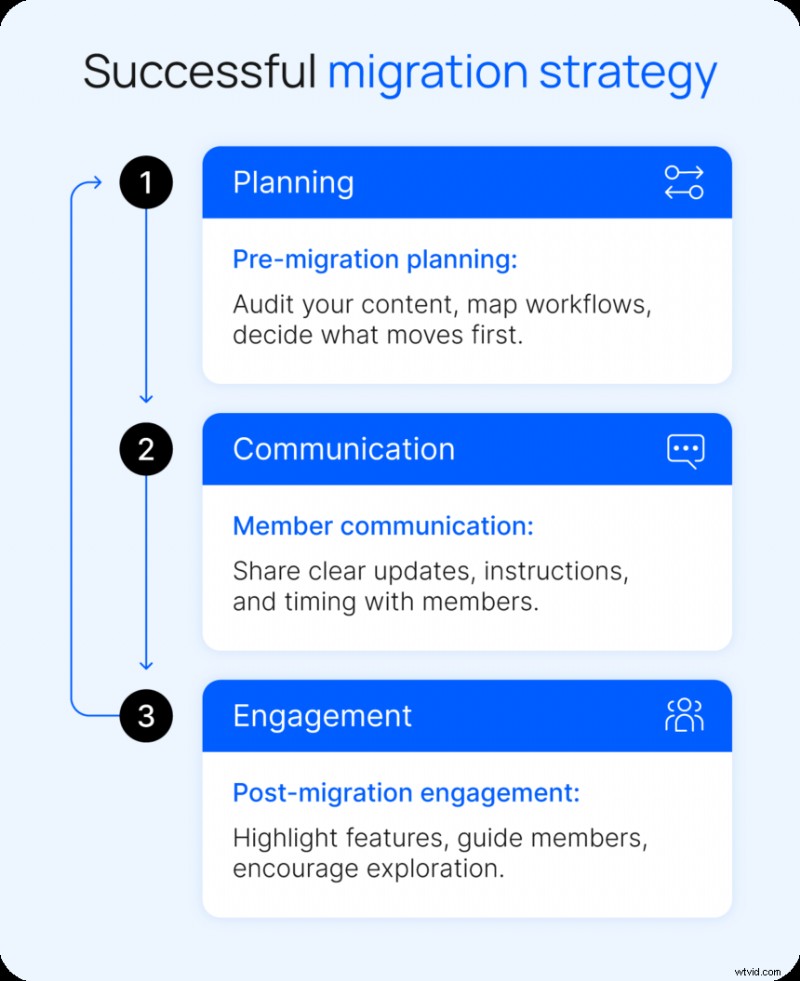
According to Lyndsey Balfour, Head of Migrations at Uscreen, a stress‑free migration hinges on a clear, member‑centric plan. The process typically unfolds in three phases:
- Discovery – Identify current content storage, workflow, member and payment systems to shape the migration roadmap.
- Content Migration & Organization – Transfer, clean, and restructure library assets for optimal discoverability.
- Member Migration – Move users and subscriptions, ensuring uninterrupted access and billing.
This framework translates into a practical plan:
- Pre‑migration Planning – Organize content, tools, and workflows for a seamless move.
- Member Communication – Inform the community about what’s changing and how it benefits them.
- Post‑migration Engagement – Guide members through the new platform, accelerating adoption.
By focusing on planning, communication, and engagement, you set a solid foundation for a smooth transition.
Pillar 1: Pre‑migration Strategy
Before moving any data, define what success looks like beyond a simple “migration complete” milestone. Your goals should align with broader business objectives such as membership growth, engagement, and platform experience.
Define Success Metrics
- 30‑day retention rate post‑move
- First‑week login percentage
- Support ticket volume during and after migration
These benchmarks give you a tangible way to gauge impact and avoid a launch‑and‑pray approach.
Know Your Members, Not Just Your Content
| Member Type | Description |
|---|---|
| Active Daily Users | Regularly log in, engage, and participate. |
| Occasional Visitors | Return for specific content or updates. |
| Dormant Subscribers | Still subscribed but rarely engage. |
Segmenting members helps tailor communication and support. Dormant subscribers are the most likely to churn during a migration, especially if billing or login changes create friction.
Watch the migration overview video
Decide What to Keep and What to Drop
Use this opportunity to audit your library. Removing outdated or misaligned content clarifies the new structure and reduces upload time.
Maintain an external backup of all assets to enable future repurposing without re‑ingesting.
Lyndsey Balfour
Head of Migrations, Uscreen
Organize for Discoverability
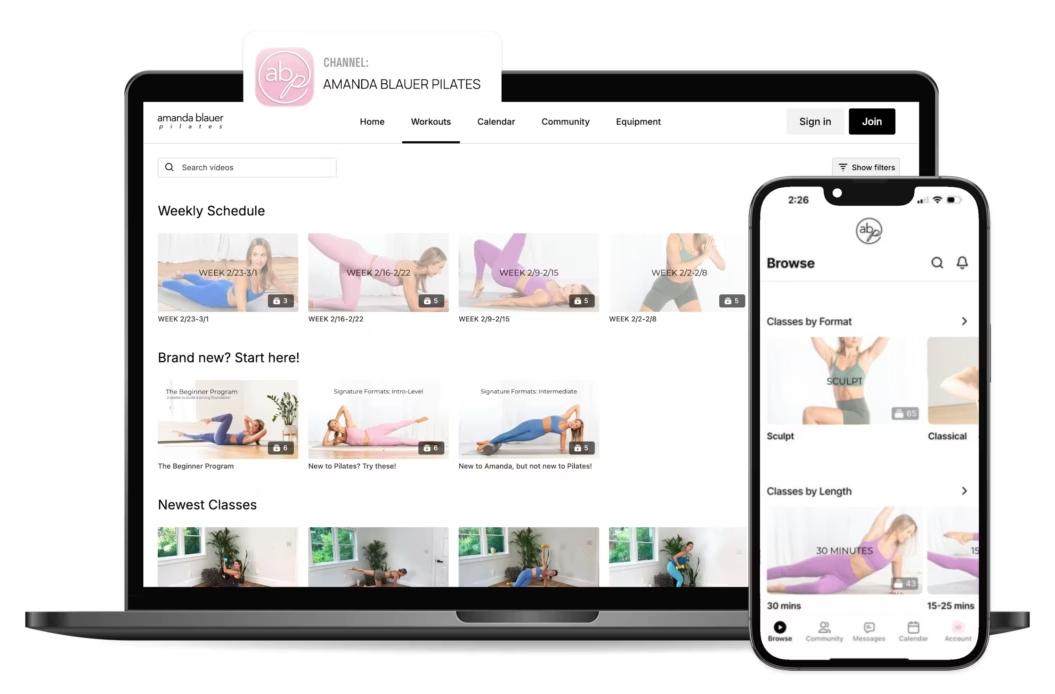
Re‑structure your library with descriptive titles, metadata, and customizable filters. A robust search function further enhances user experience.
Learn more about video experience
Identify Risks Early
| Risk | What Can Go Wrong | How to Prevent It |
|---|---|---|
| Billing Interruptions | Subscriptions fail to transfer or renew. | Verify payment gateways, subscription mappings, and recurring settings pre‑launch. |
| Password or Login Resets | Members cannot access accounts. | Test login flows and prepare reset instructions. |
| Broken Links | Content or pages no longer load. | Audit and redirect key URLs before launch. |
Run a full end‑to‑end test of login, navigation, and subscription management before going live.

Lyndsey Balfour
Head of Migrations, Uscreen
Explore our full migration guide
Pillar 2: Communication Strategy
Effective communication is the single biggest lever for reducing churn during migration. Clear, consistent updates build trust and guide members through change.
Why Communication Matters
Uncertainty breeds disengagement. By proactively explaining what’s changing, why it matters, and what members need to do, you turn anxiety into confidence.
Transparent updates also reduce support load by answering common questions in advance.
Communication Tactics
- Email funnels – Announce, onboard, and reactivate.
- In‑platform messages – Guide key actions like login.
- How‑to guides – Walk through the new experience pre‑launch.
Ideal Timeline
| Timing | Message | Purpose |
|---|---|---|
| 4 weeks before | The Big News | Explain why the migration matters. |
| 2 weeks before | The Sneak Peek | Show key features. |
| Launch day | The Welcome Home | Provide step‑by‑step access instructions. |
| 1 week after | The Check‑in | Gather feedback and address issues. |
Crafting Clear Messages
Every communication should answer:
- What’s changing and why
- What stays the same (access, pricing, content)
- Required actions for members
- Timeline for changes
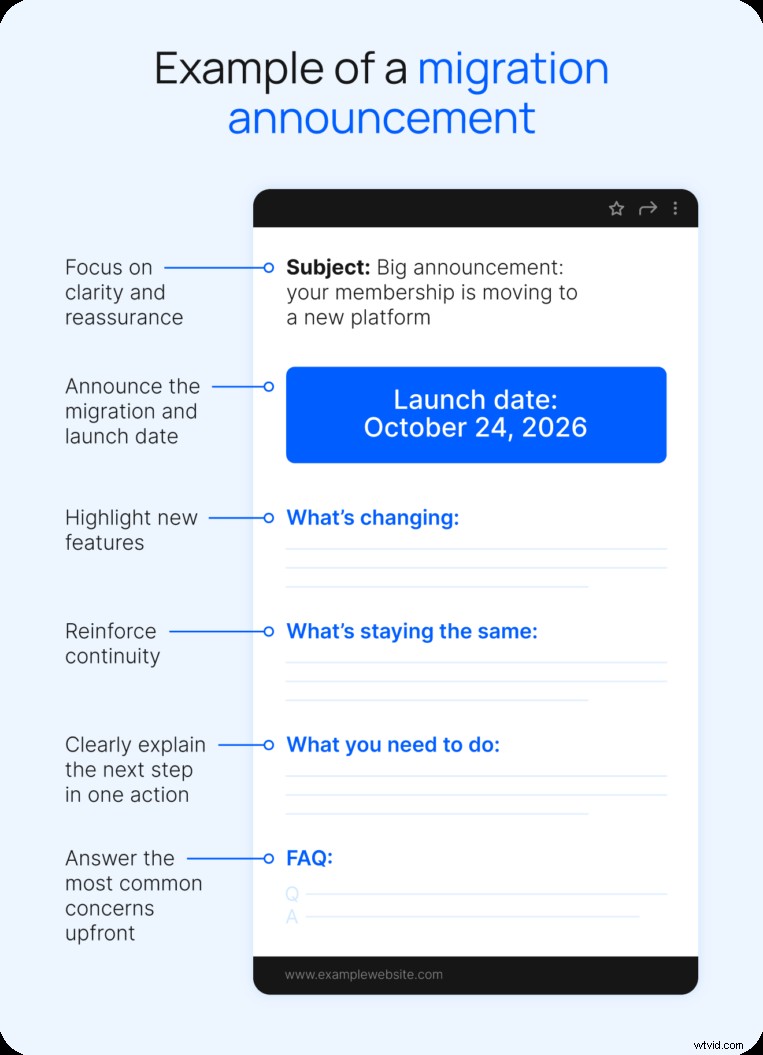
Tips for effective messaging:
- Focus on one action per message.
- Use consistent login instructions across channels.
- Create a reusable FAQ to cover common questions.
Handling Churn Fears
Disengaged members will leave as expected. Involuntary churn—caused by billing or login hiccups—can be mitigated by a friction‑free reactivation flow.
Recommended tactics:
- Prompt payment updates on first login.
- Send launch‑day reminders with direct reactivation links.
- Offer one‑click access restoration.
- Provide a limited‑time incentive (discount or bonus content).
- Follow up within the first week to capture missed transitions.
Watch the churn‑reduction video
Pillar 3: Post‑migration Strategy
Migration is only the beginning. The post‑migration phase turns a successful transfer into sustained growth.
The First 7 Days Matter
Early engagement sets long‑term habits. Encourage members to explore new features, attend live sessions, and feel supported.
Activation tactics:
- Launch a welcome challenge for daily engagement.
- Release exclusive content only on the new platform.
- Host a live Q&A to guide members through the experience.
- Highlight key features via email or in‑app prompts.
Rapid, visible support during this window prevents frustration and keeps users active.
Turn Migration into a Re‑engagement Campaign
Use the migration as a reason to reconnect with inactive users and prospects. Frame the change as an upgrade, not just a technical update.
Growth tactics:
- Re‑engage dormant members with a “we’ve upgraded” message.
- Showcase new features and benefits.
- Offer a limited‑time “grand re‑opening” promotion.
- Highlight the full experience—content, community, value.
Uscreen’s built‑in marketing tools automate segmentation, win‑back offers, and reactivation emails, eliminating the need for third‑party solutions.
Success stories:
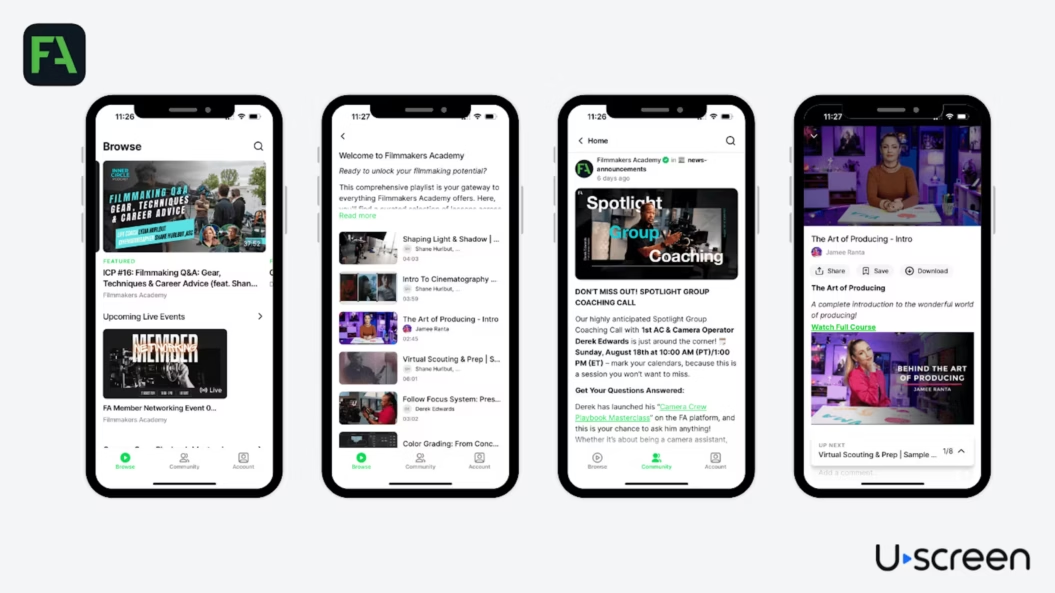
Filmmakers Academy grew its membership by 180% and expanded to 96+ countries after migrating to Uscreen. They also launched apps on Roku, FireTV, iOS, and Android.
Fittest Core achieved a 15% monthly revenue increase and 58% engagement after moving to Uscreen.

Abundance+ reached 7,700 active members and $1M+ annual revenue post‑migration.

Ready to Migrate Without Risking Your Membership?
A clear, member‑centric strategy turns migration into a growth engine. At Uscreen, we manage the entire process—content, users, subscriptions, billing, and app deployment—ensuring zero downtime.
Contact our migration team to start a smooth transition that preserves revenue and fuels future expansion.
Platform Migration Strategy FAQ
What does platform migration mean for members?
- New login procedures
- Re‑designed navigation
- Updated feature set
Clear, early communication and simple step‑by‑step guides reduce friction and prevent involuntary churn.
How can I minimize disruption during migration?
Plan a smooth, predictable experience, highlight what stays the same, and respond quickly to any issues.
How long does a migration usually take?
Timeline varies by membership size and complexity. Prioritise organisation, clear guidance, and paced transition.
What are the five R’s of migration?
Rehost, Refactor, Revise, Rebuild, Replace – guiding content and system moves.
What’s the best way to announce a migration?
Reach members where they already engage—email, current platform, or in‑app messages—repeating clear, benefits‑focused messaging.
Should I move over all my content during a migration?
Not necessarily. Prioritise high‑value assets; store unused content externally for future reuse.