

Shreshtra - July 10, 2025 - Leave your thoughts. 8 min read
animation software, animation whiteboard, best whiteboard animation software, how to create whiteboard animation, what is whiteboard animation, whiteboard animation, whiteboard animation ai, whiteboard animation examples, whiteboard animation software, whiteboard animation tool, whiteboard animation tools, whiteboard doodle, whiteboard tool, whiteboard video, whiteboard video animation
In a world where attention spans are shorter than ever, how do you grab your audience’s attention and keep them glued to the screen?

Well, have you ever thought about hand drawing your story right in front of their eyes?
Yep, we're talking about whiteboard animation - the magical mix of doodles and story-telling that turns any boring explanation into a visual masterpiece!
Whether you’re trying to explain how your product works, teach a complicated subject, or just add a little flair to your next marketing video, whiteboard animation can do wonders.
But how do you even start creating these super engaging videos?
Well, lucky for you, there are a ton of tools out there that can turn your ideas into art (no sketching skills required).
But which one is the best?
Is it the one with the most templates?
Or the one with the coolest hand-drawing effects?
And what about characters? Can you make a whiteboard character that resembles yourself (because who wouldn’t want that)?
In this article, we’re diving into the best whiteboard animation software to help you create engaging, professional-quality whiteboard animations.
- Animaker
- Videoscribe
- Rawshorts
- Renderforest
- Doodly
- Powtoon
- Vyond
We’ll break down the features, pros, and cons and help you figure out which one of these best whiteboard animation software is your perfect match.
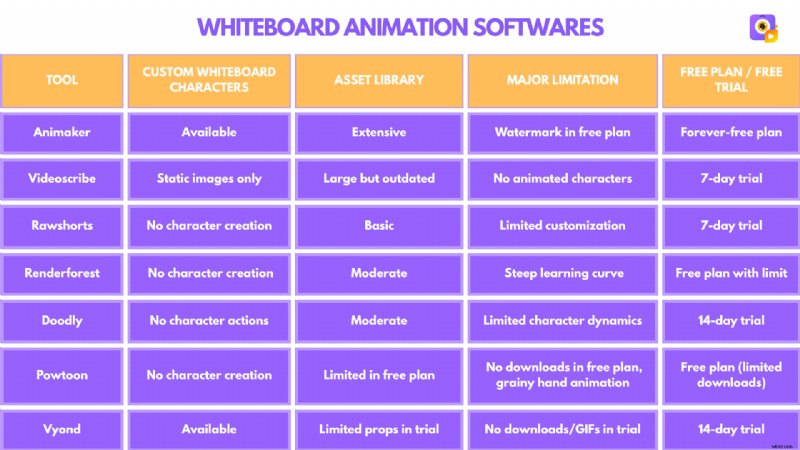
Here is a quick comparison between the 7 whiteboard animation tools.
Let’s go into each tool in detail!
Best Whiteboard Animation Software
1. Animaker
Animaker is an all-in-one animation video creation tool, and its Whiteboard video maker tool can make whiteboard animations a breeze.
What’s great about Animaker?
With an intuitive interface that supports both newcomers and seasoned creators, the platform provides a range of size options to accommodate any video requirement.
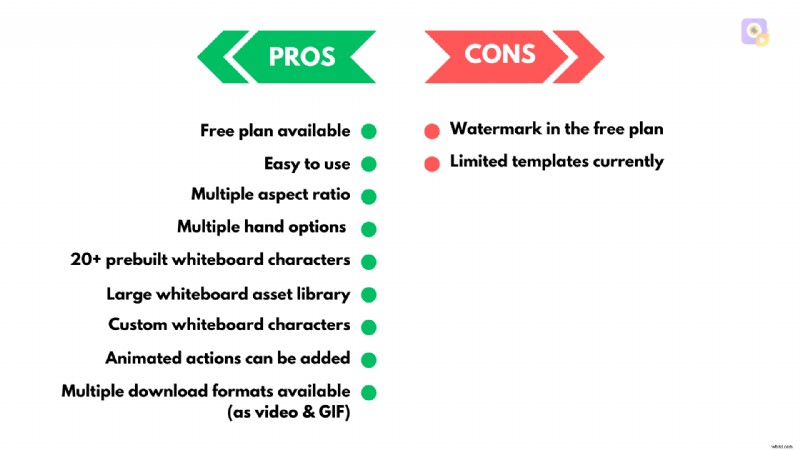
Animaker provides access to 20+ pre-built whiteboard characters that can be used across various video styles.
However, its standout feature is the ability to create fully customized whiteboard characters from scratch, allowing users to personalize everything from hairstyles and outfits to accessories.
To bring characters to life, users can add animated actions and expressions, making their videos more dynamic and engaging.

The platform also provides a vast library of assets, including properties and backgrounds, giving users plenty of creative flexibility.
It also has multiple hand options, along with other animation effects for the elements.
Pricing
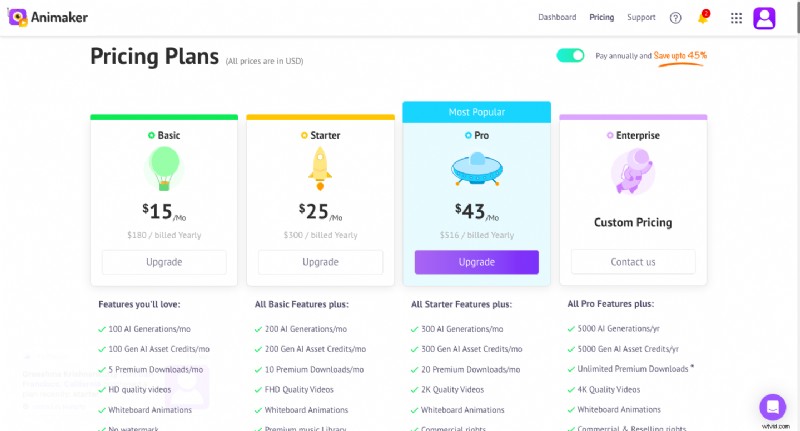
Animaker offers a forever-free plan alongside its paid pricing options, making it accessible to a wide range of users.
However, the free plan does come with limitations, including a watermark on videos.
Despite these minor drawbacks, Animaker remains a powerful and versatile tool for creating high-quality whiteboard animations, making it one of the best whiteboard animation software.
Moreover, its ability to create whiteboard videos with AI using prompts is currently in the works and will be available soon.
2. Videoscribe
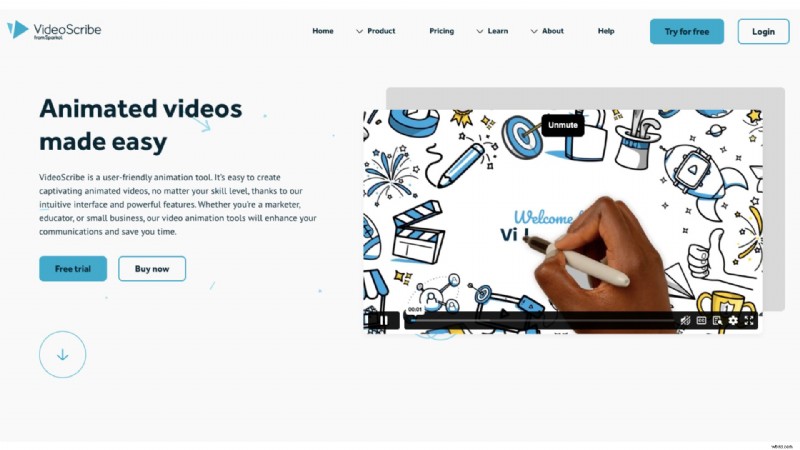
VideoScribe is one of the popular whiteboard animation tools for creating whiteboard videos. Known for its user-friendly interface, it is helpful to make quick whiteboard explainer animations.
What’s great about Videoscribe?
It includes a variety of templates to help users start their projects quickly and offers multiple size options to fit different video needs.
The duration of each animation can also be adjusted, giving users full control over timing and pacing, along with multiple hand-drawn animation styles to customize the look and feel.
Although VideoScribe offers a large asset library filled with images, icons, and other elements, the images appear somewhat outdated when compared to those of current competing companies.
The biggest drawback of this tool, however, is that characters are only available as static images, meaning you can animate the images themselves but cannot animate individual character actions or movements.

Pricing
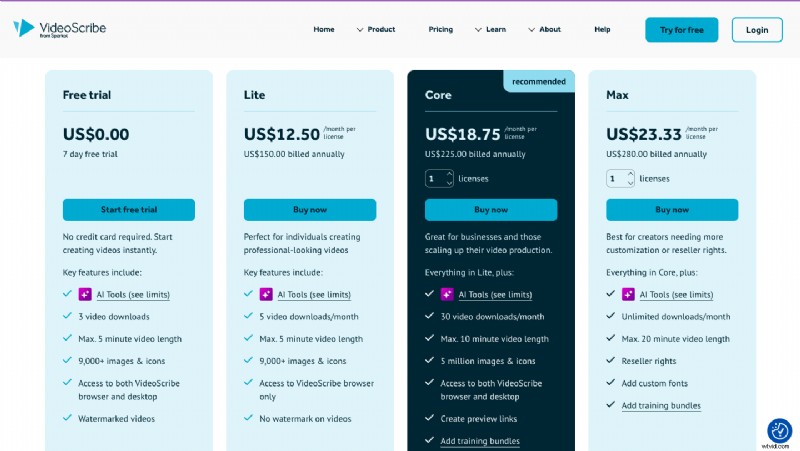
VideoScribe offers a 7-day free trial, allowing new users to explore its features before committing.
However, the free trial comes with a limited number of images and scenes that you can use in your video. This restricts users from experiencing the tool to its fullest potential.
3. Rawshorts
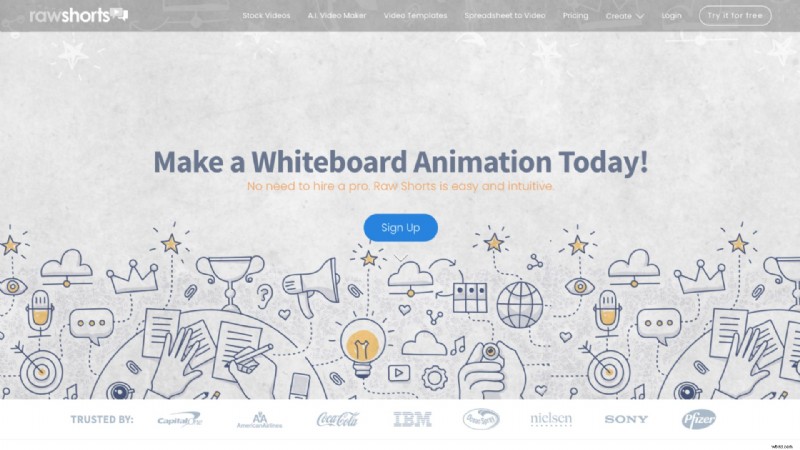
RawShorts is a video creation platform designed to create animated explainer videos, including whiteboard animations.
What’s great about Rawshorts?
This platform has an AI-integrated assistant to help create videos with ease, where users can ask AI to create a script or ideas for the video.
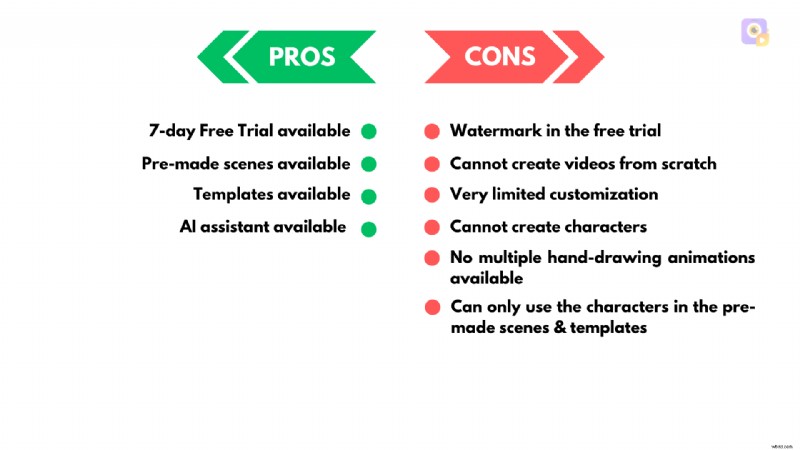
Rawshorts also has a collection of pre-made scenes and templates for users to get started. But when compared to its competitors, it lacks certain features.
For example, the interface might seem a bit tricky to navigate at first, especially for beginners.
The biggest challenge, however, is its lack of ability to create characters or detailed customization of the elements.
This tool is ideal for users looking for a straightforward way to create basic, simple whiteboard animations. However, those seeking advanced customization or highly detailed animations may find its features lacking.
Pricing
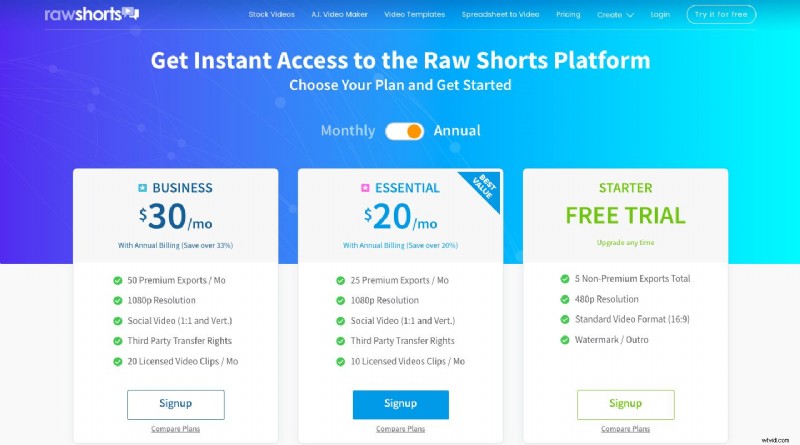
Rawshorts offers users a 7-day free trial to use their features before committing to their premium plans.
4. Renderforest
Renderforest is another video creation platform that helps users create engaging animations and whiteboard videos.
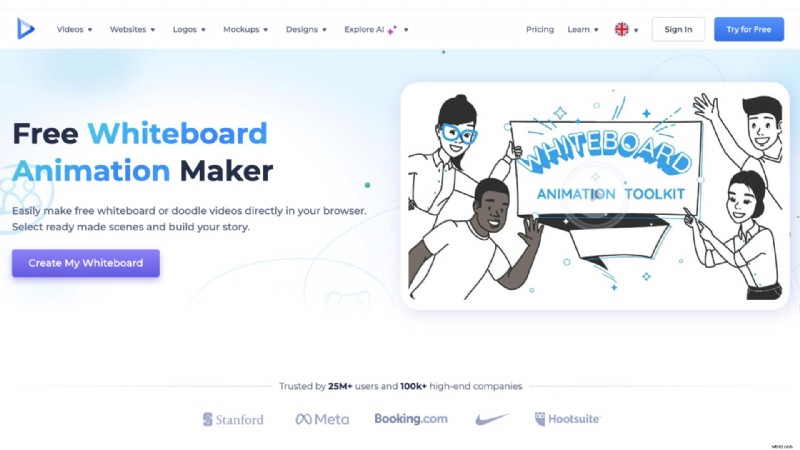
What’s great about Renderforest?
The tool comes with a variety of templates and the ability to create whiteboard videos with the help of AI or create them with the available scenes in the library.
While the tool provides a good starting point for creating videos, it has some notable limitations.
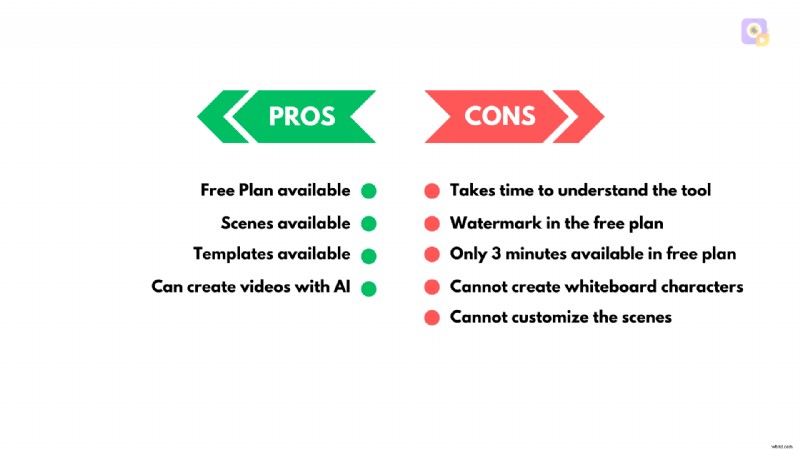
Firstly, it has a learning curve, requiring time to fully understand and navigate its features.
But the biggest limitation is that it does not support the creation of whiteboard characters and allows only minimal customization of scenes, as only basic scene options are available.
These restrictions may limit the creative possibilities for users seeking to create detailed and personalized videos.
Pricing
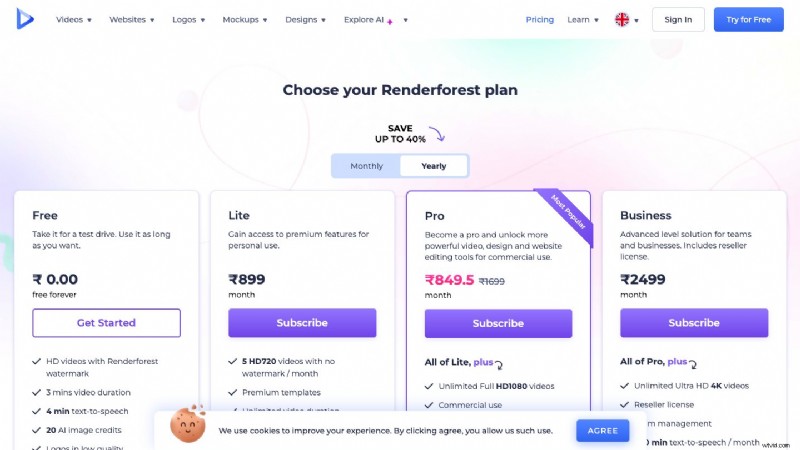
Renderforest offers a free plan that makes it accessible for users to explore its features.
But the free plan has a watermark on videos and limits the duration to just three minutes, which might not be sufficient for more extensive projects.
5. Doodly
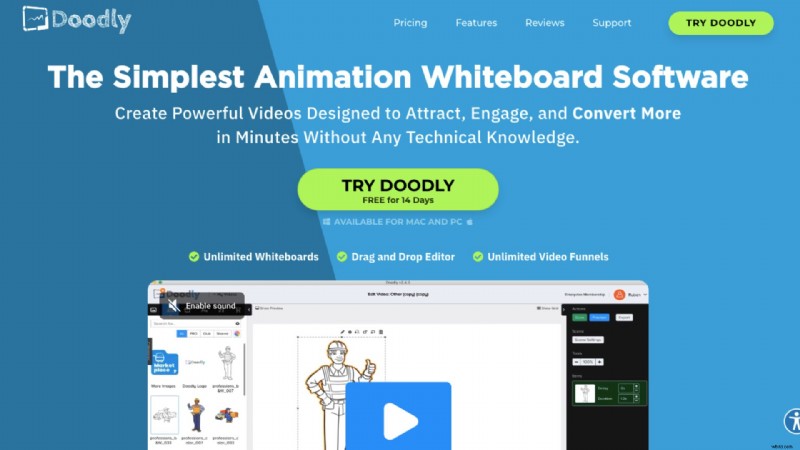
Doodly is a popular whiteboard animation software that allows users to create engaging hand-drawn videos without any prior animation skills.
What’s great about Doodly?
The platform offers both a desktop software version and a cloud-based version called Voomly Cloud, providing flexibility for users to choose their preferred workflow.
Doodly allows users to create whiteboard, blackboard, and even green screen animations with ease.
The tool features multiple hand types for drawing animations, and its asset library includes professionally designed graphics created by Doodly’s in-house team.
It also allows you to import your own images and then use Doodly's Smart Draw technology to create custom draw paths.
Compatible with both Mac and Windows, Doodly caters to a wide range of users.
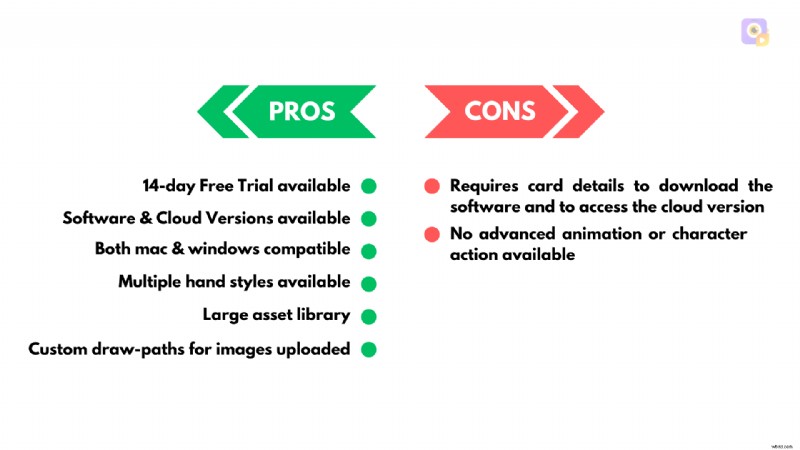
While Doodly is a solid choice for simple and effective whiteboard animations, its lack of advanced motion graphics or character actions may prompt advanced users to seek alternative tools for more complex needs.
Pricing
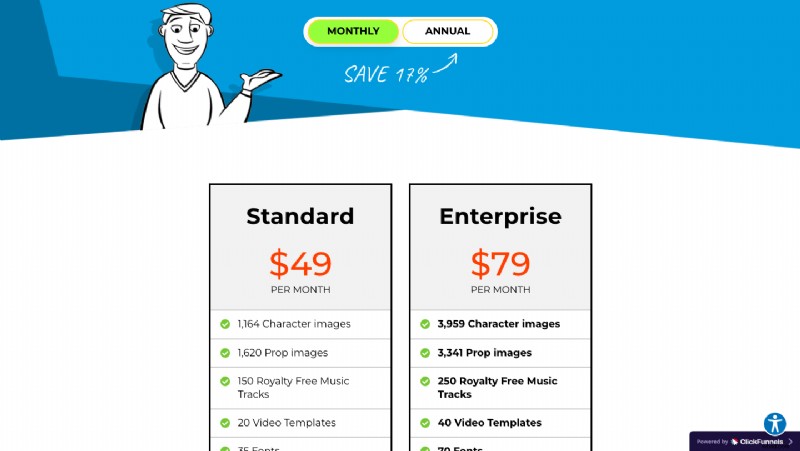
The platform offers a 14-day free trial, giving users the opportunity to explore its features, though it requires card details for trial access.
6. Powtoon
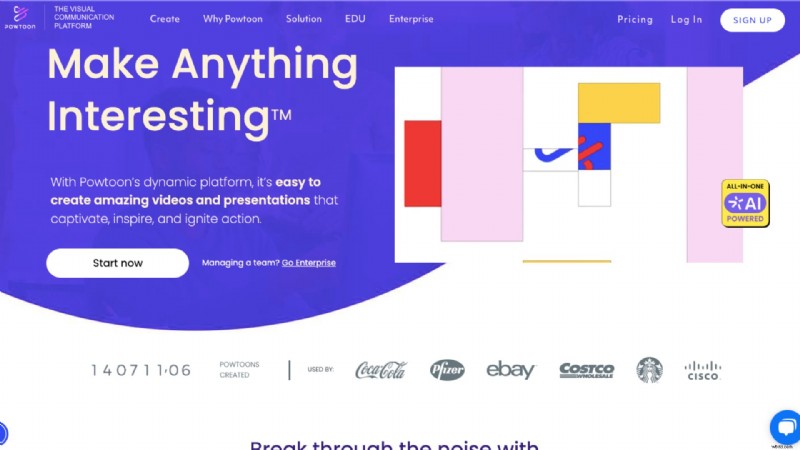
Powtoon is a video creation platform that makes it easy to design whiteboard animations for presentations, explainer videos, and marketing content.
What’s great about Powtoon?
It includes multiple size options and a variety of templates, making it easy to create animations tailored to different needs.
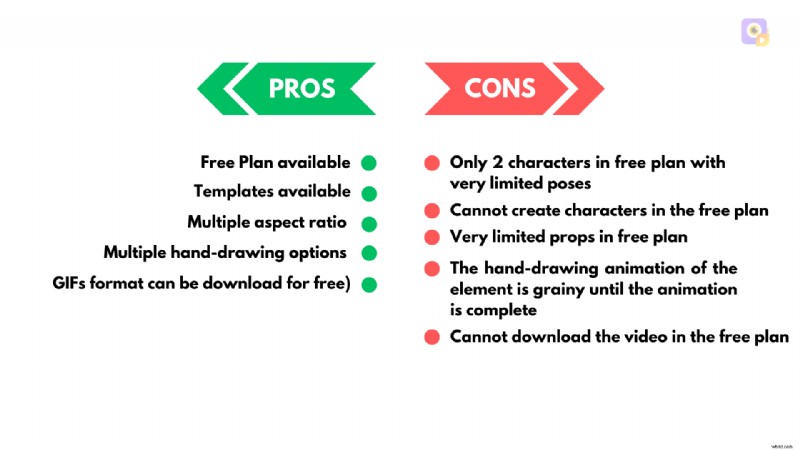
The platform also provides multiple hand-drawing animation styles, and users can download their creations in GIF format for free, adding flexibility to the types of projects they can produce.
However, the hand-drawing animations appear grainy until fully completed, which can affect the overall quality of the visuals.
Pricing
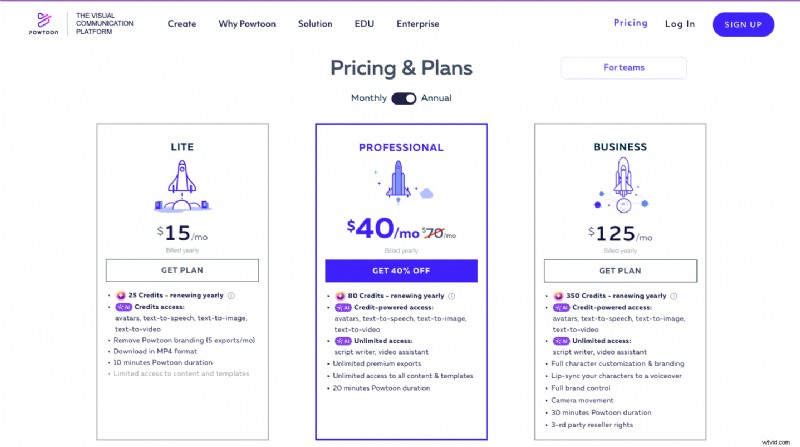
Powtoon offers a free plan along with its other pricing options.
The free plan though, has its limitations. It includes only two characters with very limited poses, and while the poses feature slight animations, they do not support full-action animations.
Another significant restriction is that users cannot download videos on the free plan, limiting their ability to share completed projects.
Lastly, the selection of props is quite limited in the free plan, reducing the creative possibilities for users who rely heavily on diverse visual assets.
7. Vyond
Vyond is another animation tool that can create whiteboard animations quickly and easily.
What’s great about Vyond?
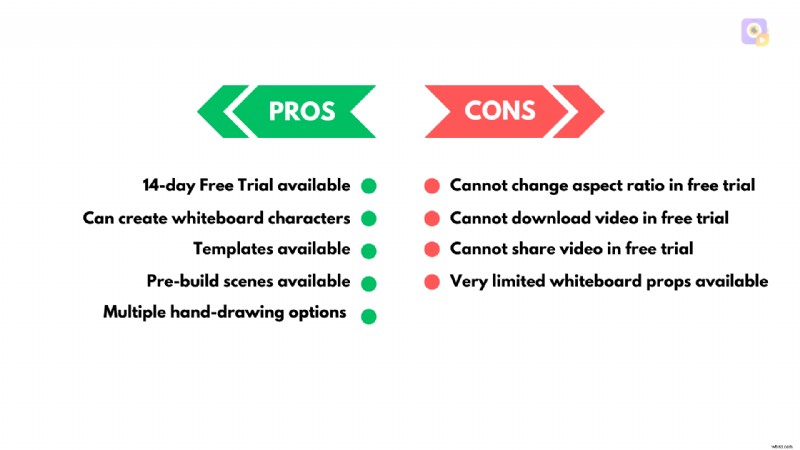
Vyond provides access to a variety of templates and pre-built scenes, making the creation process easier.
This tool allows you to create whiteboard characters, allowing users to design relatable characters for their animations.
Pricing
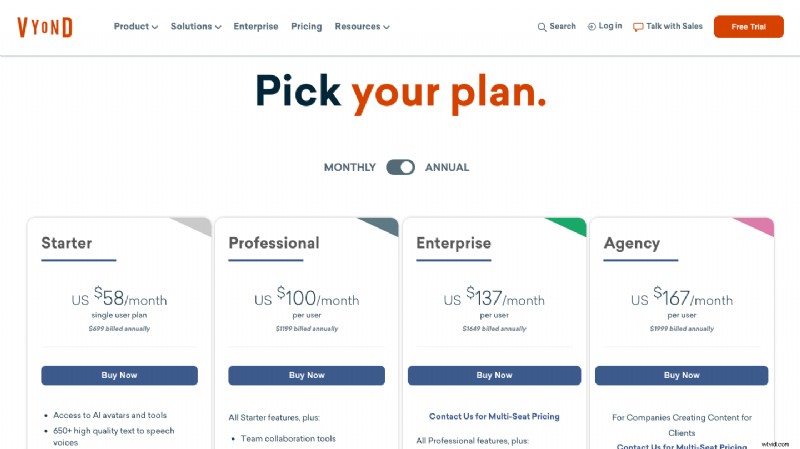
In addition to its premium plans, Vyond offers a 14-day free trial.
The limitation of this tool is that in the free trial option, users cannot change the aspect ratio of their projects, which might restrict customization.
Furthermore, videos cannot be downloaded or shared in the free trial, either as GIFs or in video format, making it challenging to use completed projects externally.
The free trial also offers a very limited selection of whiteboard props, which could constrain creative possibilities.
***
We have seen the best whiteboard animation tools in this list, with their pros and cons.
Choosing the best whiteboard animation software is crucial to communicating your message while keeping your audience engaged effectively.
Whether you're creating explainer videos, training content, or marketing materials, the tools we’ve explored each offer unique features to bring your ideas to life.
From simplicity to advanced customizations, there's a tool for every need and skill level.
Among the many options available, Animaker’s Whiteboard tool stands out for its versatility and user-friendly interface. The ability to create customized whiteboard characters and animations and a vast library of assets enables you to produce high-quality whiteboard videos in minutes.
So, if you’re ready to step up your whiteboard animation game, Animaker’s Whiteboard video maker offers the perfect solution to help you create professional-looking videos.
Get started with your whiteboard animations today!

Shreshtra
Shreshtra is a Content Marketer at Animaker, where she’s been helping creators and businesses bring their stories to life with 2D animation for 3+ years.
Since joining, she has contributed through easy-to-follow guides and SEO-driven content, helping Animaker’s community grow organically from 18M to 30M+ users worldwide.
She covers a wide range of topics, including AI-powered voice tools, subtitle generators, and the latest in video creation technology, with the goal of making animation simple, fun, and accessible for everyone.
Shreshtra has also written extensively on how animation can transform L&D and training, highlighting Animaker’s growing impact in the corporate space.
When she’s not busy writing content for Animaker, you’ll often find her lost in a thriller novel or vibing to her favorite K-pop playlists.
She believes that just like a good story or a great song, the right video can connect people across the world.