
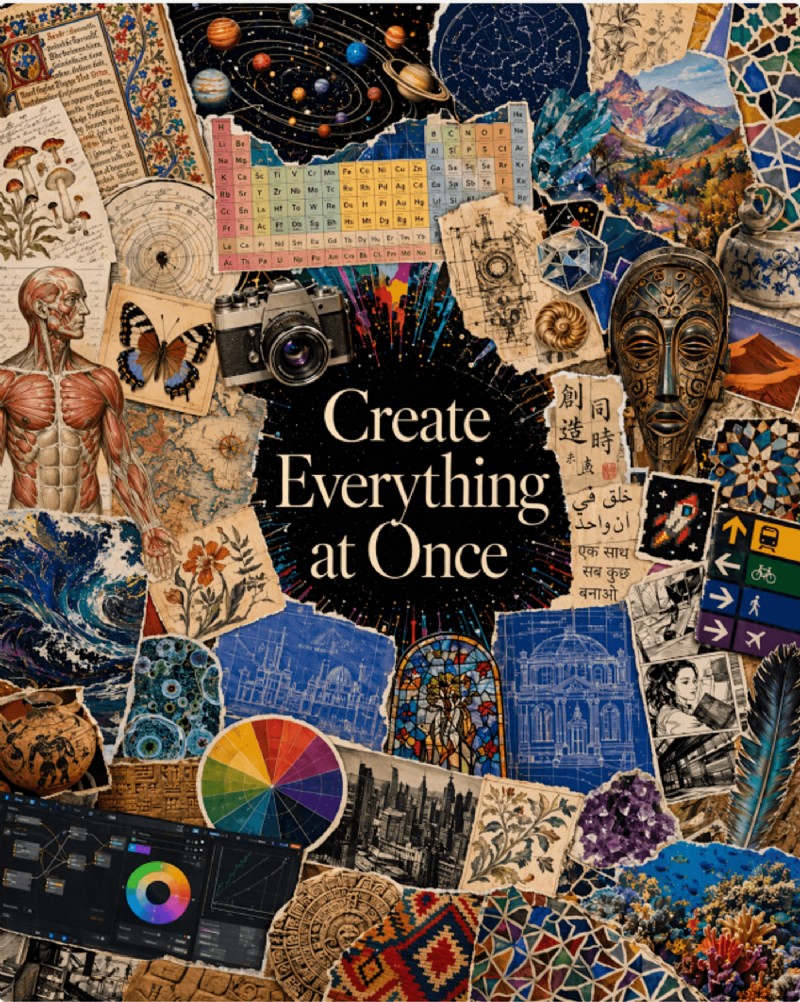
OpenAI’s GPT‑Image 2, released on April 21 2026, is the company’s newest image model and the successor to DALL‑E. It introduces a paradigm shift: images are no longer generated by a diffusion process but by an autoregressive system that thinks, plans, and verifies before it draws. The result is a model that delivers realistic imagery, fluent multilingual text, and a built‑in reasoning layer that sets it apart from every other AI‑image generator on the market.
Quick Rundown
- GPT‑Image 2 is now OpenAI’s sole image model, following the retirement of DALL‑E 2 and 3 on May 12 2026.
- Its autoregressive architecture mirrors the text generation logic used in GPT‑4o, providing a consistent pipeline for pixels and words.
- Text accuracy has leapt to 99% in English and over 90% in Chinese, Japanese, Korean, Hindi, Bengali, and Arabic.
- The model can plan layouts, pull data from the web, and self‑verify results before finalizing the image.
- Aspect ratios range from 3:1 to 1:3, with native 16:9 and 9:16 support. Standard output is 2K; 4K is available in the API beta.
- This article explains the architectural shift, the five most impactful features, its limitations, a comparison with Midjourney, FLUX, and Nano Banana 2, and how to embed it in a broader workflow with InVideo.
What is ChatGPT Images 2.0?
GPT‑Image 2 represents more than sharper output; it behaves like a creative partner. Rather than translating prompts straight into pixels, the model interprets intent, plans composition, and refines the final image. It is available within ChatGPT and through the OpenAI API, positioned as a production‑grade asset generator for real design workflows.
How GPT‑Image 2 Can Transform Your Creative Workflow
1. Accurate Text in One Pass
With 99% text accuracy, headlines, subheads, and CTAs render correctly on the first try—no Photoshop round‑trips or designer edits required. A DTC brand can generate ten ad variants, each with unique copy, and ship the final assets directly.
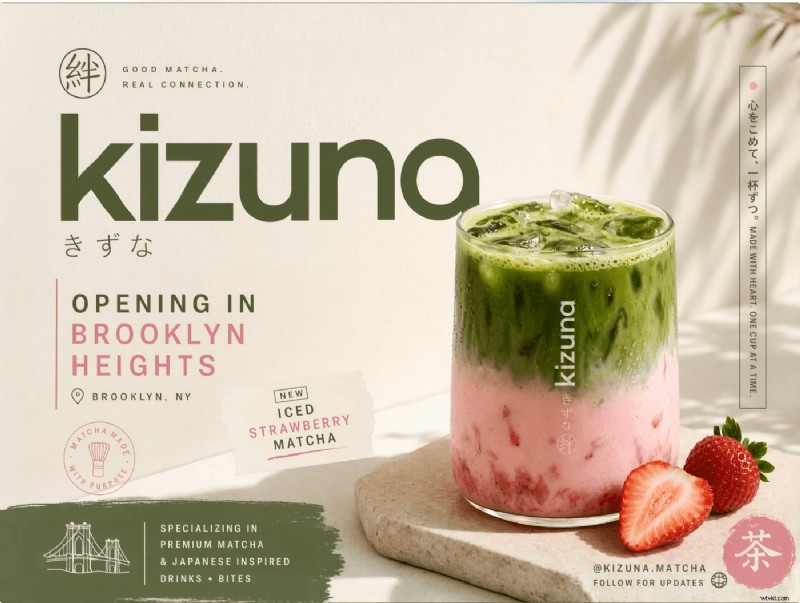
2. Product Packaging and Label Mockups
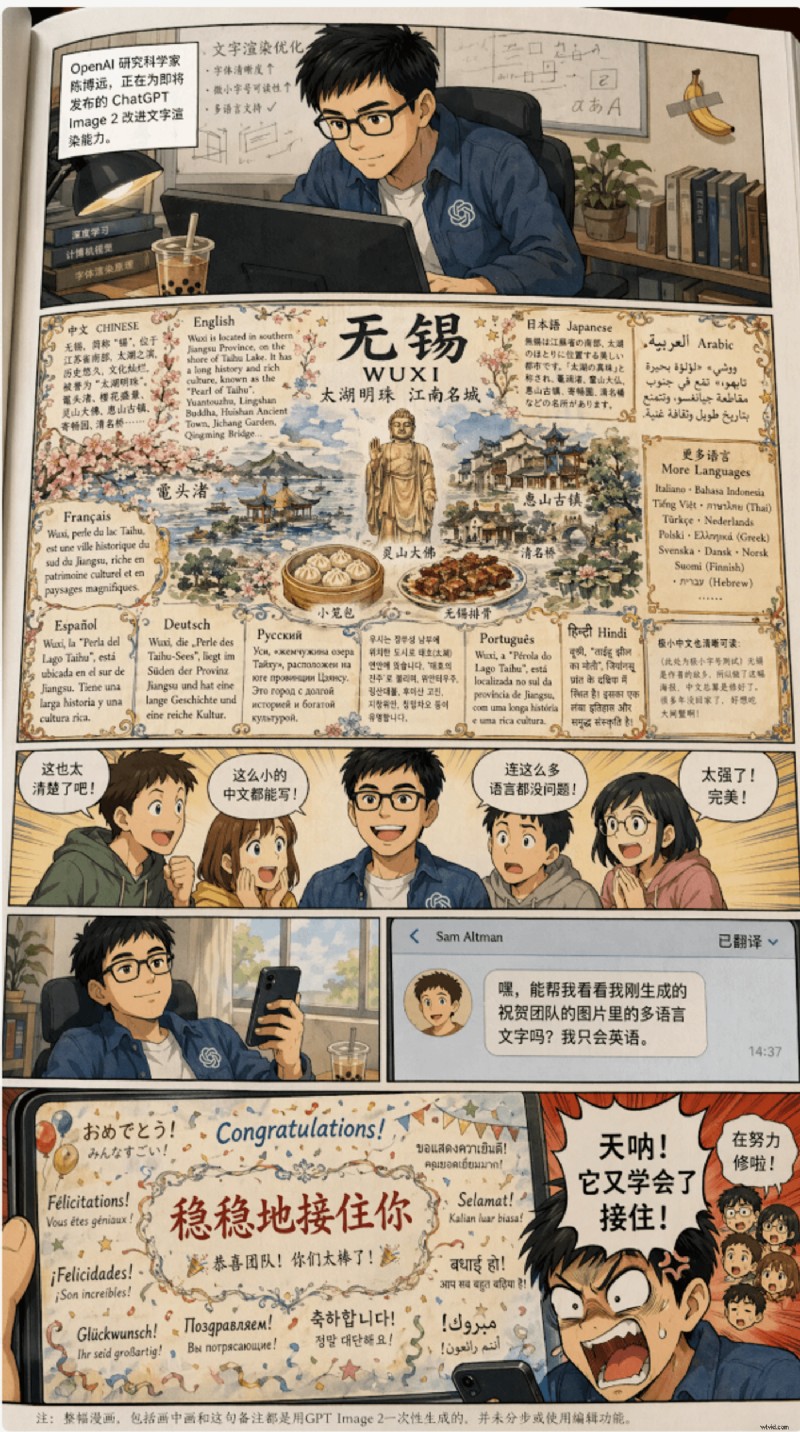
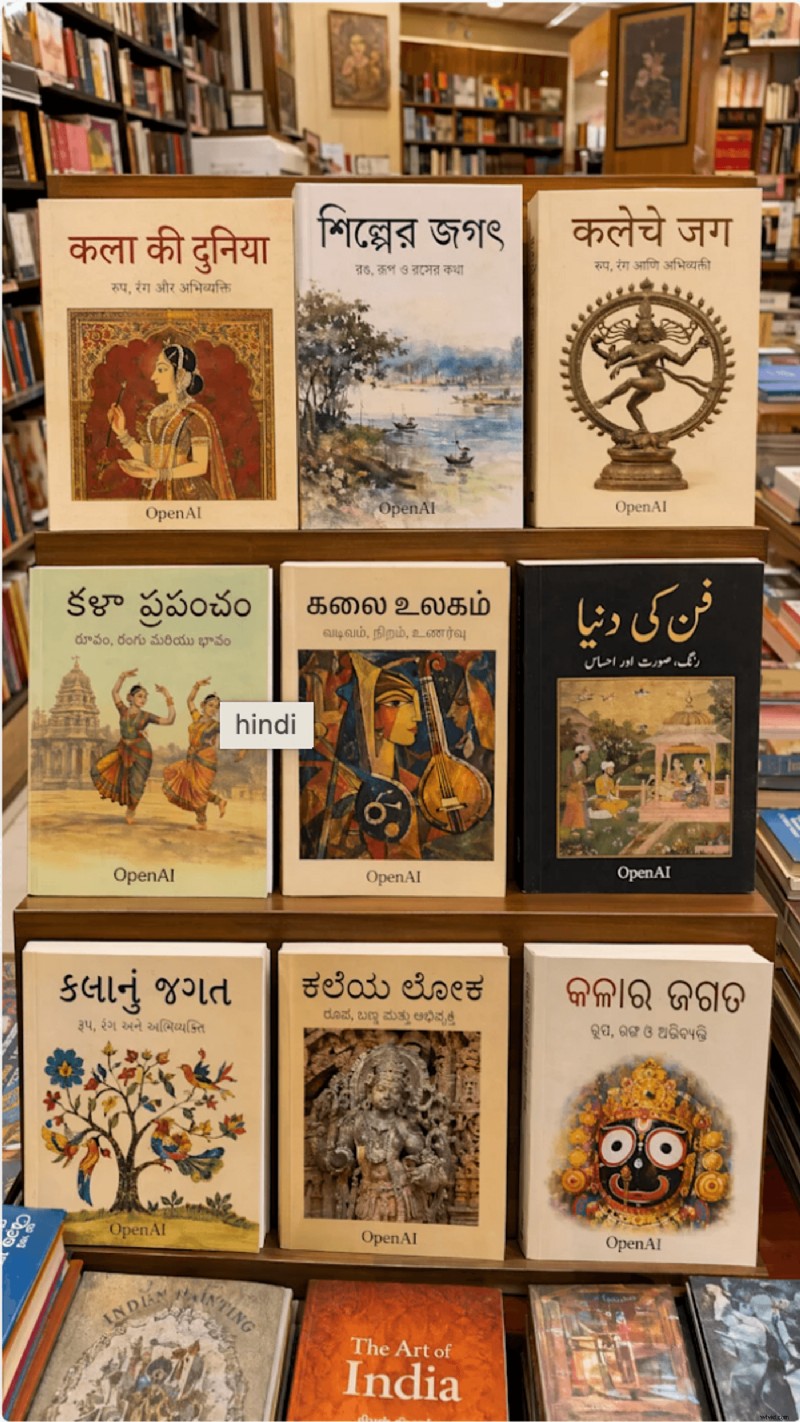
Brand copy on a label is no longer a weak point. GPT‑Image 2 accurately spells product names and taglines across multiple languages—Mandarin, Hindi, Japanese, Korean, and Arabic—so global brands can launch visuals that match their copy from day one.
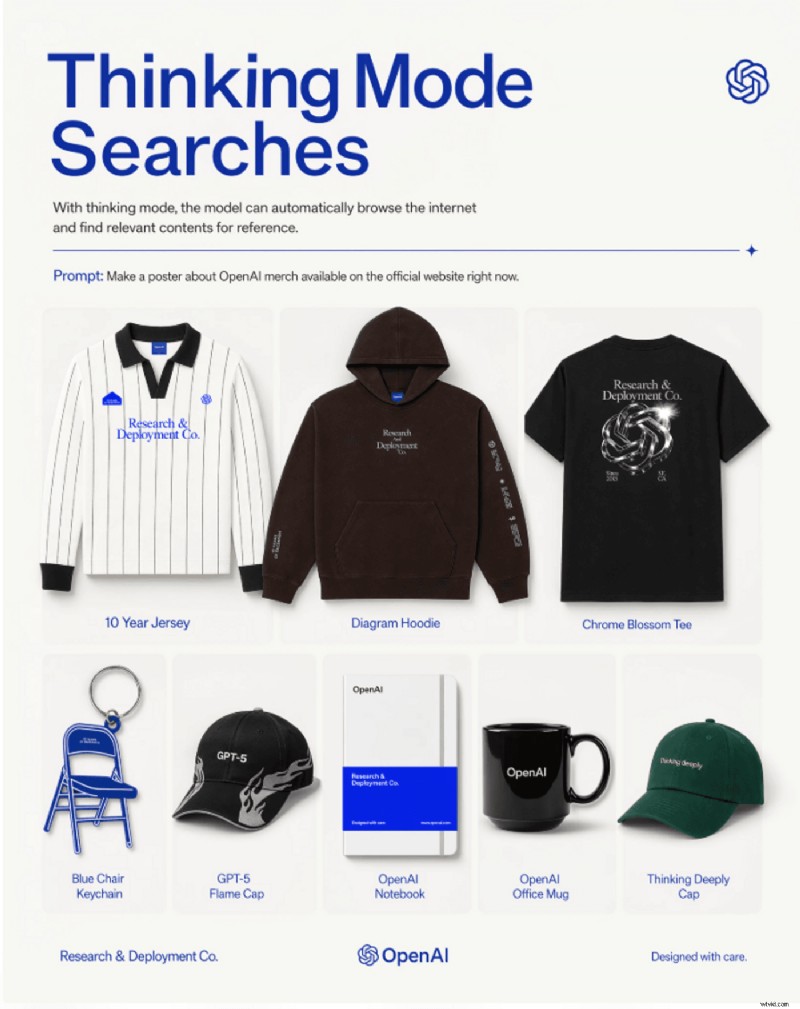
3. Social Assets in Every Format
Aspect ratios now span 3:1 to 1:3, including native 16:9 and 9:16. A single prompt can produce a YouTube thumbnail, Instagram Story, LinkedIn banner, and carousel slides without any cropping.
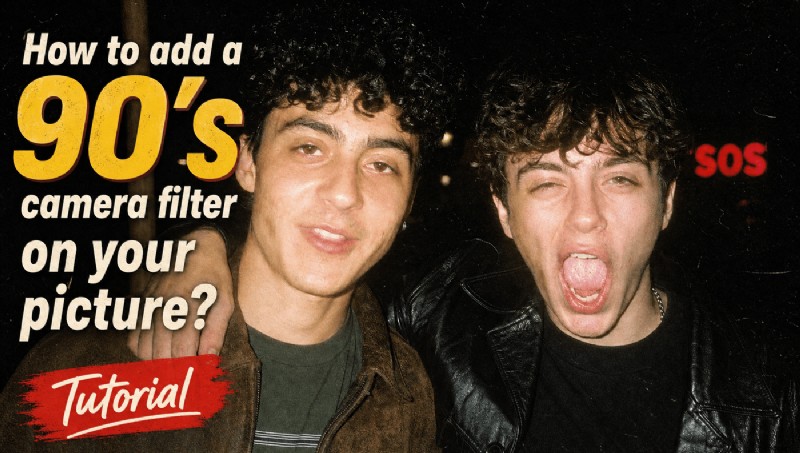
YouTube thumbnail
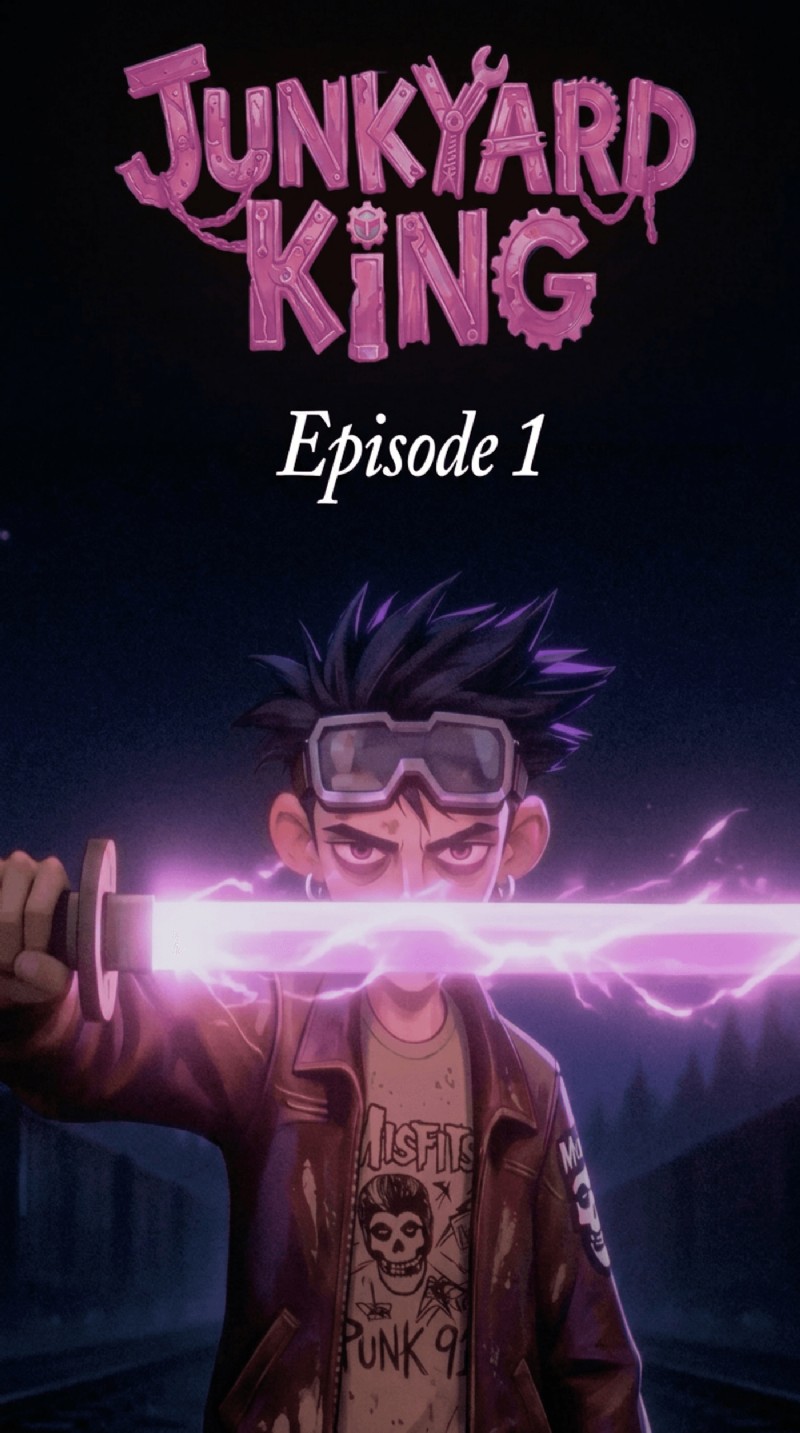
Instagram cover
Carousel slides
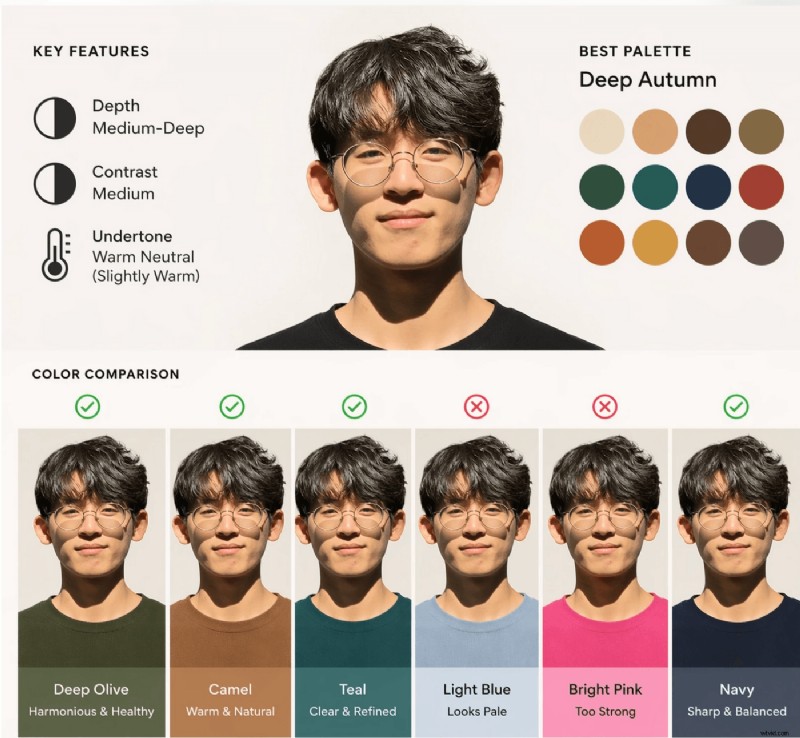
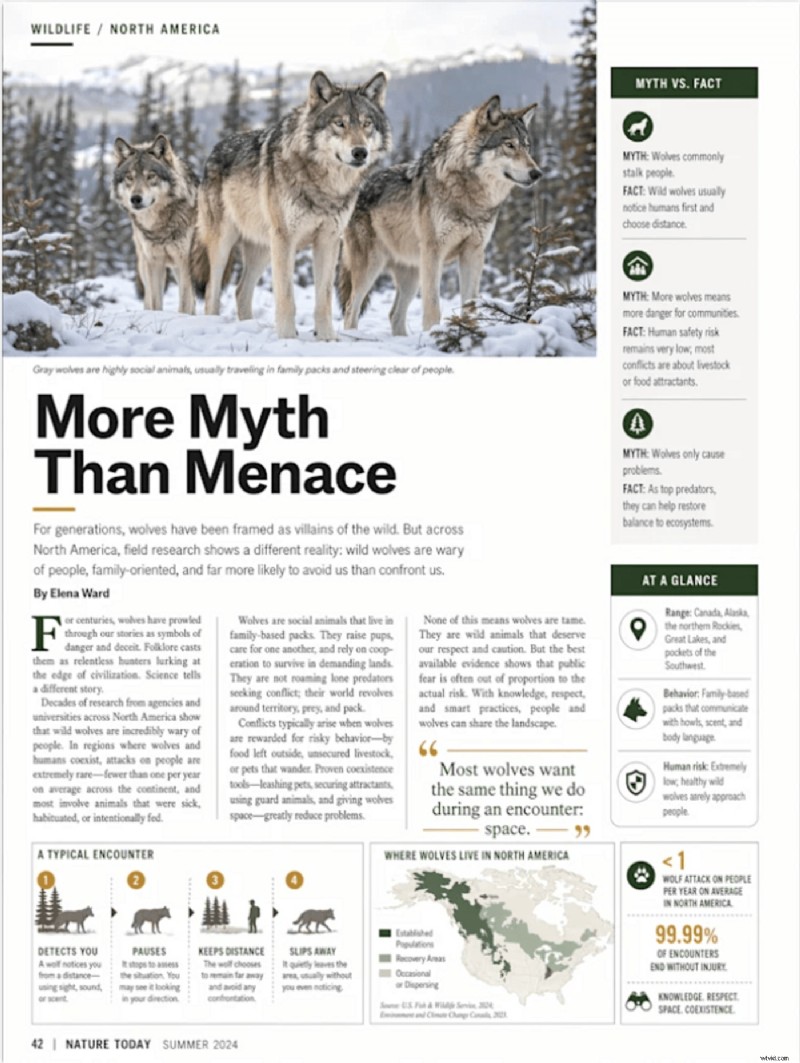
4. Infographics Made Easy
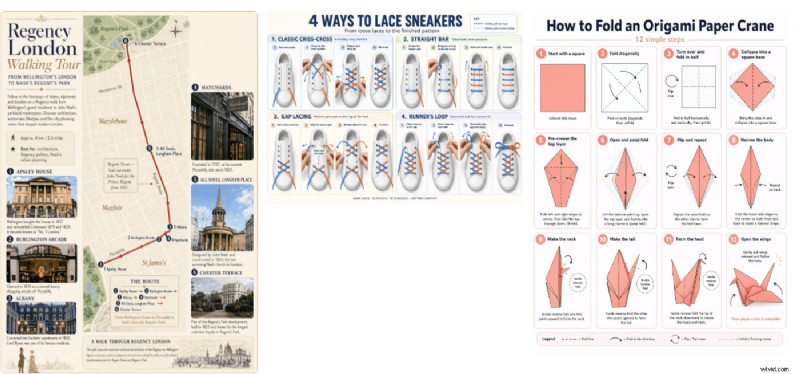
Dense layouts stay coherent. Multiple data points, labels, and headers remain where you position them, allowing B2B brands to convert stat‑heavy reports into clean, on‑brand infographics without hand‑off to a designer.
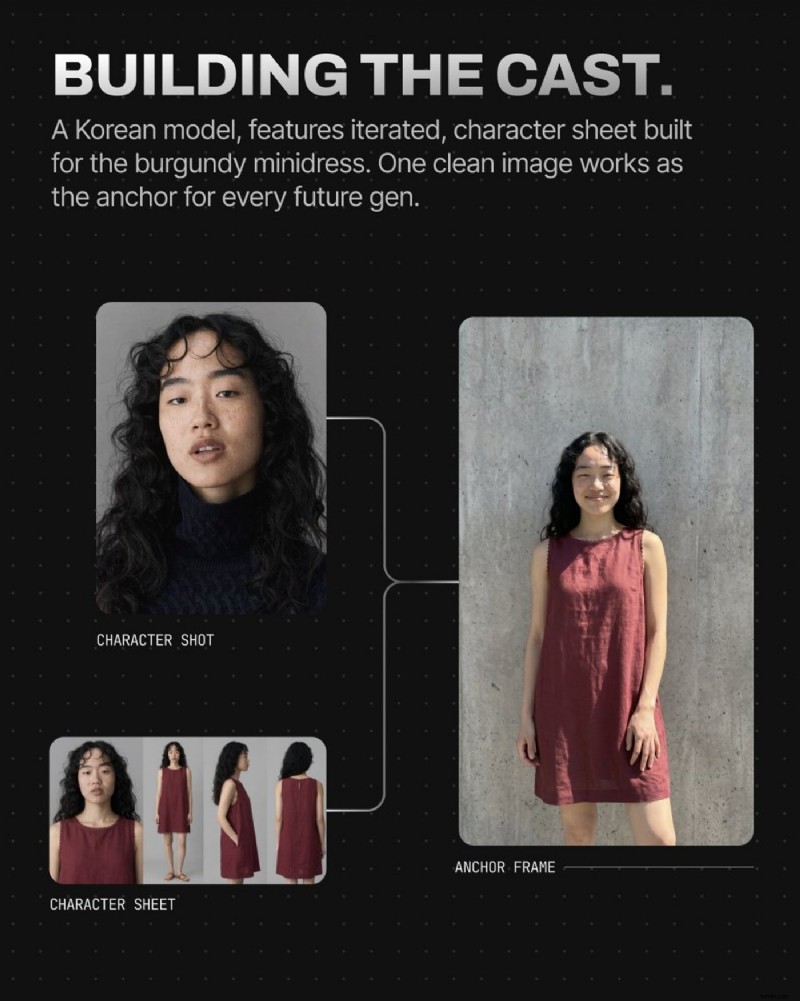
5. Consistent Characters, Environments, and Illustrations
From game characters to brand mascots, GPT‑Image 2 can generate unique personalities, fantasy worlds, futuristic cities, and historical settings—all while maintaining visual consistency across scenes.
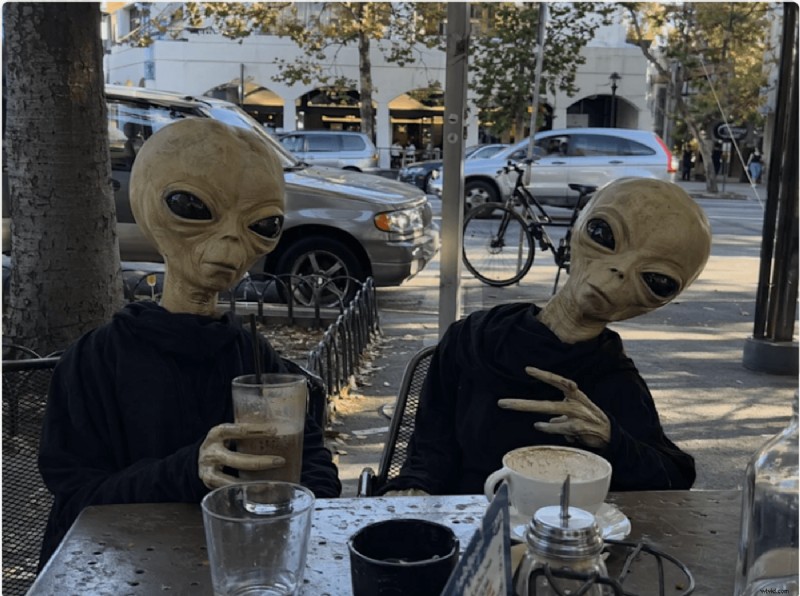
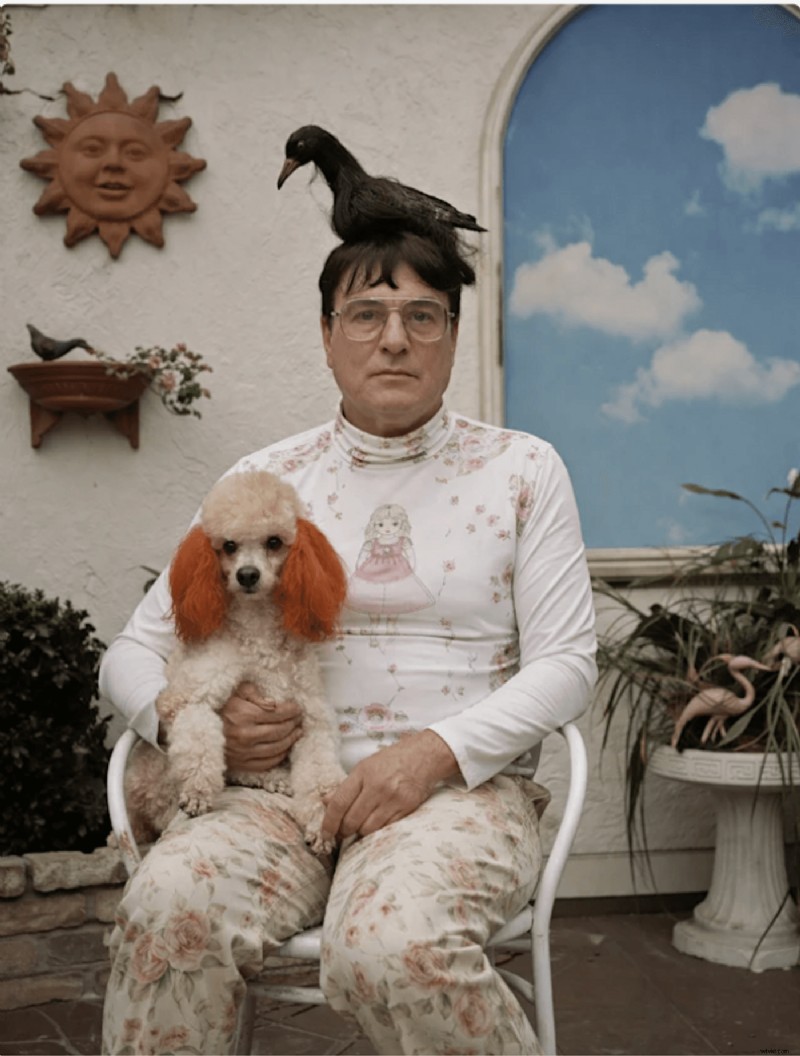
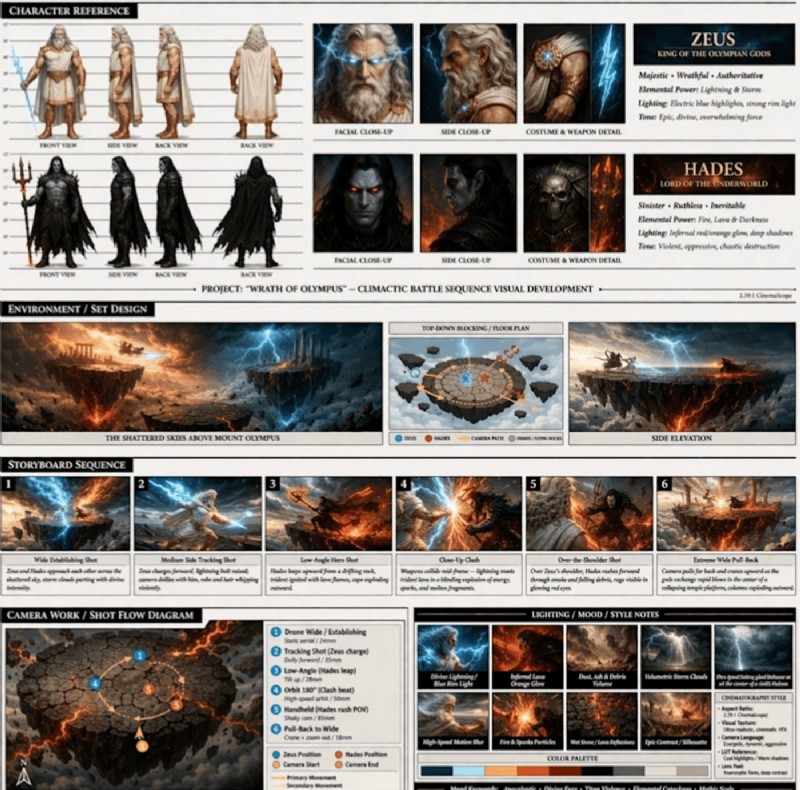
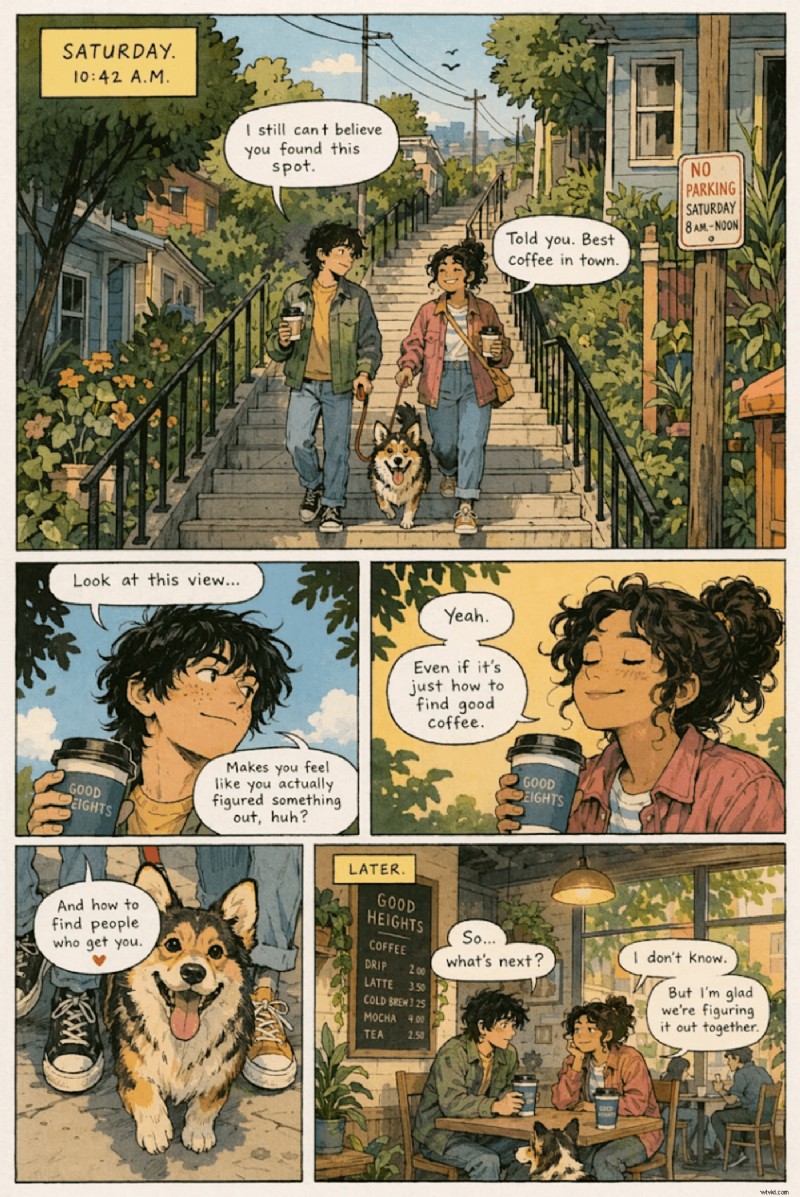
Writers, comic creators, and publishers can use GPT‑Image 2 to visualize narrative beats and experiment with visual storytelling.
6. UI and Concept Mockups
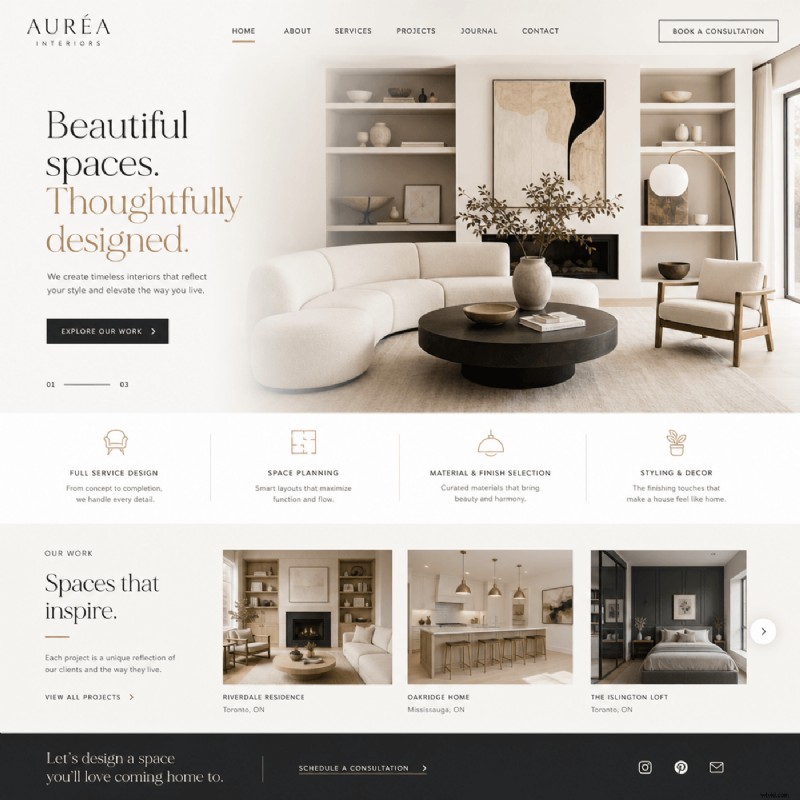
With strong instruction‑following, GPT‑Image 2 produces clean UI mockups from a simple screen description. Product teams can hand the output to developers or stakeholders for sign‑off.
7. Editorial Covers and Layouts
Magazine covers and book layouts benefit from rapid concept exploration. AI‑generated imagery can bring cover stories to life in unique ways, while editorial illustrations maintain a consistent visual style across pages.
Where GPT‑Image 2 Still Falls Short
- Session carry‑over can introduce noise; restart sessions between batches for optimal quality.
- Repeated poster generation may converge on a single style—vary prompts with explicit style directives to maintain diversity.
- Physics, structural accuracy, technical data, close‑up faces, and text on curved or steep surfaces remain challenging. Treat outputs as a solid starting point that still requires human review.
Top Five Features That Set GPT‑Image 2 Apart
1. Built‑In Reasoning
Before drawing a pixel, the model analyzes the prompt, plans composition, fetches external data, and verifies its own output—mirroring the reasoning logic of OpenAI’s text models.
2. 99% Text‑Rendering Accuracy
GPT‑Image 1.5 offered 90–95% accuracy; GPT‑Image 2 claims 99% for Latin and CJK scripts, making single‑pass outputs publishable without further editing.
3. Multilingual Support
Chinese, Japanese (Kanji & Hiragana), Korean, Hindi, Bengali, and Arabic are all rendered accurately, unlocking markets that earlier models could not serve.
4. High Resolution and Flexible Aspect Ratios
Standard output is 2K (2048 px). 4K is in API beta. Aspect ratios now include 3:1 to 1:3, native 16:9/9:16, and square—eliminating the need for cropping.
5. Strong Instruction‑Following and Composition Control
Spatial commands (“three identical robots in a row”), multi‑edit prompts, and object manipulation by name work reliably, enabling dense compositions, infographics, comics, and magazine spreads to stay coherent.
GPT‑Image 2 vs. Midjourney, Nano Banana 2, and FLUX
| Model | Best For | Limitation |
|---|---|---|
| GPT‑Image 2 | Text‑heavy visuals, multilingual text, layout‑precise work, instruction following, multi‑image consistency | Physics and 3D text still need human review; smaller ecosystem |
| Midjourney v8 | Pure visual aesthetics—editorial, cinematic, style‑driven work | No public API; non‑Latin text unreliable |
| Nano Banana 2 | High‑volume, cost‑sensitive workflows | Less precision on dense text and complex layouts |
| FLUX (Black Forest Labs) | Self‑hosting, fine‑tuning, open‑weight licensing | Smaller ecosystem, less distribution |
We ran a single prompt through all four models and compared the results side‑by‑side.
Prompt: "Create a premium YouTube thumbnail in a modern AI‑tech editorial style. Split the composition into two contrasting halves. On the left side, showcase stunning AI‑generated visuals emerging from a glowing ChatGPT‑inspired interface: cinematic portraits, realistic product photography, vibrant illustrations, and professional marketing creatives. Use bright lighting, vibrant colors, futuristic UI elements, and upward arrows to symbolize benefits and innovation. On the right side, depict the limitations and challenges of AI image generation: distorted hands, inconsistent text rendering, failed generations, quality issues, and warning symbols. Use darker tones, subtle glitch effects, red highlights, and broken image frames to create contrast. In the center, feature a large glowing AI image‑generation panel with an image transforming from rough concept to polished masterpiece. Add dynamic particles, depth, dramatic lighting, and premium tech aesthetics. Large bold headline text: Here’s EVERYTHING YOU NEED TO KNOW ABOUT CHATGPT IMAGES 2.0. Secondary text: BENEFITS vs FALLBACKS Typography should be huge, bold, modern sans‑serif, highly readable at mobile size. Use white text with subtle shadows and cyan accents. Maintain strong visual hierarchy similar to top‑performing AI and technology YouTube thumbnails. Ultra‑sharp, high contrast, professional, viral‑worthy, clean composition, 16:9 aspect ratio."
Accessing GPT‑Image 2
In ChatGPT
Base image generation is free for all users. Selecting a Thinking or Pro model unlocks the reasoning layer: real‑time web search during generation, up to ten images at once, and character/object continuity across them.
In InVideo (with context retention)
Autopilot
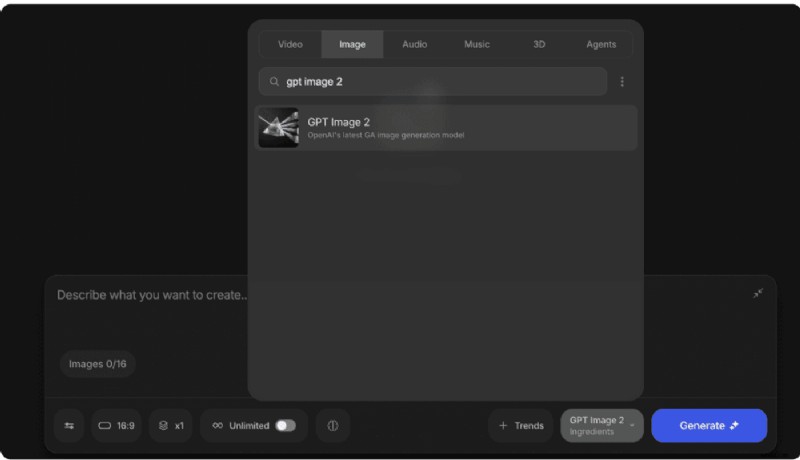
- Step 1: Open Agents & Models, choose GPT‑Image 2.
- Step 2: Write your prompt, set resolution and variations, and generate.
Agent One
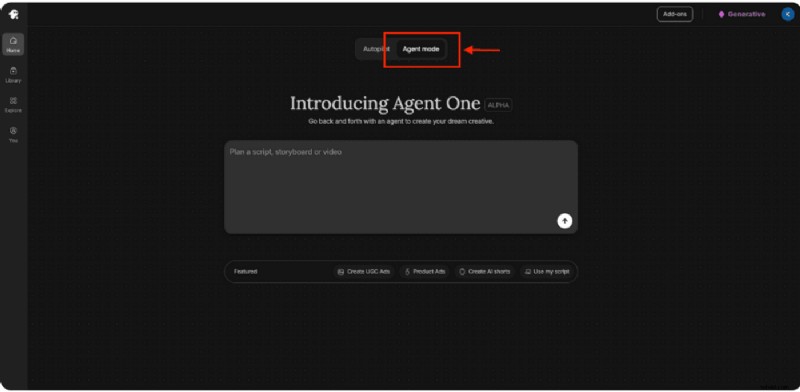
Agent One requires just one step: describe what you need in plain language, and let it craft the prompt, ideate, and produce variations—all while preserving your brand and scene context.
FAQs
What is ChatGPT Images 2.0?
GPT‑Image 2 is OpenAI’s newest image‑generation model, launched April 21 2026. It replaces the older GPT image pipeline and becomes the sole image model after DALL‑E 2 and 3 are retired on May 12 2026.
How do I use ChatGPT Images 2.0?
You can generate images directly in ChatGPT or via InVideo. In InVideo, open Agents & Models, select GPT‑Image 2, write a prompt, set resolution and variations, and generate. Your brand context is retained across generations.
What’s the biggest improvement over GPT‑Image 1.5?
Text rendering accuracy jumped from ~90–95% to a claimed 99%, enabling single‑pass posters, ads, packaging, menus, and UI mockups that are ready for production.
Does ChatGPT Images 2.0 support different aspect ratios?
Yes. Ranges from 3:1 (ultra‑wide) to 1:3 (tall vertical), including native 16:9 and 9:16, plus square. Standard output is 2K; 4K is available in the API beta.
Can GPT‑Image 2 generate text in other languages?
Yes. It renders Chinese, Japanese, Korean, Hindi, Bengali, and Arabic, opening markets that earlier models couldn’t serve.
Where does ChatGPT Images 2.0 still fall short?
It struggles with physics, structural accuracy, technical data, close‑up faces, and text on curved or steeply angled surfaces. Human review is still advisable for production work.
Is ChatGPT Images 2.0 better than Midjourney?
It depends on the task. GPT‑Image 2 excels at text accuracy, layout‑heavy assets, multilingual rendering, and instruction following. Midjourney may lead on pure visual style.
Is GPT‑Image 2 a major update?
Yes. It is OpenAI’s third image model in thirteen months, rebuilt from scratch with a new architecture. DALL‑E 2 and 3 are being retired, making GPT‑Image 2 the only image model moving forward.
How does GPT‑Image 2 achieve accurate text?
Previous models learned visual patterns of text; GPT‑Image 2 is autoregressive and generates text tokens as language, ensuring semantic accuracy. This shift lifts text accuracy from 90–95% to 99%.