
For creators, post‑production is the bridge between raw recordings and polished, audience‑ready content. Whether you’re refining a blog post, mixing a podcast, or editing a YouTube video, mastering this phase is essential to deliver professional results.
What Is Post‑Production?
Post‑production encompasses everything that happens after the recording stage concludes. It’s the final stage that transforms raw footage or audio into a finished product ready for publication.
- Pre‑production: Planning and preparation, from scripting to location scouting.
- Production: The actual filming or recording of the content.
- Post‑production: Editing, mixing, and enhancing the raw material for release.
Why Post‑Production Matters for Video
Even the most impressive raw footage can fall flat without a solid post‑production workflow. The process of ordering shots, trimming excess footage, adding graphics, and balancing audio ensures that the final video resonates with viewers and conveys the intended message.
By controlling pacing, tone, and visual style, post‑production turns a simple recording into a compelling piece of art that engages and informs.
Audio vs. Video Post‑Production
Audio creators—podcasters, radio hosts, audiobook narrators—also rely on meticulous post‑production. Tasks include:
- Dialogue editing and cleanup
- Replacing unusable audio with new takes
- Adding sound effects and Foley work
- Background ambience and music integration
- Final mixdown and mastering
Video post‑production builds on these audio foundations by incorporating visual elements such as:
- Video cutting and splicing
- Visual effects (VFX) and motion graphics
- Color correction and grading
- Graphics overlays and titles
Post‑Production Workflow
1. Editing
Using tools like Adobe Premiere Pro or Apple Final Cut Pro, editors arrange clips, trim sections, and assemble a coherent narrative. While the terminology harks back to film splicing, today it’s all digital.
2. Sound Editing and Music
Synchronize audio tracks, adjust levels, and eliminate unwanted noise. This stage also introduces external sound effects and background music—always ensuring proper licensing for any third‑party tracks.
3. Visual Effects and Graphics
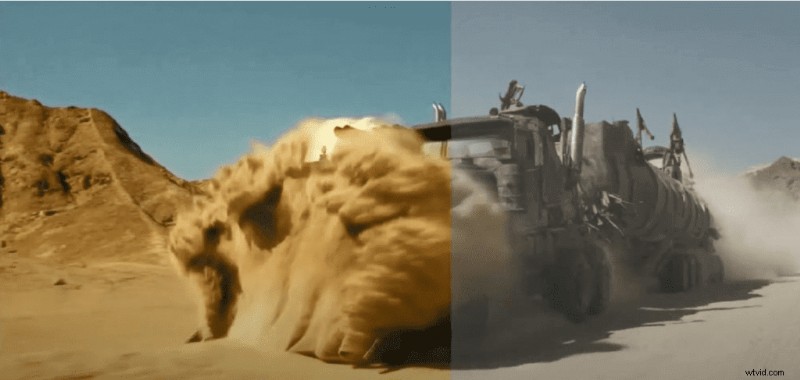
Special effects (practical effects during production) differ from visual effects (VFX added in post‑production). VFX includes CGI, animation, and green‑screen compositing. After effects, creators can layer titles, lower‑thirds, and credits.
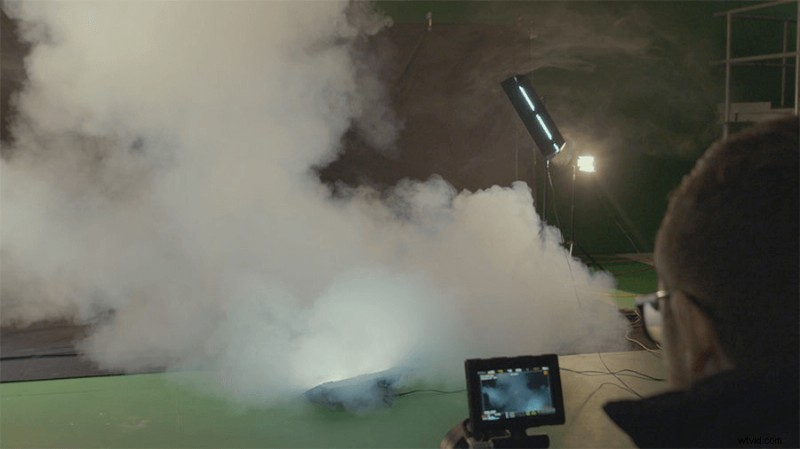
After integrating effects, graphics such as date stamps or end credits add a professional polish.
4. Color Correction
Adjust white balance, contrast, exposure, and ISO noise to achieve a natural, consistent look across all shots. Color grading follows, applying a stylistic palette that enhances the emotional tone of the piece.
Examples like the green‑ish hues in The Matrix illustrate how color grading can convey narrative meaning.
Tools for Online Video Post‑Production
In 2024, high‑quality post‑production is accessible to creators of all budgets. Key software includes:
- Adobe Premiere Pro – Feature‑rich, part of Adobe Creative Cloud; $20.99/month.
- Apple Final Cut Pro X – Industry standard for macOS; one‑time purchase of $299.
- Pinnacle Studio 25 Ultimate – Beginner‑friendly, Windows; $129.95 one‑time.
- Lightworks – Professional‑grade, cross‑platform; free tier available, paid plans start at $9.99/user/month.
For a deeper dive, see our article The Best Video Editing Software for Every Level and Budget.
Best Free Recording & Editing Solution
Riverside offers a browser‑based platform that captures 48 kHz WAV audio and 4 k video, then consolidates everything into a single editor. Remote interviews benefit from local recording on each participant’s device, preserving quality even with spotty internet.
The Riverside Editor turns transcriptions into edit points: delete a line of text, and the corresponding audio and video clip vanish automatically. This streamlines the editing process and frees you to focus on creative decisions.
FAQs About Post‑Production
What’s the difference between pre‑production and post‑production?
Pre‑production precedes filming and involves tasks like scripting and location scouting. Post‑production follows filming and covers editing, mixing, and adding visual or audio effects.
What types of post‑production are there?
Audio post‑production focuses on mixing and sound design, while video post‑production adds editing, VFX, graphics, and color work. Advanced projects may also include animation and soundtrack composition.
How long does post‑production take?
Time varies widely: a short YouTube clip may take a few hours for an experienced creator, whereas a feature film can require 7–12 months.
What are the core steps?
- Video editing
- Sound editing and music placement
- Visual effects and graphics overlay
- Color correction and grading
Starting with high‑quality raw footage—such as the uncompressed audio and 4 k video from Riverside—can dramatically reduce post‑production workload.
Ready to streamline your workflow? Try Riverside for free and experience a single platform that handles recording, transcription, and editing.