
TL;DR
- Lower thirds are concise, text‑based overlays positioned at the bottom of video frames.
- They appear in social media clips, news broadcasts, interviews, vlogs, and educational content.
- Align lower thirds with your brand by carefully selecting color, typography, and duration.
- Add them in real‑time during a live session or post‑production using an editor like Riverside.
Lower thirds give your video a polished, professional look while delivering essential context to viewers. They’re a staple for any creator who wants to elevate brand credibility and viewer engagement.
Whether you’re new to video production or refining your workflow, this guide will walk you through every step—from design fundamentals to adding lower thirds in Riverside, plus ready‑to‑use templates and best‑practice tips.
Table of contents
- What are lower thirds?
- Common uses for lower thirds
- Why lower thirds matter
- Key design elements
- Adding lower thirds in Riverside
- Top templates to get started
- Best‑practice checklist
- FAQs
- Final thoughts
What are lower thirds?
Lower thirds are a combination of text and graphic elements placed in the lower third of a video frame. They provide viewers with supplemental information—such as a speaker’s name, a product name, or a headline—without distracting from the main visual content.
Common uses for lower thirds
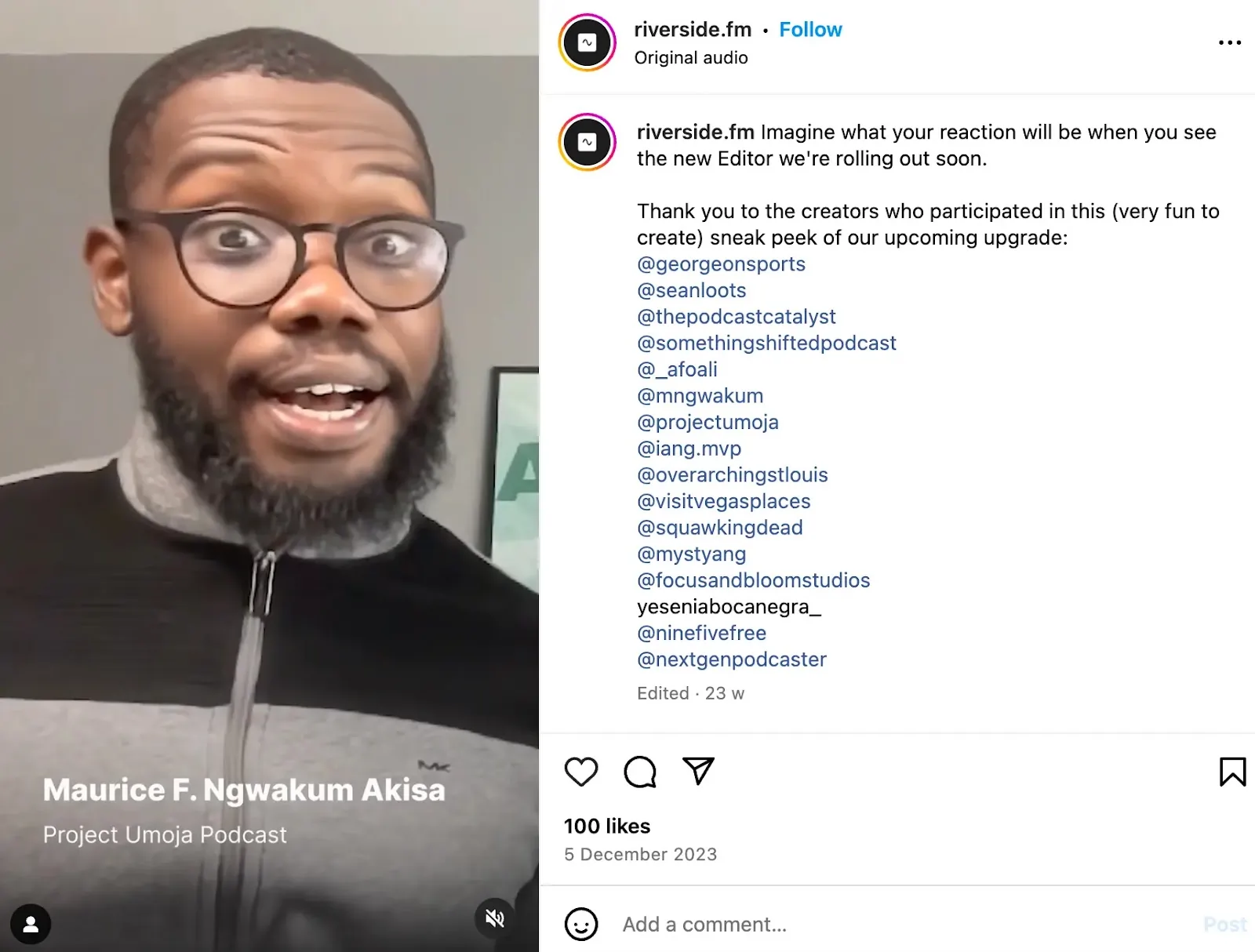
Social media and promotional videos
These overlays are ideal for announcing product launches, pricing, or special offers while keeping the visual focus on the video content.
Example:
News broadcasts
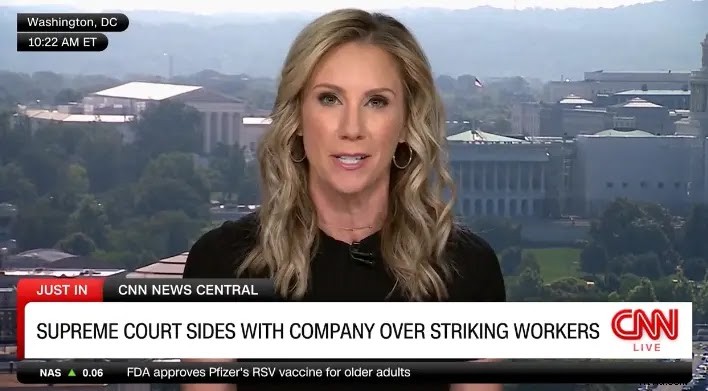
Journalists use lower thirds to display headlines, network logos, and live status indicators, adding context and authority to the story.
Example:
Interviews and documentaries
Interviewees’ names and titles are displayed to establish credibility and help viewers follow the conversation.
Example:

Vlogs and behind‑the‑scenes
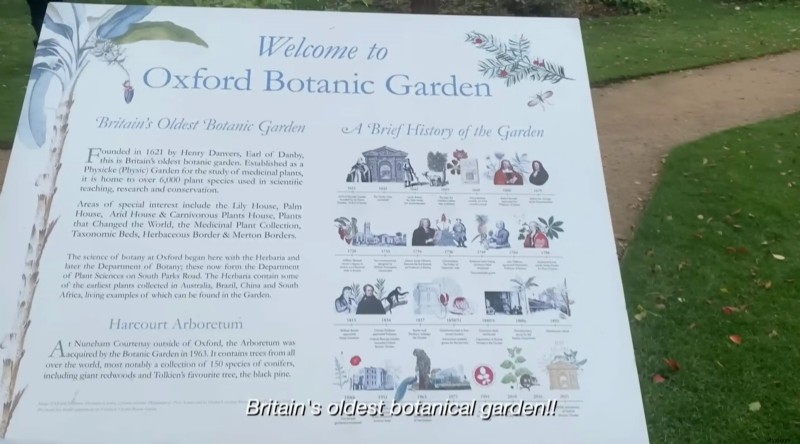
Vloggers often include a lower third with their name, channel logo, or filming location to create a personal connection with viewers.
Example:
Educational content
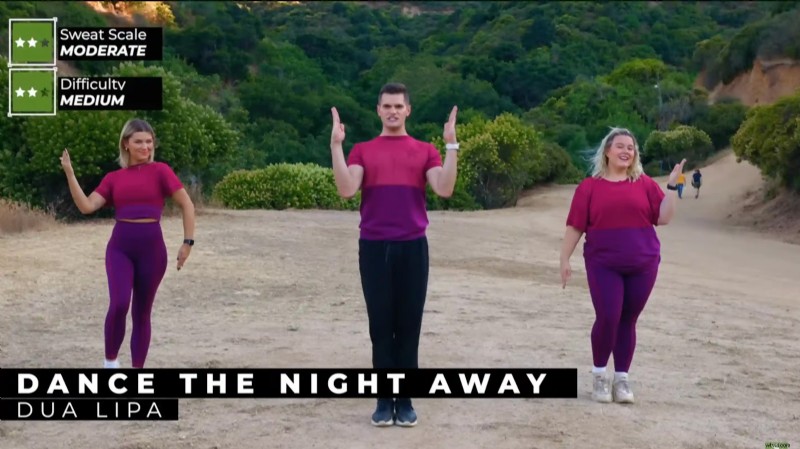
In learning videos, lower thirds can highlight key terms, statistics, or references, helping audiences retain complex information.
Example:
Why lower thirds matter
- Professionalism – A well‑designed lower third signals polished production and reinforces brand identity.
- Engagement – Text overlays reduce cognitive load, allowing viewers to absorb information quickly, which can boost retention by up to 40% (Source: Wyzowl).
- Information delivery – They offer a concise way to convey context, such as speaker credentials or relevant data, that enhances viewer understanding.
Key design elements
Color
Use brand colors or high‑contrast hues to ensure readability. Test the overlay against various video backgrounds to avoid visual clutter.
Typography
Opt for clean, sans‑serif fonts for modern videos; serif fonts work well for formal or academic content. Maintain consistency across all lower thirds.
Logo placement
Include your logo subtly so it complements rather than competes with the overlay. A small, semi‑transparent logo in the corner works best.
Size & position
Place the overlay within the lower third of the frame, ensuring it occupies 10‑15% of the screen and does not obscure key visual elements.
Duration
Show each lower third for 3‑6 seconds—long enough for viewers to read but short enough to keep the flow smooth.
Animations & transitions
Use gentle fades or slide‑ins to introduce and remove overlays. Abrupt cuts can distract from the main content.
Adding lower thirds in Riverside
Riverside provides a streamlined workflow for inserting lower thirds during or after recording. Follow these steps:
Post‑production text overlays
- Log in to Riverside and select an existing studio or create a new one using the “+” button.
- Navigate to the studio dashboard, click Go to Studio to record, or choose Upload to import a pre‑recorded video.
- Open the project in the Editor by clicking Go to Editor.
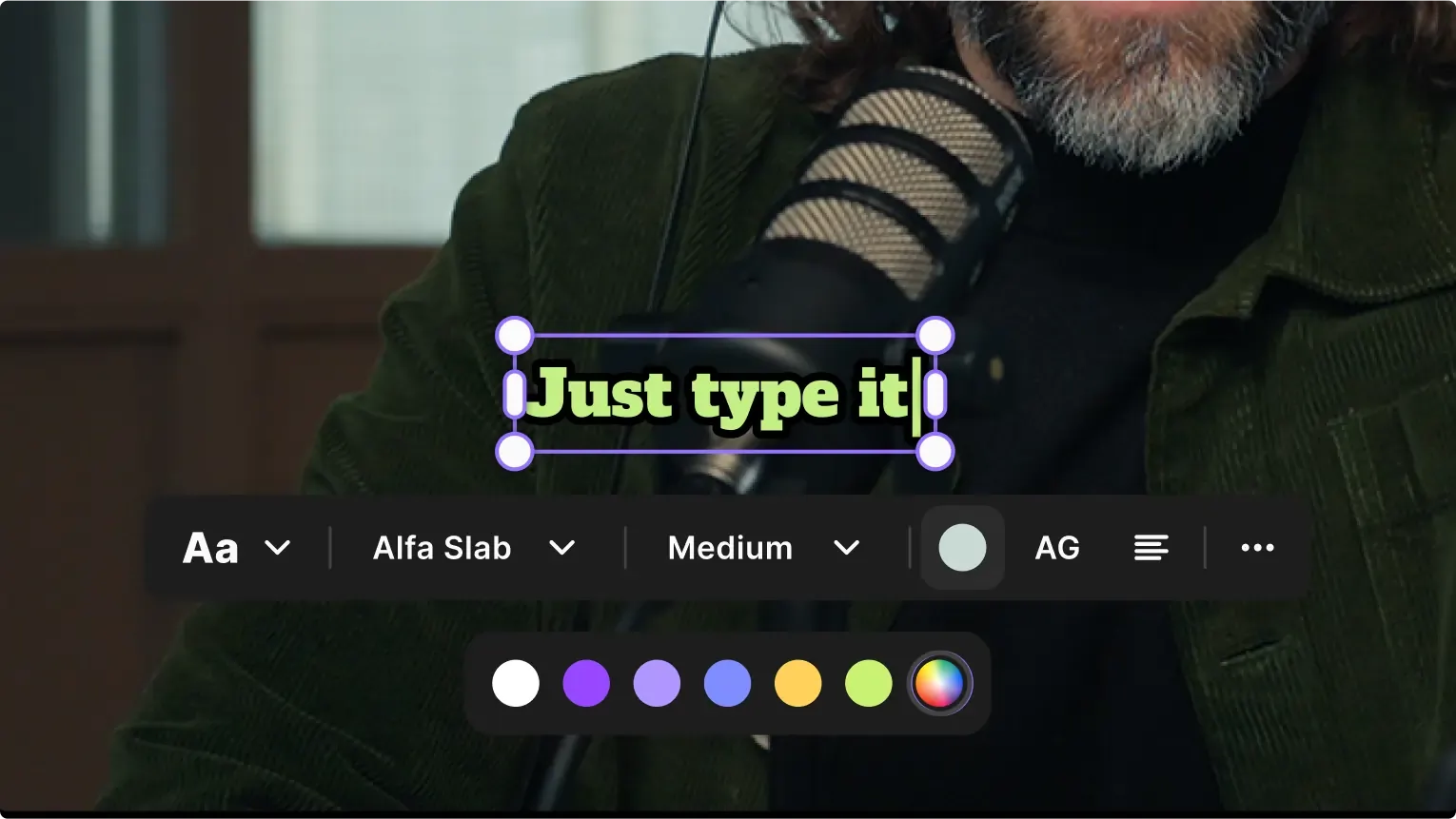
- From the right‑hand menu, select Text and use the editor tools to type, style, and position your overlay.
- When satisfied, click Export to save and download the finished video.
Live‑streaming lower thirds
For live broadcasts, integrate third‑party tools such as Streamlabs or OBS to add dynamic lower thirds in real time. Watch this tutorial to learn how: Learn how here.
Top templates to get started
Here are three versatile templates that cater to different production styles:
Corporate template (Adobe Stock)
Seven sleek, animation‑ready layouts that support branding with customizable color schemes.
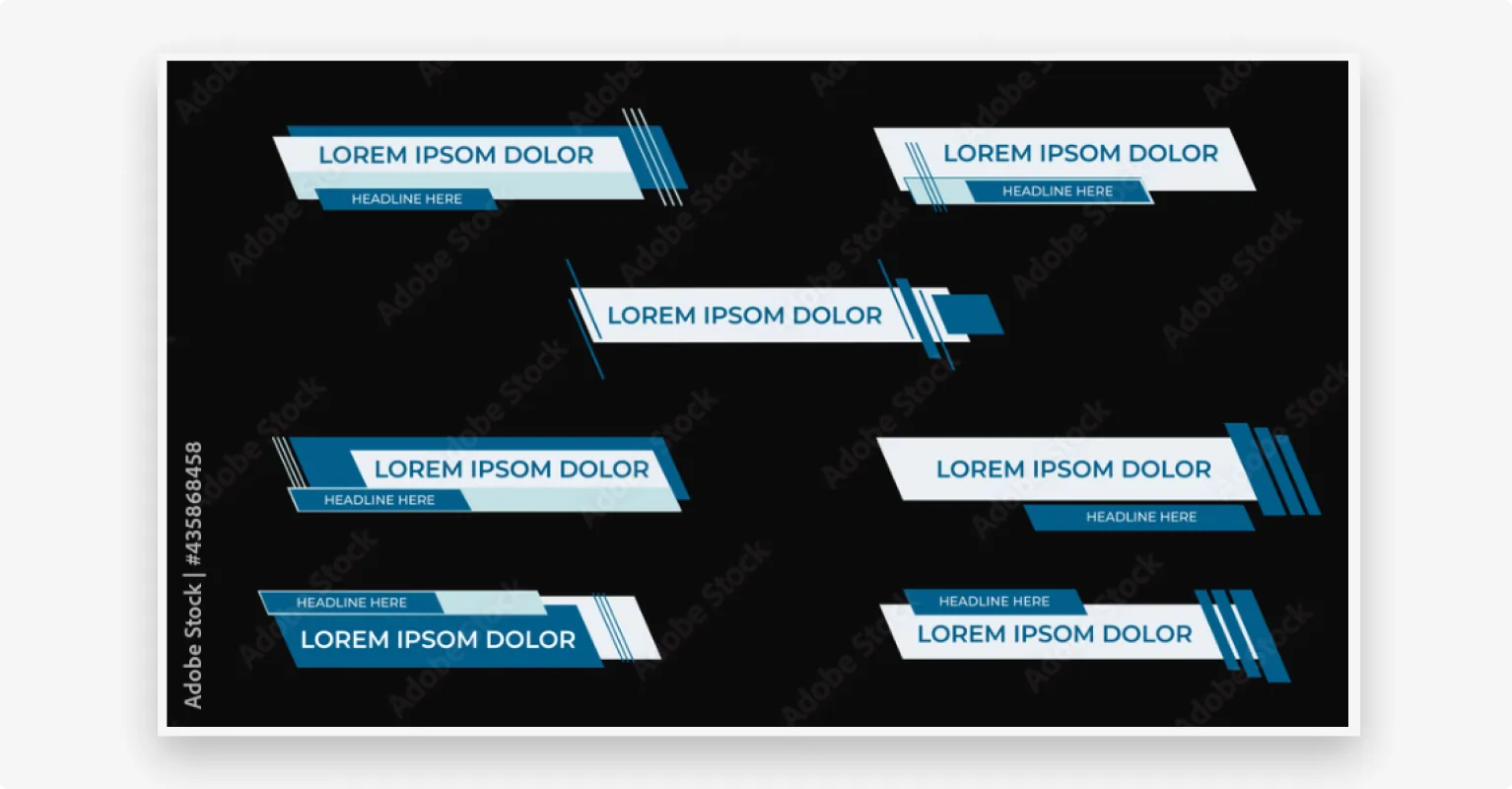
Best for: Professional videos requiring a clean, legible design.
Minimal template (Motion Array)
Clean, distraction‑free overlays that allow you to add just the essential text.
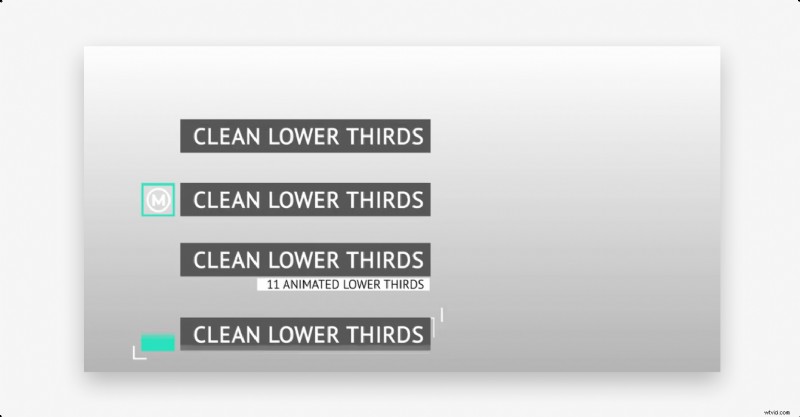
Best for: Creators who want the video to remain the focal point.
Creative template (Envato Elements)
Bold, eye‑catching designs suitable for creative storytellers looking for a fresh visual style.
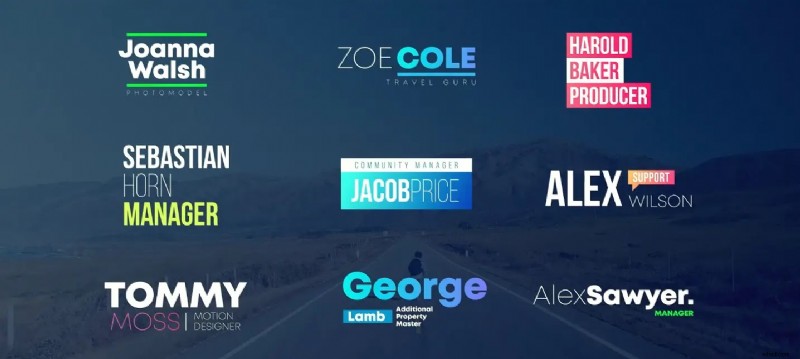
Best for: Producers seeking a unique, dynamic look.
Best‑practice checklist
- Prioritize clear, brand‑aligned design.
- Use lower thirds only when they add genuine value—introducing a new speaker, location, or key fact.
- Proofread all text; typos undermine credibility.
- Test overlays on different devices to ensure readability.
- Keep animation subtle and consistent.
FAQs
What’s the difference between a chyron and a lower third?
The term "chyron" originated from a brand that dominated the market for text overlays. Today, the words are used interchangeably to describe lower third graphics.
What are other names for lower thirds?
They’re also called chyrons, banners, supers, or simply L3s.
When should I use lower thirds?
Use them to display speaker names, headlines, filming dates, brand logos, key terms, or supporting statistics—whenever additional context enhances the viewer experience.
How do I use lower‑third templates?
Download the template file, import it into your video editor, and customize fonts, colors, text, and placement to match your brand.
Final thoughts
In the crowded video landscape, a well‑executed lower third can set your content apart. With the right design, timing, and tools—like Riverside—you can create polished, engaging videos that resonate with viewers and reinforce your brand identity.