
Ultimate Guide to GIF Keyboards for iPhone & Android
GIFs are the most engaging way to add personality and clarity to your messages. This guide explores the best GIF keyboards for iPhone, how to use GIFs on Android, and the built‑in iMessage GIF keyboard. It also highlights a powerful GIF creation tool for users who want to produce their own animations.
What Is a GIF Keyboard?
A GIF keyboard is an app that extends your device’s native keyboard with a searchable library of animated GIFs, stickers, and emojis. By typing a keyword, you instantly access thousands of animated clips that can replace text and convey emotions more vividly.
Benefits of Using a GIF Keyboard
- Instantly find and send the perfect GIF without leaving your conversation.
- Save time with quick search, hotkeys, and custom themes.
- Enhance brand messaging or personal chats with engaging visuals.
- Many keyboards offer built‑in AI to suggest relevant GIFs as you type.
Part 1: The Best 8 GIF Keyboards for Your iPhone
01. Fleksy Keyboard
Fleksy combines a fast, gesture‑based input system with a powerful GIF library. It supports 40+ languages and 50 vibrant themes, ensuring you can personalize your experience.
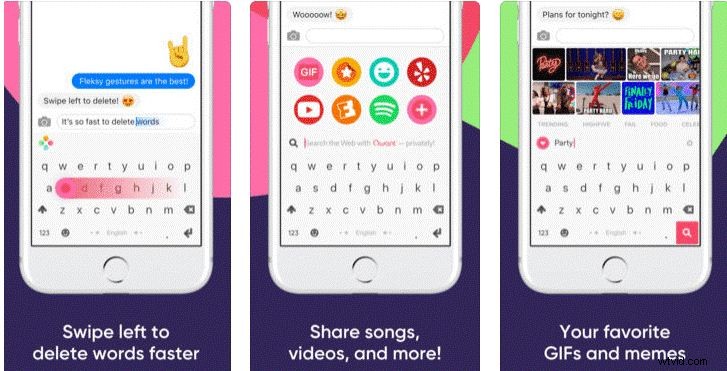
Pros
- Fastest GIF keyboard for iPhone.
- Exclusive GIF sharing feature.
- Hotkeys, stickers, and other extensions.
Cons
- Requires iOS 8.0 or later.
- Internet required to download from the App Store.
- No swipe‑typing support.
Cost – Free.
02. Kika Keyboard
With over 3,000 GIFs and 150 language support, Kika is a favorite for 20 million+ users. Its autocorrect ensures you never misspell.
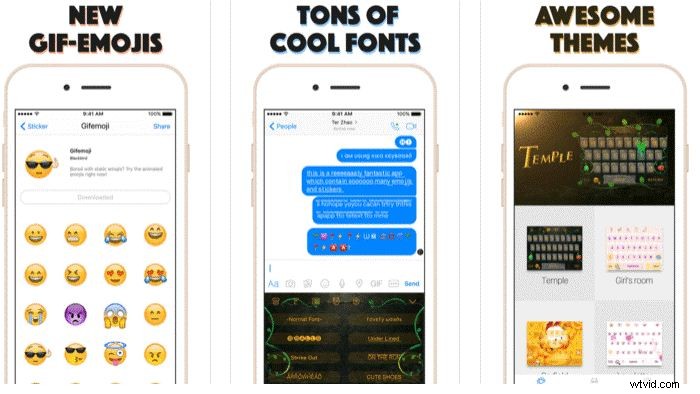
Pros
- High‑grade security for personal data.
- Rich keyboard themes.
- Pop‑up GIFs and emojis for expressive typing.
Cons
- Requires iOS 9.0 or later.
- Internet needed for App Store download.
- Premium features behind a paywall.
Cost – Free basic version; paid upgrades available.
03. GIF Keyboard
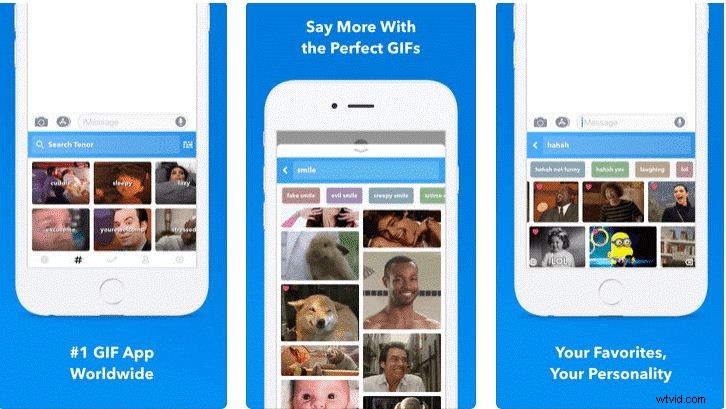
This keyboard offers hassle‑free GIF creation and sharing, compatible with all iOS devices running iOS 9.0 or newer.
Pros
- Easy GIF creation and sharing.
- Sticker packs for friends and family.
- Cross‑platform support (Snapchat, WhatsApp, Twitter, Facebook).
Cons
- Not available on iOS <9.0.
- Potential data security risk.
- Internet required for download.
Cost – Free with optional in‑app purchases.
04. SwiftKey Keyboard
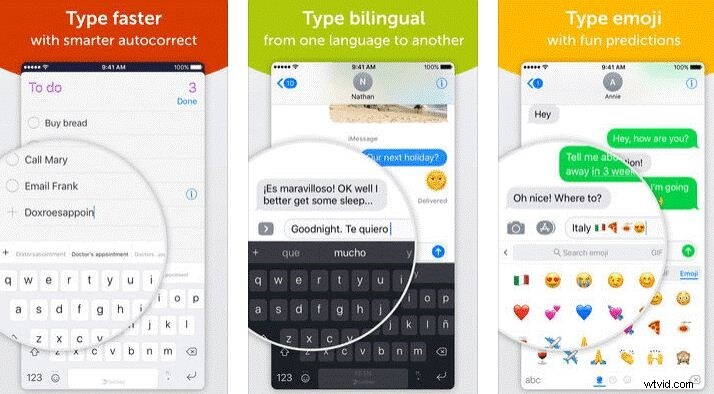
SwiftKey serves 250 million users worldwide with AI‑powered autocorrect and an extensive GIF library.
Pros
- Bilingual autocorrect with AI predictions.
- Quick‑access toolbar and 90 language support.
- Over 1,000 GIFs and emojis.
Cons
- Requires iOS 9.3 or newer.
- No "save" feature for favorites.
- Recent GIFs not visible in chats.
Cost – Free basic; premium membership unlocks advanced features.
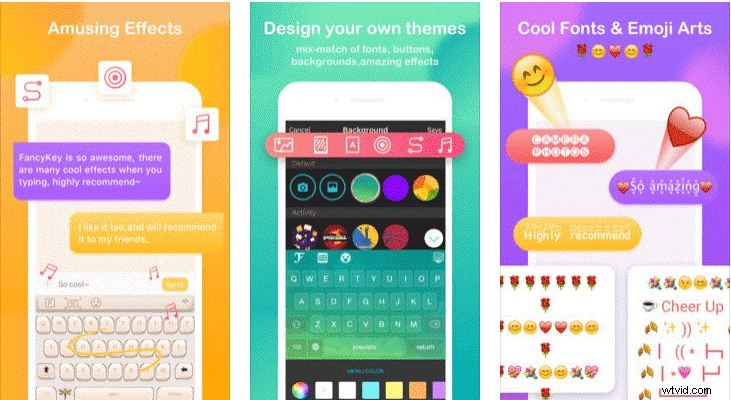
05. FancyKey Keyboard
Customizable with 100+ fonts and 50 themes, FancyKey adds swipe input and robust security.
Pros
- Swipe typing with accurate predictions.
- Emoji art keyboard for expressive faces.
- Wide iOS compatibility.
Cons
- Feature‑heavy interface may overwhelm.
- Locating content can take time.
- Internet required for download.
Cost – Free.
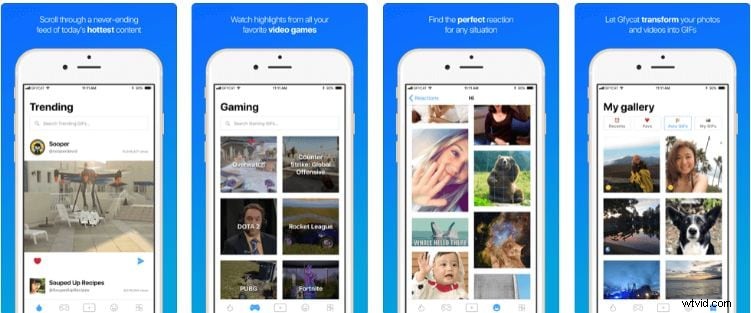
06. Gfycat Keyboard
Gfycat offers an extensive library of HD GIFs and stickers, plus the ability to create GIFs with your camera.
Pros
- Multi‑language support.
- HD quality GIFs and memes.
- On‑device camera GIF creation.
Cons
- Only GIF features, no additional keyboard functions.
- GIFs are relatively small in file size.
- No save/view option within the app.
Cost – Free.
07. RainbowKey Keyboard
RainbowKey excels in customizable themes and smart AI predictions for emojis.

Pros
- Save favorites for future use.
- Create themes from local images.
- AI‑driven emoji predictions and autocorrect.
Cons
- Interface can be tricky for new users.
- Occasional crashes during theme switches.
- Requires iOS 8.0+.
Cost – Free with in‑app purchases.
08. Tenor GIF Keyboard
Powered by Tenor’s vast library, this keyboard allows captioning and organizing GIFs into packs.

Pros
- Caption and locally save GIFs.
- Create custom GIF packs for quick access.
- Export to all major social platforms.
Cons
- Limited keyboard functions.
- Interface may feel crowded.
- Internet required.
Cost – Free.
Part 2: How to Text GIFs on Android
Android devices feature a built‑in GIF picker in the Google Keyboard (Gboard). Follow these simple steps:
- Open your messaging app and tap the emoticon button on Gboard.
- Select the GIF tab.
- Search for a keyword or browse the default collection.
- Preview the GIF and tap Send.
Part 3: Using the iMessage GIF Keyboard
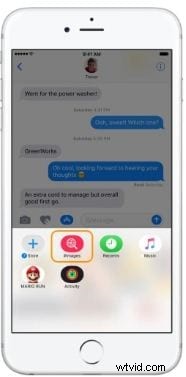
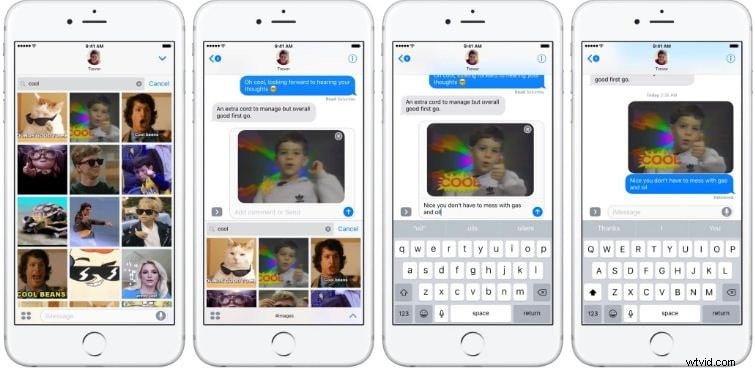
iPhone users (iOS 10 and later) have a native GIF keyboard called #images. For earlier iOS versions, third‑party keyboards provide the same functionality.
Steps to use #images:
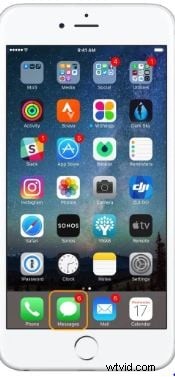
- Open Messages and start a new conversation.
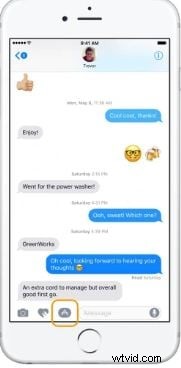
- Tap the ‘A’ button next to the text field to open the app drawer.
- Choose the #images icon (a GIF symbol).
- Search or browse GIFs and tap to send.
- Optionally add text to personalize the GIF.

Bonus: Create Your Own GIFs with Filmora
Filmora Video Editor (available on macOS and Windows) offers a dedicated GIF maker. With a drag‑and‑drop interface, you can craft polished GIFs in minutes.
Key features:
- Quick GIF creation with presets.
- Extensive library of effects, filters, and audio.
- Intuitive UI for a smooth workflow.
Filmora is trusted by 5,481,435 downloads and is praised for simplifying advanced editing.

Key Takeaways
- GIF keyboards boost conversation impact on iOS and Android.
- Choose from a variety of keyboards based on language support, security, and cost.
- For custom GIFs, Filmora provides a reliable creation tool.