
Why Video Editing Can Seem Time‑Consuming
Video editing is often the bottleneck in a production pipeline. The time required is largely determined by the number of creative choices you give yourself and the volume of footage you must sift through. Think of it like choosing a card from a store: the more options you have, the longer it takes. Likewise, a 30‑minute vlog with dozens of shots will take considerably longer to edit than a short interview shot in a single take.
- Complex projects such as multi‑camera vlogs or documentary‑style footage demand detailed cuts, color grading, and audio mixing.
- Simple projects—quick reels, social‑media snippets, or single‑shot videos—often require minimal trimming and can be completed in minutes.
Preparing Your Project for a Smooth Workflow
Start with a clear plan: write a brief outline or storyboard before you even open your editor. Knowing exactly what you want to convey keeps the editing process focused and reduces back‑and‑forth.
- Set up a dedicated workspace: a quiet room, a comfortable chair, and a clean desktop free of clutter.
- Disable distracting notifications on your phone and computer.
- Keep a single copy of your footage; duplicate files can double your editing time.
Creating a New Project in Filmora 11
Filmora 11 is one of the most beginner‑friendly editors available for both Mac and Windows. The free version gives you access to most essential tools; premium features like speed‑ramping and advanced color match are unlocked with a subscription.
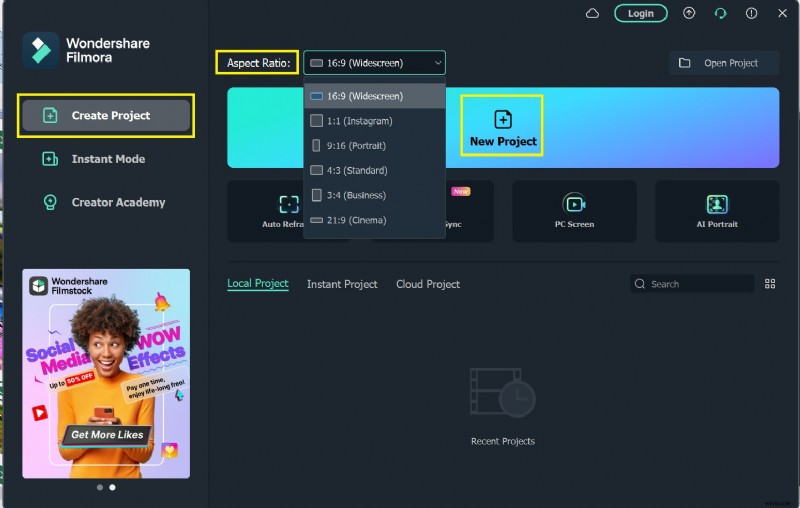
- Open Filmora 11 and select Create Project.
- Choose the aspect ratio that matches your target platform (16:9 for YouTube, 9:16 for Instagram Stories, etc.).
- Give your project a descriptive name and choose a folder location.
- Import your media via the Media tab or drag files directly onto the timeline.
- Use the preview window to review edits in real time and the timeline to arrange, trim, and delete clips.
- Apply creative tools:
- Speed control: Fast, Slow, or Speed Ramping (premium) for cinematic motion.
- Color correction: Color Match to unify tones across multiple shots.
- Save your progress frequently with File > Save as Project.
- When ready, export via the Export tab and select the format and platform preset that best fits your distribution channel.
Alternative Editors for Different Platforms
1. Windows 10 Photos App
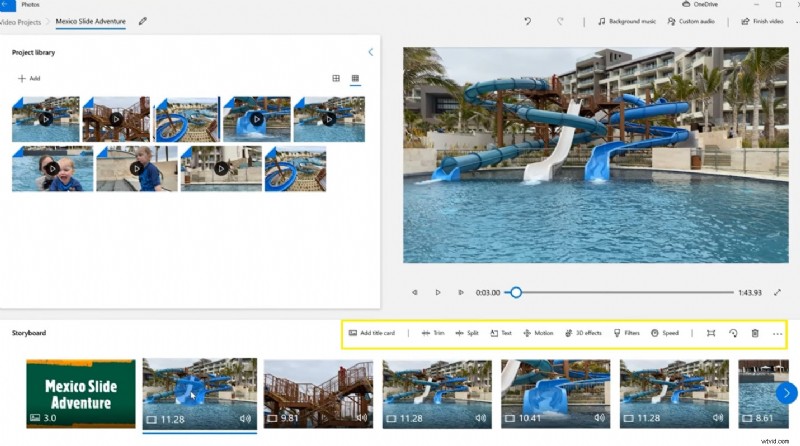
Windows 10 ships with a built‑in video editor in the Photos app. It supports trimming, splitting, and basic transitions—perfect for quick edits without any extra cost.
2. CapCut for Android
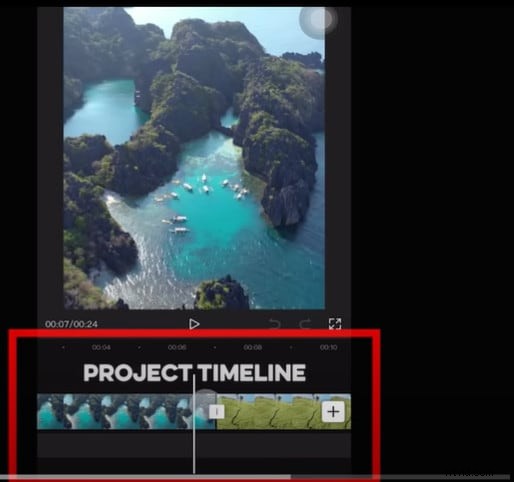
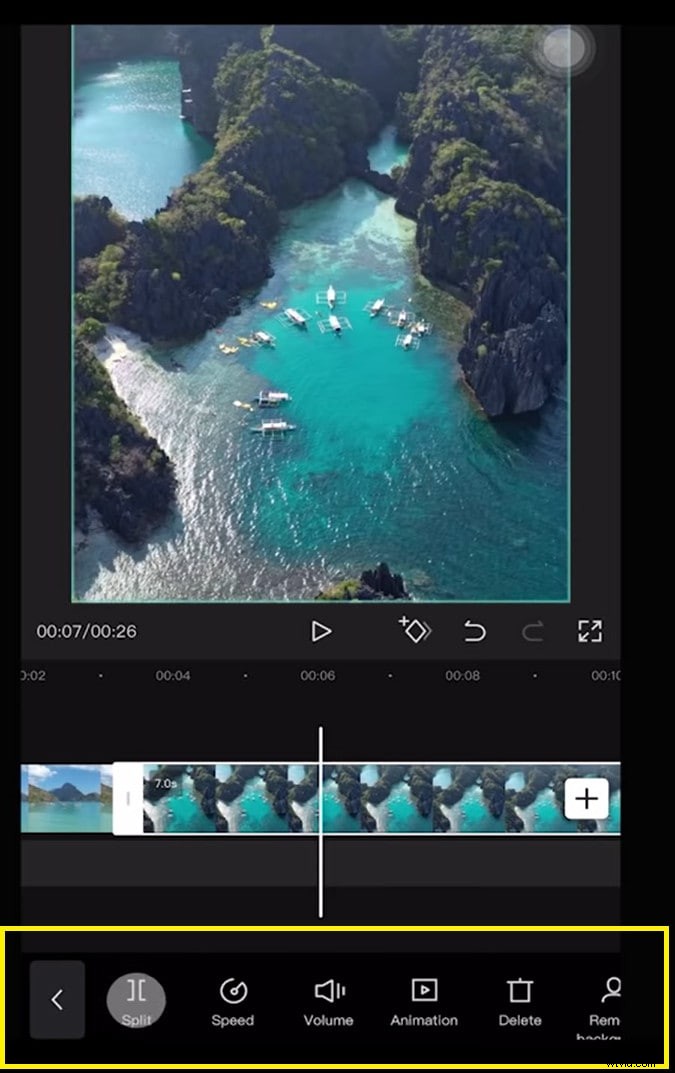
CapCut is a free, all‑in‑one mobile editor that delivers powerful features without watermarks or ads. Its intuitive timeline lets you add, trim, and reorder clips with tap gestures.
- Apply filters, text, stickers, and music with a single tap.
- Access advanced effects: global video effects or body‑specific overlays.
- Export directly to your device or share to TikTok, Instagram, or YouTube.
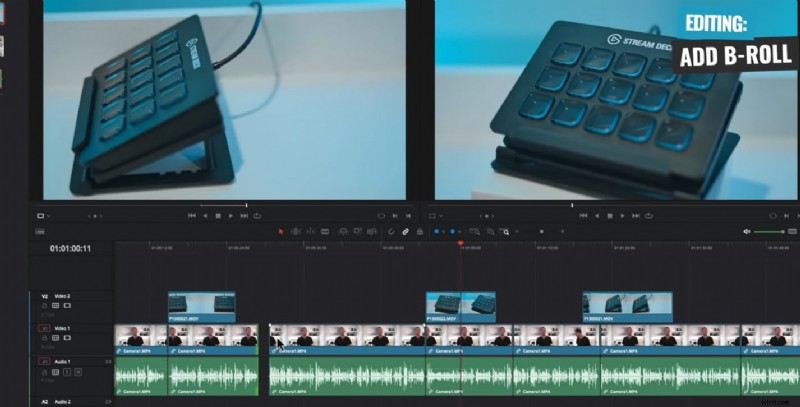
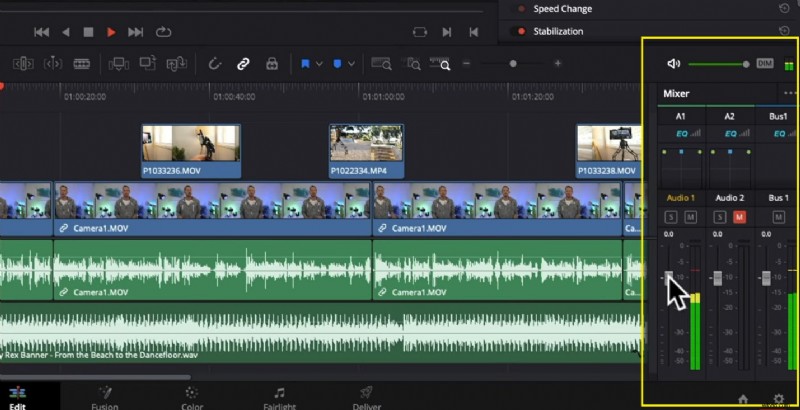
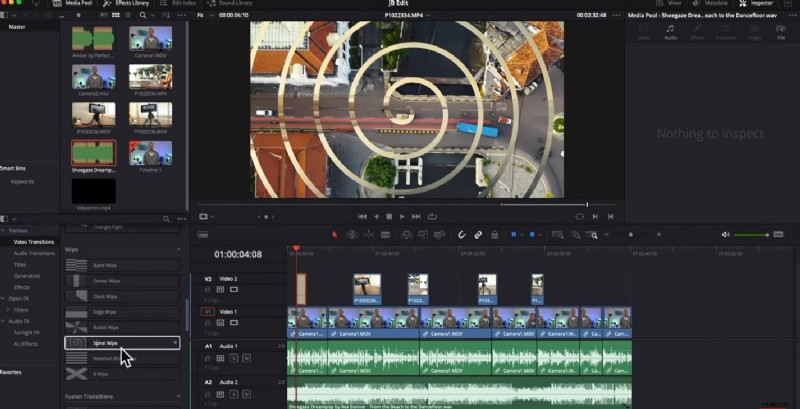
3. DaVinci Resolve for Mac
DaVinci Resolve is the industry‑standard for professional color grading and editing. While it is feature‑rich and free, it does require a capable Mac to run smoothly.
- Frame‑by‑frame editing, multi‑track audio mixing, and a dedicated color grading suite.
- High‑resolution exports with support for HDR.
Pro Tips to Reduce Editing Time
- Batch‑process similar clips: group them and apply the same transitions or color presets.
- Use keyboard shortcuts; most editors offer a list of hotkeys that can shave minutes off each session.
- Keep a clean timeline: remove unused clips early to avoid clutter.
- Save regularly and use project versions; this prevents loss of work and makes it easier to revert.
- Plan your final edit in a single pass: watch the full sequence once after the first round of cuts, then refine only the areas that need improvement.
Conclusion
Editing time varies from a few minutes for simple cuts to several hours for complex productions. By planning ahead, minimizing distractions, and leveraging the right tools—whether Filmora 11, the Windows 10 Photos app, CapCut, or DaVinci Resolve—you can streamline the process and deliver polished videos faster than ever.