
In the evolving world of visual storytelling, the ability to seamlessly blend photos and videos is essential. Whether you’re a seasoned videographer or a hobbyist looking to elevate your content, the right software can transform ordinary clips into compelling narratives.
This guide examines seven of the most reliable merging tools available across desktop, mobile, and online platforms. From free, beginner‑friendly options to feature‑rich professional suites, each tool’s strengths, pricing, and limitations are outlined so you can choose the one that best fits your workflow.
Table of Contents
- Combine Videos and Pictures Using Wondershare Filmora
- Merge Videos and Photos With Windows Movie Maker
- How To Add Photos and Videos Together With iMovie
- Combine Video and Picture With Filmora for Mobile
- BeeCut Video and Picture Combiner
- VN Photo and Video Merger
- Use Movie Maker Online To Combine Photos and Videos
1. Combine Videos and Pictures Using Wondershare Filmora
Ratings from G2: 4.4/5
Supported OS: Windows & Mac
Pricing:
- $49.99 – Annual Plan
- $79.99 – Perpetual Plan
Pros
- Intuitive drag‑and‑drop editing
- Wide selection of transitions and visual effects
- High‑quality output and easy export options
- Ideal for beginners and advanced users alike
Cons
- Free version adds a watermark
- Limited proxy support for large files
- Some formats may face import compatibility issues
- Premium pricing compared to other free tools
Filmora’s user‑friendly timeline lets you import photos and videos, place them on separate tracks, and apply creative overlays with minimal effort.
Steps to merge media in Filmora:
- Start a New Project: Open Filmora, click New Project, then navigate to File > Import > Media Files to add your assets.
- Arrange the Timeline: Drag the video clip to the timeline and overlay the photo on a higher track.
- Preview: Hit Play to review the sequence.
- Refine: Adjust photo duration, apply transitions, or add text overlays as needed.
- Export: Once satisfied, click Export, choose your format, and save the merged video.
For a visual walkthrough, watch the embedded tutorial below.
2. Merge Videos and Photos With Windows Movie Maker

Ratings from G2: 4.0/5
Supported OS: Windows
Pricing: Free
Pros
- Zero cost and straightforward installation
- Built‑in transitions and basic effects
- Supports voiceovers and music tracks
- Easy sharing to popular platforms
Cons
- Limited color correction and visual adjustments
- No advanced effects or filters
- Installation can be challenging for some users
To merge video and photo in Movie Maker:
- Download and install the software, ensuring you select the Photo Gallery and Movie Maker component.
- Import your media via File > Import.
- Drag files onto the timeline in your preferred order.
- Adjust duration and apply transitions as needed.
- Save the final product using File > Save movie and choose a preset.
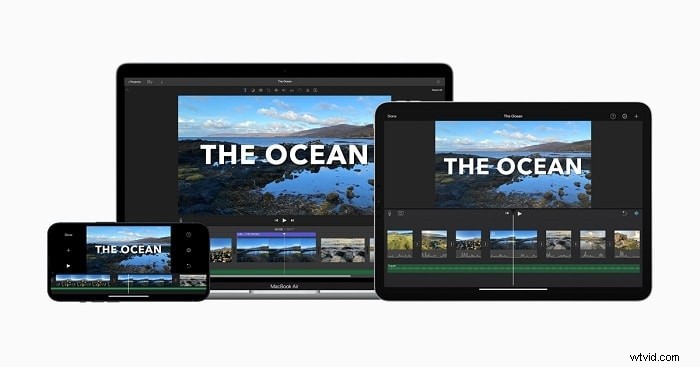
3. How To Add Photos and Videos Together With iMovie
Ratings from G2: 4.3/5
Supported OS: macOS
Pricing: Free
Pros
- Seamless integration across Apple devices
- User‑friendly interface with drag‑and‑drop
- Quick sharing to iCloud, YouTube, and more
Cons
- High storage usage for large projects
- Complex import workflow for certain MP4 files
Steps to merge media in iMovie:
- Launch iMovie and click Create New → Movie.
- Click Import Media to add your photos and videos.
- Drag items onto the timeline in the desired sequence.
- Apply transitions, overlays, or speed changes as needed.
- Export the finished video by selecting File > Share or clicking the share icon.
4. Combine Video and Picture With Filmora for Mobile

Ratings from App Store: 4.7/5
Ratings from Google Play: 4.7/5
Supported OS: Android & iOS
Pricing: Free with in‑app purchases
Pros
- Intuitive mobile editing interface
- Robust toolset including speed control, transitions, and overlays
- Cross‑platform compatibility
Cons
- Limited advanced effect library
- In-app purchases can be frequent
Merge photos and videos on mobile:
- Open the app and tap New Project.
- Select media from your gallery and import to the timeline.
- Use the + button to add additional clips.
- Edit each clip with the toolbar below the timeline.
- Export and share your creation directly to social platforms.
5. BeeCut Video and Picture Combiner

Ratings from App Store: 3.0/5
Ratings from Google Play: 2.4/5
Supported OS: Android & iOS
Pricing: Free with in‑app purchases
Pros
- Simple, clean interface
- Wide format support (MOV, MP4, JPG, PNG, etc.)
- Comprehensive editing tools: cut, crop, transitions
Cons
- No 4K rendering support
- Occasional performance glitches
How to merge in BeeCut:
- Install the app and tap the + icon to import media.
- Select all files, click Next, and choose the desired aspect ratio.
- Use the editing toolbar to trim, crop, or add transitions.
- Export in 1080p, 720p, or 480p and save to your device.
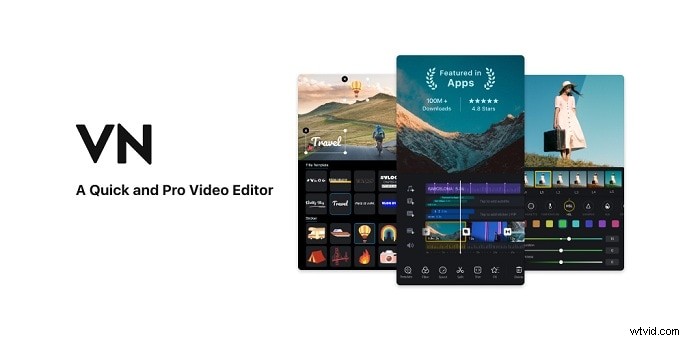
6. VN Photo and Video Merger
Ratings from App Store: 4.7/5
Ratings from Google Play: 4.7/5
Supported OS: Android & iOS
Pricing: Free with in‑app purchases
Pros
- Dynamic transitions and motion graphics
- Over 50 advanced filters
- No watermark on exported videos
Cons
- Occasional lag and audio sync issues
Steps to merge in VN:
- Open VN and tap the + icon.
- Select photos and videos, then tap Next.
- Arrange clips, add transitions or effects, and adjust timing.
- Save the final video to your device.
7. Use Movie Maker Online To Combine Photos and Videos

Ratings from G2: 3.0/5
Pricing: Free
Pros
- Completely free to use
- Built‑in library of free music and sound effects
- On‑screen tutorials and help resources
- Supports video and slideshow creation
Cons
- Interface can feel clunky for new users
- Ads appear during editing
- Learning curve for advanced features
Merge media online:
- Drag your photos and videos onto the webpage.
- Arrange the order by dragging the thumbnails.
- Enable the Hold position toggle if needed.
- Click Download once the project is finalized.
Conclusion
Whether you’re editing on a desktop, a mobile device, or directly in the browser, the tools above provide reliable solutions for combining photos and videos. From free options like Windows Movie Maker and iMovie to professional suites like Filmora, there’s a match for every skill level and budget. Choose the tool that aligns with your workflow, and start crafting cohesive, engaging visual stories today.