
Need a reliable Twitter Video Converter? This guide highlights trusted tools that transform your clips swiftly and effortlessly, ensuring they meet Twitter’s strict requirements.
Twitter is a powerful platform for sharing ideas, but posting a video can be tricky due to strict size, format, and resolution limits. If your footage doesn’t meet these criteria, a dedicated converter will bring it into compliance.
Below you’ll find an overview of Twitter’s video guidelines and the top software—both desktop and online—capable of converting your videos for seamless upload.

In this article
- Part 1: How to Make a Video Compatible with Twitter
- Part 2: Top 5 Desktop Software for Twitter Video Conversion
- MiniTool Video Converter
- VSDC Video Editor
- FSS Video Converter
- OpenShot
- Part 3: Best Online Video Converters for Twitter
- Online Convert
- Video Converter Online
- MP4Compress
- Part 4: Frequently Asked Questions on Converting Video to Twitter
Part 1: How to Make a Video Compatible with Twitter
Twitter imposes several parameters on videos uploaded via mobile or web:
- Supported Formats – Mobile: MP4, MOV; Web: MP4.
- Video Codec – Web uploads accept H.264, VP8, and VP9.
- Maximum Length – 140 seconds (2 minutes 20 seconds). Business accounts may exceed this with special approval.
- Resolution – Up to 1920×1200 (or 1200×1920).
- File Size – Up to 512 MB.
Part 2: Top 5 Desktop Software for Twitter Video Conversion
If your clip doesn’t match Twitter’s criteria, these tools will convert it while preserving quality and enabling basic edits.
1. MiniTool Video Converter
MiniTool supports over 1,000 formats, making it ideal for batch conversions. It also offers screen recording and a user‑friendly interface.
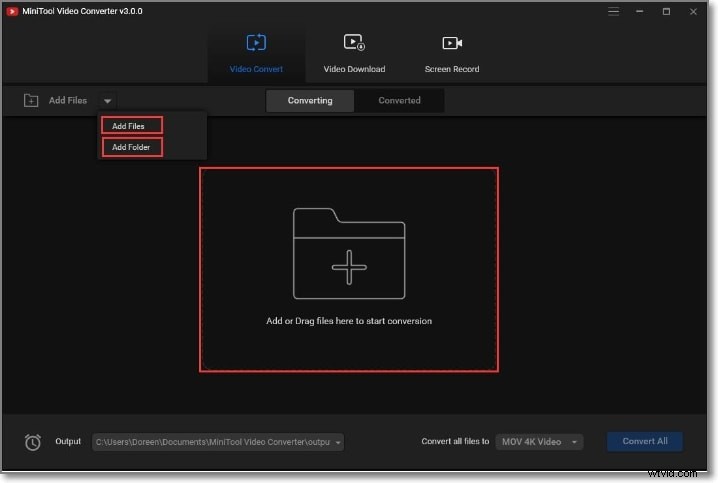
Key Features:
- Wide format support, including MP4/MOV.
- Batch processing for multiple files.
- Screen‑recording capability.
- Intuitive UI and search function.
Pros: Broad format coverage, batch work, screen capture. Cons: Windows‑only, paid.
How to Convert to Twitter:
- Open MiniTool, click Add Files or drag files into the window.
- Select MP4 or MOV from the Output dropdown.
- Choose destination folder and click Convert All.
2. VSDC Video Editor
VSDC offers robust editing and conversion for Windows users, supporting 4K and HD output.
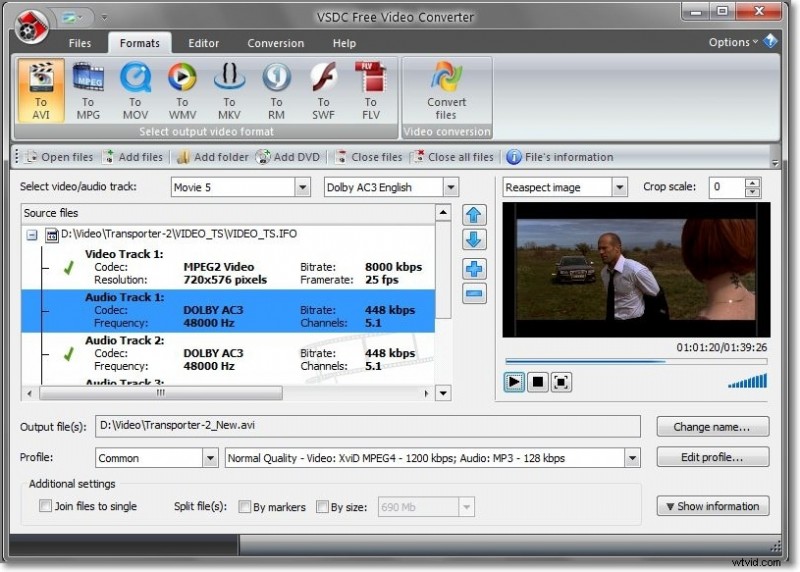
Key Features:
- Full support for AVI, MPEG, WMV, MOV, 3GP, and more.
- Device‑specific export presets.
- Trim, split, merge, and delete segments.
Pros: High‑quality conversion, editing tools, fast. Cons: Windows‑only, no stabilization.
How to Convert to Twitter:
- Import video via Import Content or Add Object.
- Use cutting tools as needed.
- Export to MP4/MOV using the preset profiles.
- Save and exit.
3. FSS Video Converter
Ideal for converting HD footage on Windows, FSS offers preset profiles for web and devices.
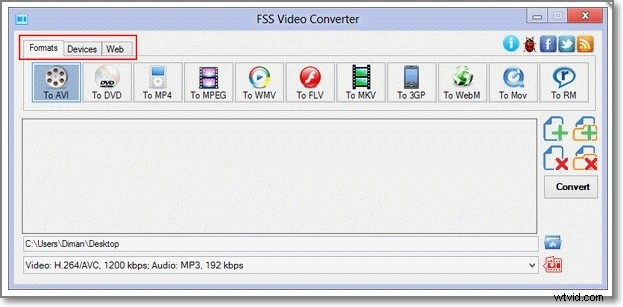
Key Features:
- Free, supports HD conversion.
- Customizable codecs, bitrate, frame rate.
- Pre‑set profiles for YouTube, Facebook, etc.
Pros: Intuitive UI, device‑friendly profiles. Cons: Windows‑only, limited format range.
How to Convert to Twitter:
- Add file via Add File.
- Select target format or device.
- Adjust settings if needed.
- Choose output folder and click Convert.
4. OpenShot
OpenShot is a cross‑platform, open‑source editor that supports basic conversion and editing.
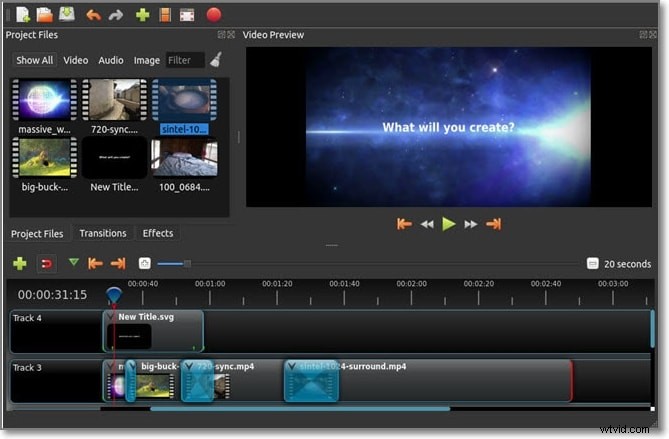
Key Features:
- Windows, macOS, Linux support.
- Built‑in editor: trim, slice, effects, titles.
- Broad format compatibility.
Pros: Free, multi‑OS, drag‑and‑drop. Cons: Occasional instability, limited hardware acceleration.
How to Convert to Twitter:
- Import video via Import Files.
- Apply edits in the editor.
- Export via File > Export Video, choosing MP4/MOV preset.
- Save to your desired location.
Part 3: Best Online Video Converters for Twitter
When you prefer a quick, browser‑based solution, these three tools provide fast conversion without installation.
1. Online Convert
Online Convert handles local, cloud, and URL sources, offering Twitter‑specific presets.
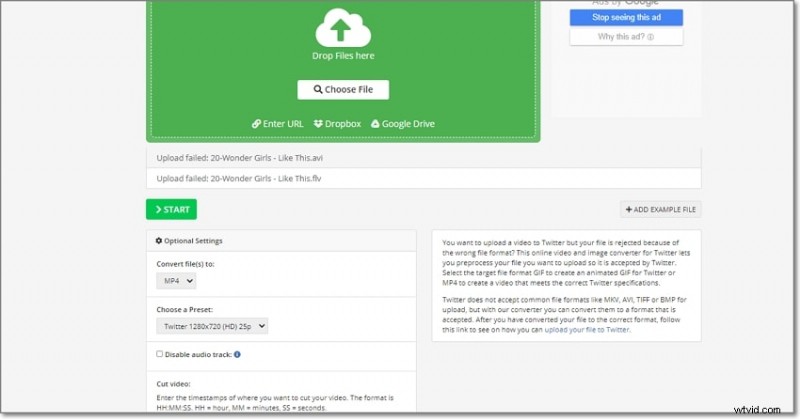
Key Features:
- Upload from device, cloud, or URL.
- Convert to MP4 or GIF.
- Twitter presets with multiple resolutions.
- Audio toggle and trim.
Pros: Simple UI, preset options. Cons: Max 3 files per session, requires internet.
How to Convert:
- Open Online Convert and choose Choose file.
- Select the Twitter preset or MP4/GIF.
- Adjust audio or trim if needed.
- Click START to begin.
2. Video Converter Online
This tool supports a wide range of formats and advanced customizations, with cloud storage integration.
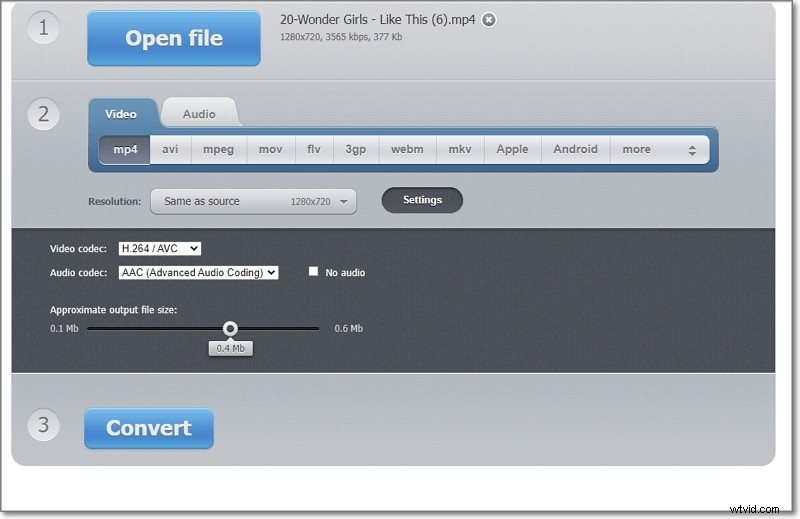
Key Features:
- Upload from device, Google Drive, Dropbox, or URL.
- Choose resolution, bitrate, codecs.
- Optional audio removal.
Pros: Extensive format support, custom settings, cloud save. Cons: No batch processing, 4 GB file cap.
How to Convert:
- Open the site and click Open File.
- Select the target format (MP4/MOV).
- Adjust resolution and other settings.
- Click Convert to start.
3. MP4Compress
Ideal for resizing videos to meet Twitter’s aspect ratio and size limits.
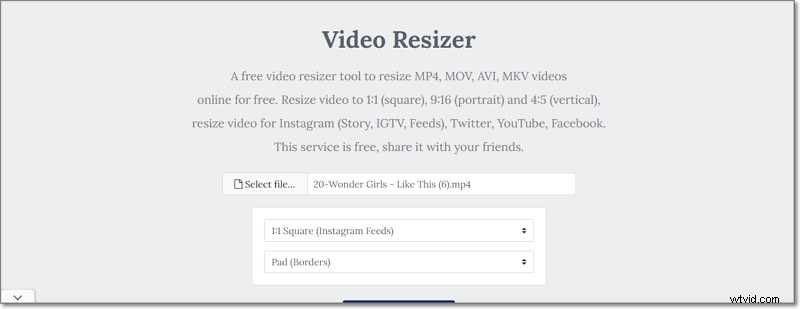
Key Features:
- Supports MP4, MOV, AVI, MKV.
- Choose from square, portrait, or landscape ratios.
- Twitter‑specific presets and cropping/padding.
Pros: Free, no registration. Cons: Limited customization, single file at a time.
How to Resize:
- Navigate to MP4Compress and click Select File.
- Choose Twitter‑compatible ratio.
- Optional crop or pad.
- Upload and download the processed file.
Comparison of Online Tools
| Feature | Online Convert | Video Converter Online | MP4Compress |
| File source | System, URL, Cloud | Local, Cloud, Drive | Local only |
| Speed | Fast | Very Fast | Fast |
| Interface | Simple | User‑friendly | Simple |
| Twitter preset | Yes | No | Yes (ratio) |
| Formats | MP4, GIF, others | MP4, MOV, FLV, etc. | MP4, MOV, AVI, MKV |
| Editing | Audio toggle, trim | Resolution, bitrate, codecs | Aspect ratio, crop/pad |
Part 4: Frequently Asked Questions on Converting Video to Twitter
1. How do I post longer videos on Twitter?
Standard accounts max out at 140 s. Business or verified accounts can upload up to 10 minutes with Twitter approval.
2. How can I share a Facebook video on Twitter?
Copy the full Facebook post URL and paste it into a tweet; Twitter will embed the video automatically.
3. Can I convert Facebook or other platform videos to Twitter?
Yes—download the video locally, then use any of the converters above to produce a Twitter‑compatible MP4/MOV file.
Conclusion
Whether you prefer a powerful desktop solution or a convenient online tool, the options above equip you to convert any video into a Twitter‑ready format. Select the method that best fits your workflow, convert with confidence, and share your content effortlessly.