
Instagram’s announcement that it is testing a feature to alert users when someone captures their stories has caused concern and embarrassment for many, as those who view a screenshot can now see who has taken it.
But what if you could capture Instagram stories without the creator receiving a notification?
This guide explains how to capture Instagram stories discreetly, the tools you can use, and the reasons people often screenshot them. Let’s get started.
In this article
-
- Use a Desktop Screen Recorder to Capture Stories in a Browser
- Capture Stories While Offline by Enabling Airplane Mode
- Record Stories with an Alternate Device or External Camera
When Does Instagram Notify When You Take Screenshots?
At present, Instagram only informs users when you capture stories or disappearing photos and videos in Vanish Mode via Direct Messages. The notification feature is still in a testing phase and has not yet been rolled out globally. Instagram reserves the right to enable this feature for all accounts at any time through a single update.
For most users, screenshots of regular posts, stories, profiles, or direct messages do not trigger an alert. However, if Instagram expands the notification to all accounts, it will be wise to know how to avoid it.
Below are three proven methods to capture stories without triggering a notification:
Use a Desktop Screen Recorder to Capture Stories in a Browser
Recording the screen of your computer while viewing Instagram in a web browser is the most reliable way to avoid a notification. Wondershare Filmora’s dedicated screen‑recording feature works without activating Instagram’s alert system.
Step 1: Install Wondershare Filmora on your PC or Mac, then open its Screen Recorder.
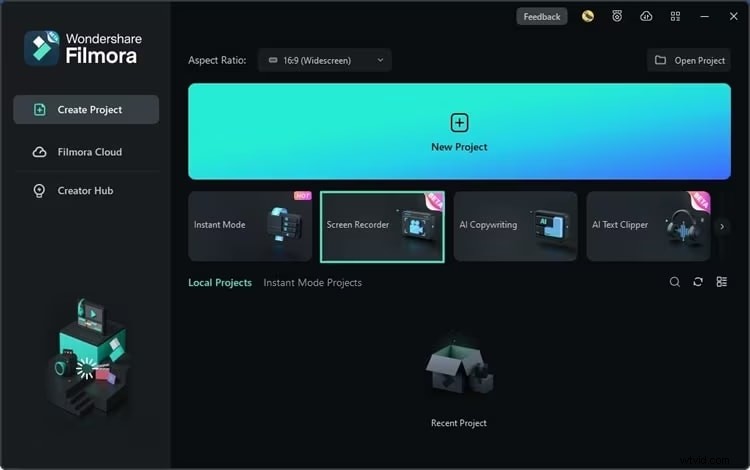
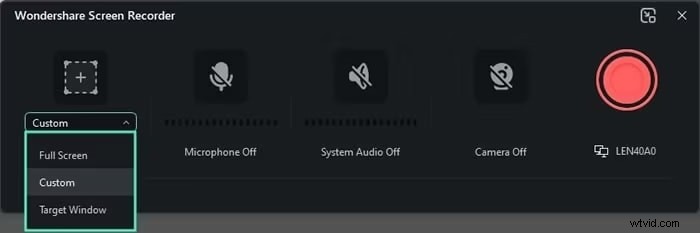
Step 2: Select the “Target Window” option instead of full‑screen and set the recorder to capture only the browser window displaying Instagram.
Step 3: Start recording by pressing the red circle button. Once the story plays, you’ll have a full‑length capture that can be edited or exported later.
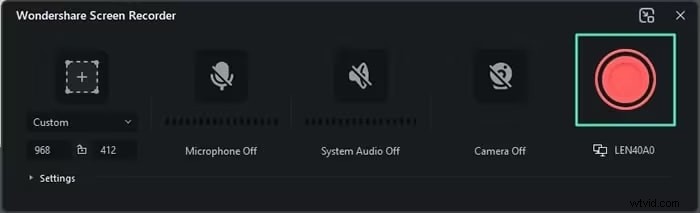
Step 4: Stop the recording with the stop button or press F9. You can pause or resume with F10.
After the recording, use your computer’s screenshot utility to capture still images from the video if you need a single frame. Filmora’s built‑in editor also lets you trim, annotate, or apply AI‑enhanced effects before sharing.
Filmora is ideal for creators who want to record reactions or compile story clips without notifying the original poster.
Screen Recorder
Easy‑to‑use Screen Recording Tool for Everyone

Capture Stories While Offline by Enabling Airplane Mode
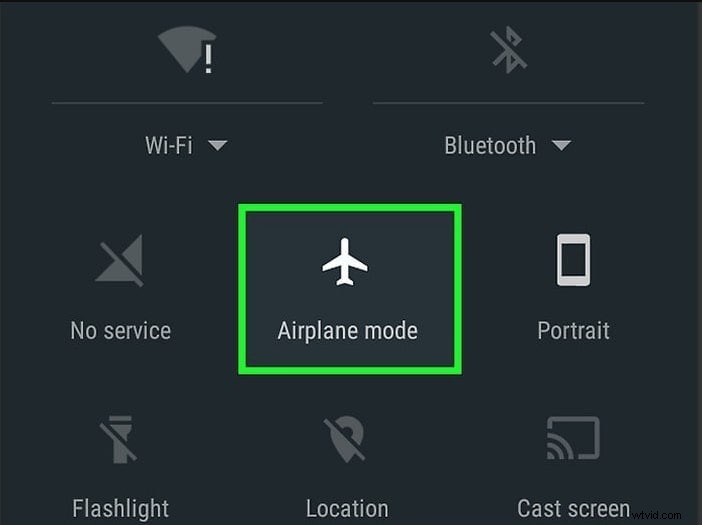
Because Instagram’s notification relies on an active network connection, turning off connectivity prevents the alert from being sent. Activate Airplane Mode on your phone, then capture the story.
Step 1: Locate the story or disappearing message you wish to capture, but don’t open it yet.
Step 2: Swipe to open the Control Center and tap Airplane Mode to disconnect from all mobile and Wi‑Fi networks.
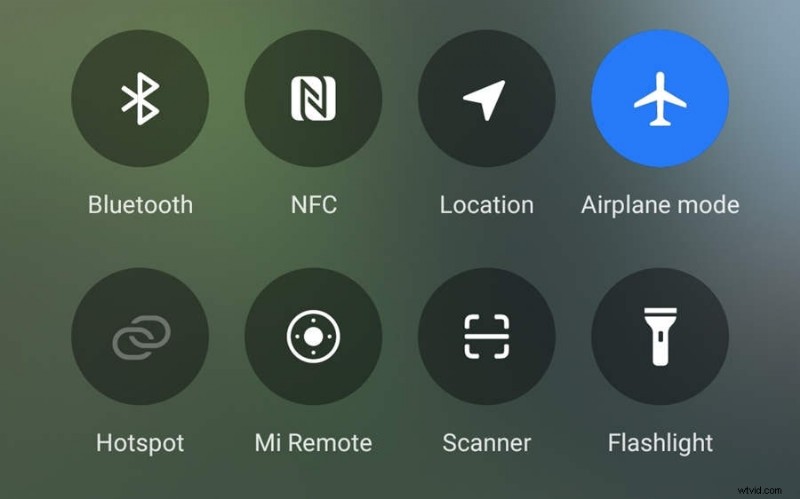
Step 3: Tap the Instagram notification to open the story, then take a screenshot as usual.
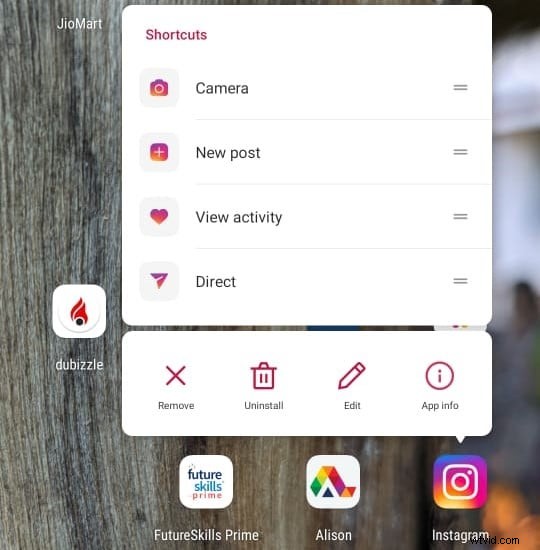
Step 4: Exit Instagram and long‑press its icon to access the app’s info page.
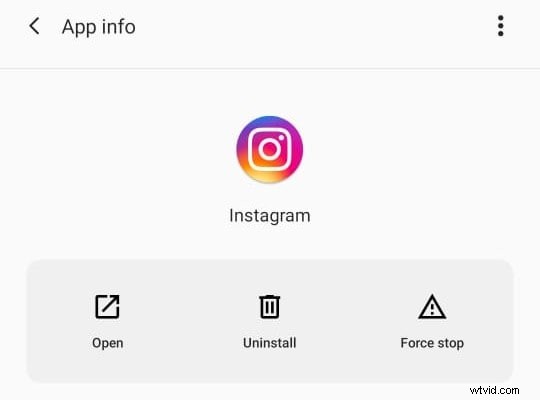
Step 5: Tap “Force Stop” to close the app completely.
Step 6: Disable Airplane Mode and relaunch Instagram. The story will appear as if it was never opened, while you already have the screenshot saved in your gallery.
Note: iOS users can’t use this trick without uninstalling the Instagram app, making it less convenient for a single capture.
Record Stories with an Alternate Device or External Camera
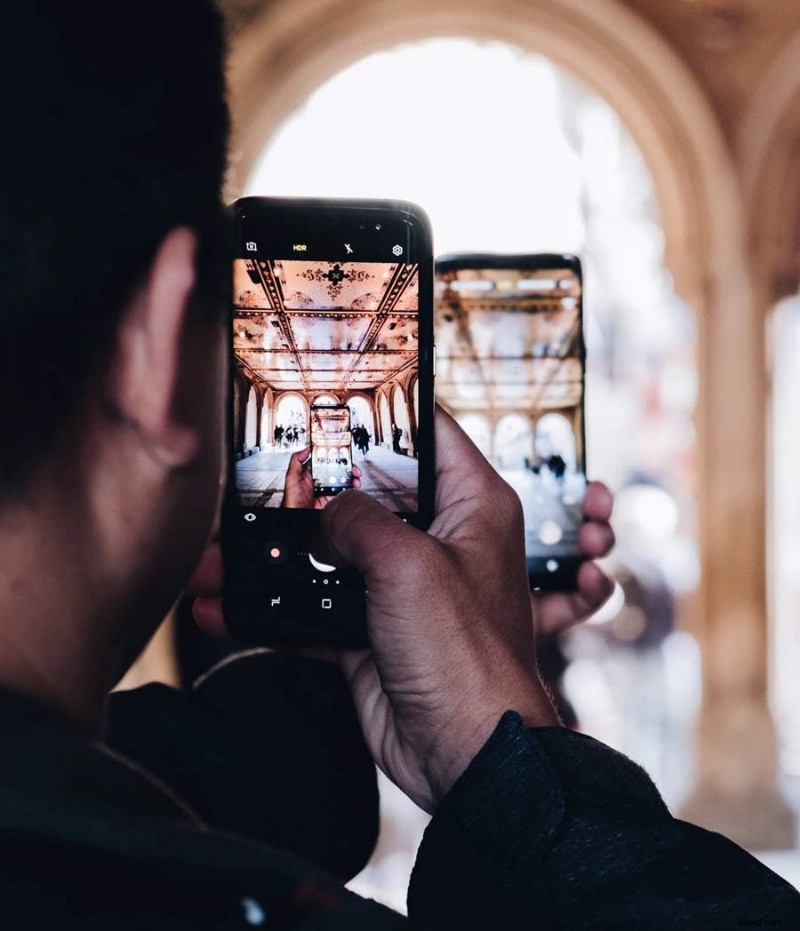
Instagram can detect the screenshot tool used on the device running the app, but it cannot detect when you capture a story with a different device. A secondary smartphone, tablet, or even a DSLR camera can capture the story visually without triggering a notification.
While this method technically produces a photo rather than a true screenshot, it still preserves the visual content for later sharing or editing.
Why Take Screenshots on Instagram?
Capturing Instagram content serves several practical purposes:
- Saving Content – Instagram is a visual platform where photos, videos, reels, and memes dominate. You may want to keep a funny clip or inspirational image for later.
- Sharing Content – Not all friends follow the same accounts. Screenshots let you share interesting posts with people outside the platform.
- Creating Content – Content creators often compile others’ posts, add captions, or combine reactions with original clips to produce new material.
- Collecting Evidence – Screenshots provide documented proof of harassment, bullying, or other violations, which can be reported to Instagram or authorities.
- Reporting Issues – When technical problems arise, screenshots and screen recordings give developers concrete evidence to investigate.
In short, screenshots and recordings are valuable tools for preserving, sharing, and documenting Instagram’s dynamic content.
Conclusion
Knowing how to capture Instagram stories without alerting the creator is increasingly important, especially if Instagram expands the notification feature to all accounts. The most reliable approach remains using a desktop screen recorder, such as Wondershare Filmora, to capture stories in a browser window. From there, you can extract still images or edit the recording to suit your needs.
Other methods, like enabling Airplane Mode or using a separate device, can also work but come with limitations—Airplane Mode is cumbersome for iOS users, and alternate devices don’t produce true screenshots.
FAQ
-
How do you take screenshots on Instagram without them knowing?
Since the notification feature is not yet universal, you can capture stories discreetly by using a desktop screen recorder, turning on Airplane Mode, or recording with a different device. These methods bypass Instagram’s alert system.
-
How can I take a screenshot for an Instagram story?
On most phones, press the Power and Volume Up buttons simultaneously, or use the Control Center. Because the notification is not active for all accounts, you can capture stories without concern for alerts.
-
Is it legal to screenshot someone’s Instagram story?
Capturing a story is legal. However, publishing someone else’s content without permission, especially for commercial purposes, may infringe on copyright and is disallowed.