
In today’s digital job market, LinkedIn stands out as the premier platform for professional networking, résumé sharing, and industry visibility. A polished LinkedIn profile is not just a résumé; it’s your personal brand on a global stage. Crafting a compelling profile can be the difference between being overlooked and landing your dream role.
Below is a step‑by‑step guide, drawn from LinkedIn’s own recommendations and industry best practices, to help you build a profile that attracts recruiters, showcases your expertise, and expands your professional network.
In this article
- Step‑by‑Step Profile Creation
- Key Profile Optimization Techniques
- Bonus: Using Filmora to Add a Professional Video Introduction
Part 1. Step‑by‑Step LinkedIn Profile Creation
Follow these detailed steps to create a complete, engaging LinkedIn profile from scratch.
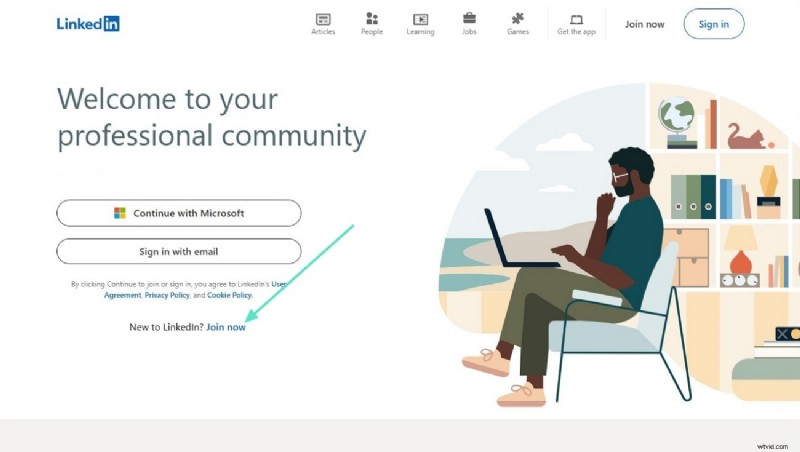
Step 1. Open LinkedIn on your browser and click Join now to start a new account.
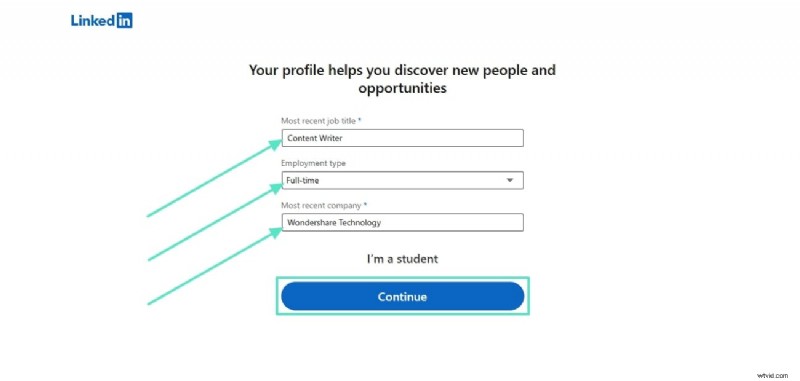
Step 2. Enter your location and click “Next.” Then add your most recent job title and select the type of employment you’re seeking. Enter your last employer’s name and click Continue to proceed.
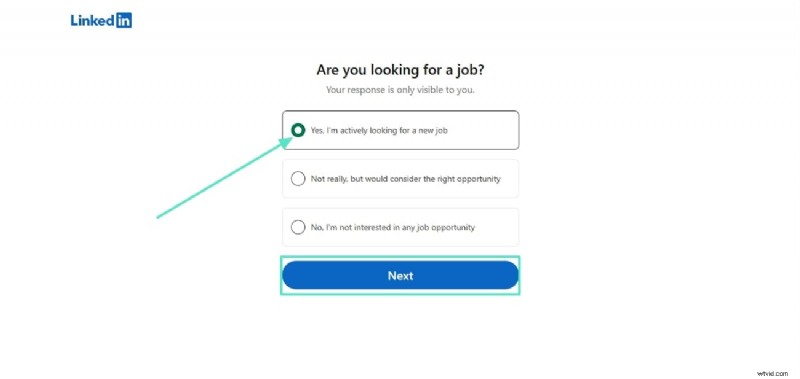
Step 3. Choose the job titles you’re targeting, set your preferred job location, and indicate whether you’re open to remote work. Click Next to move forward.
Step 4. Once you’re connected with relevant profiles and organizations, navigate to your profile page via the top‑right “Me” menu and click View profile.
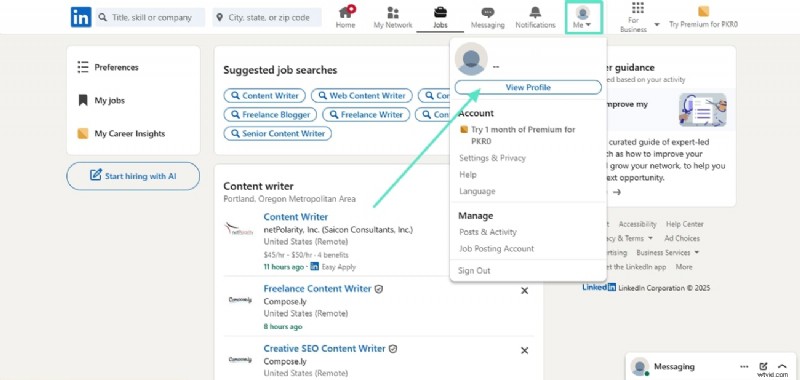
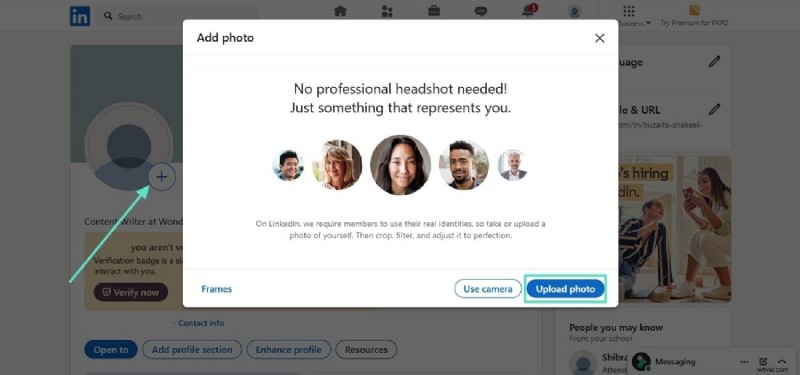
Step 5. Upload a professional profile picture: click the + icon on your photo, choose Upload photo, and select a high‑resolution image that projects confidence and approachability.
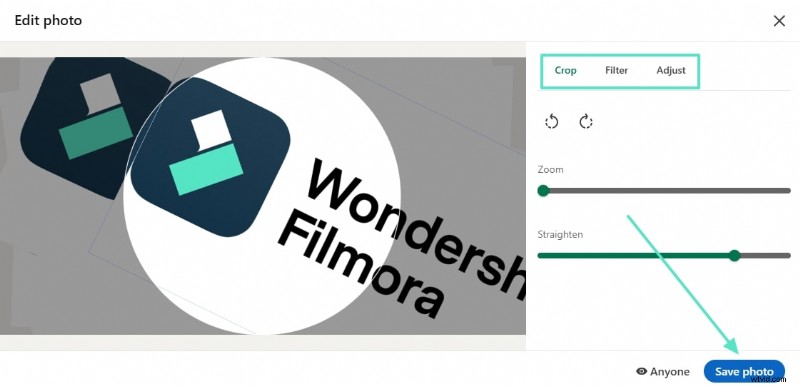
Use the built‑in editor to crop, apply filters, and fine‑tune the image before clicking Save photo.
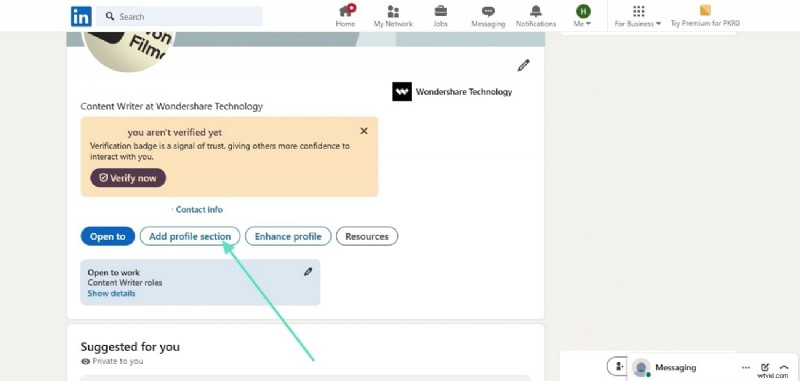
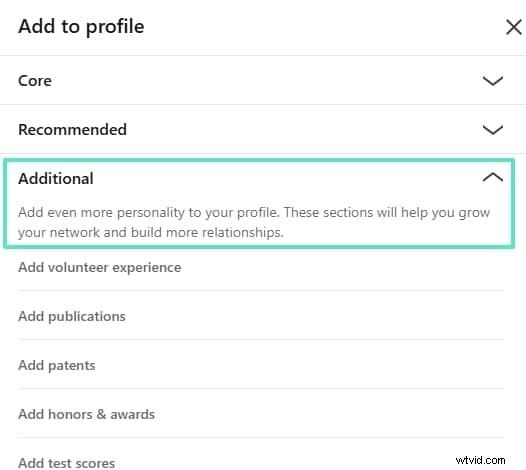
Step 6. Click Add profile section to incorporate your résumé. After uploading your file, complete the “Core” section with a concise headline, summary, education, and key skills.
Fill out the “Recommended” and “Additional” sections to further enhance your profile’s credibility and uniqueness.
Part 2. Profile Optimization Techniques
Once your basic profile is in place, apply these advanced strategies to maximize visibility and attract recruiters.
1. Polish Your Profile Basics
Choose a sharp, professional photo and a background banner that reflects your industry. Craft a headline that goes beyond your job title—include keywords such as “Digital Marketing Strategist” or “Senior Data Analyst.” Add a custom URL to make it easier for recruiters to find you.
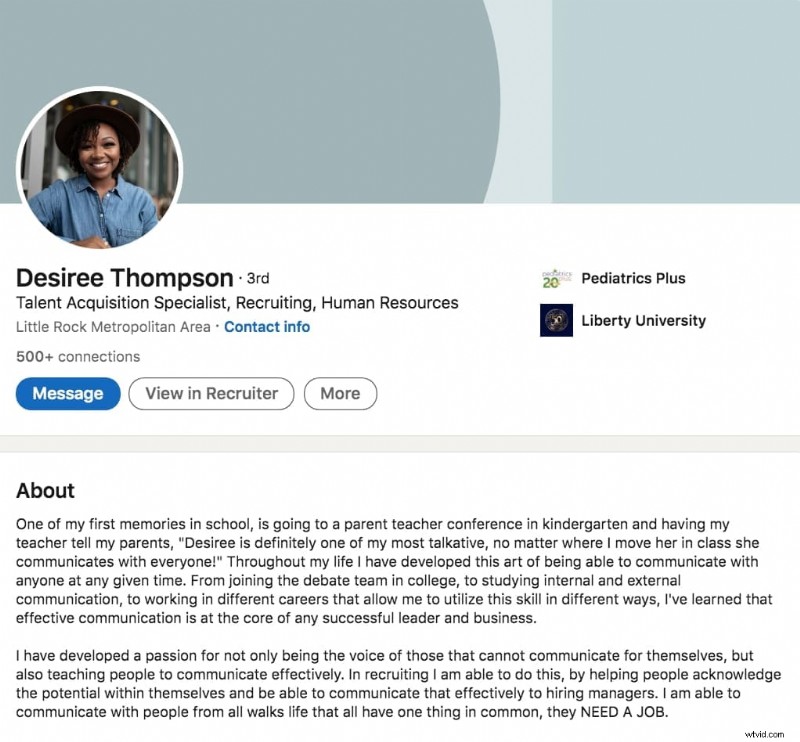
2. Write an Impactful About Section
Your summary should tell a concise story of your career, highlight measurable achievements, and outline your professional goals. Incorporate industry‑relevant keywords to improve searchability.
3. Detail Your Work Experience
List each role with bullet points that quantify results—e.g., “Increased sales by 25% in six months.” Attach multimedia such as presentations, reports, or portfolio links to demonstrate your work.
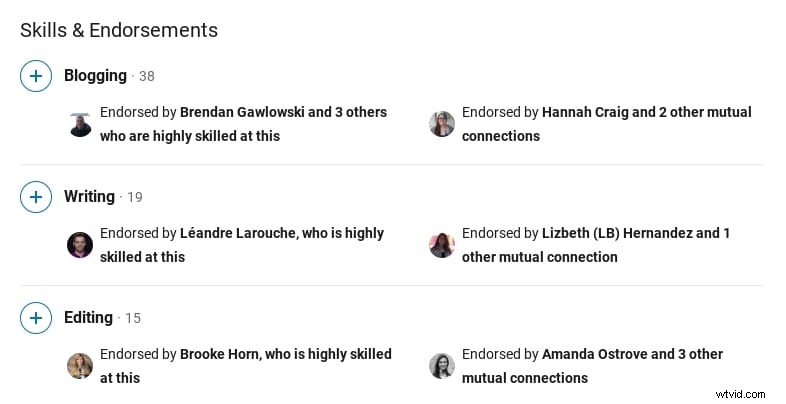
4. Showcase Your Skills and Earn Endorsements
Include the top 5–10 skills that align with your target roles. Request endorsements from colleagues, managers, and clients to boost credibility.
5. Leverage the Featured Section
Use this space to highlight key projects, publications, or speaking engagements that showcase your expertise.
6. Build a Strategic Network
Connect with professionals in your field, alumni, and thought leaders. Personalize connection requests with a brief note explaining why you’re interested in connecting.
7. Stay Active and Engage
Publish articles, share industry insights, and comment thoughtfully on others’ posts. Consistent activity keeps you visible to recruiters and expands your reach.
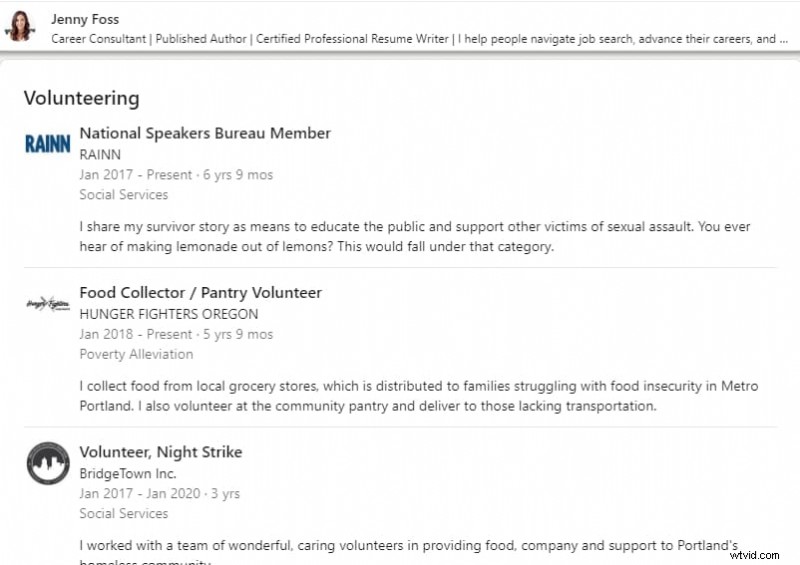
8. Add Volunteer Experience
Volunteer roles demonstrate leadership, initiative, and community commitment—qualities highly valued by employers.
9. Use the Open‑to‑Work Feature
Enable the Open‑to‑Work badge to signal recruiters that you’re actively seeking opportunities. Customize the job preferences to match your ideal role.
10. Keep the Platform Accessible
Install the LinkedIn mobile app to receive job alerts, manage applications, and engage on the go.
11. Update Regularly
Refresh your profile with new achievements, certifications, and industry keywords to remain top of mind for recruiters.
Bonus Part. Create a Professional Video Introduction with Filmora
Video introductions can significantly boost recruiter interest. Filmora offers an intuitive, AI‑powered editing suite that turns simple footage into a polished, engaging video.
Key Features of Wondershare Filmora for Resume Videos
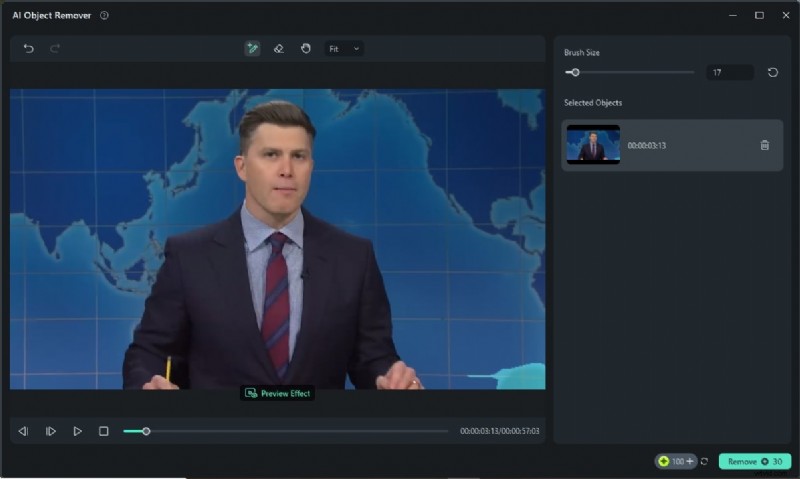
AI Object Remover
Eliminate distracting background elements with a brush‑based tool that intelligently detects and removes objects.
AI Portrait Cutout
Automatically isolate your face or body from the frame and apply background replacements or filters.
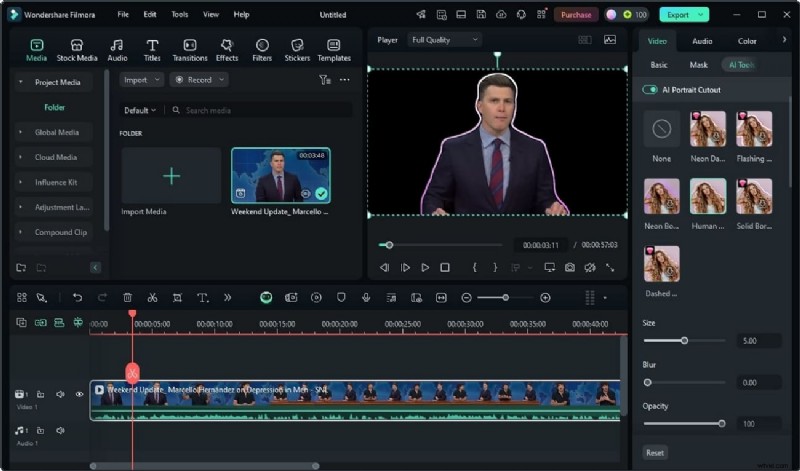
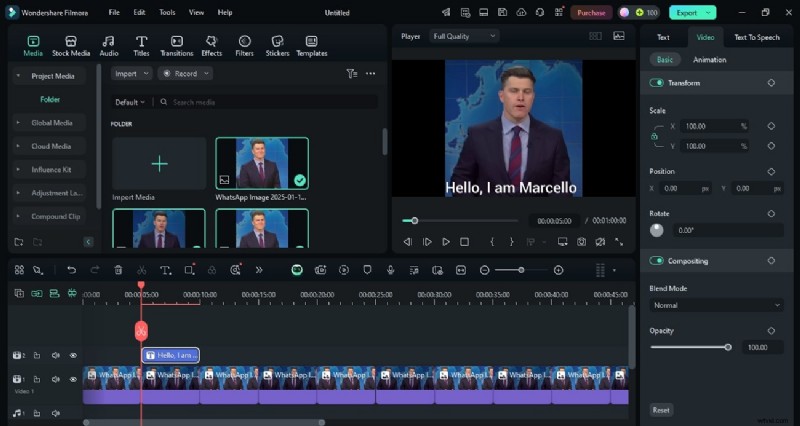
Image Sequence to Video
Convert a series of photos into a dynamic video sequence, complete with AI voice‑over options.
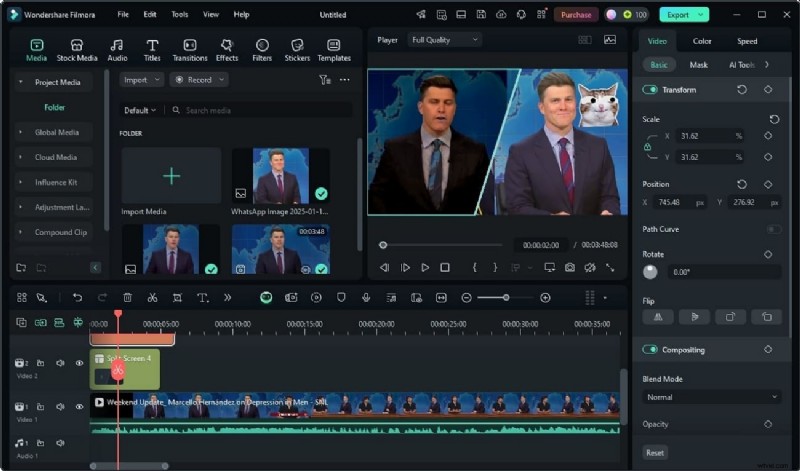
Split Screen
Show multiple scenes side‑by‑side to highlight versatility or to compare different projects.
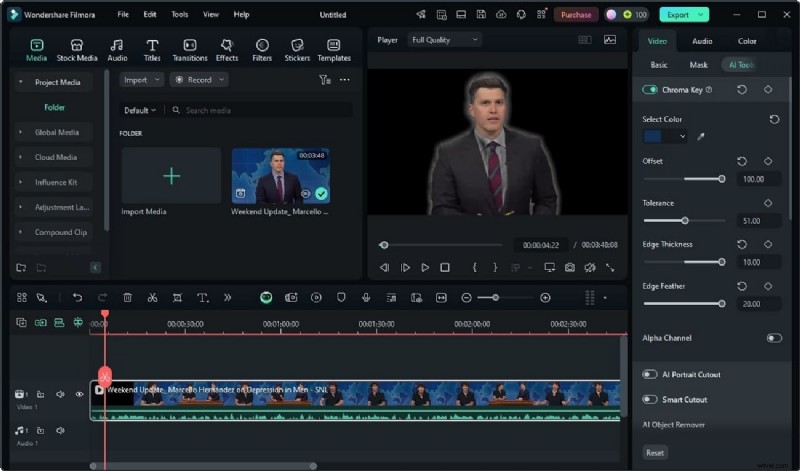
Green Screen
Replace distracting backgrounds with a clean, professional backdrop using color keying and edge‑feather controls.
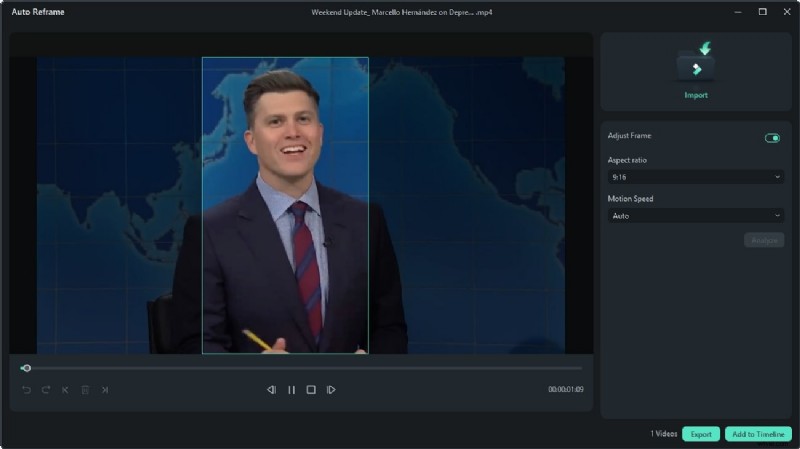
Auto Reframe
Automatically adjust the aspect ratio for various social platforms while keeping the focal point centered.
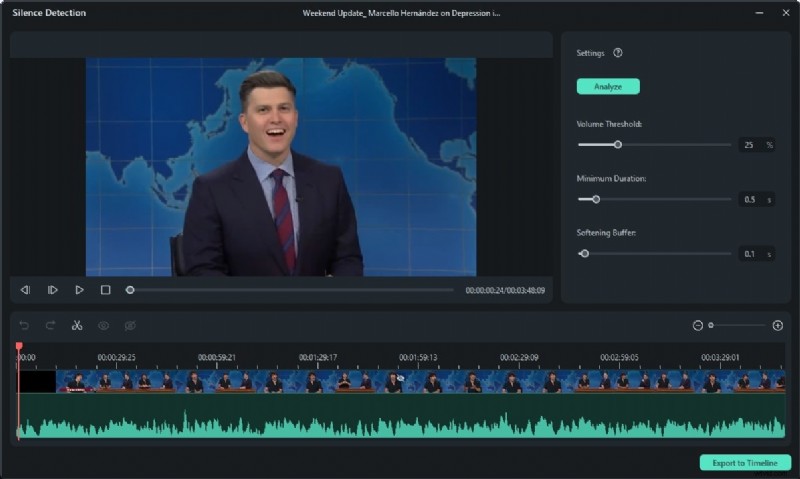
Silence Detection
Detect and remove silent segments to keep the video concise and engaging.
Conclusion
By combining a meticulously crafted LinkedIn profile with a compelling video introduction, you position yourself as a standout candidate ready to seize the next career opportunity.