
Chibi, a beloved Japanese art style also called super‑deformation (S.D.), captures cuteness through exaggerated features—large heads, big eyes, and small bodies. It’s a staple in anime and manga, and now it can be yours.
Looking to turn yourself into a chibi? AI tools make it effortless. Below we spotlight FlexClip, the most user‑friendly chibi creator on the market.
Contents
Part 1: FlexClip – The AI Chibi Creator
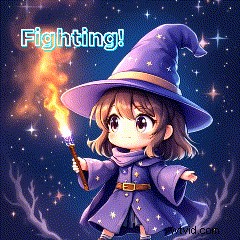
FlexClip’s chibi maker lets you generate custom chibi drawings and avatars in seconds—no drawing skills required. Simply describe your character or upload a photo, and the AI produces high‑quality results.
FlexClip offers three distinct styles: Anime, Cartoon, and Dreamy Anime. You can tweak hairstyles, expressions, poses, outfits, and colors to perfect your avatar. The advanced AI model ensures the output closely matches your prompt.
For photo‑to‑chibi transformations, upload your image to FlexClip’s image‑to‑image tool. The AI preserves key facial features while converting the style, delivering polished results suitable for both personal and professional use.
Want to animate your chibi? FlexClip’s AI video generator turns a static chibi image into dynamic video, letting you control movement, shot type, and scene. Describe emotions like victory, surprise, or humor, and watch your avatar come alive.
The chibi emote maker creates GIFs from your chibi image. Add text and decorative elements on the editing page to produce custom emoticons for messaging.
Part 2: Step‑by‑Step Guide to Create a Chibi in FlexClip
Method 1: Text‑to‑Chibi
- Navigate to FlexClip’s AI image generator and type a detailed prompt—include hairstyle, expression, pose, outfit, etc.
- Choose a style from the Style section (Anime, Cartoon, Dreamy Anime).
- Adjust the image ratio: 1:1 for avatars, 9:16 or 16:9 for wallpapers. Click Generate to produce your chibi.
Method 2: Photo‑to‑Chibi
- Upload your photo to FlexClip.
- Select a chibi style from the library and set the number of outputs.
- Download the preferred chibi image and optionally proceed to animation.
Bonus: Elevate Your Chibi with Animation and GIFs
Method 1: Chibi Video
Upload the saved chibi image to FlexClip’s AI video generator. Describe the desired video—choose mode and duration—then click Generate.
Method 2: Chibi GIF
- In the editing page, upload your chibi video and add it as a scene. Set the ratio to 1:1.
- Trim the clip, add text or elements from the library, and fine‑tune the composition.
- Export as a GIF to share with friends.
That’s all you need to create a personalized chibi avatar, animated video, or GIF with FlexClip’s powerful AI tools. Try it today and bring your cuteness to life!

Ariel – Specialty video editing lover, believing in the power of language and always sharing insights on video production.
