
This quick edit tip is all about controlling time. When you want your scene or sequence to make an impression, time manipulation can heighten a dramatic moment, build into a joke or amplify action.
We’ll tell you our three main reasons for using this technique along with some cool examples of how it’s done best in Hollywood movies – watch now!
Let’s dig into the reasons to expand time.
1. It’s useful when you want your audience to absorb resolutions of high stakes or high conflict encounters.
When a high-tension situation has been resolved, it’s very common to see subsequent shots of nature or similar still compositions. These give the audience time to catch its collective breath.
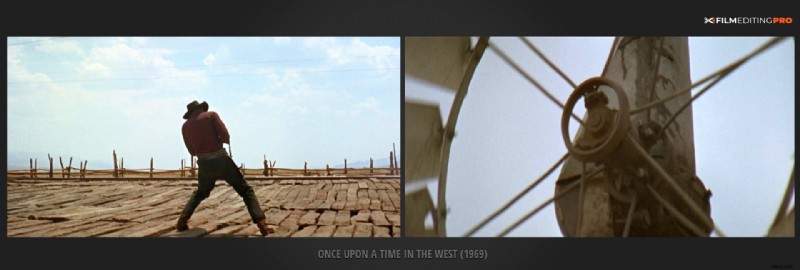
A good example of this is seen in these two shots below from Once Upon A Time In The West. At the beginning of the movie, we watch a gunfight at the train station. As it ends, we cut to a shot of a windmill slowly turning in the background. This serves as a pause allowing you to reset before bringing on the next scene.
2. When you want to ensure fast-moving moments are clear to the audience.
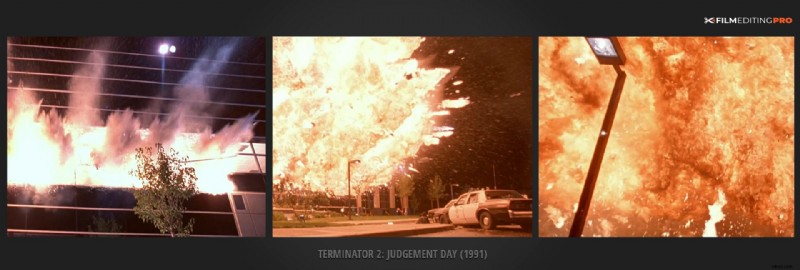
Things like explosions and gunshots happen very quickly in real time. Repeating shots of the same action in these circumstances allows us to more clearly see what is happening and represents an opportunity to enhance the audience understanding the narrative.
In this example from Terminator 2: Judgement Day, there’s a huge explosion at the lab. To amplify the moment, we see the same explosion via multiple angles cut back-to-back, playing out over a much longer time than it would occur in real life.
3. When you want your audience to soak up the experience of a particular pivotal event.
Showing the same event from multiple angles allows you to effectively play it out in a way longer than it actually took. Much more exciting than playing it in “real-time”.
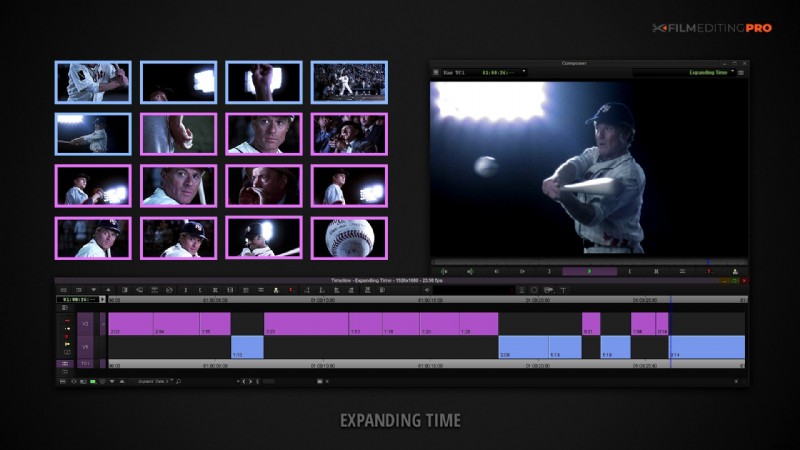
A good example of this might be a baseball player stepping up to the plate and hitting a home run. The basics of the action can be conveyed in just a few shots, which we’ve marked blue in the example below from The Natural.
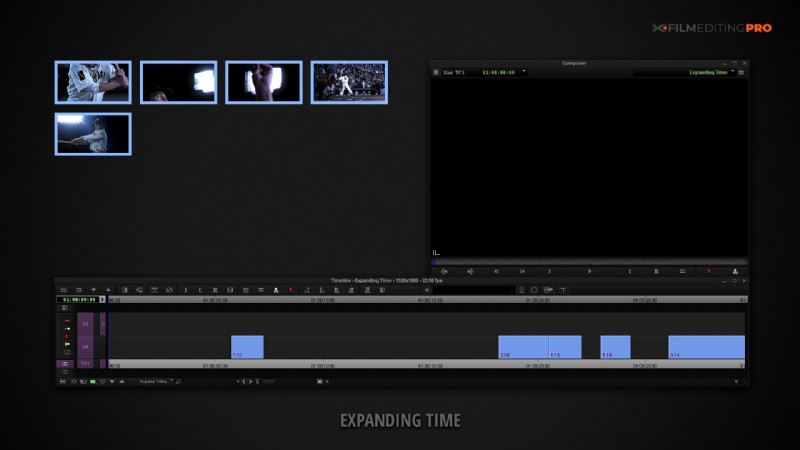
But the time and excitement of the whole event can be extended by using many different shots of the batter, his facial expressions, the pitcher, the crowd, and numerous angles of the pitch, the swing and the hit. We’ve marked marked those below in pink.
Showing the same event from multiple angles allows you to effectively play it out in a way longer than it actually took. Much more exciting than playing it in “real-time”.
Producers will oftentimes indicate a scene isn’t working with verbiage like “the pacing is off” or “I’m confused about what’s going on here”. These can be evidence of improper or inadequate time elongation.
The expansion of time is an extremely important concept to understand as an editor. Sometimes, a moment is so interesting, significant or powerful that it makes sense to drag it out a bit.
Did you find this tip helpful? Let us know in the comments below – we read them all!