
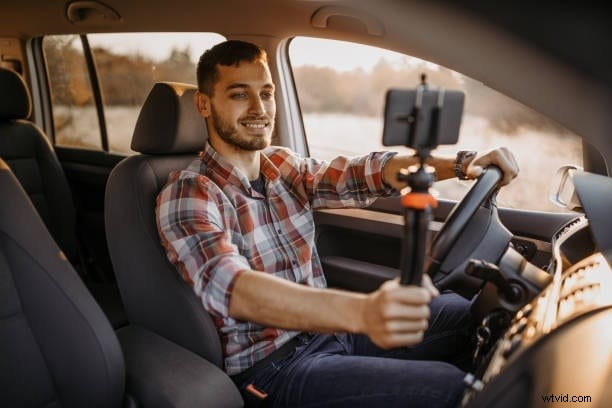
More and more content creators are turning to car vlogging, and it's easy to see why. There's something unique and exciting about filming in a car. The setting feels personal and unfiltered, making viewers feel like riding along for a real-time conversation or experience.
However, despite its apparent simplicity, car vlogging has its challenges. You need the right gear, a safe and stable setup, and smart filming techniques to pull it off successfully. Here, we'll cover everything you need to know to create compelling and safe car vlogs on the road that will keep your viewers coming for more.
In this article
- Best cameras for filming in the car
- Where to mount your camera
- Microphones to boost sound quality
- Natural vs. supplemental lighting
- Power banks or car chargers to keep devices running
- How to Edit a Car Vlog Video
Part 1. What You Need Before You Start Car Vlogging
Car vlogging might seem easy at first glance, but one big challenge: your focus must always be on the road. That means your gear and setup must be simple, secure, and hands-free. Preparation is key to making your car vlogging experience smooth and stress-free. Here's what you need to know before you hit the record button.
1. Best cameras for filming in the car
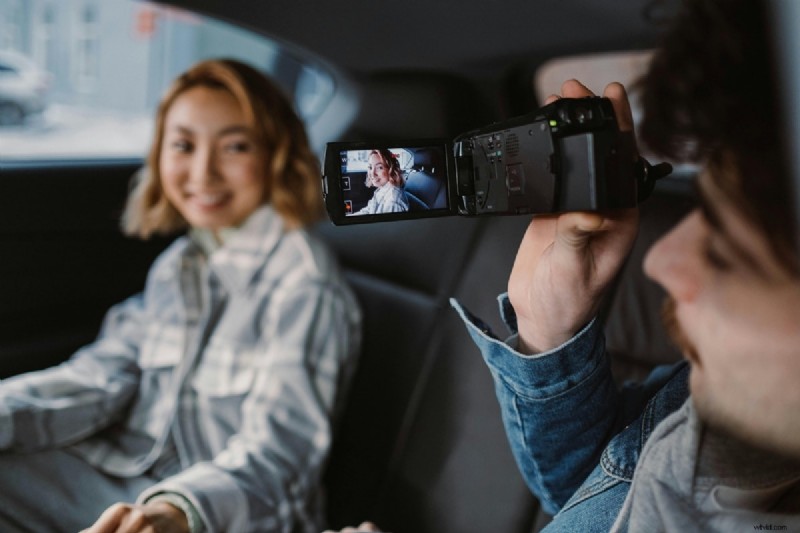
Not all cameras are ideal for shooting inside a moving vehicle. You need something compact, stable, and easy to operate. Fortunately, you don't need a full-fledged camera rig to start car vlogging. These three types of cameras work best:
| Camera Type | GoPro | Smartphone | Action Cam |
| Best Examples | GoPro HERO12 Black | iPhone 15 Pro, Samsung S25, etc. | DJI Osmo Action 4 |
| Pros | Durable, compact, built-in stabilization, wide-angle lens | Convenient, high-quality video, easy to edit | High-quality footage, compact, reliable in motion |
| Cons | Limited touchscreen control in motion | Needs a good mount, and possibly an overheating | Audio may need improvement |
| Price Range | ~$29.$369 | ~$99.$1,659 | ~$35.$450 |
If you're just starting and can't afford a high-end camera, don't worry. You can still shoot decent footage with your phone and polish it later using video editing techniques (more on that in Part 3).
2. Where to mount your camera
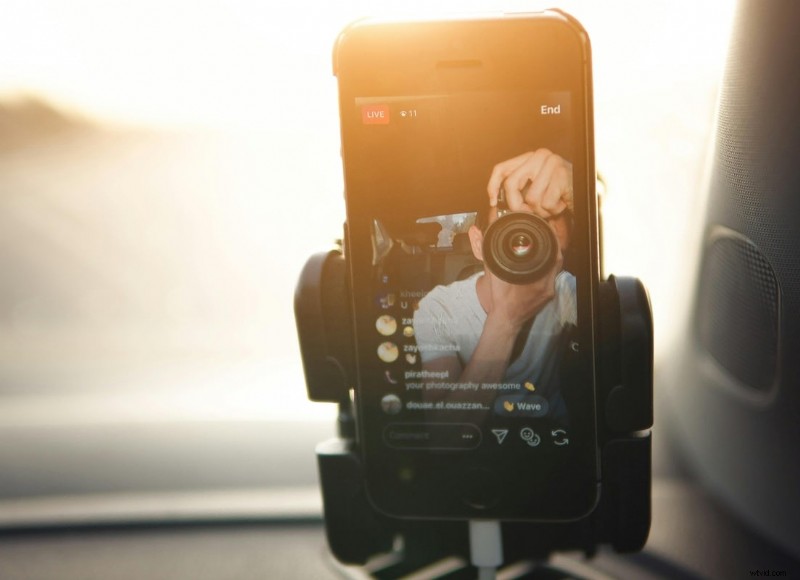
Camera placement is crucial, not just for capturing good angles, but also for safety. Some common and safe mounting options include:
- Dashboard mounts: Ideal for head-on shots and stable positioning.
- Windshield clamps: Great for wide-angle views and dynamic road shots.
- Headrest mounts: Perfect for filming passengers or backseat perspectives.
Choose a mount that keeps your camera steady and doesn't block your view of the road.
3. Microphones to boost sound quality
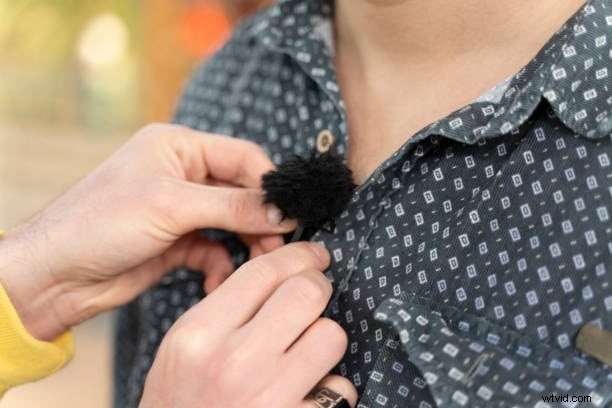
Car interiors can be noisy, from engine hums to outside traffic. To make your audio clear, consider using lapel (lav) mics for personal audio, shotgun mics for directional sound capture, or wireless mics if you need the freedom to move or speak from different angles.
Built-in mics are often insufficient, especially if you're driving with windows down or using air conditioning.
4. Natural vs. supplemental lighting
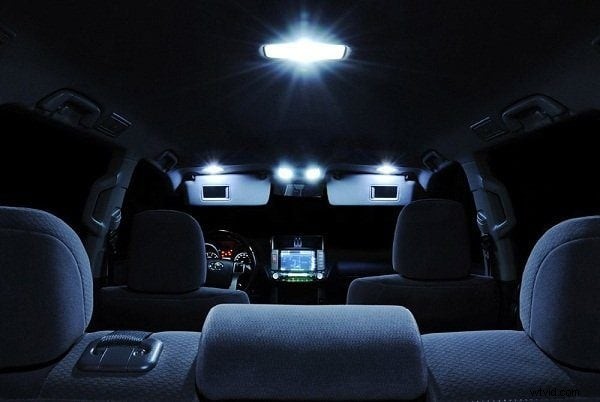
Natural daylight is your greatest friend when car vlogging. But if you're recording at night or in dim conditions, consider using a clip-on LED light, ring lights for dashboard setups, or interior dome light adjustments.
5. Power banks or car chargers to keep devices running
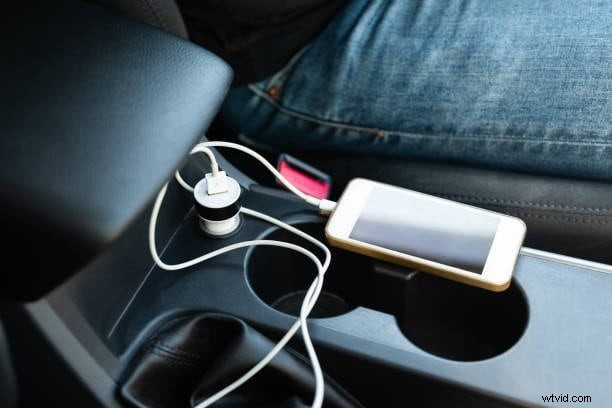
Long drives and extended recording sessions can drain your battery quickly. Always keep:
- A reliable car charger with multiple ports
- Portable power banks for backup charging
- Extra cables so you're never caught off guard
Part 2. What to Talk About in Your Car Vlog
Once your setup is ready, the next big question is: what should you talk about? One of the best things about car vlogging is how natural and conversational it feels. The car creates a relaxed, one-on-one atmosphere perfect for unscripted, personal content. Many vloggers use this space as a mobile diary or a way to connect more authentically with their audience. If you're not sure where to start, here are some popular and easy content ideas for your car vlog:
- Share life updates, stories, or behind-the-scenes moments
Talk about what's been happening in your life, share funny or meaningful experiences, or reflect on your day.
Talk about your car (reviews, upgrades, features)Review your vehicle, showcase recent upgrades, or highlight special features and customizations that make your ride stand out.
Comment on current events or trending topicsUse your car vlog as a space to share your opinions on news, pop culture, or viral trends casually and engagingly.
Record Q&A sessions, “Drive with Me,” or casual rantsRespond to viewer questions while driving, or let your thoughts flow freely on topics that matter to you.
Driving tips, car hacks, or tutorial-style contentShare helpful advice for drivers, teach simple car hacks, or explain basic car maintenance from the driver's seat.
Part 3. Record and Edit Your Car Vlog Videos Like a Pro
Now that your gear is ready and you've picked your topic, it's time to start recording. But don't stop there, editing is just as important as filming. A well-edited vlog can turn raw clips into a professional and entertaining video that keeps your audience watching until the end.
One of the best tools you can use to make editing simple and powerful is Wondershare Filmora. It's beginner-friendly but packed with pro-level features, making it a great choice for anyone serious about car vlogging.
Here are some of the standout Filmora features you can use to enhance your car vlogging content:
- Audio Denoise: remove unwanted background noise like engine hum or wind, so your voice sounds loud and clear.
- Stabilizer: smooth out any camera shake caused by movement on the road for a more professional look.
- Creative Assets (royalty-free music, b-roll footage, effects, transitions, and more): access a wide variety of royalty-free music, b-roll footage, effects, stickers, and transitions to make your vlog more dynamic and visually appealing.
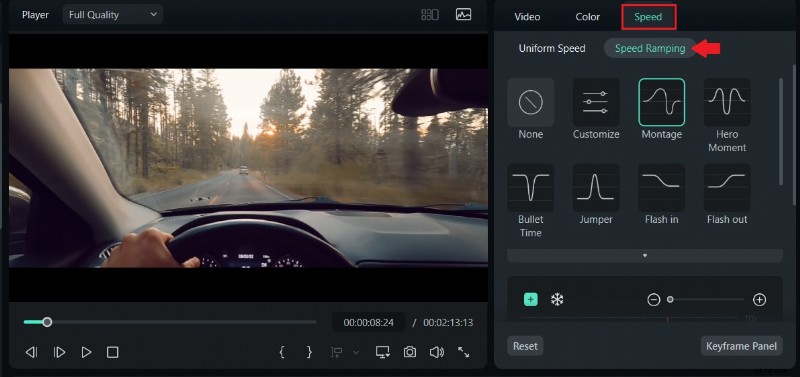
- Speed Adjustment Settings (and Speed Ramping): Slow down or speed up parts of your video to highlight key moments or create dramatic effects.
- Multi-camera video editing (if using more than one camera): combine footage from different angles or cameras and sync them for a professional multi-camera vlog.
How to Edit a Car Vlog Video
Here's a simple step-by-step guide to help you edit your car vlog like a pro:
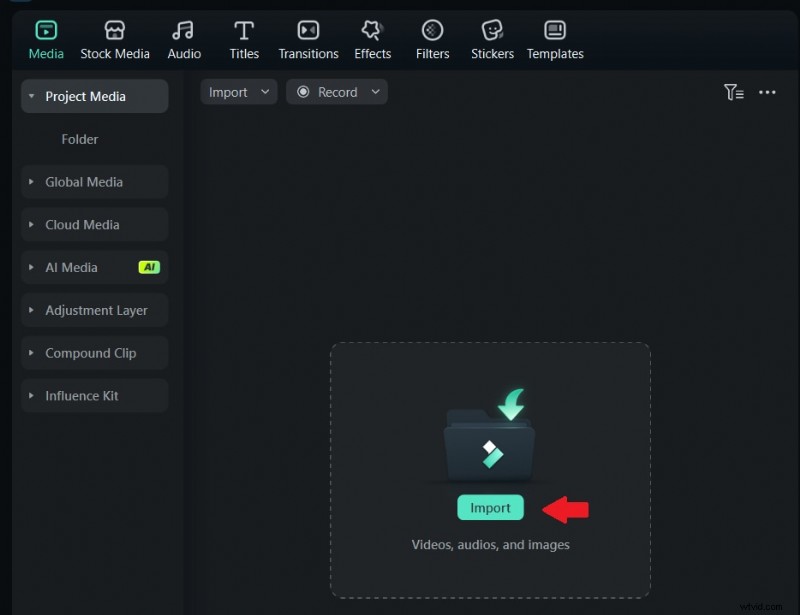
1. Import your footage
Open Filmora and drag your clips into the media library. It also allows you to upload background music, voiceovers, or b-rolls if you have any.
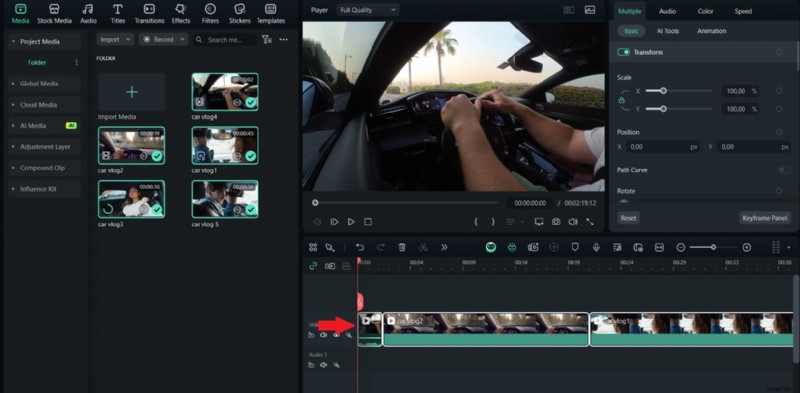
2. Add clips to the timeline
Drag your main footage onto the timeline. If you filmed from different angles, place each video on a separate track to sync them later.
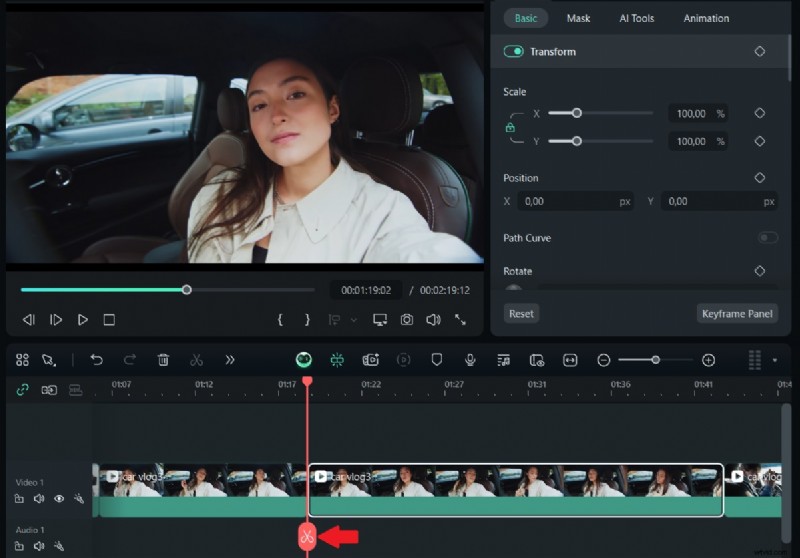
3. Trim and organize
Cut out any awkward pauses, background distractions, or mistakes. Rearrange clips to create a smooth story flow.
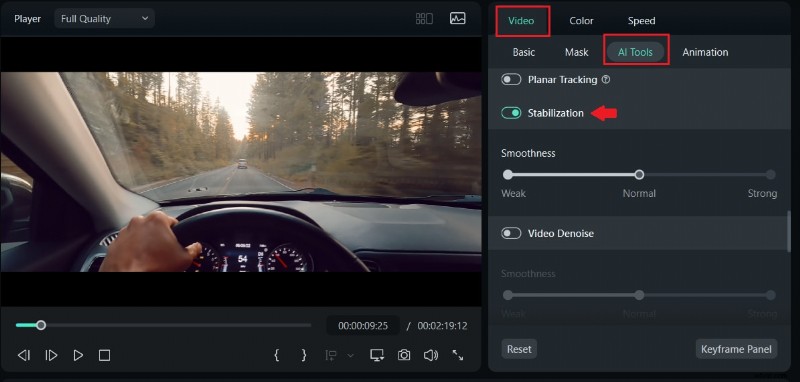
4. Stabilize your video
Select any shaky clips, then go to AI tools and access Filmora's stabilizer tool to make your video easier to watch.
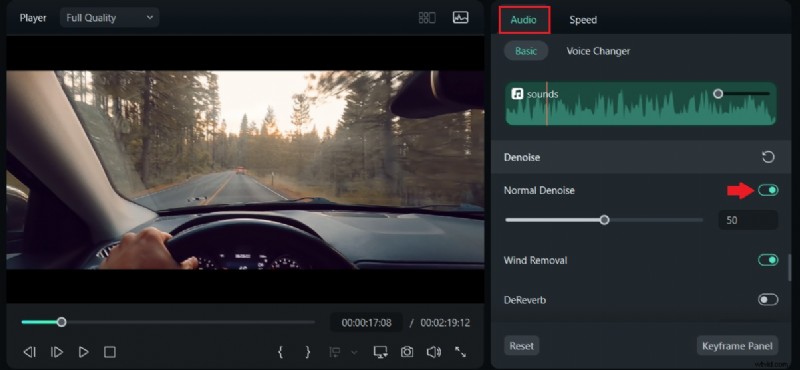
5. Fix the audio
Use the Audio Denoise feature to remove background noise.
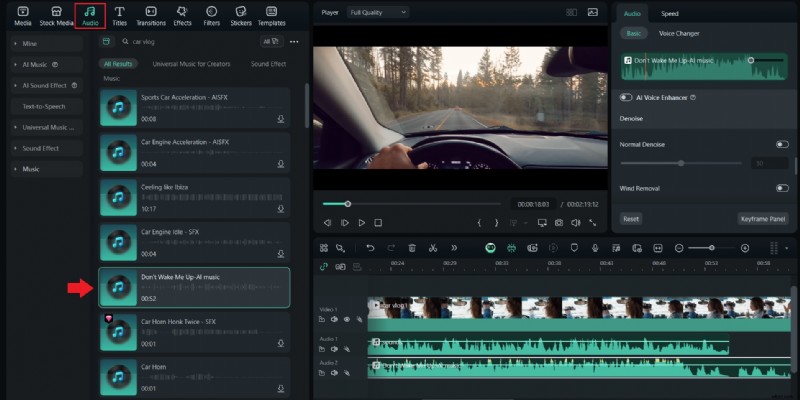
Adjust your voice volume and add music from Filmora's royalty-free library for a polished sound.
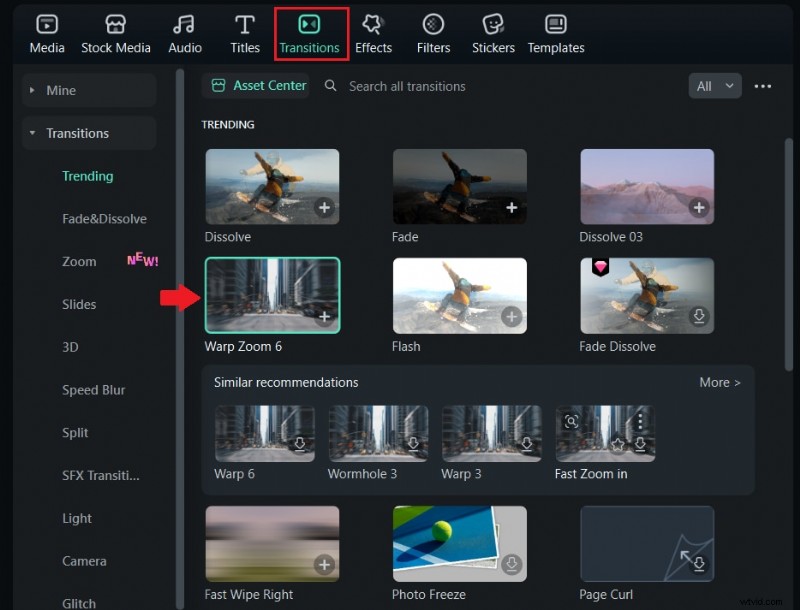
6. Add Transitions and Effects
Insert smooth transitions between scenes. Use creative effects or filters to enhance your video's style.
7. Adjust the Speed
Speed up boring parts or slow down important ones using the Speed Adjustment and Speed Ramping tools.
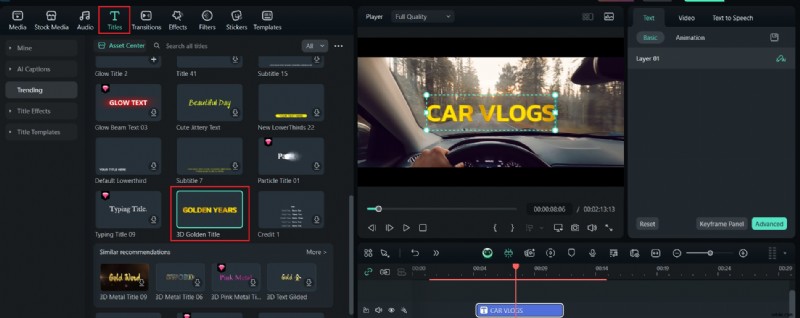
8. Include Text and Captions
Add headings, subheadings, or text overlays to introduce topics, highlight key points, or add humor.
9. Preview and Export
Watch your final video to make sure everything looks and sounds good. Then export it in your preferred format and resolution, ready to upload and share.
Part 4. Important Tips to Keep Your Driving Vlog Safe and Legal
As you're learning how to record and edit your car vlogs like a pro, it's crucial to shift your focus to something even more important: your safety. Since car vlogs often involve recording while driving, staying alert and keeping your attention on the road should always come first. No video is worth putting yourself or others in danger.
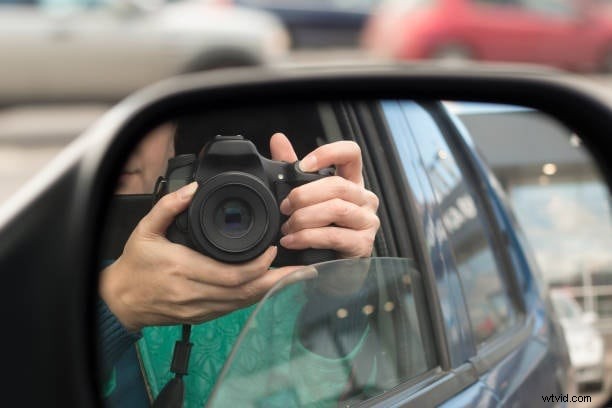
Even a minor distraction can lead to a traffic ticket or worse, a serious accident. To ensure your vlogging stays safe and legal, here are some key tips to follow:
- Always mount your camera before driving. No handheld filming
Handheld movie shooting is dangerous and often illegal. Use a secure and stable mount to keep your hands free and your attention on the road.
Don't stare into the camera; keep your focus on the roadYour audience will understand that your eyes should stay on the road. Quick glances are fine, but your focus must remain on driving.
Pre-plan what you want to say so you're not distractedThink through your talking points ahead of time so you can speak naturally without getting distracted.
Pull over for detailed segments or high-energy reactionsFor detailed explanations, emotional stories, or high-energy reactions, it's safer to stop the car before filming.
Know your local laws on filming while drivingSome regions have strict rules about filming while driving. Check the laws in your area to avoid fines or penalties.
With these simple guidelines in mind, you can enjoy making car vlogs while staying responsible behind the wheel. A good vlog should never come at the cost of safety.
Conclusion
Car vlogging can feel like you're just chatting with a friend while on the road, and that's what makes it so relatable. From sharing stories to reviewing your ride, it's a great way to connect. However, behind that casual vibe is a bit of planning.
With the right camera setup, some editing magic using tools like Filmora, and a strong focus on safety, you can make videos that feel real, fun, and polished. Just remember, your safety matters more than any shot. Stay hands-free, plan your content, and enjoy the ride as you create car vlogs your viewers will love.

Filmora
⭐⭐⭐⭐⭐
The Best AI-powered Video Editing Software and App