
REC

Recommended: Video Production, Editing & Gear Maintenance Guide

 WTVID >> WTVID >  >> video >> Video clip

Adobe Premiere Elements 4.0: Effortless Video Editing with a Sleek, Simplified Interface

Adobe Premiere Elements 4.0: Effortless Video Editing with a Sleek, Simplified Interface

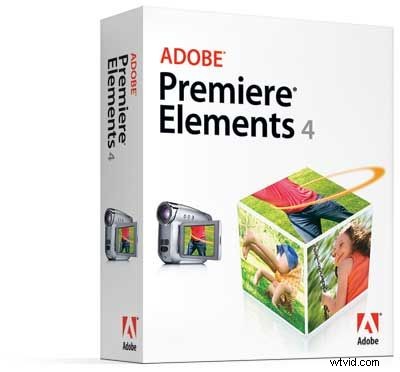
Just when you thought Premiere Elements couldnt get any better, along comes the 4th version with many improvements and a sleek looking interface. This latest installment takes an already robust video editor and simplifies the interface allowing the editor to quickly and easily apply fun transitions and themes that are completely customizable. The dark gray background of the GUI allows for your video to really pop-out, which is a nice improvement thats also in the Premiere Pro application. This new version also adds a direct upload to YouTube feature and also supports Blu-ray technology. Adobe is still working on AVCHD support for this product and they hope to have that figured out soon. Another great feature were pleased to see developed in Premiere Elements 4 is the new media management features. Organizing and accessing you content is much easier with custom tags and star ratings for each video clip or still photo. Speaking of still photos, Photoshop Elements 6 is also made its debut. You can get both applications bundled together for $149.99 or separately for $99.99.


  1. Adobe Premiere 6.0 Review: Top Video Editing Software for Pros & Hobbyists

  2. Expert Review: Adobe Premiere 6.5 - Professional Video Editing Software

  3. Adobe Premiere Pro 2.0 Review: Professional Video Editing Powerhouse

  4. Adobe Premiere Elements 4.0: Effortless Video Editing with a Sleek, Simplified Interface

  5. iMovie 10 vs. Adobe Premiere Elements: 2022 Comparison Review for Beginner Video Editors

Video clip
  1. Adobe Premiere Pro CS3 Review: Professional Video Editing Powerhouse

  2. Expert Review: Adobe Premiere Elements 10 & Photoshop Elements 10 Editing Software

  3. 5 Essential Editing Effects in Adobe Premiere Pro Every Video Editor Needs

  4. 10 Best Adobe Premiere Elements Alternatives for Beginners

  5. Expert Guide: How to Speed Up Videos in Adobe Premiere Elements

  6. Best Adobe Premiere Pro Alternatives: Top Video Editing Software for Beginners & Pros

  7. 5 Essential Adobe Premiere Pro Tricks Every Editor Must Know

  8. Boost Your Workflow: 5 Expert Tips for Faster Editing in Adobe Premiere Pro