
Adobe Premiere Elements is a scaled-down version of the Adobe Premiere Pro, designed to novice editors and consumers. However, some beginning users still find it's a little bit difficult for them to master this video editing software. Plus, Adobe is a company that constantly releases updates that have occasionally caused the users' programs to stop functioning. Thus, they need to find a good alternative to Adobe Premiere Elements. In this piece of writing we are going to look at the 10 best Adobe Premiere Elements alternative which can help you do your job.
1. Wondershare Filmora - Best Premiere Elements Alternative
- Create amazing movies with video, audio & photos in any popular formats.
- Edit video/audio/photos with classic features like trim, split & crop
- Personalize home video with texts, filters, transitions & more.
- Provides more advanced features like picture-in-picture, mosaic, tilt shift, face off and & more.
- Share your movies anywhere: TV, YouTube, iPhone & more.
How to edit videos with Adobe movie maker alternative: Wondershare Filmora
- Import video files
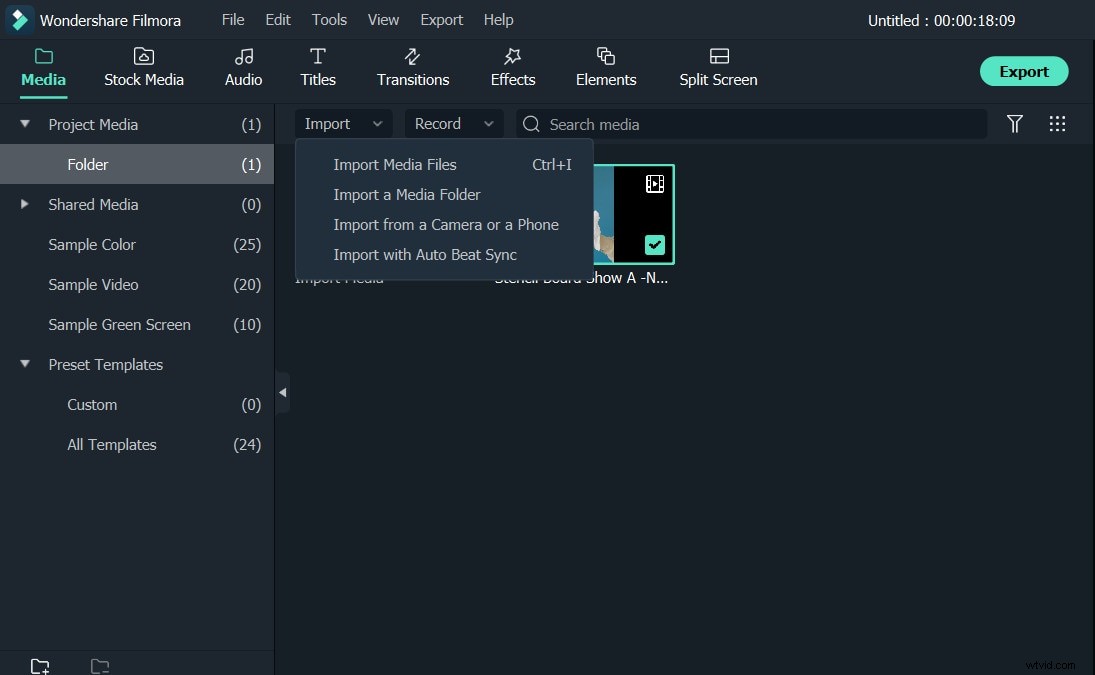
To import your video files, just click "Import" to browse your file folder and load them together. When they successfully load onto the Album, just drag and drop them in the video Timeline.
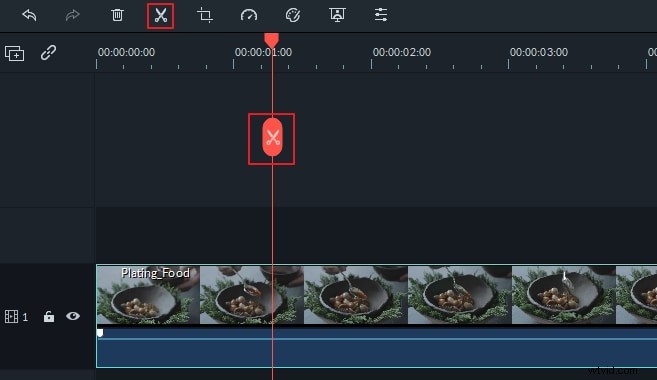
- Basic video editing: crop, rotate, trim, split
Double click the video item, you'll open the video and audio editing panel. Here, you can rotate video 90 degree, adjust Brightness, Saturation, Contrast, slow or speed up the playing speed, crop to a suitable size, set audio pitch, volume, fade in/out, and more.
- Apply transition, intro/credit & other effects
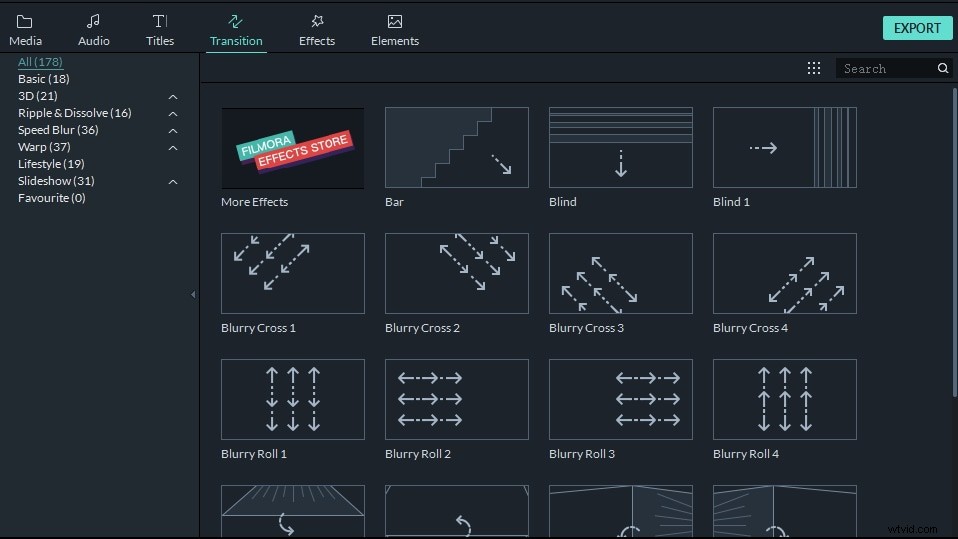
It's pretty easy to add titles, effect and intro/credits to your movie using this Adobe Premiere Elements alternative. Hit Transition, Text, or Effect tab above the Timeline, and then drag your favorite template between every two video clips.
If needed, you can also apply a Close-up, Jump Cut, Tilt-Shift, Mosaic, and Face-off to your video. To do this, just hit the "Power Tool" above the timeline and choose the effect you need.
- Export the new video
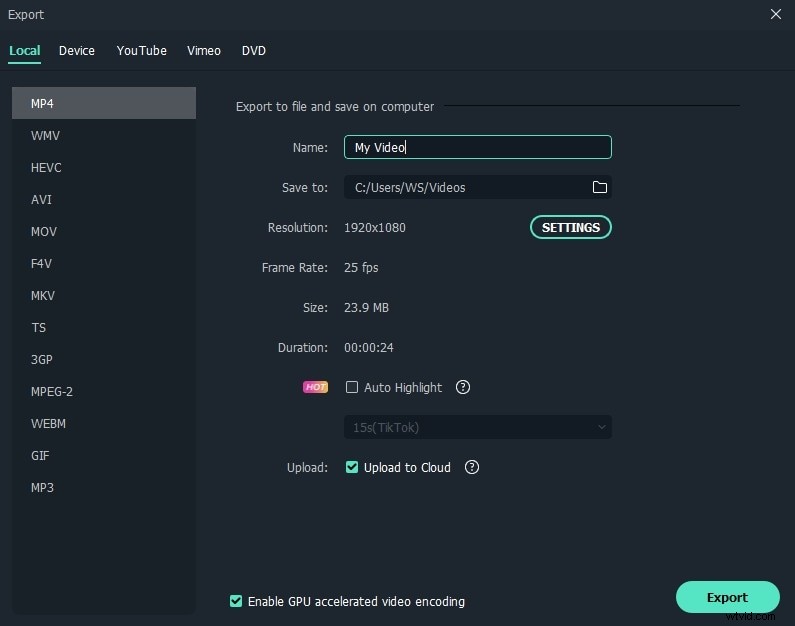
Before exporting, you can preview your new video on the right window. When everything satisfied, just click "Export" to access the output window. This Adobe Premiere Elements provides various way to save your video creation and share it. Also, you can choose to burn a DVD disc for enjoying on wide screen TV or any DVD player.
Check more other alternatives to Adobe Premiere Elements below.
2. Avidemux – Best Video Editing Software
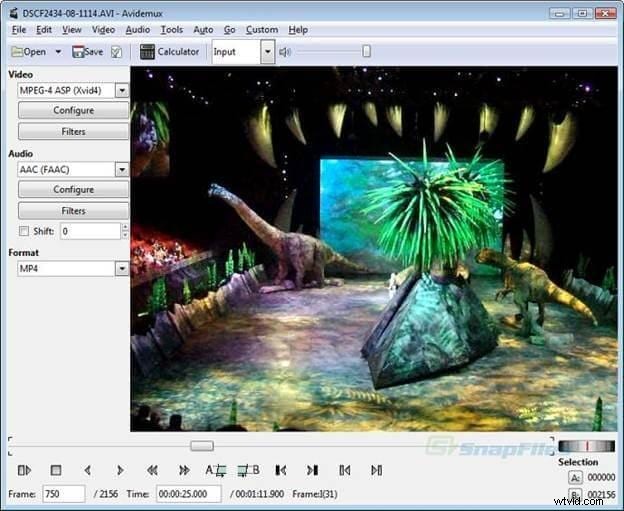
Avidemux is the free video editor made for the simple cutting, encoding and filtering tasks. This supports several file types, which includes DVD MPEG files, AVI, MP4 & ASF, using many codecs. The tasks can get automated using the projects, powerful scripting and job queue. Avidemux also allows you store the current audio or video encoder as well as filters settings that can also be used as the additional "profiles" for some target formats (for example for the playback on the portable devices), or just as the preferred encoder options (so you do not need to set it manually again and again). You can use Avidemux to easily edit video.
3. VirtualDub –Can Process Large Number Of Files
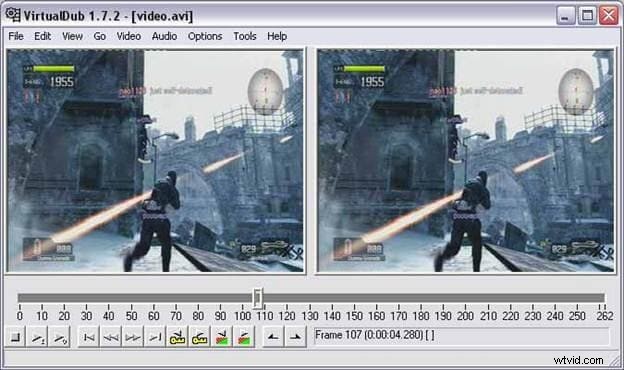
VirtualDub is the video capture and processing utility for over 32bit and 64bit of Windows platforms (ME/98/2000/NT4/Vista/XP/7), licensed under GNU Public License (GPL). This lacks editing power of the general purpose editor like Adobe Premiere, however is streamlined for the fast linear operations on video. It also has got the batch processing capabilities to process large numbers of the files and can get extended with the 3rd party video filters. The VirtualDub is primarily geared in processing the AVI files, even hough it will read (and not write) MPEG-1 as well as handle certain sets of the BMP images. Thus is one of the best video capturing apps to look at.
4. Adobe Premiere Pro – Built With Amazing Features
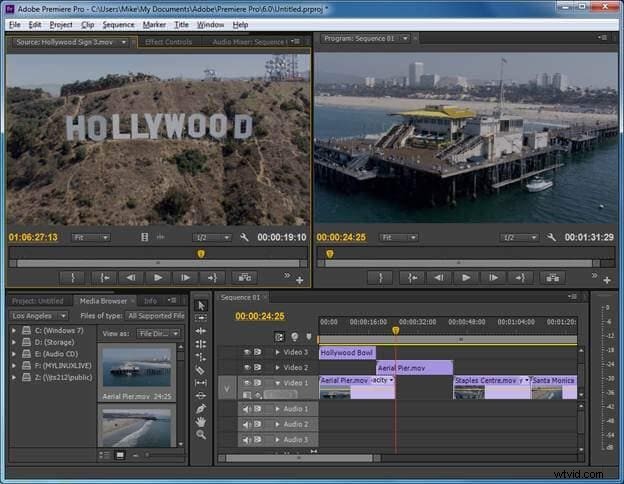
Now, you can edit video much faster than before with powerful and connected Adobe Premiere CC. Many brand new features that include redesigned timeline, streamlined color grading and improved media management. You can sync your shortcuts and settings to any PC at any edit bay and get an access to the new features when they are released. Your whole creative world, is one place. You can learn Premiere video editing tutorials if you feel like Premiere is too difficult to start editing. The Adobe Premiere Pro is the customizable, powerful, and nonlinear video editor, which allows you to edit your way. You can import and combine virtually any kind of media, from the video shot on phone to the raw 5K or higher resolution footage, and edit in the native format without even wasting any time in
5. Lightworks – Award Winning Video Editing Software
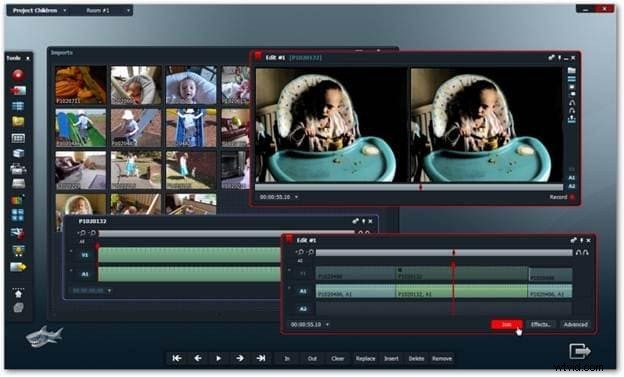
Lightworks is the editing powerhouse that delivers flexibility and unparalleled speed, completely integrated with other members of Complete Collaboration family. The Lightworks is the Emmy and Academy award winning grade video editor having over twenty years of the history in broadcast and film industry. Having cut many films like The Departed, Pulp Fiction, Shutter Island, Centurion, Martin Scorsese's Departed, The King's Speech, Pulp Fiction, Mission Impossible, Batman and Braveheart, it includes the full feature of the editorial tools – right from the advanced trimming & media management, to real time effects and stereoscopic support that includes the multiple color correctors. The Lightworks has advanced effects pipeline, using power of GPU. With support for 2K of workflows with the real time effects, it's highly advanced editing app available.
6. Windows Live - Movie Maker – Carry Out Multiple Tast
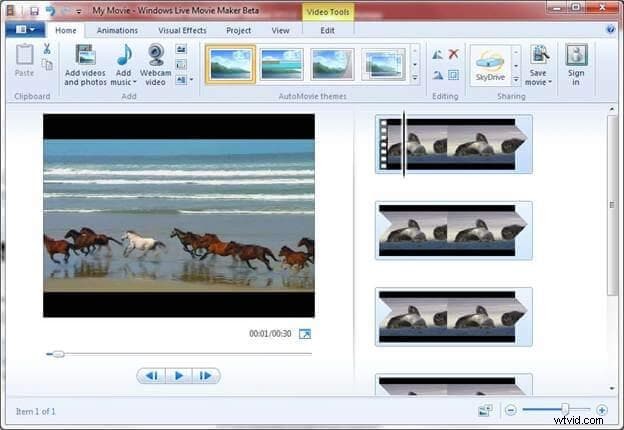
Windows Movie Maker app makes your home movies totally fun. With the Movie Maker, you may create, share and edit your movies right on the computer. You can also build your own movie with some very simple drag & drops. You can delete the bad shots as well as include just some of the best scenes that you want. After that, you can share the movie through e-mail, Web, and CD. By using any third party application you can also take the movies you have made and turn it in the DVDs. You may as well save the movie back to your video tape in the camera so that you can play back on the TV or on camera itself.
7. iMovie – Video Sharing Made Simple
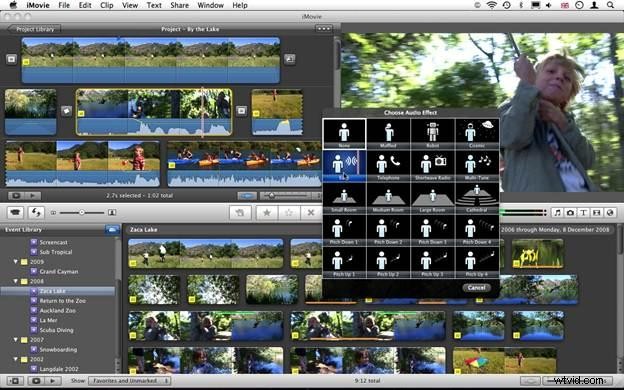
Maybe you wish to throw together some video clips. Or you have time and wish to fine-tune each edit. Or you just wish to flip through the clips in a way you flip through the album covers in iTunes. The iMovie apps allows you do this all — and then share this. iMovie makes it simple to browse and share HD video that you shoot on iOS device. You can turn your preferred clips in blockbuster movies and Hollywood style of trailers. You can watch the mini master pieces anywhere with the iMovie Theater. Some taps, swipes, and you are set for the big premiere at home. Want to use iMovie on Windows? Here are 10 iMovie alternatives for your choice.
8. VideoLAN Movie Creator – Arriving Soon With Some Amazing Features
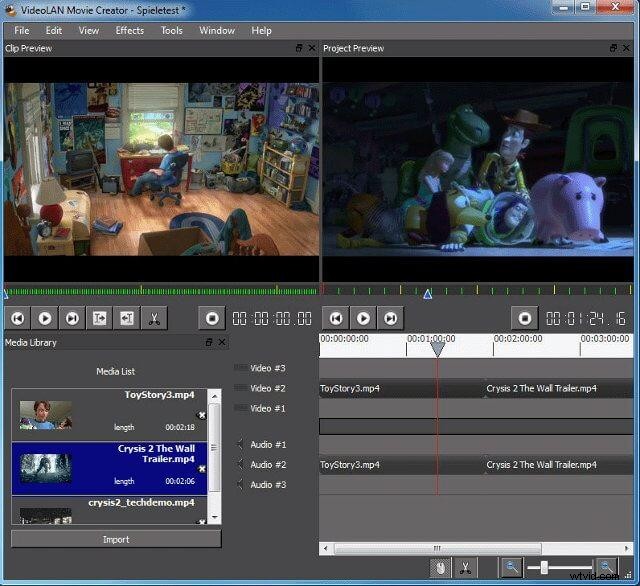
(VideoLAN Movie Creator or VLMC is the free video editing program, giving features to get semi-professional quality films, however with an aim to stay user-friendly and simple. Developers of the most famous video players in world, the VLC Media Player, now have started the new and promising project: called Videolan Movie Creator. It is "promising" because the Videolan Movie Creator still is at the early stage of the development. From the developers, it is just the pre-alpha release, and with many important features missing & plenty of bugs. However, they are taking a close look on it that nobody could resist this temptation! Testing Videolan Movie Creator is an adventure. Program still is unstable & buggy, thus expect some crashes.
9. PiTiVi – Accomplish Several Task In One Software
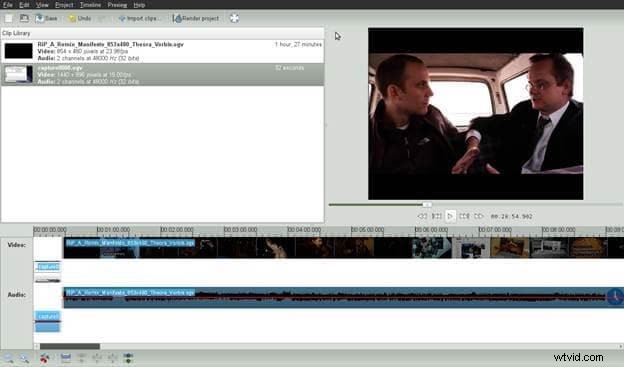
PiTiVi is the open source editor, written in the Python and based at GStreamer & GTK+. Taking in account a fact that not everyone has similar knowledge of the video editing, and nor same requirements, PiTIVi gives many ways of modifying and creating the timeline. Ranging from the simple synopsis view to full editing view (or Complex View) puts you in total control of editing. PiTiVi may encode and capture video and audio, trim and split video clips, enhance and trim audio & render projects at any format that is supported by GStreamer framework. The PiTiVi was been added by kn (the Contributor) at 17/04/2009 and latest change was made
10. Cinelerra – Best Free Video Editing Software In Market
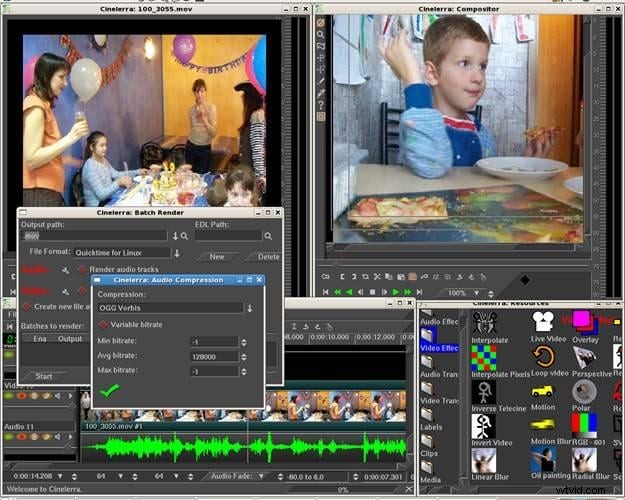
Cinelerra is the highly professional and advanced video editing program, however still remains the open source. Cinelerra will solve 3 important tasks: capturing, compositing and editing. There is no limit to video resolution thus whether it is standard or HD does not really matter at Cinelerra. Cinelerra always has been free and may remain so since developers are working very closely with traditional technical design & manufacturing companies and media and broadcast production companies all along with the Independent Artists & Technologists to bring some new capabilities and higher functionality. We know that Cinelerra isn't perfect, however, it's one platform that we can build on together to make our independent and professional studios.