
REC

Recommended: Video Production, Editing & Gear Maintenance Guide

 WTVID >> WTVID >  >> video >> Video clip

2019 MacBook Pro with eGPU vs. 2019 i9 5K iMac: Is eGPU Worth It?

Can you supercharge your 4L video editing on a 2019 Macbook Pro with an eGPU or are you better off with a 2019 i9 5K iMac? Check out this article to learn more.

Nothing beats a laptop for creative professionals on the go, but unfortunately, what you gain in portability, you often lose in power with a laptop computer. There is no doubt you will gain improved performance from a dedicated desktop all-in-one like the 2019 i9 5k iMac over a similar MacBook Pro.

Mobile processors and graphics card are often not as powerful as the ones you will find in a desktop version with similar specs. But can you make up for that lack of 4K video editing power with a eGPU configured with a more powerful external graphics card like the Radeon Vega 64 or the Radeon VII? 
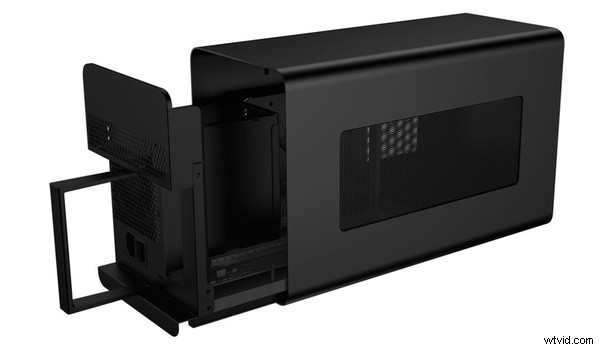
2019 MacBook Pro with eGPU vs. 2019 i9 5K iMac: Is eGPU Worth It?

In theory, it sounds like a great workaround for someone who wants portability while traveling but added performance for 4K video editing when they are home. You would also be able to attach a larger monitor to the eGPU for added screen real estate but is it worth the added expense? 

I don’t want to spoil the results of the included video, and I encourage you to watch it if this is a similar setup you are considering for yourself in the near future. Let me know what you think of the conclusions of the video in the comment section below.


  1. Exclusive Video Tutorial: Sneak Peek Inside Adobe Premiere Pro 2019 Features

  2. Effortlessly Sync Video with Professional Audio in Final Cut Pro X: 5 Easy Steps

  3. Create Stunning Split Screen Videos in Final Cut Pro: Step-by-Step Guide

  4. How to Easily Add Professional Watermarks to Videos in Magix Movie Edit Pro

  5. How to Record Professional Voice-Overs in Vegas Pro: Step-by-Step Guide

Video clip
  1. Master Video Transitions: Pro Audio Cue Technique You Need

  2. How to Create Stunning Vignettes in Adobe Premiere Pro: 2022 Step-by-Step Guide

  3. Create Professional Picture-in-Picture Videos with Magix Movie Edit Pro: Step-by-Step Guide

  4. Create Stunning Timelapse & Slow Motion Videos in Adobe Premiere Pro: Easy Guide

  5. Step-by-Step Guide: Record Professional Voiceovers in Adobe Premiere Pro

  6. How to Crop Videos in Adobe Premiere Pro: Step-by-Step Guide with Screenshots

  7. Create Stunning Time Slice Time-Lapse Videos in Premiere Pro: Step-by-Step Tutorial

  8. M1 13-inch MacBook Pro Review: Can It Handle Demanding Video Editing?