REC

Recommended: Video Production, Editing & Gear Maintenance Guide

 WTVID >> WTVID >  >> video >> Video clip

Vimeo Launches Native macOS App with Seamless Final Cut Pro Integration

Vimeo Launches Native macOS App with Seamless Final Cut Pro Integration

If you use Final Cut Pro to edit video and share those videos to Vimeo, you might be interested in checking out this new app. Vimeo just released a native app client for MacOS, and it looks like it could be pretty handy.

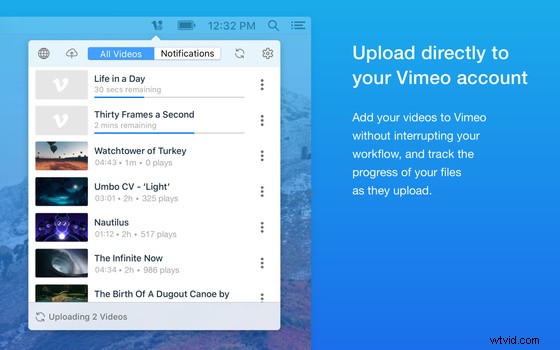
Released Tuesday, the Vimeo app for MacOS (available for free in the App Store) integrates with Final Cut Pro and lets users export ProRes and other video formats directly to Vimeo. This will let you skip the step of exporting and then uploading your video, and just uploads it directly as it exports the video, saving precious time in the process. The ability to upload multiple videos at once is a huge “click start and go do something else” feature that shouldn’t be overlooked in your constant effort to increase efficiency in your workflow.
Vimeo Launches Native macOS App with Seamless Final Cut Pro Integration

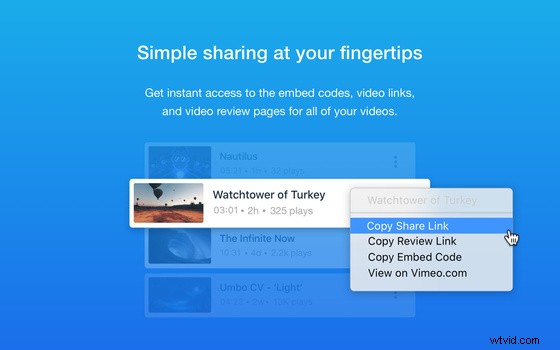
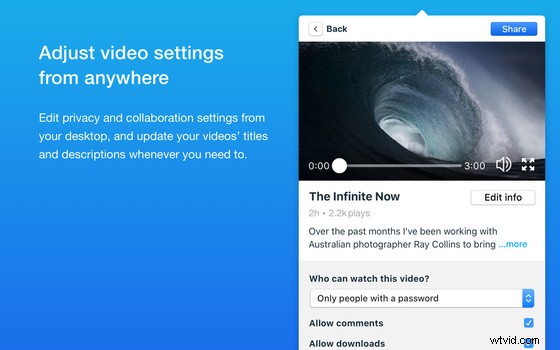
This app integration also lets you edit titles, descriptions, and privacy settings for your videos, get quicker access to video links, reviews, and embed codes, and get notifications about activity on your videos. If it's as streamlined as these screenshots make it look, it could be quicker to make these small changes than to go in through a web browser.

The app could be a welcome add-on for people who upload a lot of videos to Vimeo. It requires MacOS Sierra (10.12) or later. Check it out and let us know what you think about it.
Vimeo Launches Native macOS App with Seamless Final Cut Pro IntegrationVimeo Launches Native macOS App with Seamless Final Cut Pro Integration


  1. Master the Vignette Effect in Final Cut Pro X: Step-by-Step Guide

  2. Apple Unveils Major Final Cut Pro X Update – Perfect Timing with iMac Pro Launch

  3. Motion Array Launches Powerful Final Cut Pro X Templates for Video Editors

  4. Apple Extends Final Cut Pro X Free Trial to 90 Days – Download Now

  5. Top Final Cut Pro X Plugins: Elevate Your Video Editing Game

Video clip
  1. Apple Final Cut Pro 2.0 Test Bench Review: Professional Video Editing Powerhouse

  2. Sony Unveils Vegas Pro 9.0c: Advanced Features for Professional Video Editing Workflows

  3. Create Stunning Video Slideshows with Final Cut Pro: Ultimate Step-by-Step Guide

  4. Master Color Matching in Final Cut Pro: Easy Step-by-Step Tutorial for Perfect Video Clips

  5. Master Color Correction in Final Cut Pro: Pro Tips for Perfect Footage

  6. Final Cut Pro X Troubleshooting: Quick Fixes for Common Issues

  7. iMovie vs. Final Cut Pro: Ultimate Comparison – Which Video Editor is Best for You?

  8. iMovie vs. Final Cut Pro: In-Depth Comparison for Mac Video Editors