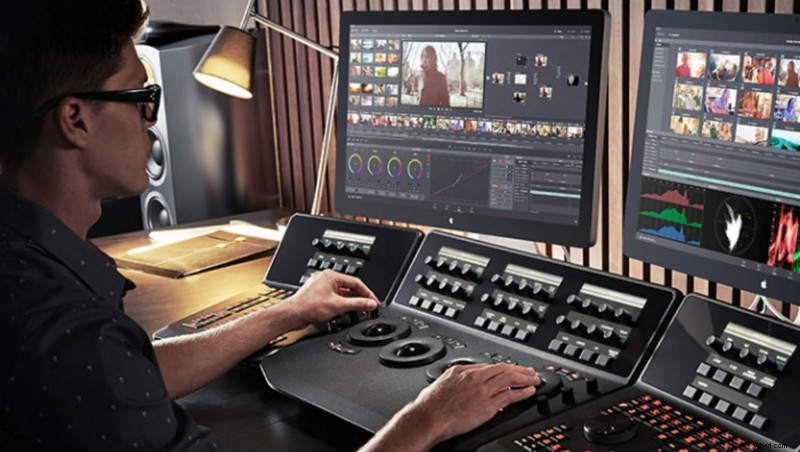
Earlier this year, Blackmagic Design announced their newest upgrade to their editing and color grading software. Guess what, they want you to be a video editor, and to prove it, they want you to have their software, free. DaVinci Resolve 12.
As a video editor, I may or may not have been spinning in my chair with excitement about this new program to play around with. The interface looks similar to Premiere Pro but seems to be a little more user friendly. DaVinci is widely known as the choice of color grading programs for Hollywood. Resolve 12 is Blackmagic's answer to editing programs like Adobe Premiere Pro, Final Cut, and Avid. Their "pro" version, Resolve 12 Studio, is priced at $995 and has a few extra features like 4k output. However, their free version has everything a new or learning video editor might need. While Resolve 12 is still in beta testing, they are planning on listening to feedback and releasing the full version free to all of their customers in late August.
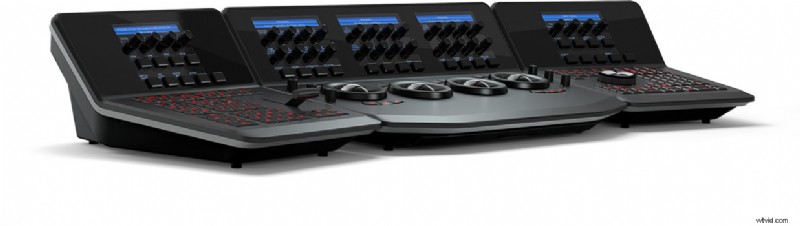
Any other editors excited to try this out? Or maybe you use Resolve 11, so what updates are you excited about? I am really interested to see how the 3D Tracker tool works, and that real time audio mixing sounds too good to be true. Oh yeah, and did you see the Advance Control Surface? I sure did. Sadly, I also saw the $29,995 price tag. I'm still drooling and hoping that one day I can get my hands on one, if only to mess around. So come on all you photographers, join me on the dark side that is video editing.