
We all love to listen to podcasts. Whether it’s in the car on the commute to work or through headphones at home after a stressful day, podcasts have become our new favourite medium to tell stories and teach lessons. What you might not know, is that podcasts are just as prolific on YouTube as they are in your podcast library. In fact, 43% of monthly podcast listeners head to YouTube to hear their favourite episodes.
Podcasters are quickly discovering the power of YouTube’s algorithm and how it can help their content be seen and heard by a much wider audience. Podcasters can also add another layer to the listening experience with visuals, ranging from live videos to audio visualisation.
So, how do you jump on the bandwagon and create your very own podcast video to post on YouTube? This blog will give you all the tips and tricks you need to know, including:
What is a podcast video?
Podcast video inspiration.
How to make a podcast video with audio visualisation.
Podcast audio visualiser templates.
What is a podcast video?
Video podcasts are a combination of podcast audio and visual media. The video element can be as simple as a plain background with a logo or as elaborate as an edited video recording. Podcasts with video can be made by absolutely anyone, sharing information about many different genres including sports, crime, technology, comedy, the environment and more.
With over 30 million different episodes to date, podcasts have also become a cost-effective marketing tool. As we mentioned earlier, 43% of monthly podcast listeners used YouTube to listen, rather than Apple (34%) and Spotify (23%).
Not only are professional podcasters posting on YouTube, it’s likely professional YouTubers eventually end up creating their own podcasts to accompany their channels and income. Creators have outsmarted YouTube and transformed the video-centric platform to include podcasts. This leverages the algorithm to meet new listeners, therefore generating more revenue and expanding the medium's growth rapidly.
You may have heard of young Emma Chamberlain. With over 9 million subscribers on YouTube, Chamberlain decided to use her platform and fanbase to popularise her podcasts by posting episodes on her YouTube channel. Talking about advice, gaining confidence, living alone and story times to a younger demographic helps her channel stay relevant and gains more exposure. Chamberlain is one of many clever YouTuber sensations using the video platform to post their video podcasts.
Podcast video inspiration
The picture podcast video
A podcast video doesn't always have to include a moving background. Well known YouTube sensation Lavendaire uses a still image of herself, with informative text on the right hand side.
The picture and logo podcast video
If you have a logo and a picture, you have a podcast video background. Miranda Kerr uses this simple background on her beauty brand Glossy's podcast. It’s easy and effective.
The live recording podcast video
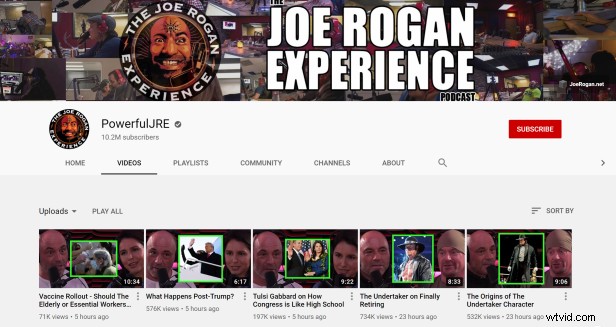
Joe Rogan has an awesome talk with Dan Carlin about the despair most people have from working a regular 9 to 5 job, and the need to create a small business. This traditional podcast video method is a great way for viewers to interact with the creator on a more personal level. They can see your face, expressions, and body language. Don't have a professional studio like Joe? Check out our guide to filming videos at home.
The audio visualiser podcast video
Australian true crime experts Meshel Laurie and Emily Webb and beauty guru Alli Webb create their podcast videos using an audio visualiser. If you don’t have an accompanying video you would like to post with your podcast, this is a great way to keep your episode interesting.
How to make a podcast video with audio visualisation
Feeling inspired? It’s time to learn how to create a podcast video using Clipchamp and our audio visualiser feature.
Step 1. Create a Clipchamp Create account or log in
Log into your existing Clipchamp account or sign up today for free.
Step 2. Create a new project
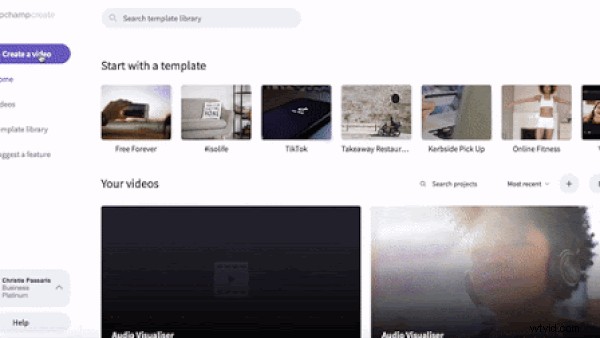
Click Create a video on the left side car. For music videos, we recommend using Widescreen 16:9 ratio. This ratio is also best for uploading to YouTube, Vimeo or different video sharing platforms.
Step 3. Upload audio file
Drag and drop your audio file onto your library, or select Browse my files to search through your personal files.
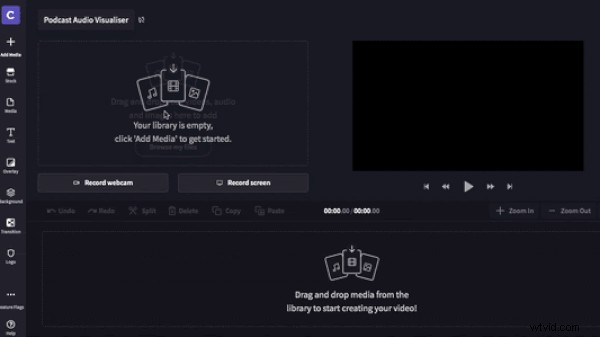
Drag and drop the audio file to your timeline.
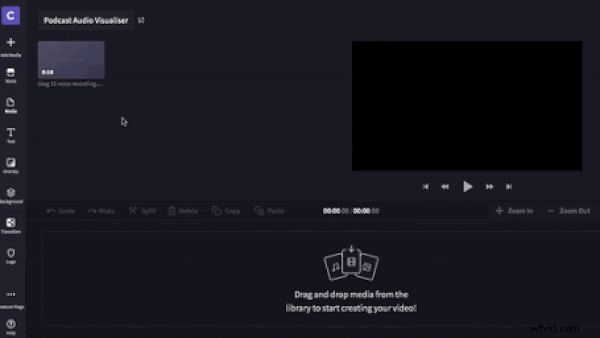
Step 4. Upload video file
Either upload your own personal video files by clicking on Add media or browse through our endless choices of stock video by clicking Stock. You can search particular genres. To add stock footage to your library, click the + button in the top left corner of the clip. Close the library when finished. You can also use a plain coloured background instead. Drag and drop the background onto the timeline.
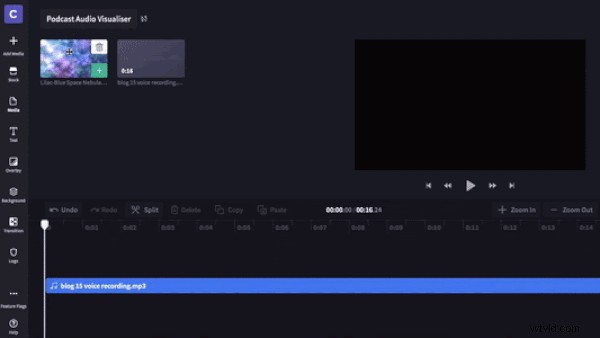
Drag and drop video footage onto the timeline. Crop the video clip to match the length of the audio clip by dragging the right green sidebar.
Step 5. Add audio visualiser overlay
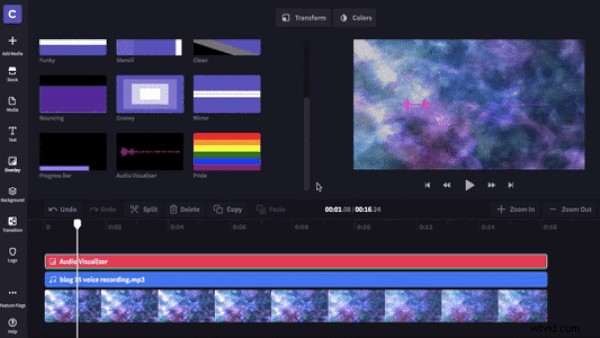
Now that you have added both audio and video to your timeline, click Overlay and scroll to the bottom to find the audio visualiser. Drag and drop the audio visualiser overlay onto the timeline.
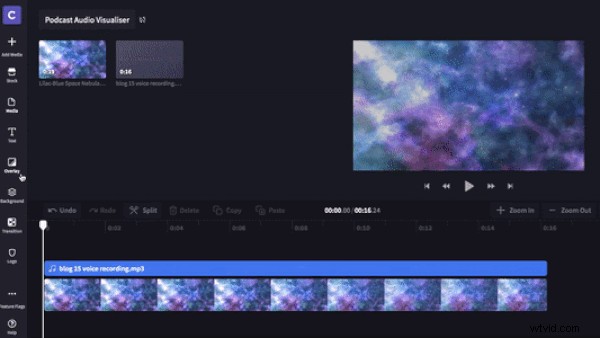
Step 6. Edit audio visualiser appearance
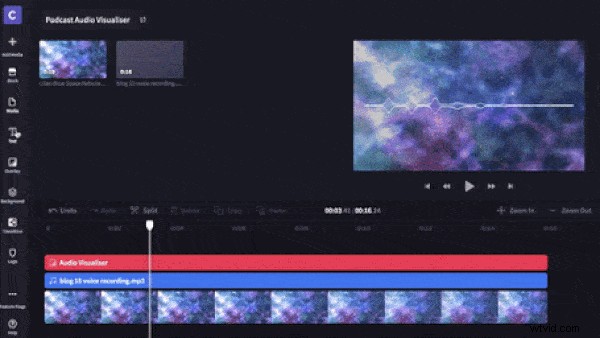
Under Colour and Appearance you can change the colour, position and size of your audio visualiser. You can also choose between two types of display bars.
Step 7. Add a title
This step is optional. Click Text and select a text you would like to use. Drag and drop onto the timeline. Customise text by clicking Text, transform and colour. Make sure to include the podcast reference number, the title and your brand or logo.
Step 8. Save podcast video
Click Export and select 720p or 1080p for the best quality music video. Click continue when you are finished. Save your music video to your computer or share directly to social media.
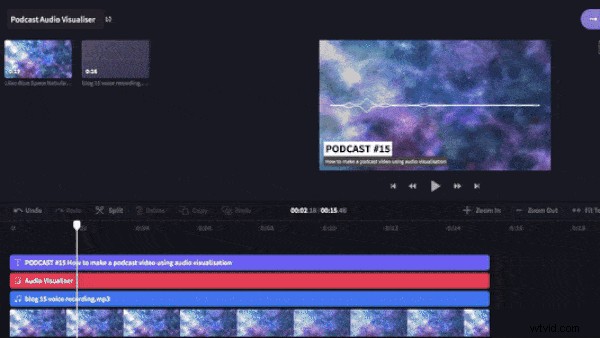
Step 9. Check out the final result!
Podcast Audio Visualiser Templates
Start creating your own podcast video with one of our templates.