Regardless of how good everything else in your photo is, blurriness can do a large amount of damage to its appearance. You do not have to spend hundreds of dollars or have professional-level skills to make blurry pictures clear. It can be easy, effective, and reliable, something anyone can get into and manage right away.
Here's a guide of the three best programs to clear up blurred photos in just a click, with tutorials. If you only want to remove a blurred part of your photo, you can consider tools like fotophire that allow you to crop or erase the part of your photo without impacting the background.
Table of Contents:
- Part 1: Bonus Tip-Improve Video Quality with Wondershare Filmora
- Part 2: Top 3 photo editors to make blurry pictures clear
- Part 3: How to make blurry pictures clear with Inpixio Photo Focus
Part 1: Bonus Tip-Improve Video Quality with Wondershare Filmora
With Filmora, you can do color correction and color grading to adjust contrast, saturation, brightness, hue, etc., to improve the video quality. You can also use the video stabilization feature to fix shakes in the video. Besides, you can also adjust the resolution and bitrate at export to make the video clearer. Download the free trial version below and improve the video quality now.
Part 2: Top 3 photo editors to make blurry pictures clear
1. Inpixio Focus

With Inpixio Focus, one of the most well-known photo editors, you can resharpen your photos and make them clear, crisp, and high-resolution following these easy steps. You can zoom in/out to focus the detailed part that even the smallest pore can be perfect again. Besides, you can print your favorite as posters, postcards, or even on clothes. Very smart!
Features:
- Optimize blurry photos with just a few clicks
- You can transfer photos to PC, phone, and camera
- It offers basic tutorial information for you to start editing
2. Photozoom Classic 7
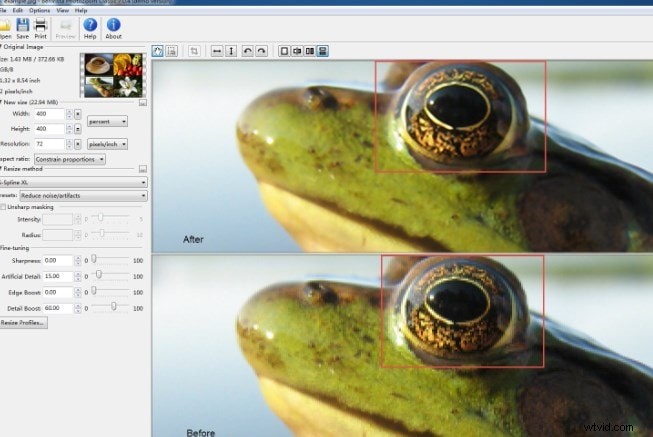
Photos. Photozoom Classic 7 can expand your favorite pictures to any dimensions you choose, up to 300,000 x 300,000 pixels, all without sacrificing a single pixel. You can remove noise from jpg. You can even crop a part of unwanted people or animals, just leaving for you with perfect. It is easy to use for making blurry pictures clear with an intuitive interface.
Features:
- It supports the latest version on Windows and Mac
- Its image enlargement is awarded
- A large number of preset for you to choose
3. Refocus
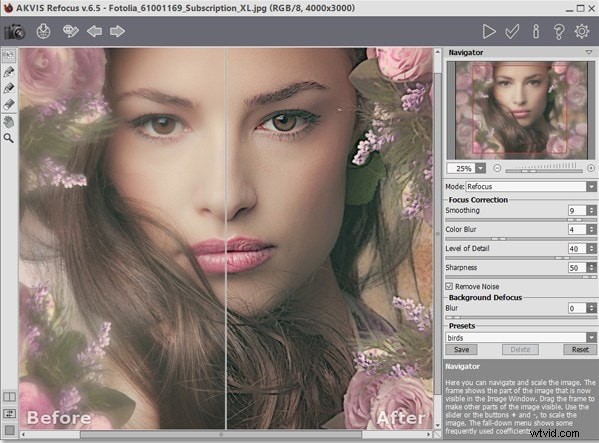
Refocus can help you enhance out-of-focus photos and add bokeh and lens blur to your images. Its powerful sensors can adjust different types of sharpness and bring your photos into focus. These also have various tools for improving the appearance of your photos, including features like filters. All parts remain as straightforward as the sharpening tool, too. It can enhance the sharpness of an image, so making a blurry picture clear is a piece of cake.
Features:
- Tilt-Shift can make your photo more beautiful
- Refocus mode makes blurry photos clear
Part 3: How to make blurry pictures clear with Inpixio Focus
If you are trying to decide from the suggested software, one that stands out. Inpixio Focus is hugely popular software that makes clearing up photos a breeze, has various great features, and does the job incredibly well. Just follow these steps:
Step 1: Open your photo
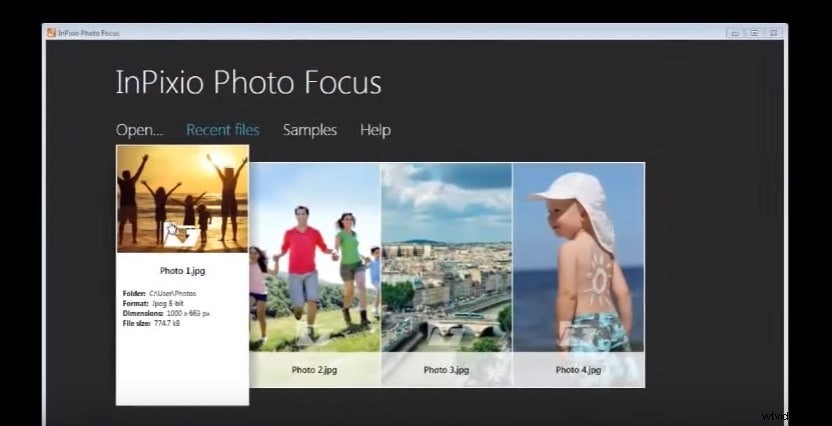
Step 2: Go to the Presets button and choose Sharpen
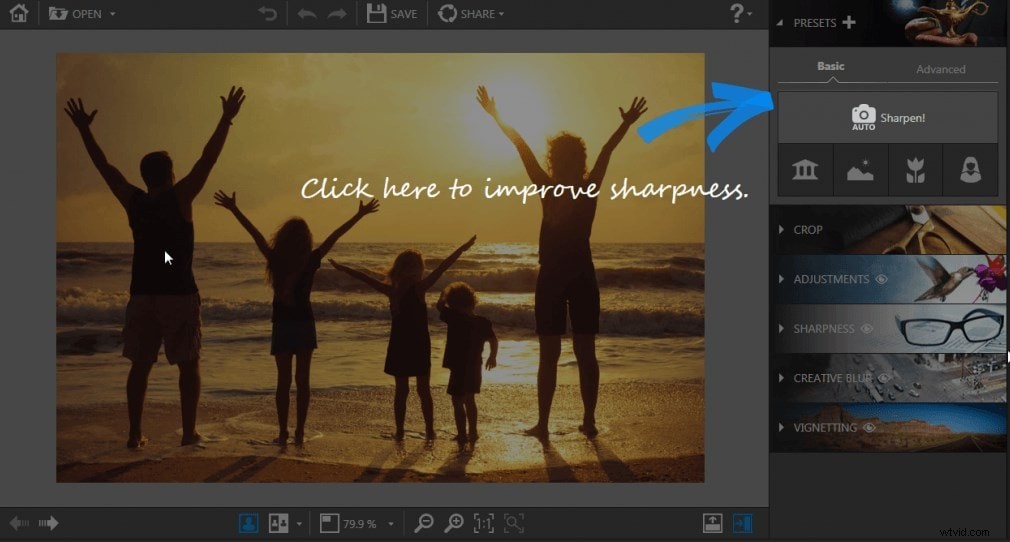
Step 3: Adjust in side-by-side view of the before and after effects
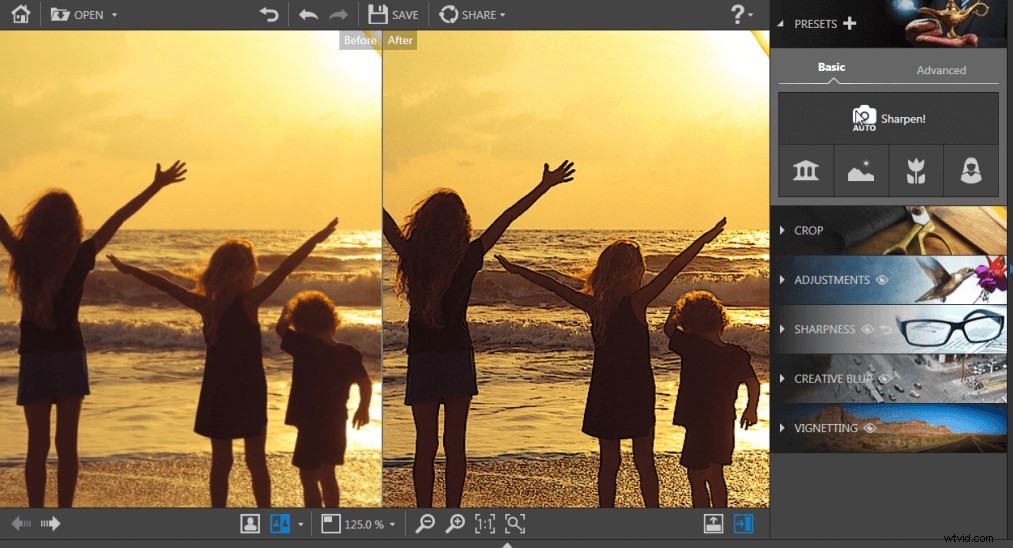
Step 4: Click the SAVE button to save your photo to the desired location.
That's it. It is a few clicks to get to a sharper image, which looks brilliant. It takes very little knowledge of this type of software to get these results and even less effort. Simplicity makes Inpixio Focus one of the top choices for photo editing tools in general.
Conclusion
You can start editing your photos right now if you would like. All programs are easily accessible and can start working right away. Clearer photos are within your reach. However, if you want to blur the image background or perfect your photos with more effects, we recommend you to try Wondershare Fotophire. Watch the video below to check out the reasons now.