
When recording a video with your smartphone, you may mistakenly didn’t hold the phone upright, then the resulting video will be inverted. To correct the orientation and bring it back to where you want, you would normally employ a desktop application. But the task can also be performed online, thanks to some simple and easy-to-use online video rotators. Given below is a list of efficient online video rotators.
- Recommended: Wondershare Filmora
- Media.io Online Video Rotator
- YouTube Video Editor
- FileLab Video Editor
- Rotate Video
- Video Toolbox
- Cellsea
Recommended: Wondershare Filmora
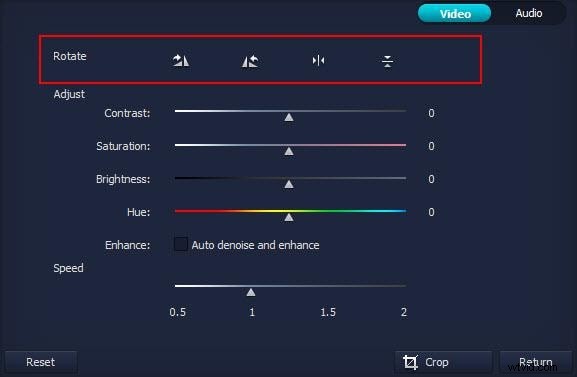
If you are not happy with the above online video editor and want to rotate your video clips with a desktop application, we recommend you Wondershare Filmora . It is an all-in-one video editing software available for both Windows and Mac. With it, you can easily rotate video clips 90 degrees clockwise, anticlockwise, horizontal mirror, or upside-down. On top of that, there are various visual and audio effects you can utilize in your videos. You can download the software below:
1. Media.io Online Video Rotator
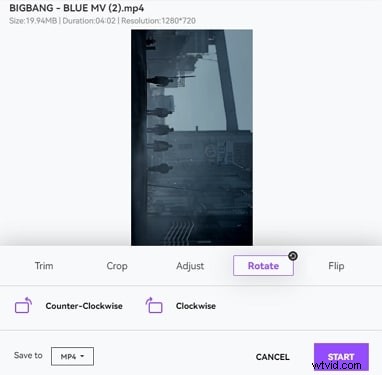
Online Video Rotator is a subsection of Media.io, an all-in-one online toolkit for almost all post-production tasks. Using this web program, you don’t have to install any software on your PC, and everything can be done directly on your Internet browser. Furthermore, because all the processing is done on the servers, your computer doesn’t have to be extremely rich in hardware and graphics.

Pros
- No software installation on the PC is required
Cons
- Can’t rotate the video at any angle
2. YouTube Video Editor
YouTube has introduced its new YouTube Video Editor which allows you to create videos from its recourses or edit clips from your library of existing YouTube video uploads. It just provides a single timeline with basic video editing functions like rotate, split, add transitions and effects. But it’s easy to learn, quick to use, and pretty awesome. The below video shows you how to rotate a video clip in YouTube Video Editor.
Pros:
- Easy-to-use.
Cons:
- Limited video editing functions and effects.
3. FileLab Video Editor
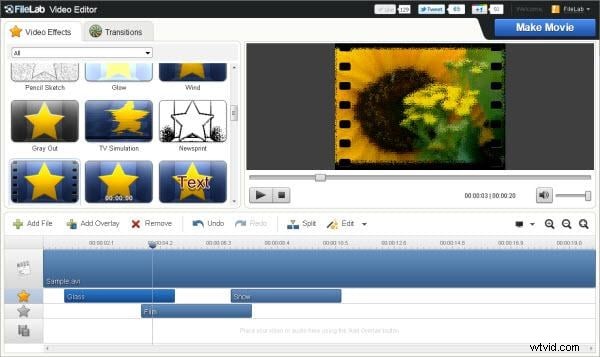
FileLab features a very easy interface to impress its users. It supports a wide range of video formats including HD video. It not only enables you to rotate, cut, split, merge, and mix videos; but also gives a gallery of transitions and video effects. However, to launch this video editor, you’ll need to install the FileLab plug-in which is a 1MB download.
Pros:
- Supports various video formats.
- Straightforward andeasy to usee.
Cons:
- Has to download the plug-in.
4. Rotate Video
Rotate Video is a free web service that enables you to rotate videos stored on the computer. It supports different video formats including MP4, AVI, FLV, MOV, MPG, and WMV. The video can be rotated 90 degrees clockwise or counterclockwise. But there’s no option to turn 180 degrees. This can only be achieved by twice providing a 90-degree turn in either direction. Another drawback is that your video files cannot exceed 16MB.
Pros:
- Supports various video formats.
- No need to download it.
Cons:
- 16MB limit on file size.
5. Video Toolbox
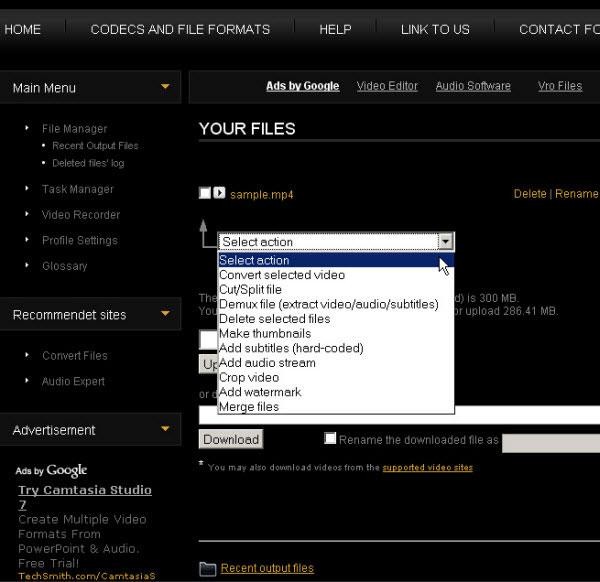
Video Toolbox is a handy online video editing tool. It has a rich set of video tools including rotating, cropping, cutting, joining as well as converting and the menu on the left lists all the functions. Files can be uploaded from the hard disk or linked via an URL. But to use this video editing tool, you have to register (it’s free) first. And like many online apps, it has a size restriction of 600MB.
Pros:
- Supports various video formats.
- Different video editing options.
- User-friendly interface and easy-to-use.
Cons:
- Has a size restriction of 600MB.
6. Cellsea
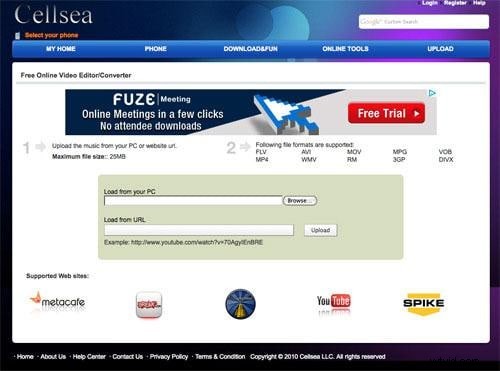
Cellsea is a multifunctional video converting and editing tool that can be used for multiple purposes. Just like Video Toolbox, it has the ability to load a video from both your computer and a website. Besides that, you can easily rotate, convert, join, resize and crop any video as you like.
Pros:
- Easily edit your videos online and share them with others.
Cons:
- Has file size limit.