
Adding color and spark to life comes in various ways. Neon texts come with neon glow effect, which can be used in your videos. Being a premier video editing interface, After Effects brings a world of opportunities for you. In case you are keen on using After Effects to create neon glow text, but have no idea how to do it. You have come to the right place. In this article, we have compiled wonderful ways of creating neon glow after effects. Keep reading to discover more.
- Part1: How to make neon glow text in After Effects
- Part2: Best neon after effects template to use
An easier way to make neon glow text - FilmoraPro
Apart from After Effects, FilmoraPro is an easier way to make neon glow text. FilmoraPro is designed for people who want to enter a higher editing level from basic entry. For neon glow text, you can directly drag effect onto video clip to make this happen.
- Clik New to build a new plane from media library. Drag it onto timeline.
- Type the text you want to make. Search glow in the effects panel. Drag neon glow onto the text clip in the timeline.
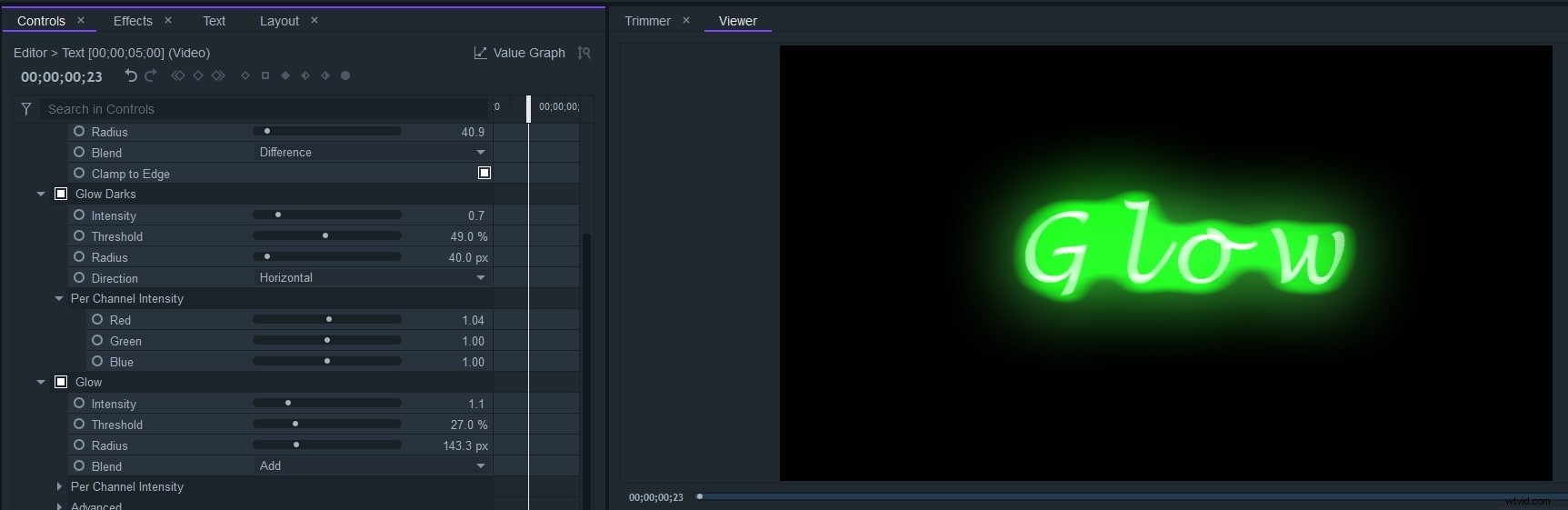
- Go to controls panel. Here you can adjust color, radius and more to make it natural. Now download it to have a try (free)!
Part 1: How to make neon glow text in After Effects
Step 1: Design the Sign
Launch After Effects on your computer and then add shapes and text for creating the design. Use the neon colors from the color palette and then add background image or video with a dark vignette.
Step 2: Pre-Comp and duplicate it
You need to duplicate the neon sign 4 times and each of these duplicate layers will later help in adding the blur, glow and on/off effect to the sign.
Step 3: Applying the effects
Use Fill effect to make the bottom Off layer dark grey. To give tubes of neon text, you need to add Bevel and Emboss layer. Apply the same ‘Bevel and Emboss’ layer effect for the top layer. Make the source as Centre and add Inner Glow layer style to it. Add Glow effect and Inner Glow layer style for the top layer’s glow layer. Reduce the opacity of the top layer’s inner glow. Add in Fast Box Blur effect for the blur layer, by fixing it on 150. It will add a minimal glow to the background.

Step 4: Additional light glowing layer to be added
For adding extra light basking on the background, you got to include a solid layer and implement the ‘4-Color Gradient’ effect here. Tweak the colors and match them with the text colors.
Through the pen tool around the sign, use a mask. You need to feather the edges and lower the opacity from the effects panel. Blend mode should be turned to Vivid Light. It would add a glowing effect to the background.
Here is the video guide for creating glow neon texts.
Part 2: Best neon after effects template to use
1. VideoHive
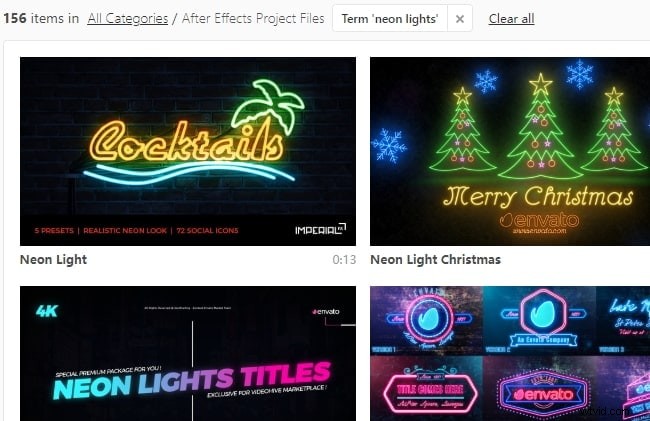
This is a paid site and has a broad range of logo settings, titles, openers, broadcast packages, video displays, product promos and elements. The interface is clear and easy to browse through.
Features:
- The search bar is located on the top of the page and allows you to find any desired package for designing your glow text.
- After Effects tab on this page has a wide range of features embedded.
- This site also has motion graphics, stock footage etc.
2. Pond5
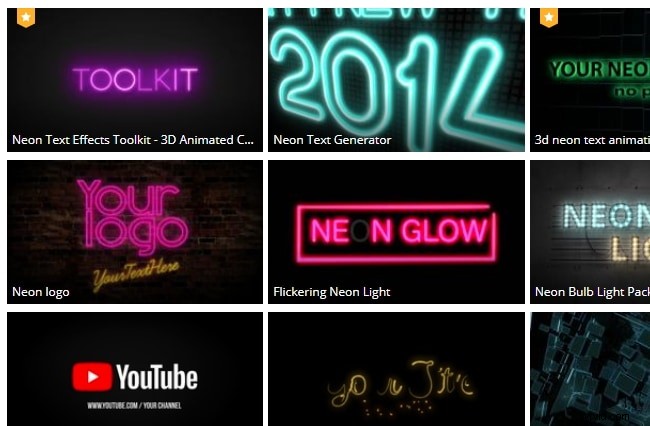
Pond5 is among the amazing neon after effects template sites having a galore of options for you. This again is a paid site for neon glow texts. It has the option to choose a compatible After Effects version from the given list there.
Features:
- This site also contains video footage, music tracks, sound effects, photos and 3D models etc.
- You have the advantage of customizing the neon text in other language as well, as the site supports other languages.
- After Effects are available in various genres, ranging from fashion to hi-tech, holiday and horror etc.
3. Motion Array
This site too is a paid one and the free pack allows you to only download the neon text, not any plugins or portfolios. You can’t get any space on the site’s server to store your art.
Features:
- Each item for After Effects displays item details.
- You get the option to select after effects from the bottom of the site to create neon texts.
- Trusted by various organizations.
4. Enchanted Media
For rendering neon glow after effects, Enchanted Media is an attractive option. This one is very intuitive and delivers professional quality results. Whether video branding, YouTube channel indents, website intros, it can bring you the most of what you desire. It also has sound effects and music to top the list.
Features:
- You can easily edit the neon text here.
- You don’t need any plugins.
- It comes with SFX and music.
- It supports After Effects CS5 and higher including After Effects CC all versions.
5. Easy After Effects
EasyAfterEffects.net is yet another neon glow after effects template site. Unlike others, it offers a highly classified tutorial for add a perfect neon glow after effect to your videos. In this template the creator not only suggests to add a glow or blur effect but also have played with the effects in great detail, eventually, delivering a cutting edge real neon glow after effect.
Features:
- Full tutorial to add cutting edge neon glow after effect with perfect finishing.
- The website is low on ads, that offers much better user experience.

Conclusion
When it comes to adding neon texts using After Effects, you have plethora of options to count on. In this article, we have explained the best neon after effects template. When it’s about adding that awesome glow to your text, this article would obviously help you pick the most effective one in that regard. Keep your eyes on this space to have more interesting content about neon glow texts and photo/video editing with breathtaking effects.