
Take a look at what NVIDIA is offering in the new update, including how it will improve your life as a creator — and some performance improvements.
For most of PC history, video card drivers were optimized around the gaming experience in all but the highest-end enterprise cards. Recently, Nvidia angled to change that with the release of its new “Creator-Ready” Drivers. This is a separate upgrade path from their normal “Game-Ready” drivers, designed to bring reliable performance upgrades to some of the biggest content-creation software on the market.
Creator-Ready Update
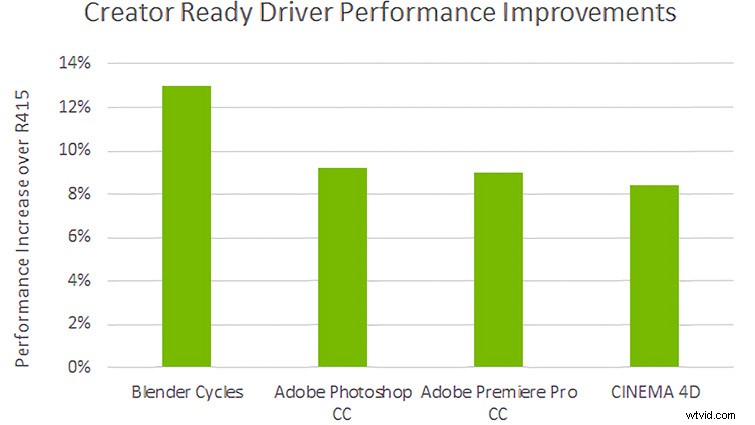
Image via NVIDIA.
Until the Creator-Ready update, NVIDIA driver updates were majorly focused on following big video game releases. Driver updates largely consisted of improvements and optimizations for how the video card handles the code from those titles. Occasionally, a line item about updates to the Adobe Suite or AutoCAD would slip into the update notes. But, to find information about the best patches for the software a specific user might primarily use would require digging through the full patch notes from multiple drivers back, and comparing results with other users on forums.
This new update path brings changes to the frustrating process of sorting through dozens of updates by focusing each update specifically on “Creator” software. From now on, NVIDIA video card users who opt into Creator-Ready drivers can rest assured that each update brings tested performance in some of the most commonly used programs on the market today.
The Creator Drivers are available to download now for NVIDIA’s graphics cards, starting with the GTX 1050, going through the 20-series, into the Titan V and Quadro 6000 product lines. For the less geeky, pretty much any card above a GTX 1050 should be able to make use of the new drivers.
There are two ways to install the new driver. If you use NVIDIA’s Geforce Experience software on your desktop, simply launch, then navigate to Drivers in the top menu. Select the three dots to the right of “Game-Ready Driver,” select “Creator-Ready Driver,” and follow normal installation procedures.
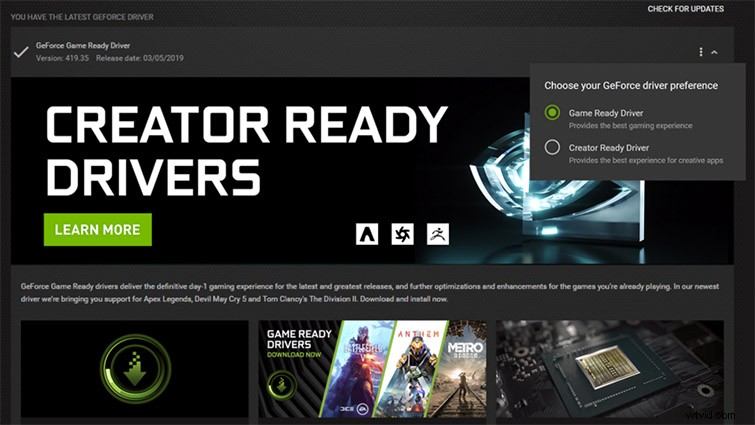
Image via NVIDIA.
For users without the desktop app, simply follow this link to NVIDIA’s download page. Make sure it supports your GPU, then download and follow normal installation procedures.
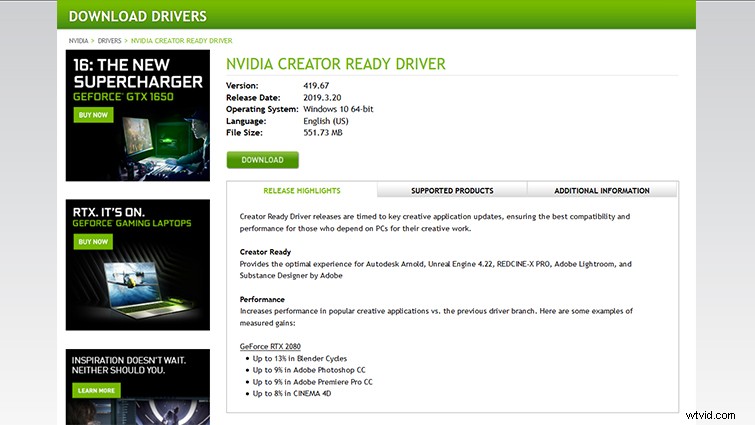
Image via NVIDIA.
A big note before you go installing — there are some factors to think about before switching to these new drivers. First, let’s take a look at what exactly the new software does.
What Does It Do?
Image via NVIDIA.
NVIDIA’s blog post about the new drivers has little information in regards to the kinds of improvements creators will see with the new updates. But, the download page claims some decent improvements on the RTX 2080:
- Up to 13% in Blender Cycles
- Up to 9% in Adobe Photoshop CC
- Up to 9% in Adobe Premiere Pro CC
- Up to 8% in CINEMA 4D
Without more information regarding the types of tests being performed, or the specifications of the computers being used in the test, these results have to be taken with a pretty big spoonful of salt.
What the blog post does inform about, however, is the new methodology NVIDIA is taking with Creator updates moving forward.
Rather than following the breakneck pace of major video game releases, NVIDIA will slow down major patches to the Creator updates to ensure maximum stability for the supported software. This means that special care and time is taken to simulate common workflows of creative professionals. In turn, this ensures the fastest and most stable performance possible.
The first Creator update is largely focused on adding ray tracing support and GPU acceleration for Autodesk Arnold, Unreal Engine 4, REDCINE-X Pro, Lightroom CC, and Substance Designer. More apps are slated for RTX support later this year.
So, improved GPU stability in common creative tasks with potential for speed improvements in the future sounds alright. But, is it worth it?
Is It Worth It for You?
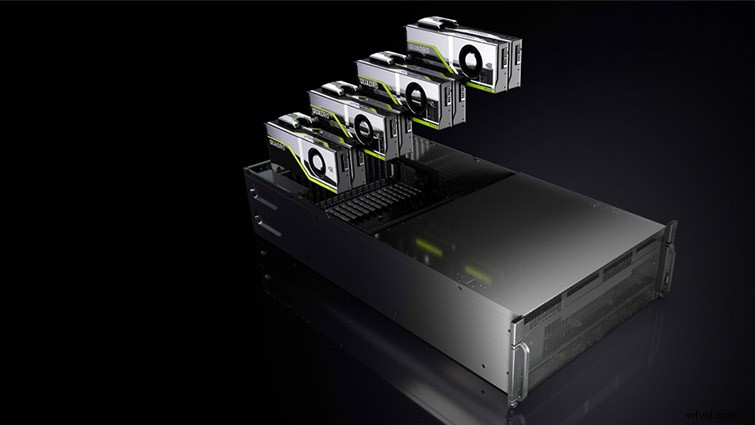
Image via NVIDIA.
NVIDIA’s RTX support list lacks many of the primary tools used by audio, film, and video professionals like Premiere, After Effects, Avid, Resolve, and Cinema4D — to name just a few. Some of these programs, like Premiere, stay entirely “CPU-bound.” This means they only occasionally utilize the GPU for specific effects or transitions, so it is unlikely we’ll see improvements until programs like these begin to make more use of the hardware available to them.
Puget Systems released a fairly extensive dive into the performance changes users can expect by swapping to Creator Drivers. If you want an even more detailed analysis than this one, definitely give it a read.
Puget’s findings indicate that there is essentially no noticeable improvement in either Premiere or Photoshop over the current Game-Ready Drivers.
Their testing did confirm NVIDIA’s claim that the Creator Drivers will not significantly impact performance in games. But, given the likely longer release schedule of Creator updates, users who wish to game and work on the same machine will have to balance increased stability in professional programs, or up-to-date performance optimizations for the newest games. Most users should be able to make the correct decision for themselves based on how they use their machines.
From the list of the planned software to support, it would appear that NVIDIA is collaborating directly with the partnered companies to develop specific solutions for their respective software. Perhaps with the success of this initial wave of updates, video and audio professionals will see new levels of hardware support for the programs they spend their time in.
Having a separate, slower driver release option and a faster, more experimental release path opens up a new option for creative pros. If you want to stay on the Game-Ready Drivers, rest assured that you can remedy any bugs with a switch to the Creator Driver.
While the initial release of the Creator Drivers might seem a little lackluster, I (for one) am excited about opportunities opening up in the near future. Better collaboration between hardware and software developers means it’s only a matter of time before some truly revolutionary changes develop for us filmmakers.
Want to learn more about updates and gear? Check out these articles:
- NAB 2019: Teradek’s New Bolt 4K Transmitter for Wireless Video
- Camera Insights: The Best A-Cam and B-Cam Video Setups
- 5 Steps for Prioritizing Your Filmmaking Gear Investments
- NAB 2019: G-Tech Releases a Virtually Indestructible Drive
- NAB 2019: Teradek Introduces an Inexpensive Wireless System