
When you first dive into video creation, technical jargon can feel overwhelming. But mastering frame rate—commonly expressed as FPS, or frames per second—ensures your content looks as polished as it feels.
In this guide, we’ll break down the science behind FPS, help you decide whether 30fps or 60fps is best for your style, and show you how to record screens at the right speed.
In this article
- Overview of FPS in Video Recording
- What Is a Good FPS for Recording a Video?
- 30 Vs. 60 FPS Video Recording – Which Is Better?
- Is a Higher FPS Better for Video Recording?
- How To Record Your Screens at Different FPS?
Overview of FPS in Video Recording
Think of a video like a flipbook: each still image is a frame, and the frame rate dictates how many frames appear each second. A higher FPS means more frames per second, which generally translates to smoother motion.
Movies typically run at 24fps, closely matching human visual perception and delivering a natural, cinematic look. Sports broadcasts and fast‑moving content, however, often use 30fps or 60fps to capture rapid action without blur.
Choosing the right FPS depends on your content’s pace, realism goals, and technical constraints such as file size and editing flexibility.
What Is a Good FPS for Recording a Video?
There isn’t a one‑size‑fits‑all rule for FPS. Instead, select a rate that balances motion clarity, realism, and practicality. Consider these key factors:
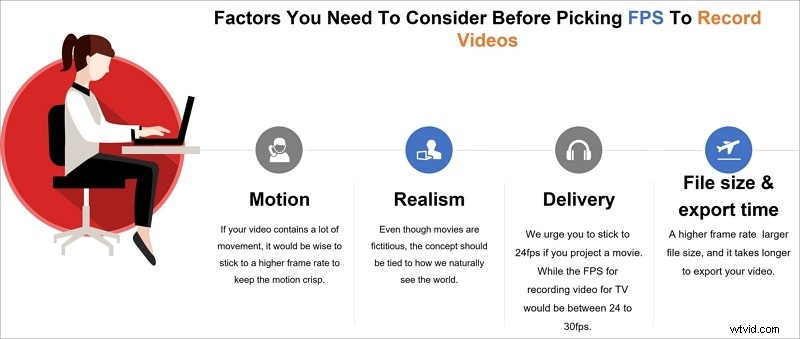
Motion
Fast‑moving scenes benefit from higher FPS to keep motion crisp and provide more editing options.
Realism
Lower FPS can mimic the natural motion blur humans perceive, giving a more authentic feel—ideal for narrative films.
Delivery Platform
For theatrical releases, 24fps delivers the classic cinematic texture. Television and online streaming often use 30fps, while live events may choose 60fps for maximum clarity.
File Size & Export Time
Higher FPS increases the number of frames, inflating file size and export times. Weigh these practicalities against the visual benefits.
30 Vs. 60 FPS Video Recording – Which Is Better?
30fps delivers a familiar, slightly cinematic feel—popular in dramas and sitcoms—while 60fps provides the smoothest motion for high‑energy content like sports, gaming, or detailed tutorials.
Which is “better” hinges on your creative intent:
- Use 60fps if you want ultra‑smooth slow‑motion or fast‑action scenes.
- Opt for 30fps for traditional storytelling or when file size is a concern.
- Consider 24fps for a classic filmic look.
Remember, the goal is to match FPS to the narrative and visual style you’re aiming for, not simply chase higher numbers.
Is a Higher FPS Better for Video Recording?
Higher FPS isn’t inherently superior. It can produce larger files, longer rendering times, and may introduce visual artifacts if the subject moves too quickly relative to the frame rate.
Choose your FPS with a clear purpose: if you need the ultra‑smooth motion of 60fps, ensure your hardware, storage, and distribution channels can handle the increased demands.
How To Record Your Screens at Different FPS?
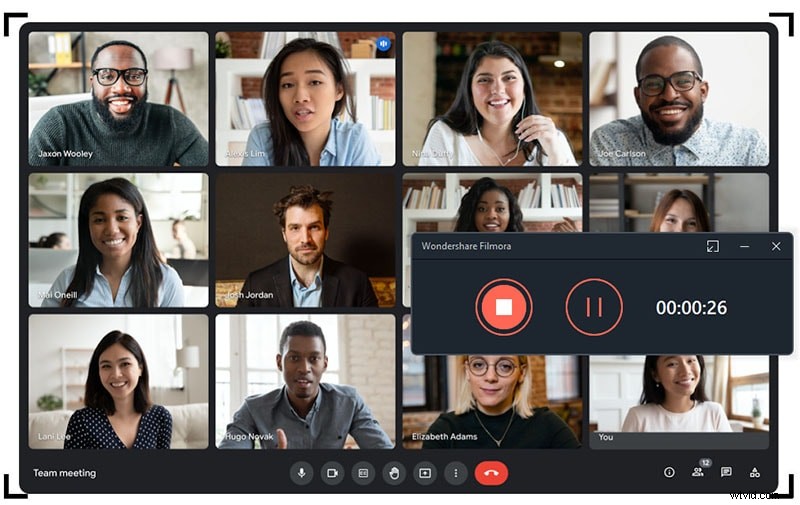
Screen‑recording tools now offer granular FPS control, letting creators tailor their recordings to the needs of tutorials, demos, or live streams.
One standout option is Wondershare Filmora, known for its intuitive interface and robust feature set.
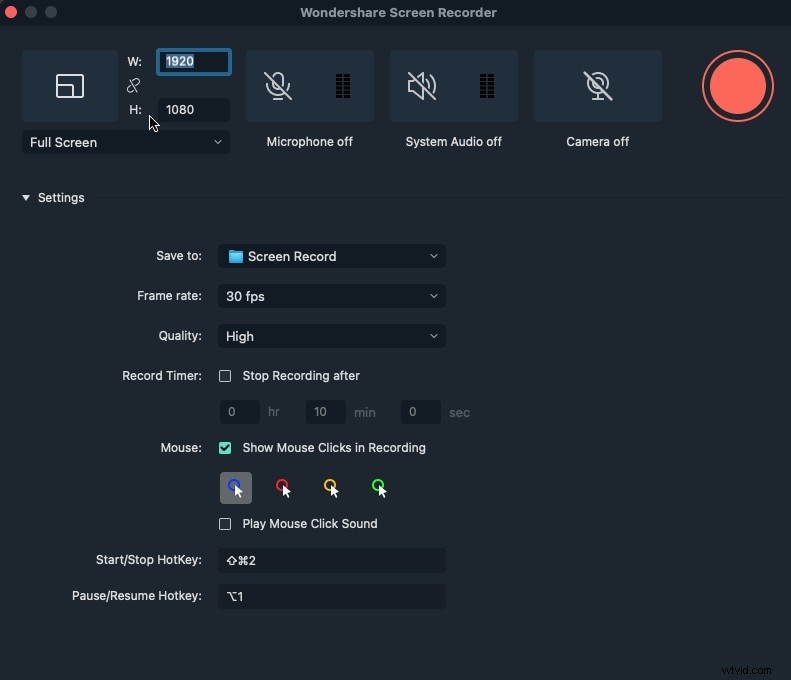
Filmora’s screen‑recording module lets you:
- Capture your entire desktop or a custom window.
- Adjust resolution, frame rate, and countdown timers.
- Simultaneously record webcam and system audio.
Here’s a quick step‑by‑step guide:
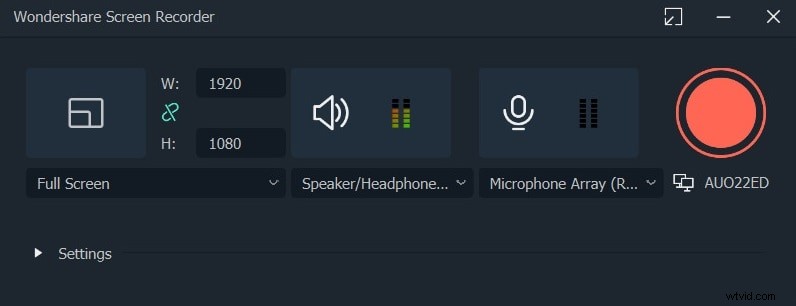
- Launch Filmora, navigate to File > Record Media, and select your recording mode (screen, webcam, or voiceover).
- Use the editing panel to set your preferred FPS, resolution, and recording area. Toggle mouse pointer visibility and add a countdown if needed.
- Click the red record button to start. Remember to stop manually once finished.
- Export the footage directly to your device or share it to YouTube and other platforms.
Conclusion
Understanding frame rate is essential for producing videos that look and feel right for your audience. Experiment with 24fps, 30fps, and 60fps to find what best serves your storytelling or informational goals.
Engage with fellow creators in your niche—sharing insights on FPS choices can help you refine your workflow and deliver consistently high‑quality content.