
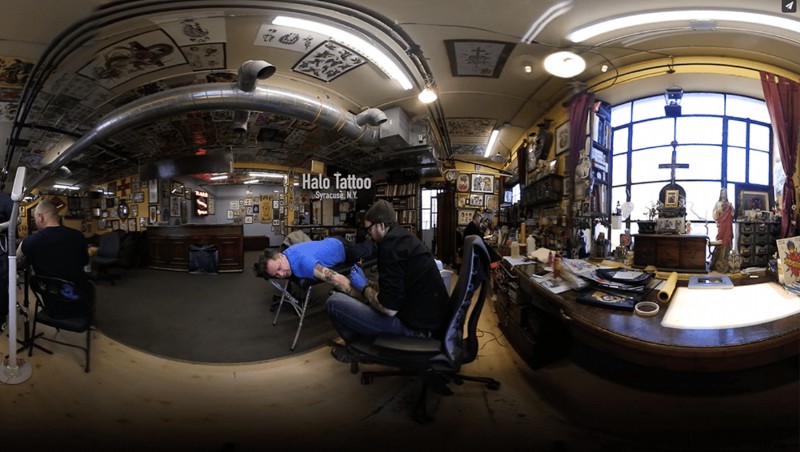
With the prices of 360-degree cameras dropping every day, and more people embracing the medium, it was only a matter of time before more video streaming services joined the 360 party. Showing up fashionably late is Vimeo. The company announced support for 360-degree video on its blog yesterday.
The use of the word "fashionably" isn't a joke either. While support comes two years after Facebook and YouTube announced the same feature, the company has devoted resources to it in a big way: 8K support, customizable field of view, offline viewing, and support for popular phone-in-the-headset VR solutions such as Gear VR and Google Cardboard. For Pro and Business members, there's even a marketplace to sell 360 videos.
Much of that is standard stuff for YouTube users as well.
One nice Vimeo-specific feature that a lot of 360 shooters will love is the ability to change the default orientation. Check it out:
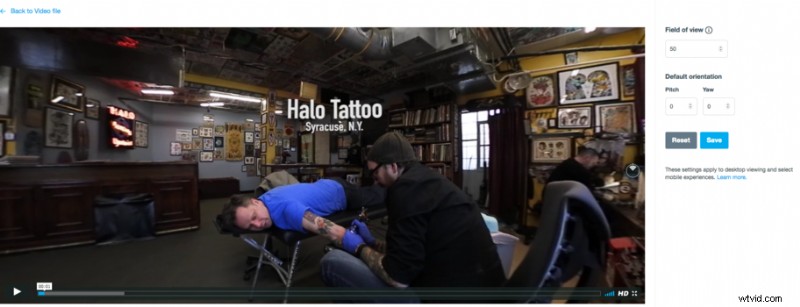
360 video editors know the pain of thinking you're shooting with one lens in one direction, only to bring it into the editor and find that this is not the case and you're facing backwards. Now you can make a quick fix in Vimeo without having to go back to your editing software and change it there (and then re-export the whole thing).
Another nice touch in Vimeo's rollout is the 360 Video School, a collection of videos helping people create content in this relatively young medium. Helpful stuff for people starting out in this adventure.
Many content creators have been using Vimeo as much or in some cases even more than YouTube, and so it's baffling that up until now there hasn't been a way to share this type of content. It's nice to see that the wait hasn't been in vain. There are some features in there that could be enough to lure away YouTube 360 users, or at least convince content creators to use both platforms.
If you want to see Vimeo's 360-degree feature in action, check out a quick video I did here: