
Choosing the right screen‑recording tool can make a big difference for your video projects. This guide offers an in‑depth look at Vimeo’s screen recorder, covering its key features, pricing tiers, strengths, and limitations. We’ll also compare it with a popular alternative, Wondershare Filmora, to help you decide which solution fits your needs.
What Is Vimeo’s Screen Recorder?
Vimeo’s screen‑recording solution is part of its broader suite of video tools, offering cloud‑based storage, real‑time editing, and collaborative features. It supports both desktop and web usage, and it can record your screen, webcam, or both simultaneously.
Key Features
- Screen & webcam capture – Record your entire desktop or a selected window, with optional webcam overlay.
- Advanced editing – Trim, crop, and remove pauses with a built‑in editor.
- Collaboration & security – Organise recordings into folders and set access permissions.
- Cloud storage – Keep all files on Vimeo’s servers for easy sharing.
- Teleprompter – Read scripts while recording, helping you stay on track.
- 1080p resolution – Record in high definition for clear visuals.
- GIF maker – Convert clips to GIFs for quick sharing.
- Cross‑device compatibility – Works on Windows, macOS, Linux, and via the web.
Pricing & Free Tier
Vimeo offers a limited free version that allows up to 1 GB of recorded footage. For larger projects, choose from these plans:
- Starter – $1 / month (annual billing)
- Standard – $2 / month (annual billing)
- Advanced – $6 / month (annual billing)
- Enterprise – custom pricing for large teams
While the feature set is robust, the pricing can be a barrier for solo creators or small teams.
Pros & Cons
- Pros
- Seamless team collaboration and permissions.
- Automatic script generation.
- Supports 4K/8K/HDR streaming.
- Cloud storage removes local disk concerns.
- Cons
- Advanced tools (teleprompter, AI features) locked behind paywalls.
- No screenshot capture.
- High cost relative to competitors.
- Free tier limits recordings to 30 minutes.
User Feedback
On G2, Vimeo’s screen recorder holds a 4.3/5 rating. Users praise its collaboration features but note the steep price and difficulty in downgrading plans.
Getting Started with Vimeo’s Screen Recorder
Desktop App
- Download the Vimeo Record app from the official site.
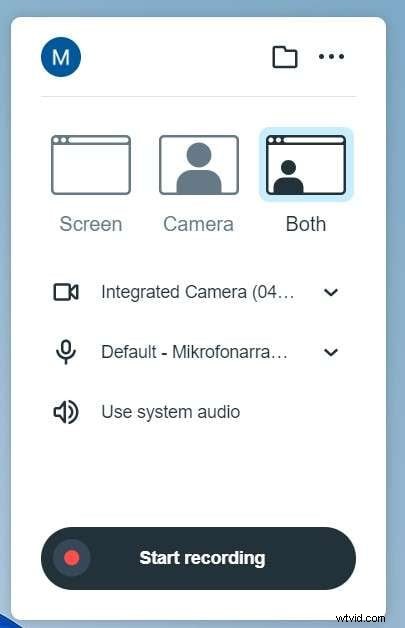
- Open the app and set audio, camera, and recording preferences.
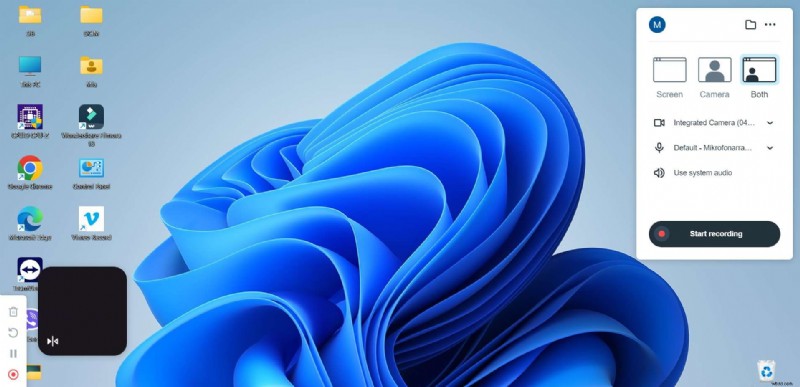
- Click Start Recording.
Web Version
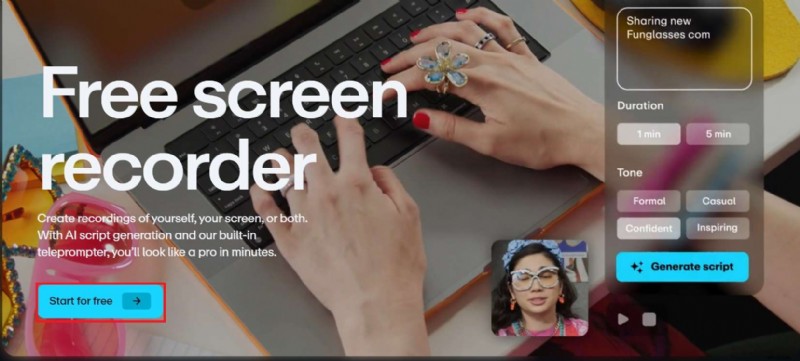
- Navigate to the web recorder and click Start for Free.
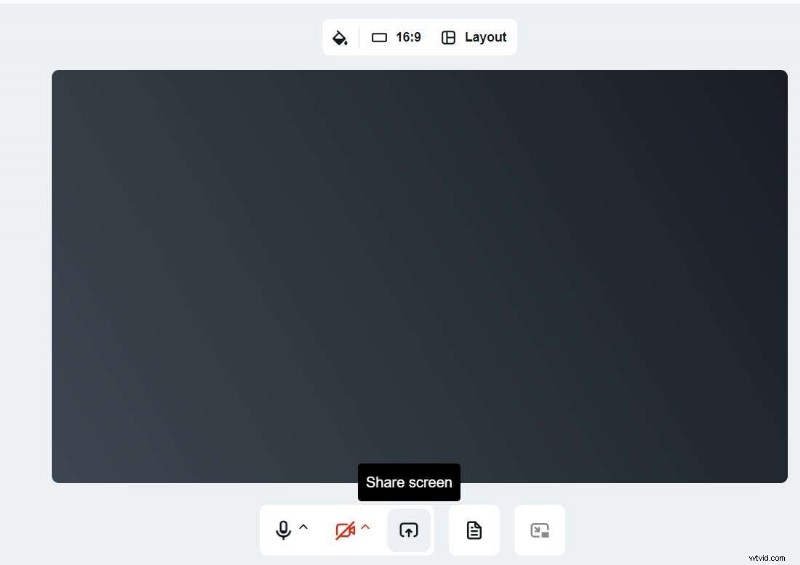
- After creating an account, adjust settings and click Share Screen.
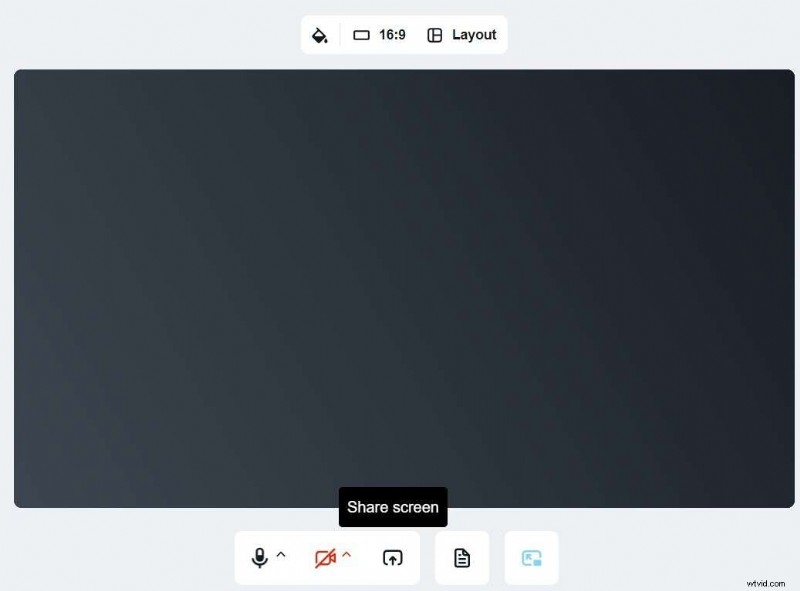
- Select the area to record and hit Start Recording.

Chrome Extension
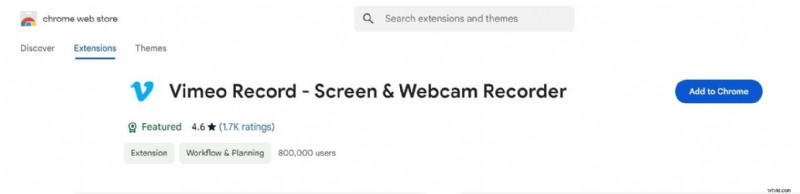
- Search for “Vimeo Record” in the Chrome Web Store and click Add to Chrome.
- Open the extension icon and set preferences.

- Click Share Screen and then Start Recording.
Alternative: Wondershare Filmora
If Vimeo’s price or feature limits feel restrictive, Wondershare Filmora offers an affordable, feature‑rich alternative with AI‑powered tools.
Filmora Key Features
- Unlimited recording time and automatic stop via timer.
- Mouse‑click highlights and dynamic annotations.
- Voice‑over support and AI voice enhancement.
- AI speech‑to‑text subtitles.
- Multilingual translation with lip‑sync.
- Audio detach for separate tracks.
Feature Comparison
| Feature | Vimeo Recorder | Filmora |
|---|---|---|
| Recording time | 30 min (free) | Unlimited |
| Schedule end | No | Yes |
| Show mouse clicks | No | Yes |
| Background noise removal | No | Yes |
| Custom recording area | No | Yes |
| AI speech‑to‑text | No | Yes |
| Online recording | Yes | No |
| Best for | Business | Personal |
Filmora is ideal for creators seeking unlimited recording time and advanced AI editing without a hefty subscription.
Conclusion
Vimeo’s screen recorder is a solid choice for teams that need cloud storage, collaboration, and high‑resolution output. However, its higher price point and 30‑minute free limit may push solo users toward alternatives like Filmora, which delivers powerful AI features at a lower cost.
FAQs
- Can I record a Vimeo video? Yes—Vimeo supports screen, webcam, or both via its desktop app, web platform, Chrome extension, or mobile app.
- How long can I record on Vimeo’s free tier? Up to 30 minutes per session.
- Why might Vimeo’s recorder not work? Common issues include poor internet, outdated browsers, or missing permissions.
- Does Vimeo allow screen recording? Yes, and it offers a free web recorder for quick, 30‑minute sessions.