
Looking to build a personal music library from Spotify? This guide walks you through recording songs on Android, iPhone, Mac, and Windows – all while staying within legal boundaries.
Is Recording Music from Spotify Legal?
Spotify’s license agreements allow streaming, not downloading or redistributing. While personal recordings are typically not actively policed, sharing them infringes copyright laws. Laws vary by country, so check local regulations before distributing.
Common Reasons People Record Spotify Tracks
- Offline Listening: Enjoy music without an internet connection.
- Music Archive: Build a personal collection for quick access.
- Preservation: Keep songs that might be removed from the platform.
- Sampling for Projects: Use tracks for school projects, production, or content creation.
- Convenience: Keep favorite songs ready on any device.
Recording on Windows & Mac with Filmora
Filmora by Wondershare is a versatile video editor that doubles as a robust screen recorder. It captures Spotify audio, webcam, and microphone in one package.


Filmora offers AI‑powered tools: Smart Cutout, Portrait, Text‑Based Editing, Video Interpolation, and an AI Vocal Remover for karaoke. Follow these steps to capture audio:
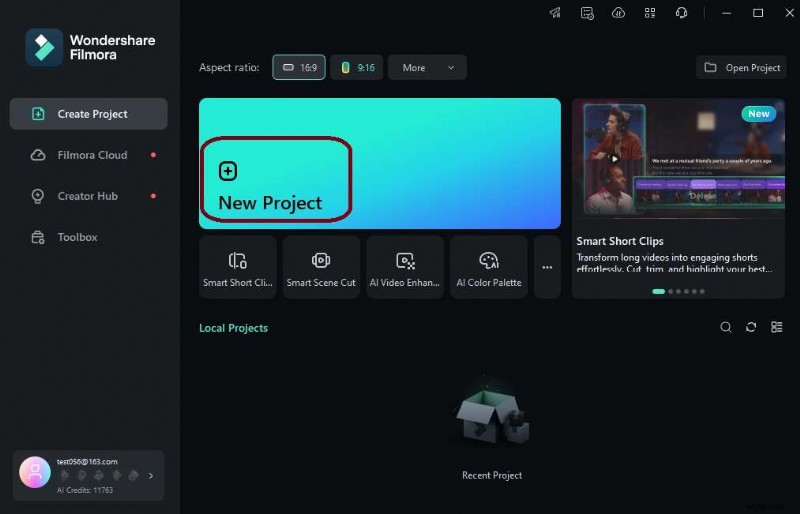
- Download and launch Filmora. Create a new project.
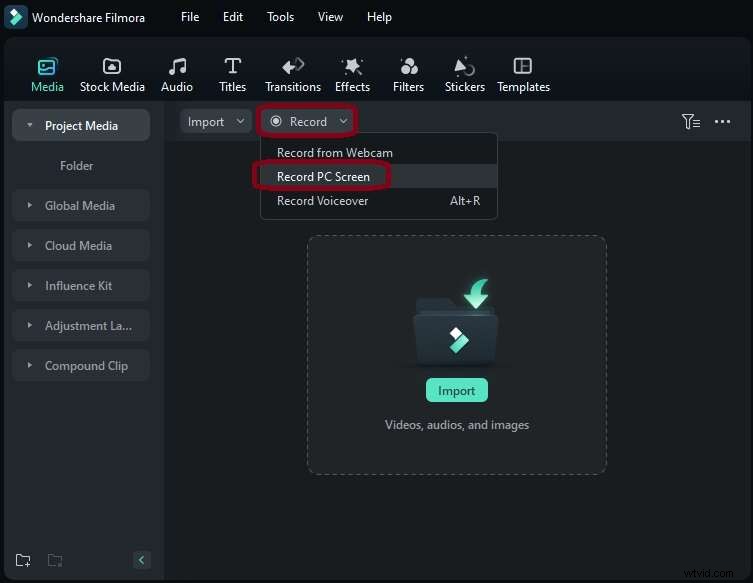
- Navigate to the Record tab and select Record PC Screen.
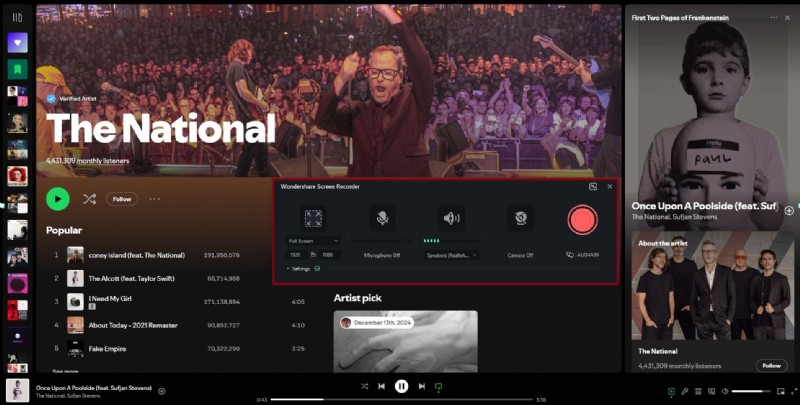
- In the screen recorder, disable the camera and microphone, leave the speaker enabled, open Spotify, choose a track, and hit the red record button.
- After stopping, export the clip as MP3 via Export > File format.
Recording on Android with Syncios Audio Recorder
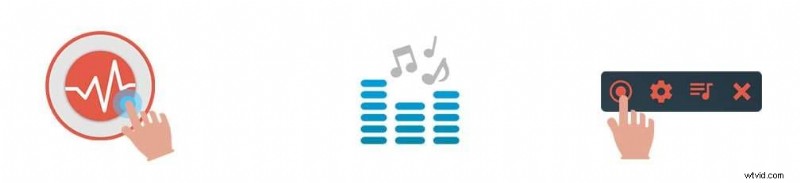
Syncios Audio Recorder captures Spotify audio and saves directly to MP3. Steps:
- Install Syncios Audio Recorder from the Play Store and launch it.
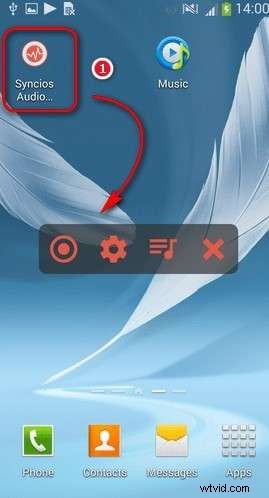
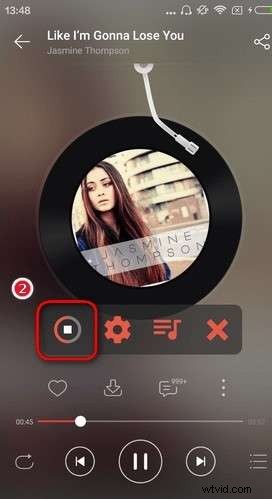
- Play a Spotify track and tap the record button in Syncios.
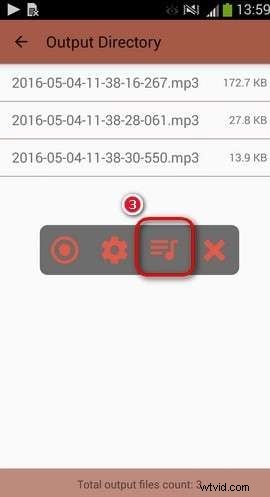
- After stopping, access the Playlist icon to find your MP3 files.
Recording on iOS with GarageBand
GarageBand (iOS 18+) lets you record Spotify audio. Procedure:
- Open GarageBand, swipe left to the Audio Recorder, and tap the microphone icon.
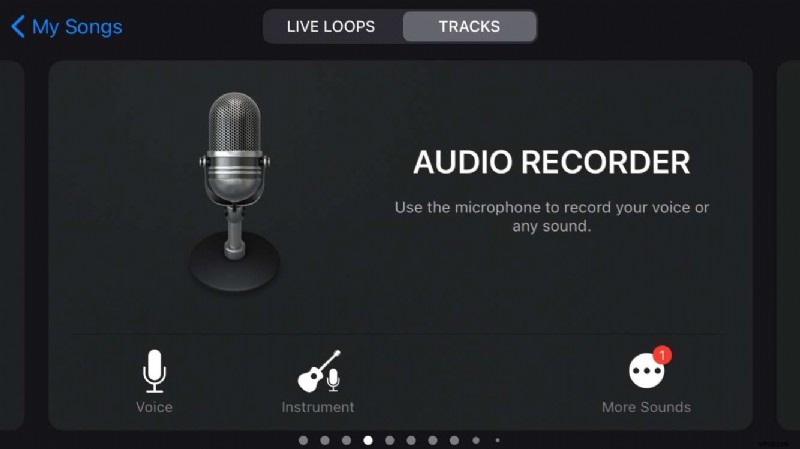
- Launch Spotify, play the desired track, then return to GarageBand and hit the red record button. Expand the section length to capture the full song.
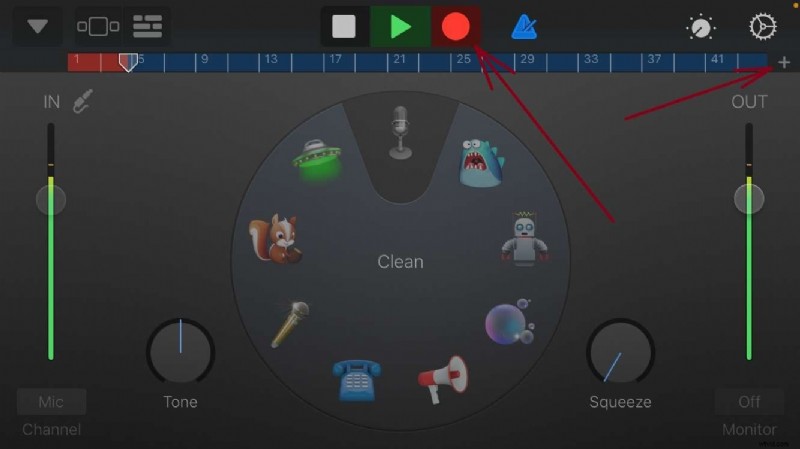
- Tap the down arrow, select My Song to access the recording.

Online Recording with DemoAir
DemoAir is a free, no‑installation web recorder ideal for capturing Spotify audio.
- Visit the DemoAir website and choose the online video recorder. Open Spotify and select a track.

- Choose the Spotify window, enable audio sharing, and click start recording.
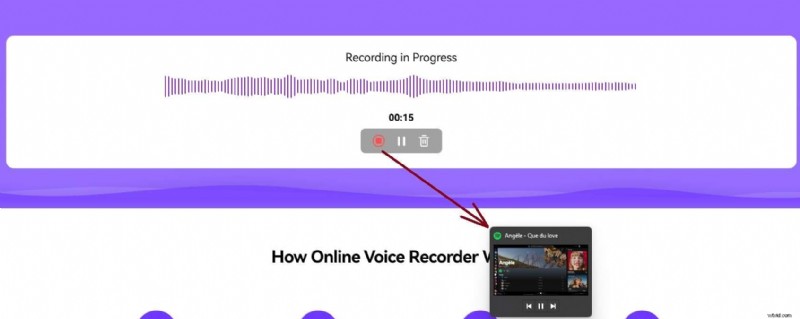
- Stop sharing when finished; the recording downloads automatically.
Conclusion
Recording Spotify songs allows you to curate a private offline library. Always respect copyright: personal use is acceptable, but distribution is prohibited. With tools like Filmora, Syncios, GarageBand, and DemoAir, you can capture music on any device safely and legally.