
Looking for a reliable Amazon product video downloader to save high-quality content? Whether you need to download video from Amazon product page for review or offline viewing, this 2025 guide offers 5 proven methods—including free online video downloaders, extensions, and professional editing tips with Filmora.
In this article
- Can You Download Amazon Product Videos Directly?
- How to Download Amazon Product Videos? (Best Methods & Downloader Tools)
- Create Your Own Amazon Product Videos with Filmora
Part 1. Can You Download Amazon Product Videos Directly?
Amazon does not provide a direct way to download Amazon product videos. Unlike images, there is no built-in download button to save them to your device. These videos are embedded in a way that prevents regular saving, making an Amazon product video downloader a useful tool.
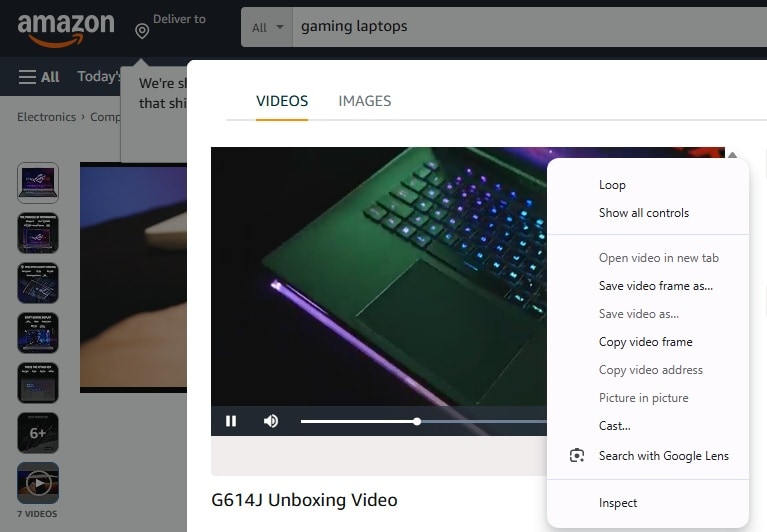
While direct downloads aren't possible, you can still save Amazon product videos using different methods, such as:
- Amazon product video downloader– Some online tools and software claim to help extract these videos.
- Screen recording software– Recording your screen while playing the video is a simple and effective workaround.
- Browser extensions– Certain extensions may capture embedded videos, but they don't always work on Amazon's platform.

Important Note: Before using any method, be aware that downloading Amazon product videos without permission may violate Amazon's terms of service. Always use these methods for personal reference or marketing purposes with proper authorization.
Part 2. How to Download Amazon Product Videos? (Best Methods & Downloader Tools)
Saving Amazon product videos can be achieved through various methods. This section will break down three methods to save these videos with clear, step-by-step instructions.
Method 1: Amazon Product Video Downloader Online Free (No Watermark)
Web-based tools offer a convenient way to download Amazon video products without installing software. These online services extract the video from the page, allowing you to save it to your device.
How to Use an Online Amazon Product Video Downloader
- Navigate to the Amazon product page containing the desired video. Right-click on the video and select "Copy video Address" or retrieve the link from the page's source code.
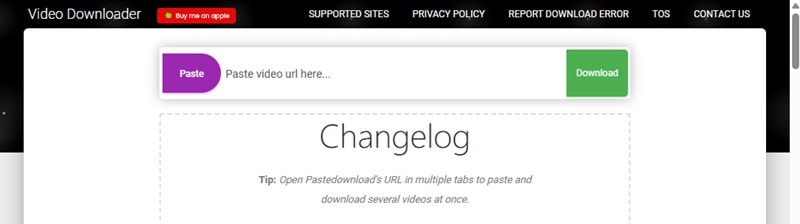
- Several online tools can assist in downloading Amazon product videos. For instance, you can use the PasteDownload site. Go to its website to download the Amazon product video.
- Paste the copied video URL into the designated input field.
- Click the Download button and select your preferred video quality if options are available. Then, savethe video to your device.
Limitations:
- Some online downloaders may not support all embedded videos due to platform restrictions.
- Free tools might have limitations, such as slower download speeds or lower quality outputs.
- Always ensure compliance with Amazon's terms of service and copyright laws when downloading content.
Method 2: How to Download Amazon Product Videos on PC & Mobile Using Screen Recording
If you can't download the video of Amazon products, try to screen record the video using a screen recorder. Most devices come with built-in screen recorders, or you can use third-party software for better quality.
- For Mac, you can use QuickTime Player or the built-in Screenshot Toolbar (Shift + Command + 5) for screen recording.
- For Windows, use Xbox Game Bar (Windows 10 and later) for built-in screen recording.
- For iPhone and Android, enable screen recording from the control panel (iOS) or quick settings (Android).
For a more advanced solution, use best video editor for product videos's free video screen recorder. It allows you to capture Amazon product videos with customizable settings. You can record in high quality, adjust frame rates, and edit clips easily.
How to Screen Record and Save Amazon Product Videos with Filmora
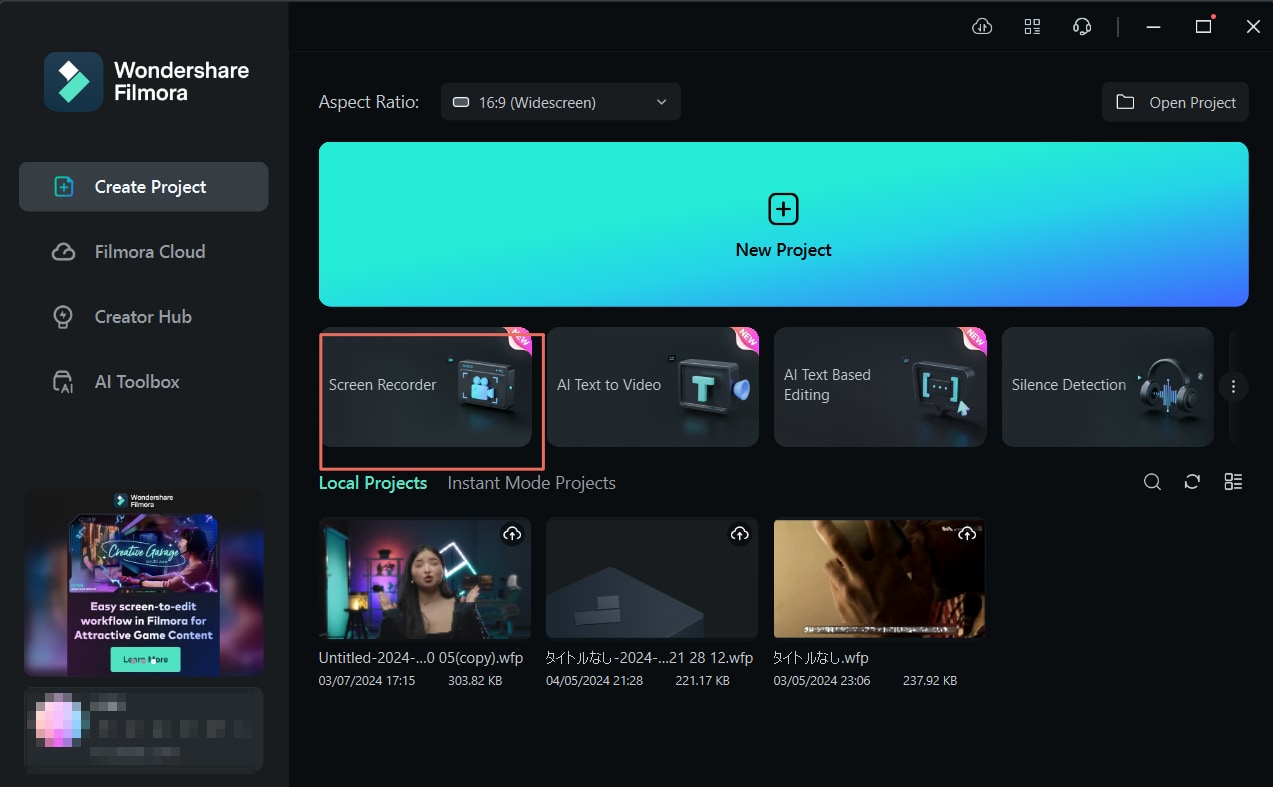
01of 05Open the Screen Recorder
Launch Filmora and select Screen Recorder from the startup window.
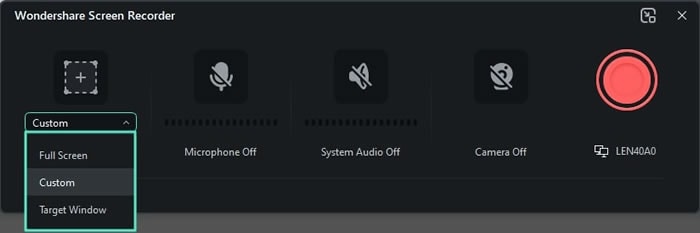
02of 05Set the Recording Area
Once the screen recorder window opens, you need to choose the recording area. Click on the Square icon to pick from three options:
- Full Screen – Captures the entire display.
- Custom – Allows you to manually set the screen dimensions.
- Target Window – Records a specific application or window.
You can also manually adjust the width and height values for a more precise selection.
03of 05Select the Audio and Camera Options
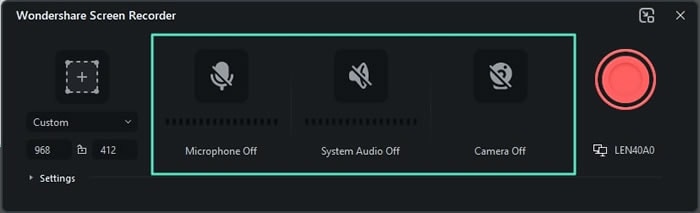
Decide what to include in the recording. You can:
- Enable the Microphone to capture your voice during recording.
- Turn on or off System Audio to record internal sounds.
- Use the Camera option if you want to include webcam footage for picture-in-picture recording.
04of 05Customize Recording Settings
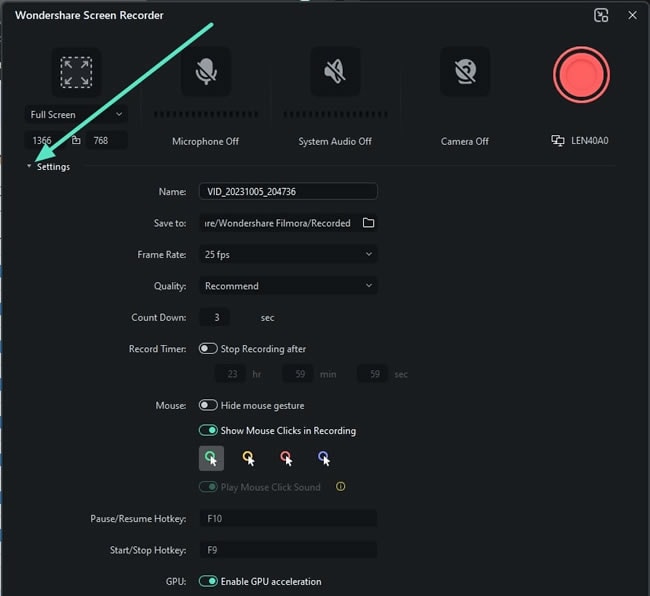
Click on the Settings option in the bottom-left corner of the recording window to fine-tune recording preferences. Here, you can set the frame rate, format, and storage location.
05of 05Start Recording
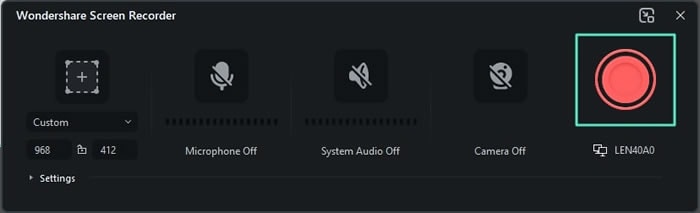
- Press the Record button to begin.
- A countdown will appear before the recording starts, but you can skip it by selecting Start Directly.
- While recording, you can Pause and Stop the recording. You can also re-record the screen as needed using the controls below the recording screen.
Method 3: Using Browser Extensions
Another option to download videos of amazon products is using browser extensions or third-party software. These tools can detect and extract embedded media, allowing you to download videos more conveniently.
How to Use Browser Extensions
- Install an extension from the Chrome Web Store or Firefox Add-ons. You can either use EcomStal's Amazon Image & Video Downloader (Chrome) or Video DownloadHelper (Chrome & Firefox).
- Open the Amazon product page containing the video you want to download.
- Play the video so the extension can detect it.
- Click the extension icon, select the video, and choose the download option.
Create Your Own Amazon Product Videos with Filmora
Downloading Amazon product videos can be useful, but creating your own brings even more benefits. Using your own videos helps build credibility and trust by showing your firsthand experience with the product. Instead of relying on existing footage, you can create videos that reflect your brand, message, and personal touch.
With Wondershare Filmora, creating Amazon product videos is simple. Its AI-powered tools and customizable templates allow you to edit, enhance, and personalize videos effortlessly. You can add text, voiceovers, or transitions with ease and make your video stand out.
Key Features of Filmora
- AI Copywriting: This feature can help you generate compelling product descriptions, reviews, and promotional scripts in seconds.
- Text-to-Speech: With this feature, you can turn written descriptions into natural-sounding voiceovers. It lets you add narration without recording manually.
- Logo Reveal: This feature adds dynamic animations to your brand logo, making product videos look polished and professional.
- Video Templates: Save time with customizable Video Templates designed for product showcases, ads, and reviews. You can create Amazon product videos without starting from scratch.
How to Create a Product Video with Filmora
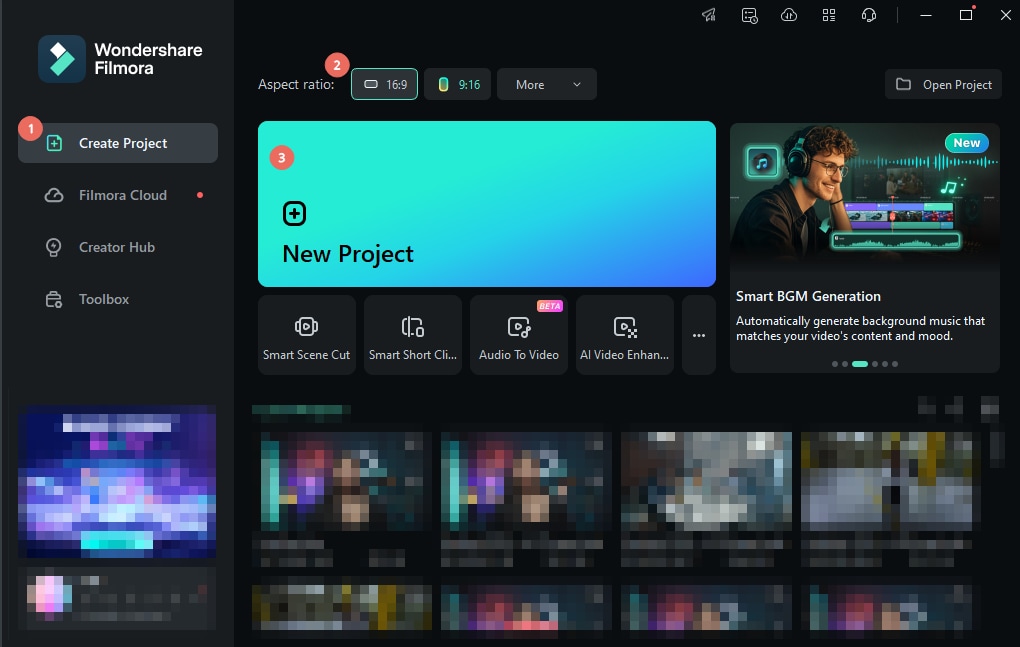
01of 07Start a New Project in Filmora
- Launch Filmora and go to the Create Project
- Select an Aspect Ratio based on your preferred video format.
- Then, click New Project to begin editing.
Tip: For Amazon product videos, a 16:9 aspect ratio works best for most platforms.
02of 07Use a Video Template for a Professional Look
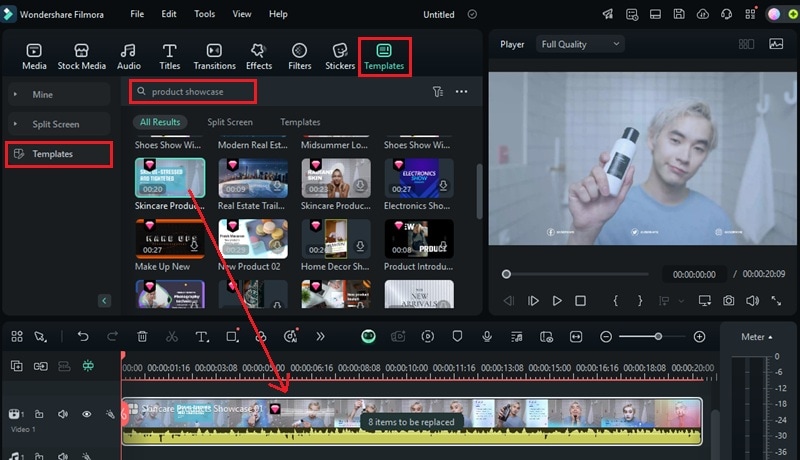
Use a video template from Filmora to create an intro for your Amazon product videos. To find a video template that suits your style, you can:
- Navigate to Templates > Templates .
- Enter keywords like "product showcase" or "e-commerce" in the search bar.
- Browse the available templates and drag your chosen one onto the timeline.
03of 07Customize Your Amazon Product Video
Once the template is in place, personalize it by replacing placeholder content with your own visuals.
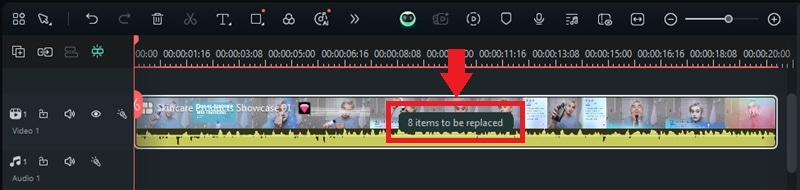
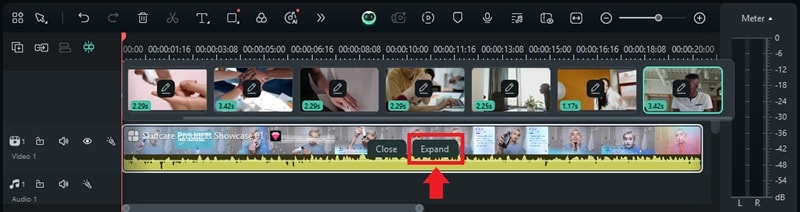
The video template track will show how many elements can be changed. Click on this replacement indicator. In this guide, it's showing "8 items to be replaced."
- Click the Loop icon to upload your product images, video clips, or promotional footage to replace stock placeholders.
- Once you're done replacing the items, click the Edit icon to adjust the transitions, effects, and timing.
- Use the Text tab to add product descriptions, pricing details, or promotional messages.
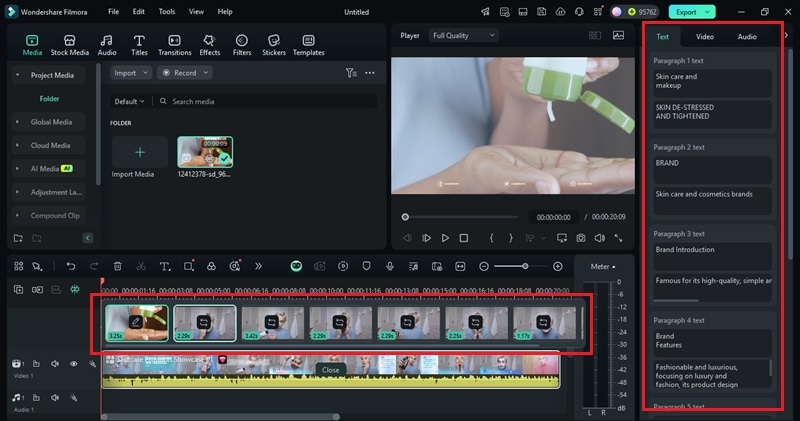
- Once you're done replacing them, click Expand to customize them in more detail.
04of 07Add Additional Clips and Organize the Timeline
Once the intro is set, import the rest of your footage to build an Amazon product video:
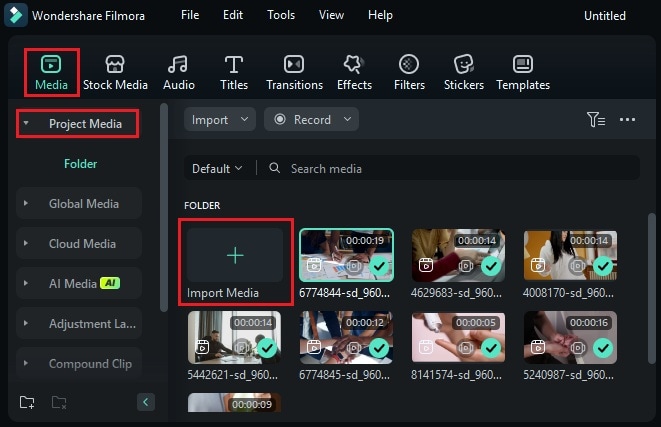
- Go to Media > Project Media > Import Media and upload product images or videos.
- Drag and drop clips onto the timeline to arrange them in order.
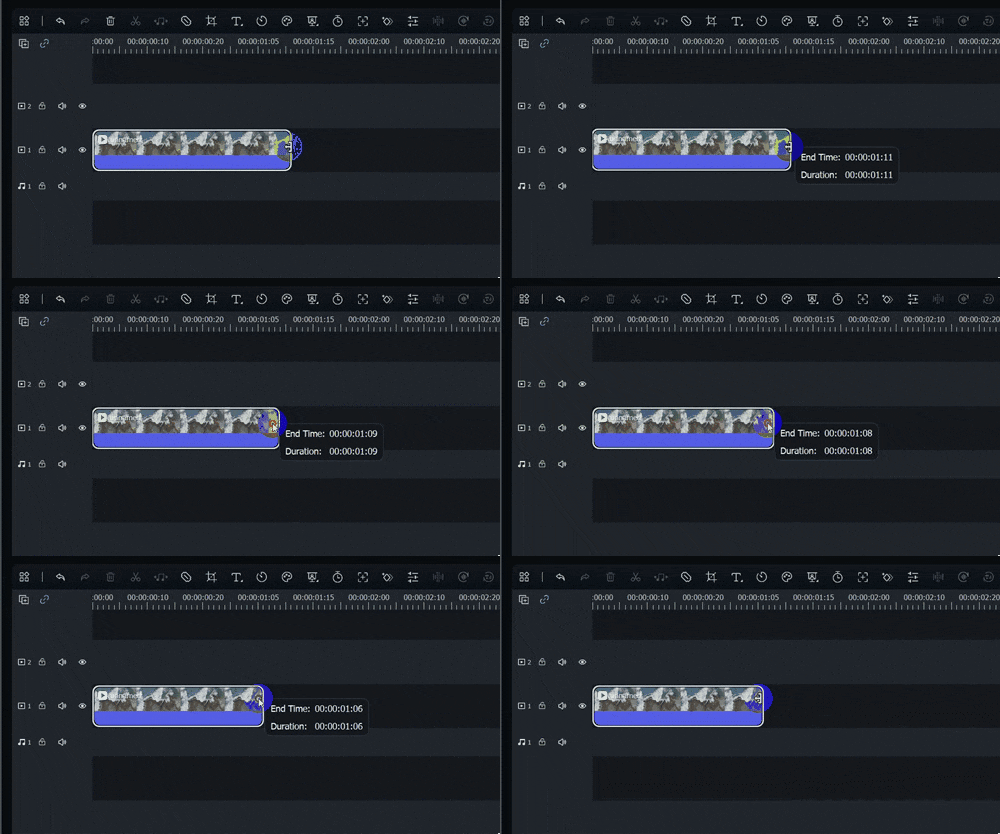
- Trim unnecessary parts by hovering over the clip's edge and using the Trim tool to refine the content.
05of 07Add a Voiceover with AI Text-to-Speech
Use the AI Text-to-Speech feature to convert text into natural-sounding voiceovers:
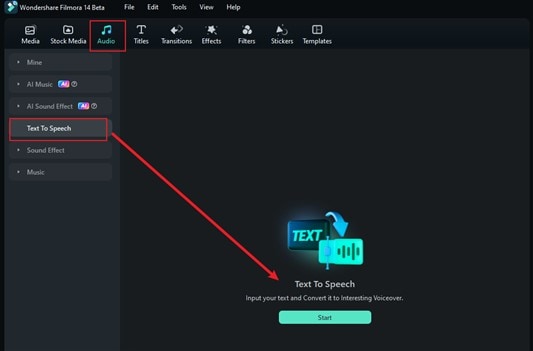
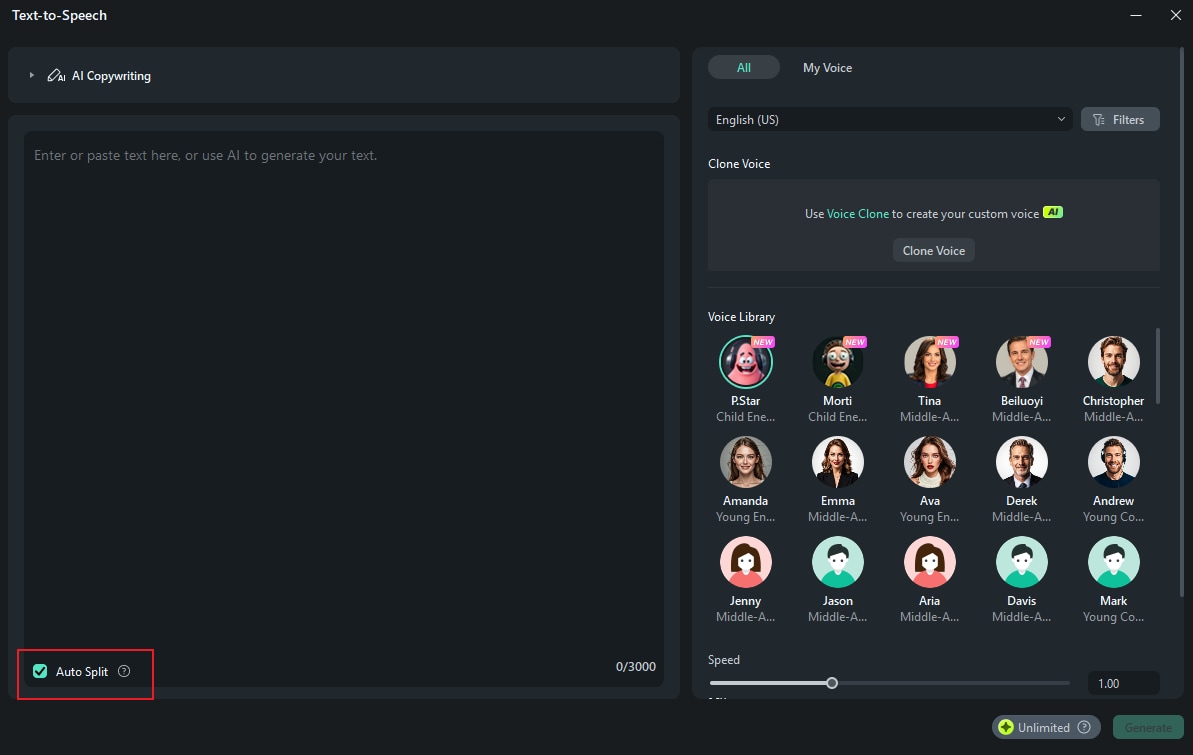
- Go to Audio > Text to Speech > Start.
- Type or paste your script (or use AI Copywriting to generate a product description).
- Choose a voice style from the Voice Library, then click Generate to create the voiceover.
Tip: Use the Auto Split tool to break long paragraphs into smaller sections.
06of 07Add a Logo Animation for Brand Identity
Branding is essential for sellers and content creators. With Filmora's Logo Reveal feature, you can create an animated logo intro to strengthen your brand identity:
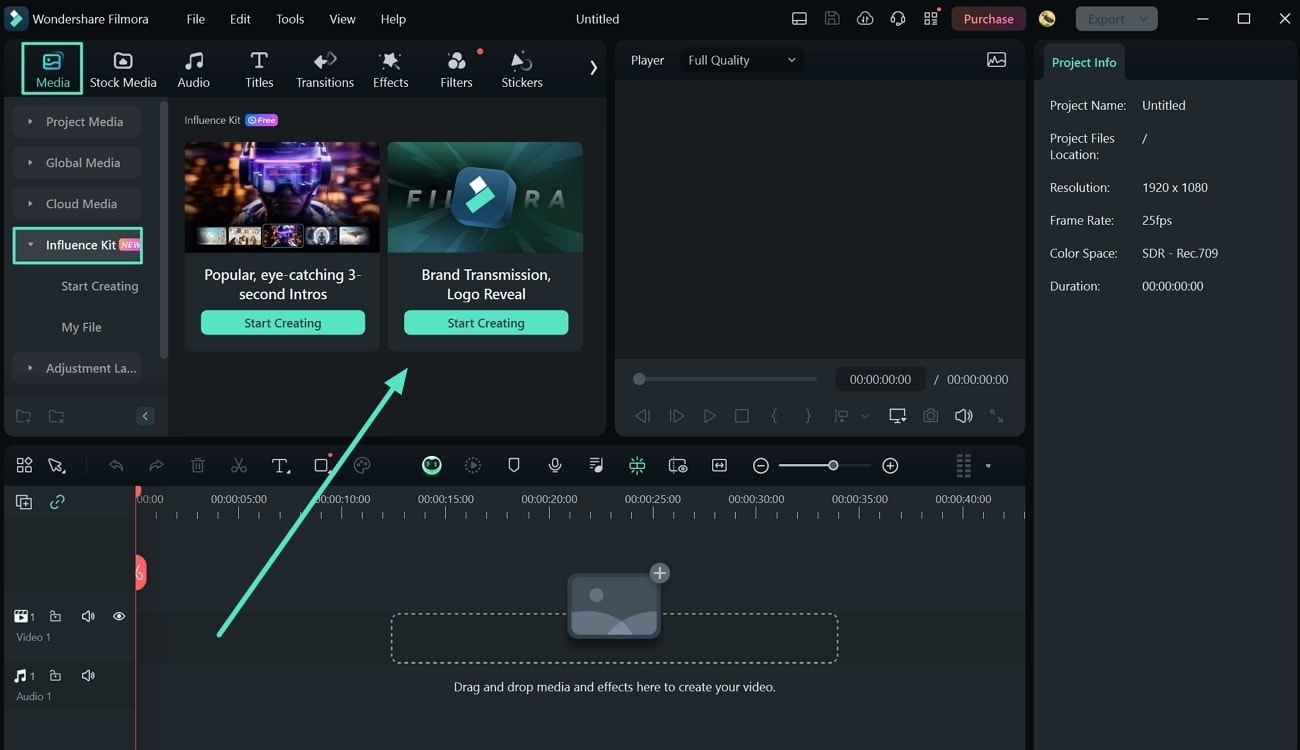
- Go to Media > Influence Kit > Brand Transmission, Logo Reveal > Start Creating.
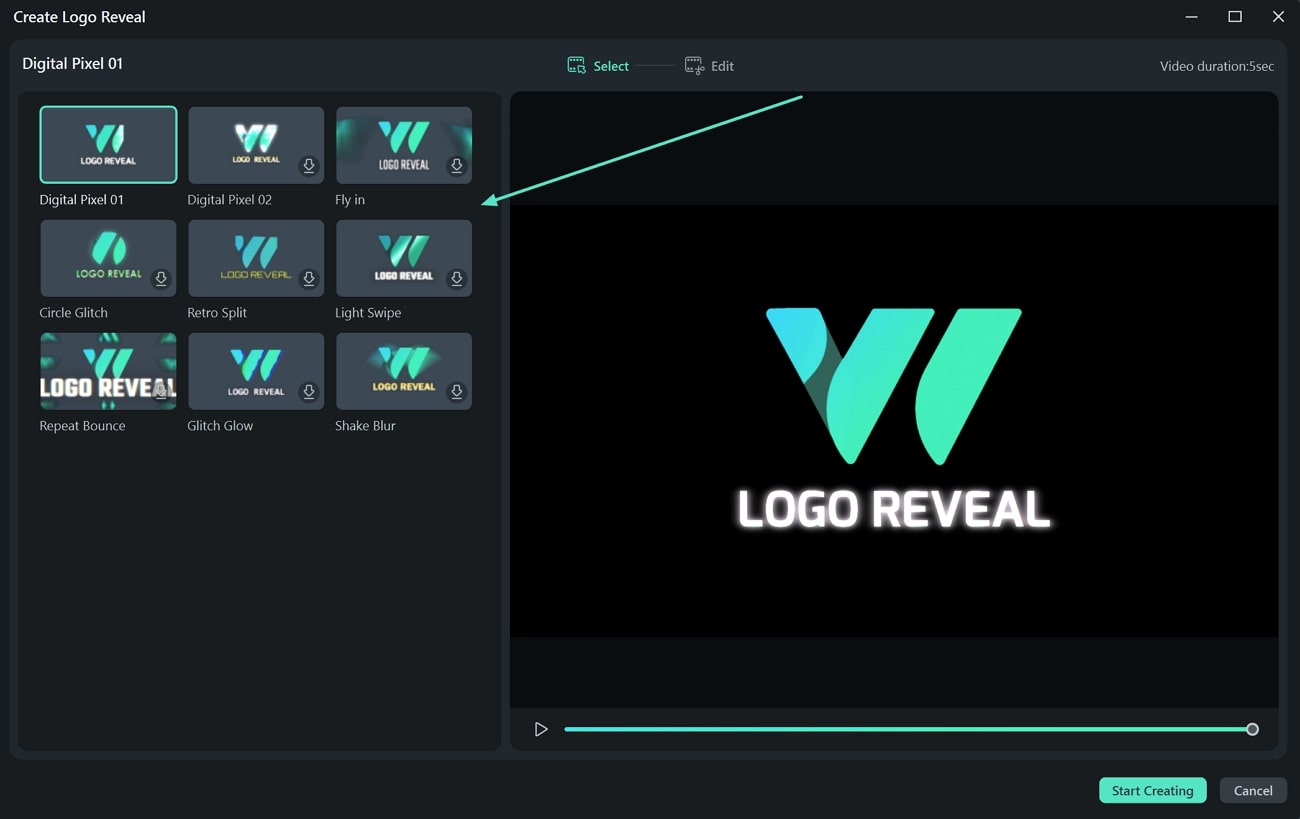
- Choose from various logo animation styles and click Start Creating.
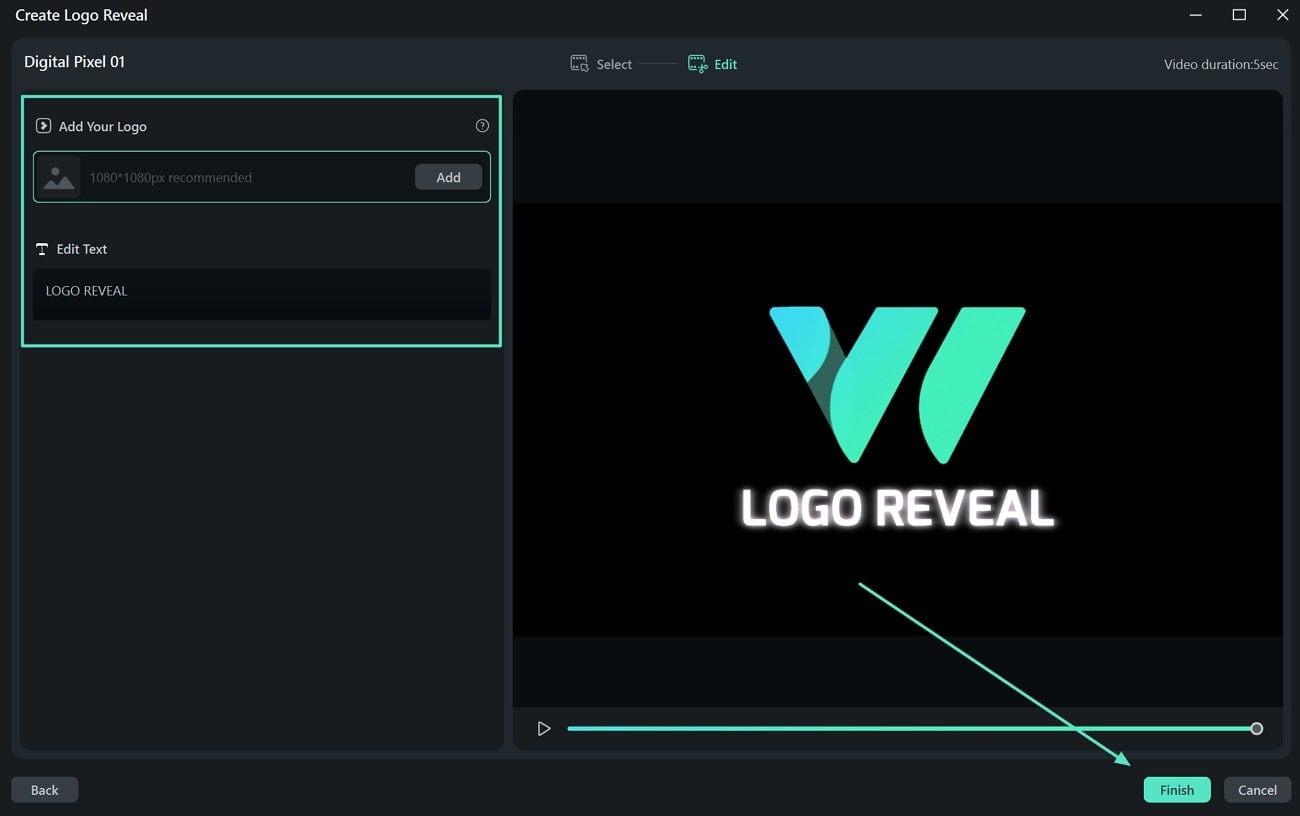
- On the Add Your Logo section, click Add to upload your brand logo.
- Then, Edit Text to customize the accompanying text to match your brand messaging.
- Click Finish to apply the animation.
07of 07Preview and Export Your Video
Before finalizing your video, preview the full sequence to ensure a smooth flow. Play the video from start to finish, checking for necessary adjustments to text, music, transitions, or effects.
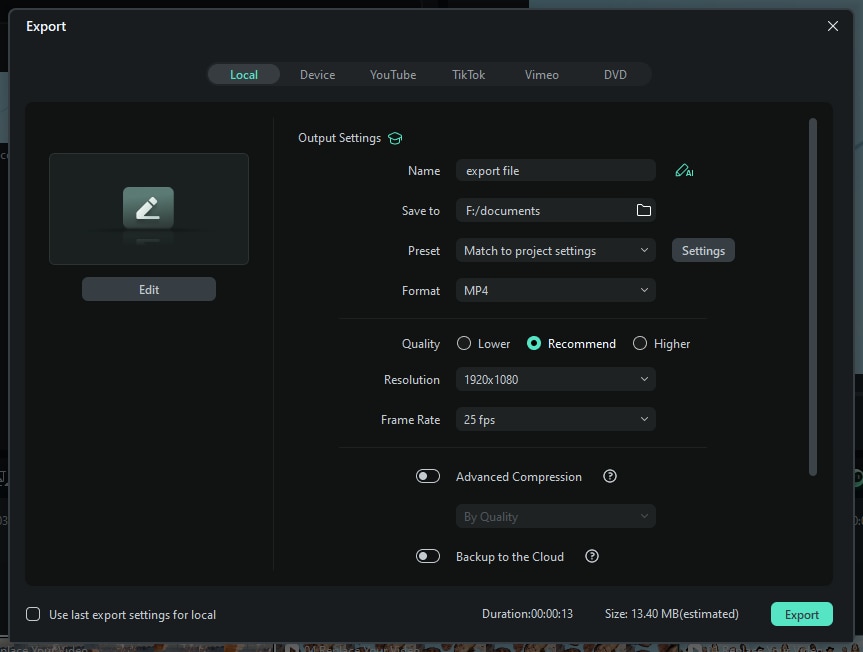
- Click Export to access the export settings.
- Select Local and choose a format (MP4, MOV, etc.). Name your video and select a save location on your device. Adjust settings like resolution, frame rate, and file size to optimize quality.
- Click Export to save the final version of your Amazon product video.
Create High-Converting Amazon Product Videos with Filmora AI
Forget the hassle of expensive equipment and complex editing. With Filmora’s advanced AI product video tools, you can transform static photos into cinematic, high-performing Amazon listing videos in just 5 simple steps. Whether you need to remove backgrounds, add professional AI voiceovers, or generate dynamic motion, this guide will show you how to leverage AI to boost your sales and brand presence on Amazon.
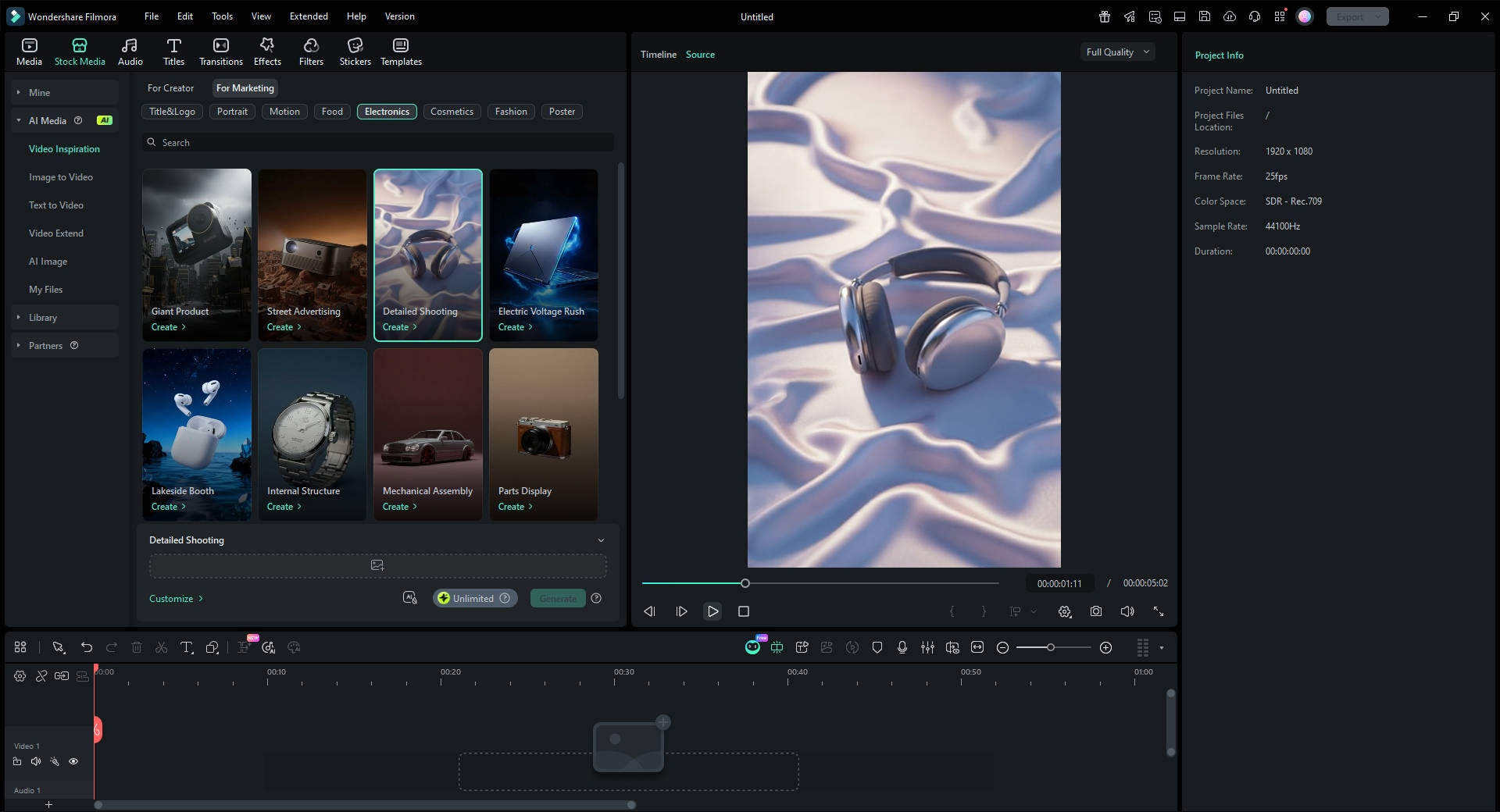
01of 04Access AI Video Inspiration Templates
Launch Filmora and navigate to the Templates tab on the left panel. Select Video Inspiration and "For Marketing" to find a style that fits your brand.
02of 04Upload Your Product Photos
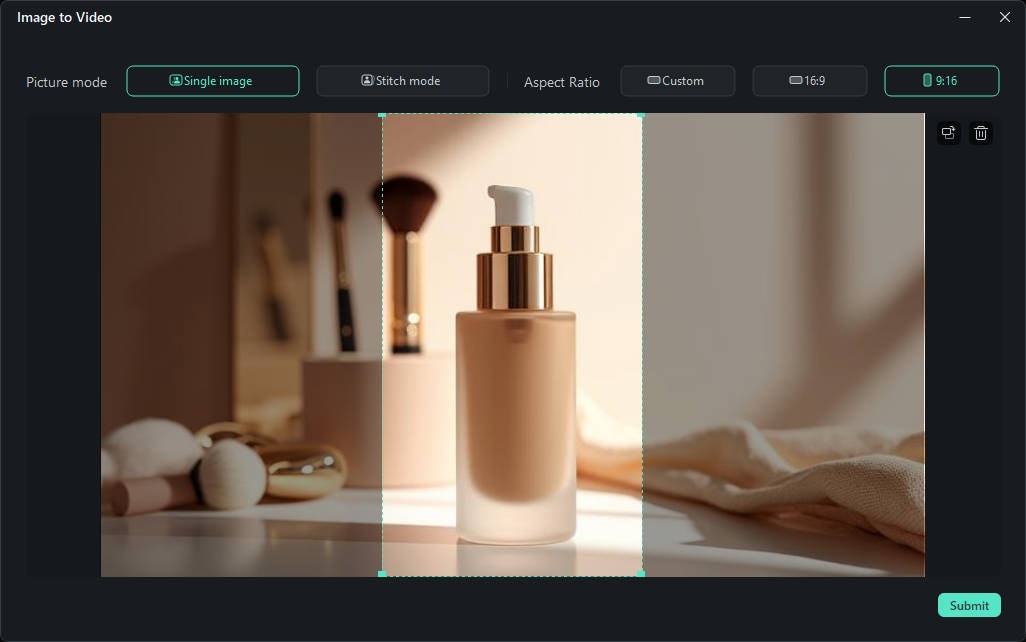
Once you've selected a template, click on the placeholder to upload your raw product images. Filmora's AI will automatically analyze your photos to prepare for cinematic generation. Use clear, well-lit photo for the best AI results.
03of 04Generate AI Product Visuals
Click the Generate button. Filmora's AI will perform the following tasks automatically to create a high-converting Amazon video:
- Background Removal: It swaps messy backgrounds for clean, professional e-commerce studio settings.
- Smart Animation: It adds smooth camera pans and zooms to make your static images look like professional videography.
- Lighting Adjustment: It applies consistent lighting and color grading to your product.

04of 04Export for Amazon Listing
Finalize your video and click Export. Make sure your settings match Amazon's requirements:
- Resolution: Select 1080p or higher for crisp quality.
- Aspect Ratio: Choose 16:9 for the main image block or 9:16 for Amazon Inspiration/Shorts.
- Format: Save as MP4 or MOV to ensure compatibility with the Amazon Seller Central upload.
More Product-related template for You to Choose
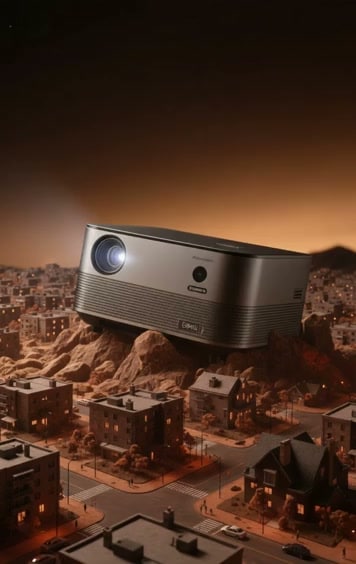
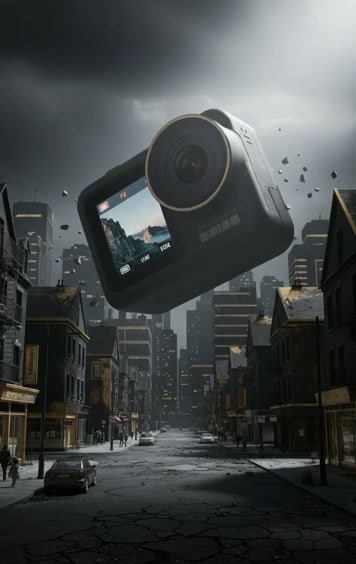


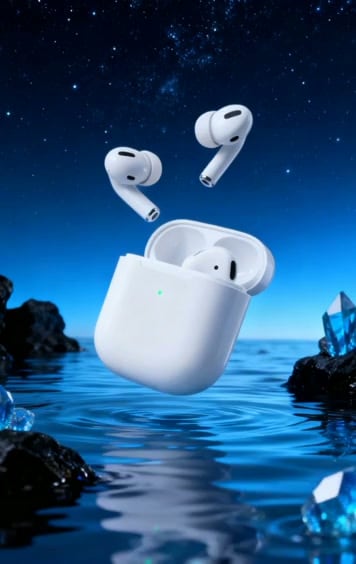

Skyborne Product Experience
Conclusion
An Amazon product video downloader is a useful tool when you need to save videos for reference or marketing. Since Amazon doesn't provide a direct way to download videos, using online tools, screen recording, or browser extensions can help you download Amazon product video files.
Creating Amazon product videos with Filmora is a great option if you want more control over your content. With its AI-powered tools, customizable templates, and editing features, you can produce high-quality videos for product promotions, reviews, or branding.
Try Filmora today and create Amazon product videos that enhance your content and connect with your audience!

Filmora
⭐⭐⭐⭐⭐
The Best AI-powered Video Editing Software and App