
We’ve all struggled with unclear, text-heavy instructions. Long-winded emails, outdated PDFs, and busy Microsoft Word documents can bury information and confuse the reader, which slows everything down for everyone. This becomes an even bigger hindrance when trying to complete complex processes like configuring a new system of logging patient information into an electronic health record (EHR).
Traditional documentation comes with a set of consistent pain points:
- Text overload makes comprehension harder and slows down feature adoption.
- Low engagement results in skipped steps or frequent rework.
- Slow content creation and updates mean materials are often outdated.
- One-size-fits-all formats don’t account for different learning environments.
So, it’s no surprise that teams are exploring video documentation as a smarter, more effective alternative. Instructional designers, IT administrators, and healthcare providers need flexible, scalable solutions that video delivers. It allows information to be conveyed visually, quickly, and dynamically while reducing the burden of in-person or manual training.
Shifting to video is for everyone. The practice delivers business value, solves pressing documentation challenges, and makes information stick. Here’s how.
Faster knowledge transfer and training
Video enables clearer, faster training that sticks in the long run. New hires can watch a single walkthrough and understand the process immediately, whether it is submitting a patient referral or using the latest internal analytics dashboard.
For example, healthcare professionals can watch short videos on properly updating patient records or documenting progress notes in real-time, which leads to fewer errors and better patient outcomes. In a hospital setting, where time is critical and documentation must be precise, visual training ensures clinicians and caregivers absorb the steps quickly and accurately.
Short and polished training videos are easy to create with Camtasia’s all-in-one screen recorder and video editor. You will be able to capture important information with a screen recording and easily edit the footage in the same tool. Video makes it easier to remember information, is perfect for self-paced learning, and is great for preserving institutional knowledge.
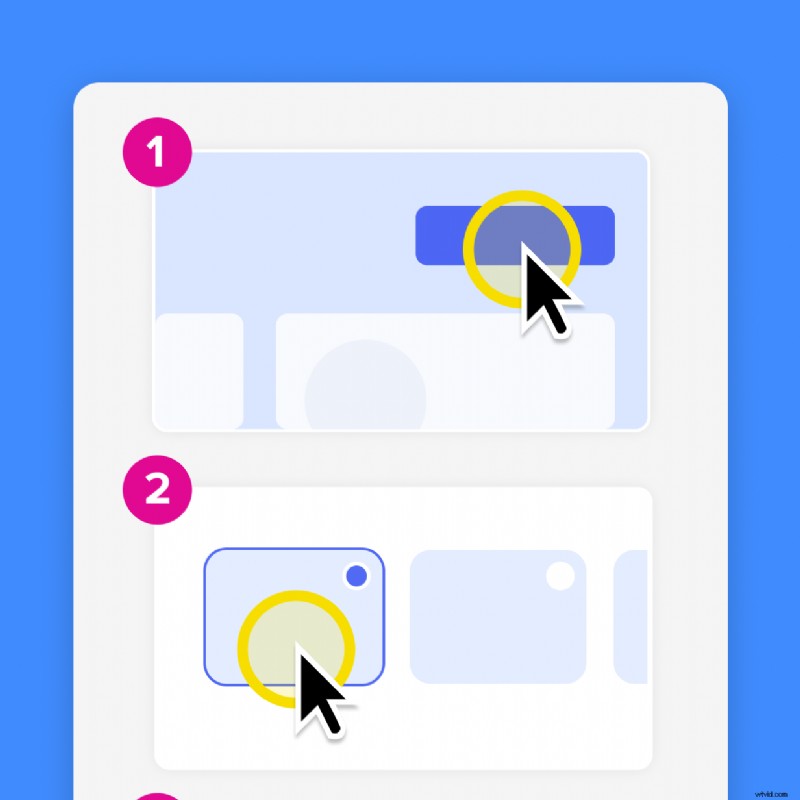
Knowledge transfer also happens with static visuals, which you can take with Snagit. Snagit captures quick, editable screenshots you can send to anyone with a custom link. Plus, it has some neat features. For example, you can share an entire webpage worth of information with scrolling capture or create a customizable step-by-step guide with step capture.
Create how-to guides in seconds with Snagit
Document any internal process as you do it. Step capture organizes the screenshots, numbers, and steps into a clear, shareable visual.
Learn More
Fewer support questions and less rework
Support teams often answer repeated questions, which can cut into their time. Video documentation ensures that they only answer the question once and send out the video every time after that. No more time wasted on rewriting or reexplaining a process over and over again.
Snagit and Camtasia make it easy to capture and share short videos that explain anything from a simple troubleshooting issue to complex reboots. Anything from internal processes or product features are clearly and consistently explained across the board.
Consistency across teams and documentation
Inconsistent documentation means mistakes usually follow, especially in regulated industries with high working standards. Video makes it easier to deliver the same message to every team across regions and languages.
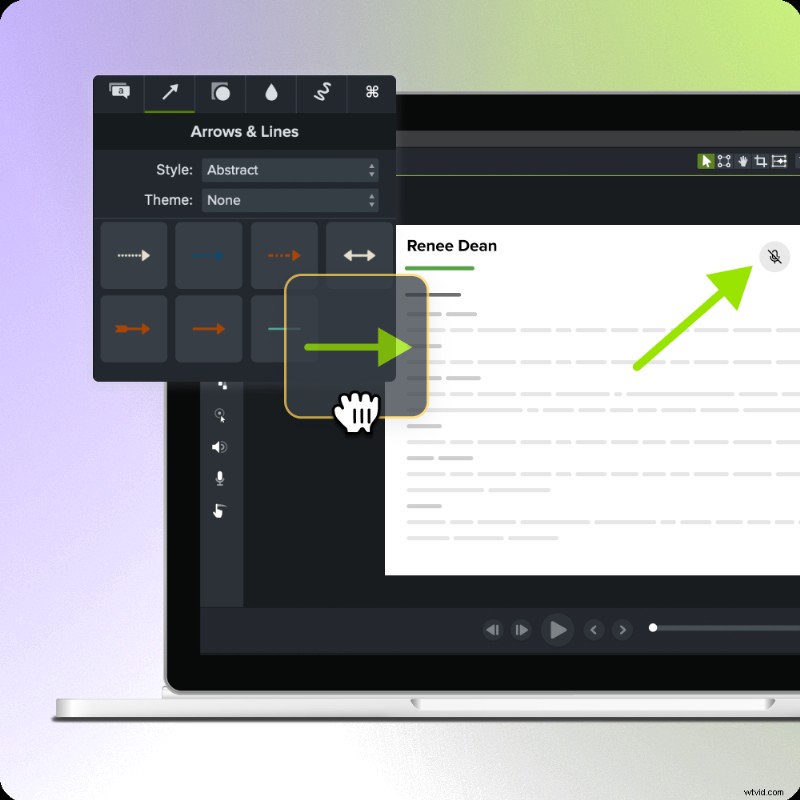
Camtasia’s multi-track screen recorder is a perfect tool to keep video documentation consistent. Camtasia records your screen, camera, microphone, and cursor on separate tracks, which means you can edit each one without altering the rest of the video. For example, you can add a new voiceover if the original isn’t perfect or add in new video clips where an update is needed. It makes it easy to update just one piece of a project instead of starting over every time there is a system update or new feature. Just make an edit!
Go from screen recording to polished video
A screen recording is just the start. Camtasia’s editor helps you add the callouts, animations, and edits you need to create a truly professional video.
Free Download
Scalable documentation that grows with the team
Once created, video process documentation can be reused across teams over many years. Let’s assume you’re onboarding 25 new employees next quarter. Good thing you already have a set of Camtasia videos that show how to access patient information and submit reports to the Department of Health. You’re always starting ahead.
Plus, the onboarding videos can be reused further down the line as a product tutorial refresher. Your videos grow with your team from day one. This practice saves time and drives adoption of internal tools or new platforms.
Examples of industries that can benefit from video documentation
Video isn’t confined to tech companies or content creators. It makes a massive impact on high-complexity industries where clear instructions, proper workflows, and accurate documentation are vital.
Software development and IT
Tech leads and IT admins use Camtasia to create video demos for internal tools, troubleshooting guides, and talking head explainer videos. Then, supplement with Snagit to build visual standard operating procedures (SOPs), quick-reference guides, and helpful screenshot captures.
This dual practice reduces support tickets, accelerates onboarding, and prevents miscommunication.
Education and instructional design
Educators and designers use video tools to walk through learning management system (LMS) platforms, lab safety procedures, and curriculum tools. Video creates a more engaging and retainable learning environment for students to follow along and learn with.
Healthcare professionals
Healthcare professionals, from clinicians to caregivers, benefit immensely from clear visual documentation. Videos quickly show how to update patient care plans, submit medical records accurately, or walk through the documentation required during a patient’s care.
Given the high stakes of healthcare, quality care, well-being, and patient outcomes, video helps ensure critical interventions aren’t missed.
Customer support and SaaS
SaaS teams can reduce the burden of repetitive questions by creating visual FAQs, product tutorials, or troubleshooting walkthroughs. A single Camtasia screen recording might save you hundreds of hours of questions across global teams.
How to measure the outcomes of video documentation
When you invest time in a new workflow, you’ll want to see some results. Luckily, video makes results measurable.
Track support ticket volume before and after publishing walkthrough videos. Customer support representatives can also track how often they direct someone to published videos and gather feedback from real customers.
Monitor video completion rates in your LMS or internal platform to see who’s watching and for how long. Low completion rates can range from a confusing topic to boring narration, which is why you need to gather feedback if you see a video underperforming.
“I think [storytelling] is an incredible way to start a topic that is very dry when you get into that compliance regulatory stuff. But if you can make a story out of something, you can get people much more emotionally invested because that emotional resonance is what’s memorable.” – Abbey Cooke, TVL #181: Training and Documentation
Gather feedback from trainees after they finish a module. Create a positive, supportive environment where your employees will feel comfortable speaking up with applicable feedback. You can also add a quick quiz question in the video after each module to get real-time insights.
Analyze engagement metrics if using YouTube, Vimeo, internal CMS, or other hosting platforms that track analytics. Check out how many views each video has, areas with common replays, or drop-off points.
Estimate the time saved by internal teams no longer answering the same questions repeatedly. TechSmith’s 2024 Workplace Flexibility Trends Report calculates that the lost productivity cost of six unwanted interruptions for a company with 1,000 employees sits at $1 million. That’s a huge amount of productivity lost to questions that could be solved with training videos or static guides.
Even basic metrics can give you great insight into how a video improves adoption, streamlines processes, and supports accurate documentation. Start by identifying 1-2 key performance indicators (KPIs) that matter most to your team, and track them over time.
How to get started with video documentation
The key is to start small and build from there.
Start with one high-impact process
To get started, choose a process that’s frequently misunderstood, high-visibility, or has recurring support tickets. By selecting a commonly asked question, you can focus on one screen recording to get the hang of it. It’s not as scary as it seems!
Use the tools that matter
You don’t need a whole overhaul, just the right tools.
Snagit is perfect for capturing simple screenshots, scrolling webpages, or transforming your mouse clicks into how-to guides. It’s a simple screen capture tool that’s perfect for anyone who needs to create quick visual guides, especially as an aid to your video content.
Camtasia is ideal for polished video walkthroughs with narration, interactive elements like quizzes, and the ability to make as few or as many edits as you need. Whenever you need, add smooth transitions, informational callouts, closed captions, and other video edits to elevate a video in no time.
Build a repeatable workflow
To scale video documentation, you need a process. Document your decision-making workflow so you can make edits along the way. Use Camtasia’s video templates, organize your videos in Screencast, and don’t forget to get feedback from your viewers.
Consider building a shared video library in Screencast so that employees can find their training, policy updates, and process documentation in neat, organized folders. Over time, it’ll become an easy place for employees to refer to content from.
Unlock the full value of video documentation with TechSmith
Video documentation saves time, streamlines processes, and improves business operations with clear communication practices. Whether you’re working in healthcare, gov, education, SaaS, or more, TechSmith’s tools give you everything you need to capture, create, and share high-quality videos and other visuals at scale.