
Conveying your ideas in a concise elevator pitch video is a nuanced task. You have roughly one minute to leave a memorable impact, yet many rush or freeze when faced with the pressure of limited time.
What you need is a clear structure and the right tools to turn that fleeting moment into a powerful opportunity. Below is a step‑by‑step guide to creating an elevator pitch that resonates.

Table of Contents
- What to Include in a 1‑Minute Pitch
- Step‑by‑Step Production with Filmora
- Real‑World Pitch Examples
- Common Mistakes to Avoid
Part 1. What to Include in Your Elevator Pitch Video
An elevator pitch video introduces you and your value proposition quickly—ideal for job hunting, networking, startup fundraising, or simply sharing your idea.
Typical length: 30–60 seconds, mirroring the time it takes to ride an elevator. Despite the brevity, a well‑structured pitch can leave a lasting impression.

Key Elements of a 1‑Minute Pitch
- Who you are
- What you do or offer
- The problem you solve
- Why it matters—or what sets you apart
- What you want next (your call to action)
Draft a brief script of 150 words or fewer. Practice aloud until your tone feels confident yet friendly. Below is a ready‑to‑use template for job seekers:
Elevator Pitch Template for Job Seekers
Hi, I’m [Your Name], a [Your Job Title] with [X years] of experience in [Industry]. Early in my career, I noticed that many [target audience] struggled with [pain point], revealing a clear need for [your solution]. For the past [time period], I’ve helped [target audience] by offering [product/service]. I combine [method], [skill], and [differentiator] to deliver real results. I aim to make the process [adjective], which has shaped me into [unique quality]. Thanks to this approach, my clients not only [benefit #1] but also [benefit #2], driving my daily passion. I’m currently [what you want]; if you need [specific outcome], I’d love to connect. Thank you for watching!

Record the video with your phone or webcam—perfected editing will come next.
Part 2. Step‑by‑Step: How to Create an Elevator Pitch Video
After recording, refine your video to look and sound professional. Clean visuals, clear audio, and smooth pacing demonstrate preparedness and seriousness.
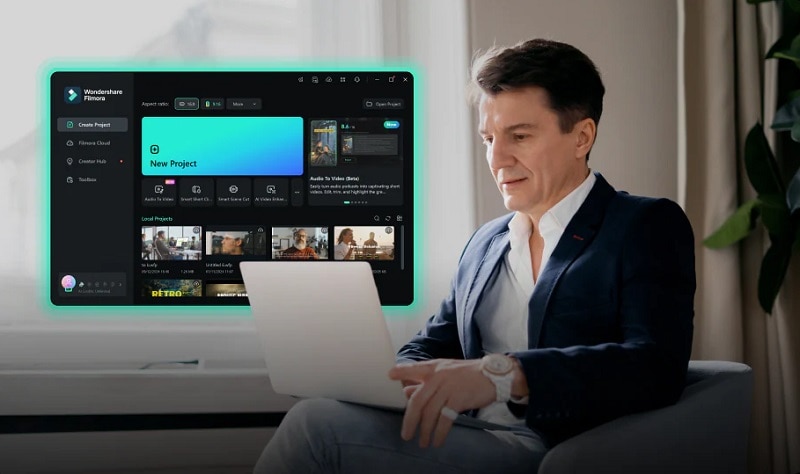
Filmora offers a suite of features that streamline this process:
- Auto Subtitles
- Background Replacement
- Animated Characters & Video Templates
- Audio & Video Enhancer
- AI Copywriting
These tools are ideal for job hunting, networking, product pitching, or brand promotion. Let’s walk through each key step.
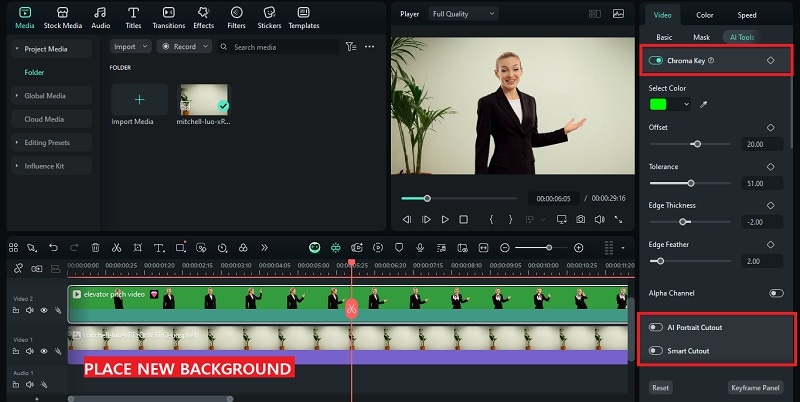
1. Swap in a Professional Background in One Click
If your recording background isn’t polished, Filmora’s background‑replacement tools can fix that instantly:
- Chroma Key: Removes a green or blue screen.
- AI Portrait: Auto‑cuts the subject without a green screen.
- Smart Cutout: Manually brush over the subject to isolate it.

Access these by selecting your clip, then navigate to Video > AI Tools. In a single click, replace the background and achieve a studio‑like feel.
2. Make Your Voice Sound Studio‑Quality
High‑quality audio elevates professionalism. Filmora’s AI Audio Enhancer and Audio Denoise clean up recordings quickly:
- AI Audio Enhancer: Adds studio‑grade clarity.
- Audio Denoise: Removes background hums, chatter, or static.
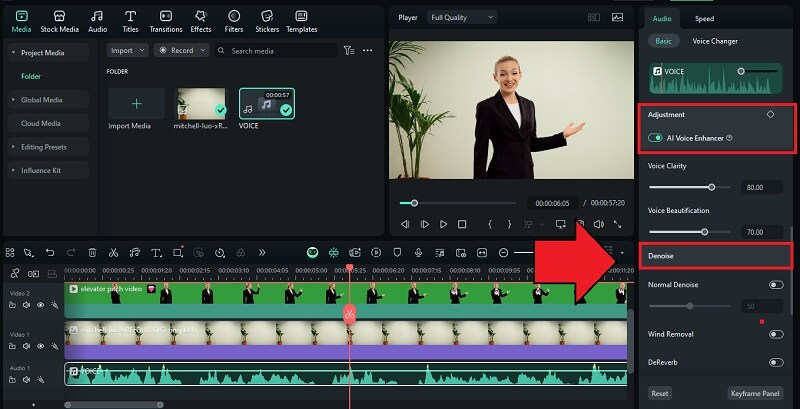
Select the clip, go to Video > AI Tools, and choose the option that best matches your setup.
Tip: Use Video Enhancer to improve visual quality if needed.
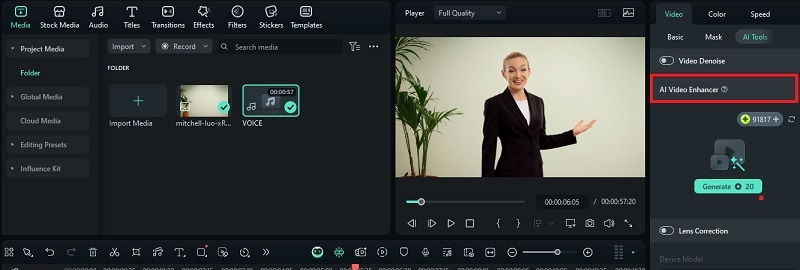
3. Add Fun Animated Stickers and Effects
Animated stickers, emojis, and motion elements can emphasize key points and showcase personality, especially for creative or humorous pitches.
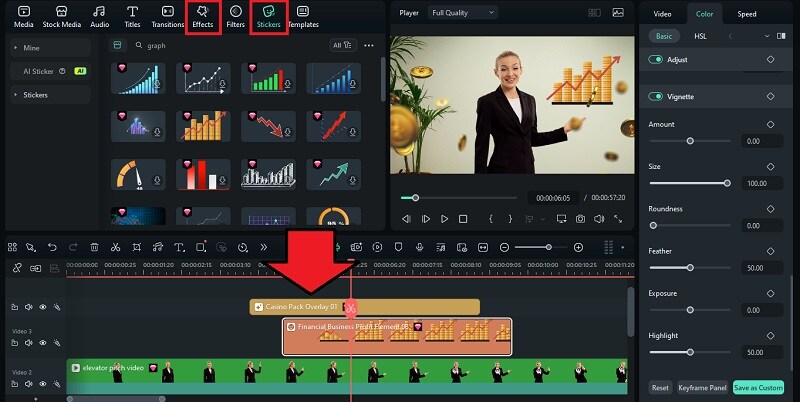
- Drag stickers from the Stickers tab onto your timeline.
- Adjust timing and position to match the flow.
- Explore the Effects tab for filters, overlays, and motion transitions.
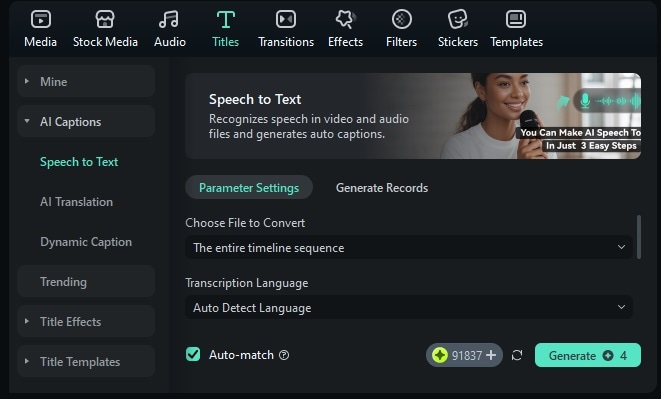
4. Auto Subtitles for Better Accessibility
Subtitles ensure your message is clear to all viewers. Filmora’s AI Captions offer three options:
- Speech to Text: Generates standard subtitles from your voice.
- AI Translation: Translates and captions in other languages.
- Dynamic Caption: Creates animated subtitles that follow your speech.
Part 3. Elevator Pitch Video Examples to Learn From
Watching proven pitches helps you understand effective pacing, tone, and visual style. Here are three diverse examples:
- Research Internship Pitch – Logan Mayhew concisely outlines her academic background and enthusiasm for the role.
- Idea Pitch – Daniel Ponto wins the 2018 Flyer Pitch competition by tying his idea to personal experience and market research.
- Funding Pitch – Chelsee Pettit delivers a 24‑second pitch that clearly explains her business to secure $10,000 from GoDaddy.
Each example showcases strong storytelling, clear value propositions, and focused calls to action—elements you can adapt to your own pitch.
Part 4. Common Mistakes to Avoid in Creating Elevator Pitch Videos
Even with a solid script, small delivery errors can dilute impact. Below are frequent pitfalls and how to address them:
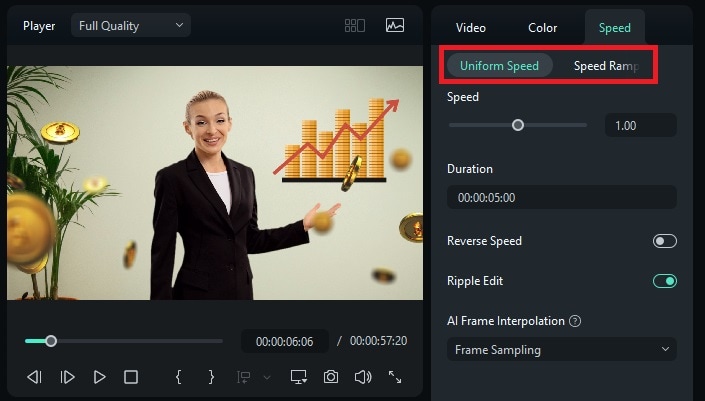
1. Talking Too Fast or Overloading Information
Rushing overwhelms viewers. Use Filmora’s Speed Adjustment to slow pacing, and if the audio feels off, re‑record with the Lip Sync feature or Voice Cloning.
2. Sounding Too Scripted or Robotic
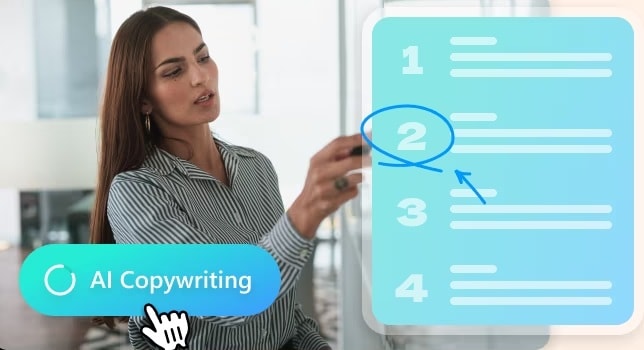
Memorization can create stiffness. Let AI Copywriting generate a natural script, then practice speaking casually to preserve authenticity.
3. Forgetting to Smile or Show Enthusiasm
Engagement stems from genuine enthusiasm. Add animated pop‑ups or stickers to lighten the mood and keep viewers focused on your message.

4. Using Buzzwords or Vague Language
Clarity beats buzzwords. Replace generic terms like “innovative solutions” with specific, value‑driven language that explains exactly what you do.
Conclusion
Crafting a 60‑second elevator pitch video seems daunting, but a clear structure and the right tools make it manageable. Plan your key points, record confidently, then let Filmora polish audio, add subtitles, and give your video a professional finish. With practice, you’ll deliver a concise, memorable pitch that opens doors.