
Adobe has launched its Lightroom for Android 2.2 update, which adds Raw Technology Preview functionality to the mobile photo editing software.
Raw Technology Preview was rolled out for iOS users in July this year, and now allows Android users to import raw files directly into their Android device.
By connecting your camera to your Android phone or tablet, Adobe’s Raw Technology Preview lets you capture, edit and share raw files, in full resolution, and access them from anywhere.
To transfer images from you camera to Android device, Adobe says you need a USB On-The-Go adapter, also called an OTG cable, which allows you to transfer images with the PTP transfer mode.
Adobe suggests that for best results users get an OTG cable that matches the ports on both your camera and Android device.
Myriad combination of ports and connectors can be found on sites like eBay and are very cheap.
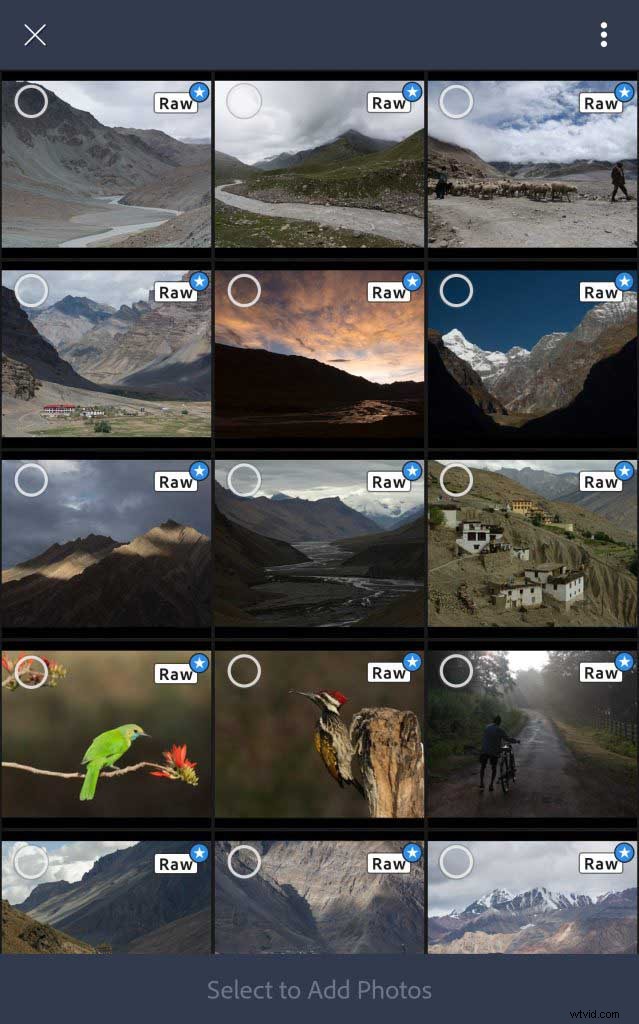
Image via Adobe’s blog
Per Adobe’s blog: “After installing the Lightroom for Android 2.2, plug your camera into your Android device, and change to the PTP transfer mode in the Android Notification Center. Then, tap on the notification that indicates ‘Connected to USB PTP Camera. Tap to view files.’
“You’ll be presented with an importer to select from the photos found on your camera to import into Lightroom on your Android device. Select the photos you want to import, the collection you want to import the photos into, and tap transfer.
“Lightroom will transfer the photos and notify you once all of the photos have been imported.”
Lightroom for Android 2.2 is available now on the Google Play Store.
Adobe has also added some updates to its Lightroom on the Web platform. Chief among these is an option to download your original image files from Lightroom on the Web.
Other updates include portfolio enhancements, and adding header graphics and sections within your Shares.
READ MORE
Best Lightroom tips for smarter post-processing
The differences between Lightroom and Photoshop