
Sometimes 6, 7 or 12 frames per second (fps) isn’t fast enough to get the shot you want. Sometimes the action is so fast it is best to use a different concept altogether. I’m talking specifically about how to use high-speed video to capture action photos that you want.

Think of it this way; standard frame rate for video is either 24fps or 30fps. That’s good, but may not be fast enough. Most smartphones these days can shoot 120fps, which makes them a possible tool for this technique. Or you can step up to a camera with much higher frame rates, maybe 480fps or even 1000fps.
No matter the camera, the technique below opens up a world of possibilities for freezing high-speed action.
I had a request from my client Andy Suzuki & The Method to capture slow-motion burning clocks for a music video, which turned out to be perfect material for this post.
Shooting
When shooting at a high speed, lighting can be critical, as it is with any quality photography. The high frame rate should be accompanied by a higher shutter speed, which can be accomplished with more light, an open aperture and higher ISO.
There are benefits and drawbacks to increasing each of these factors that depend on your intended outcome. I find Adobe Lightroom does a good job of cleaning up most ISO noise, so I prefer to increase the ISO before anything.
Adding more light is the next variable I would adjust. Although, as you can see in my example here, it was not an option. Next, I will adjust the aperture as open as I can make it while still ensuring my depth of field is adequate for my subject.
Grabbing the frame in Lightroom
Grabbing the appropriate frame in Lightroom is incredibly simple.
Downloading your video in Lightroom, and while in the Library Module, play your video until you get to the frame you desire. When you find it, hit ‘pause’. The forward and backward arrows can be used to step your video frame-by-frame until you find the frame you need. You can run this exercise multiple times if you need or want multiple frames.
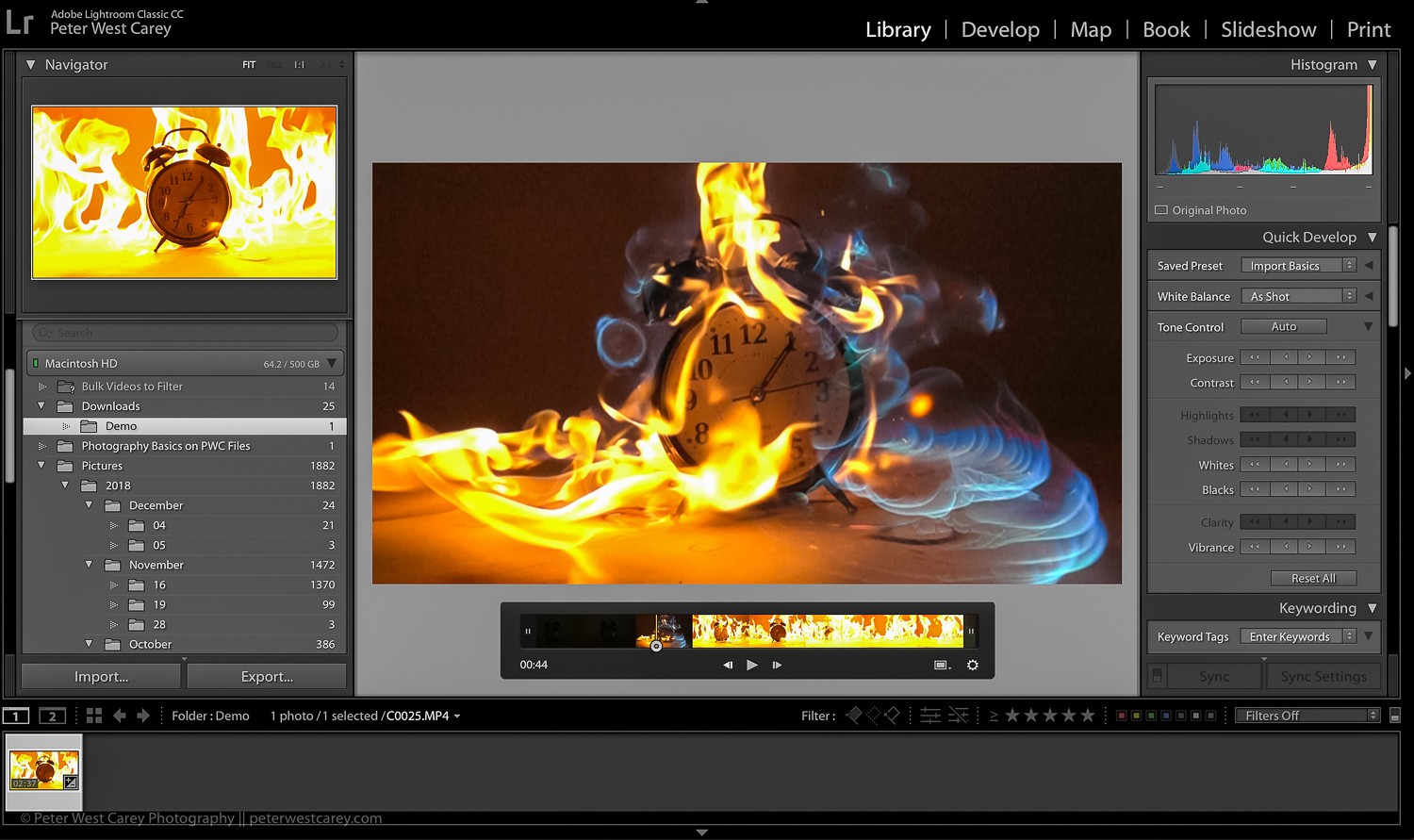
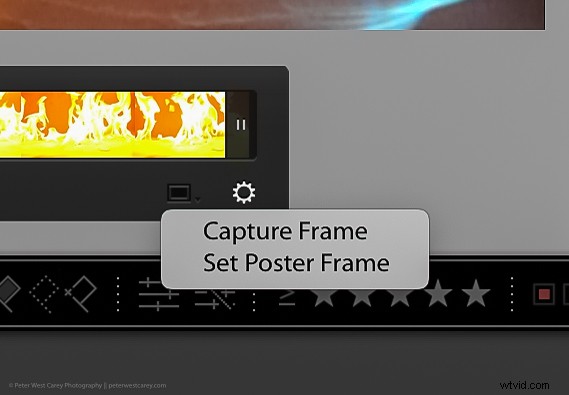
Once you have the frame you want on your screen, click on the rectangle at the bottom of the preview area.
There will be two options Capture frame and Set poster frame. Simply click Capture frame and a JPG of the frame will be stacked with the video.
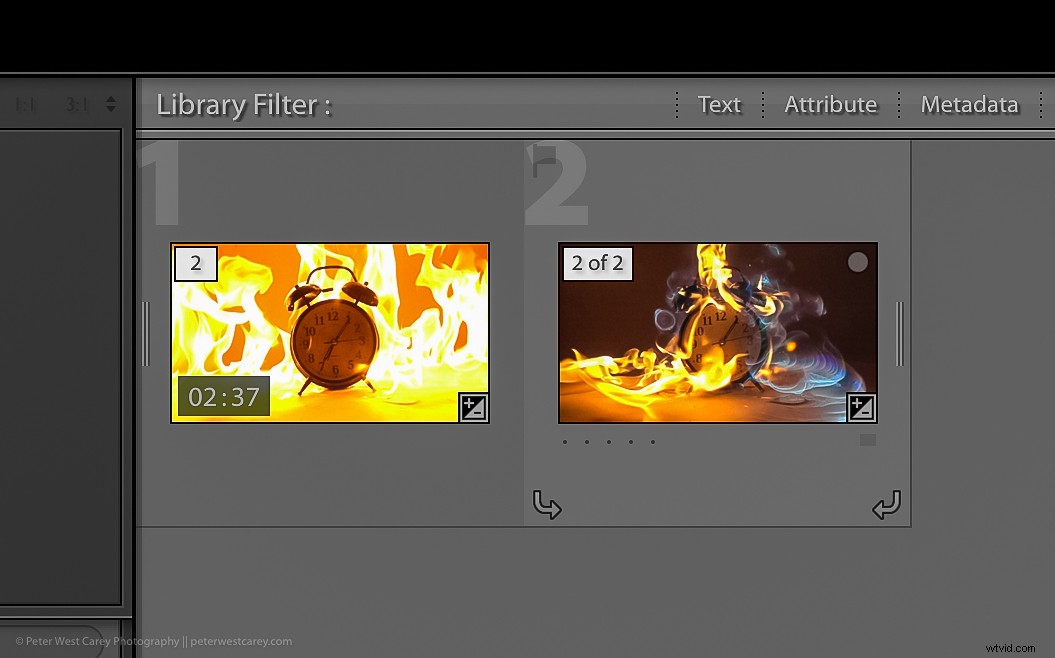
The capture will be the same size as the original video. In this case, with high-speed video on a Sony RX-100 V, as demonstrated here, the image is 1920×1080. There will be some balance you need to strike in order to ensure the final image is large enough for your intended use.
Conclusion
High-speed video is an excellent way to produce images it would take hours to capture. Think of splashing on puddles, wine poured into a glass, breaking ice or any number of fast-moving subjects. The method described here does have some limitations, but it is fast, easy and just a bit of fun.