
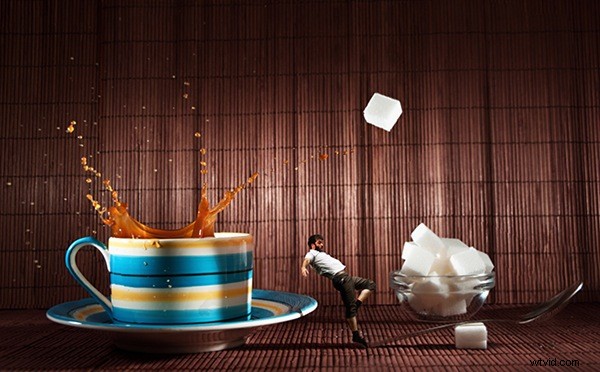
Over on our Facebook page this week we shared our recent ‘Small World‘ post featuring some of our readers shots of miniature figurines shot in larger scenes. On Facebook one of our readers – Dave Flynn – commented that he used to take these types of photos but now does something different. He shared a link to his Mini Worlds Gallery where he showed his different take on it. It includes this photo!
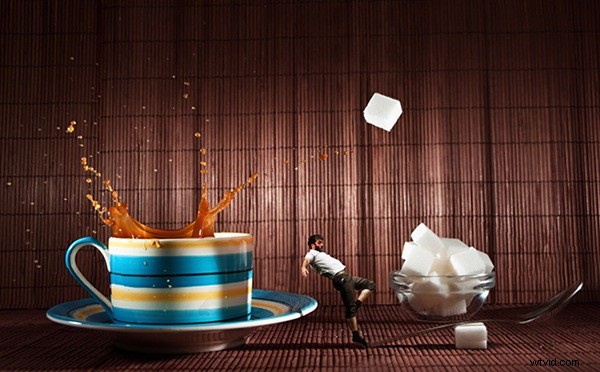
I immediately shot Dave a message asking if he’d write up how he took it. Here’s what he sent in.
My name is Dave Flynn, I’m 45 years old and got into photography 3 years ago when I was made redundant from my career in retail. I’m completely self taught through reading magazines and watching online videos. I don’t have a particular field of interest and have a varied portfolio which can be seen at www.dflynnphotography.com and www.facebook.com/daveflynnphotography
In my bag
- Nikon D90
- Nikon 50mm 1.8D prime lens
- Nikon 18-70mm DX 3.5 wide angle lens
- Tamron 90mm Macro 2.8
- Tamron 70-300mm Zoom f/4
- I also have 2 speedlights and triggers.
For most of my creations I use the 50mm, 90mm and 18-70mm.
I will always try to use natural light where possible and have a roof terrace which is perfect for getting shots of the posed models and backgrounds.
On wet days, I use my bedside table which is next to a large window. I don’t have expensive equipment or studio lights, my editing is all done on my laptop so I am proof that you don’t need every photography related gadget or the latest kit to create amazing images. They key to all photography is the light. It’s the first thing you should think about when creating any image.
Inspiration just comes to me, I might see an item/person/scene and imagine a final image in my head then set out to create it. Photography for me is a great way to share what goes on in my brain and I hope you can get some inspiration from my thoughts.
ONE LUMP OR TWO: How I Shot It
I’d been to a festival in London and got some shots of the various performances. The bearded man in the shot below is jumping on a trampoline for his act. Shot using my 70-300mm at f/5.6 @200mm, ISO 400 with a fast shutter. When I reviewed the images; this one stood out so I tried to think how to use him in a mini world. It was a few days later when I was making coffee and I got the idea. This is how I created it.
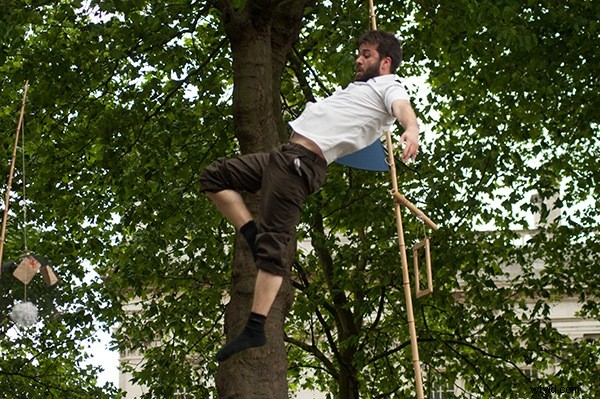
In photoshop I use layer masks to remove the model from the background. There are other methods like using the pen tool or quick selection tool but masks are my preferred method.
There are very good tutorials on youtube about using layer masks in photoshop.
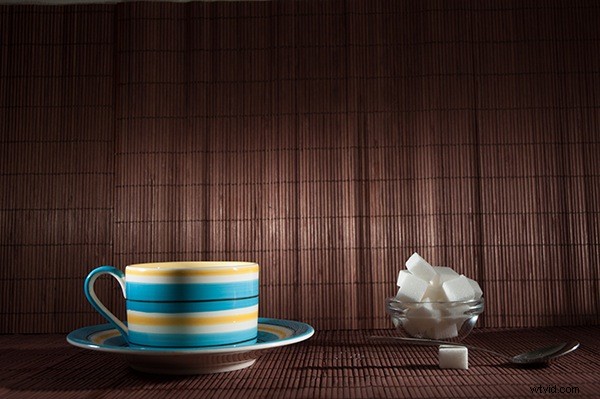
The scene is set for the background. I used 2 speedlights to balance the light. I think they were both set to 1/128 sec because I had natural light coming in the window too. I used my wide angle lens at 18mm with a shutter speed of 1/160 and an aperture of f/8.
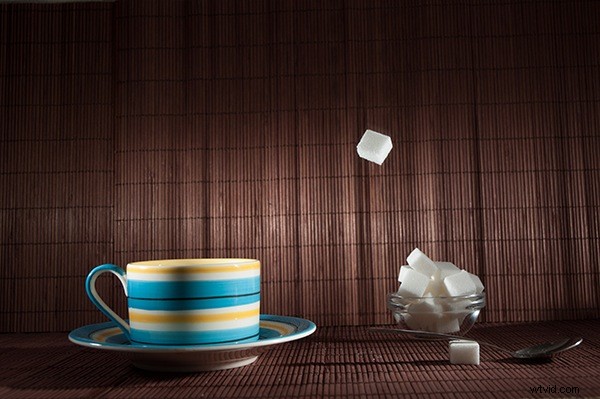
Next it was time to drop a sugar lump into the scene, remember the speedlights are set to freeze any motion in the image. It took a few attempts for me to get this shot to catch sugar cube where I wanted. Exactly the same settings were used.
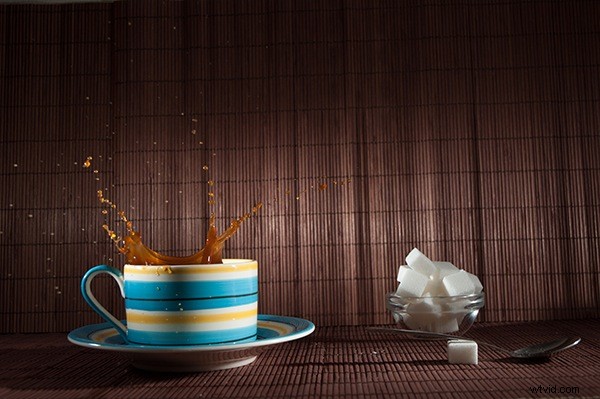
The same technique was used to catch the splash at just the right moment. This again took a few attempts ( and a lot of cleaning) to get the splash how I wanted.
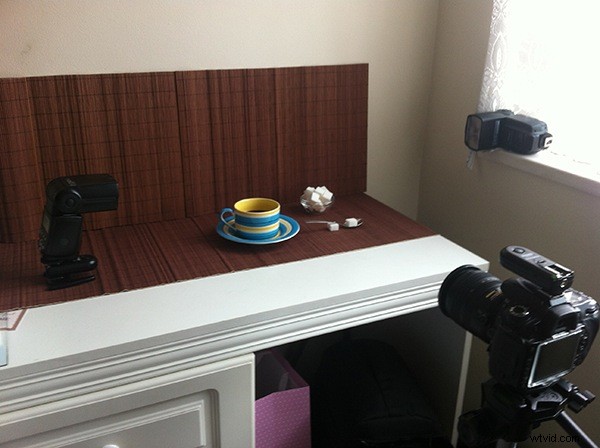
The ‘studio’ in my bedroom and the scene setup.
The final edit with some curve and level adjustments in photoshop.
Thanks to Dave for sharing this behind the scenes look at his shot. Check out more of his Mini Worlds here.