
The mAst Video Maker, developed by The Mast Team in 2020, is a mobile‑first solution that turns music into engaging status videos for platforms like Instagram, TikTok, and Facebook.
Designed for users who want a quick, polished video without the complexity of full‑blown editing suites, the app offers a range of pre‑built templates and intuitive controls.
In this article
- Key Features of the mAst Video Maker
- How to Create a Video Step‑by‑Step
- Performance Review of Core Functions
- Comparison with Wondershare Filmora
- Best Use Cases for the mAst App
Part 1: Features of the mAst Video App
The app is built on a user‑friendly foundation and offers the following standout features:
- Lyrical Video Template: Sync your chosen track with on‑screen lyrics for a personalized storytelling experience.
- Magic Video Effect: Add animated transitions, visual overlays, and other creative touches that bring your footage to life.
- Free 3‑Day Trial: Explore all templates and effects at no cost before deciding to subscribe.
Part 2: How to Use the mAst Video Maker App
Below is a concise, step‑by‑step guide to creating a music status video with the mAst app.
Step 1: Download the app from Google Play or the Apple App Store. Third‑party sites also offer mod APKs for desktop use.
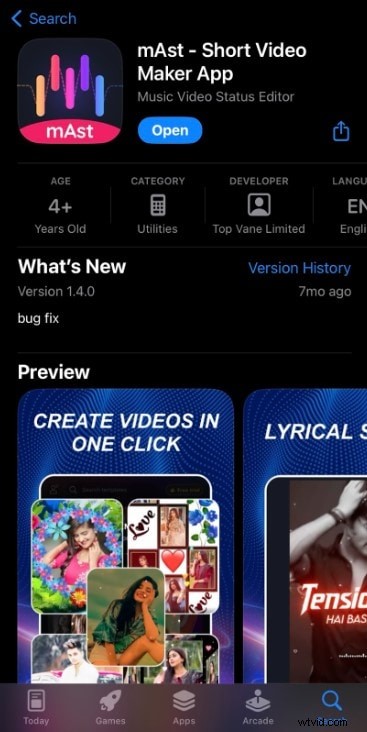
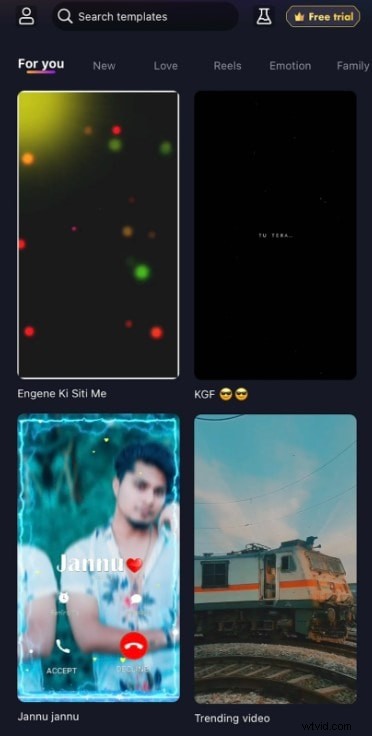
Step 2: Open the app and select a template—magic, lyrical, birthday, or particle—according to your project.
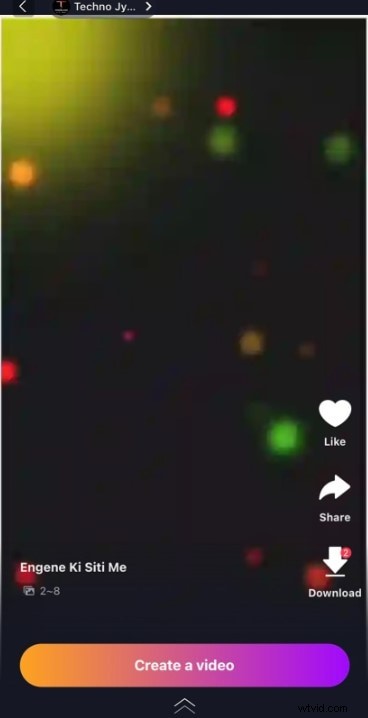
Step 3: Preview the chosen template and tap Create a Video to begin the editing workflow.
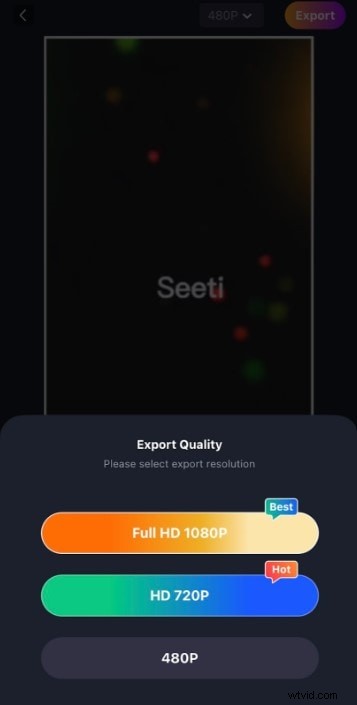
Step 4: Import photos or clips from your library, confirm your selection, and click OK. When finished, export the video by tapping the top‑right button and choosing your desired quality.
Part 3: Performance Review of the Key Features of mAst Video Maker
Our assessment considered template variety, editing functionality, ad‑free experience, and download simplicity. Key findings are summarized below.
- Language support spans major Indian languages—Hindi, Tamil, Telugu—but lacks a broad international music library.
- The interface is straightforward, yet the absence of drag‑and‑drop limits fine‑grained editing.
- Core editing options are minimal: you can’t duplicate or reorder clips directly.
- Export options are limited to selecting video quality; format choices are not offered.
- Overall, the mAst app excels at speed and simplicity, making it ideal for rapid status video creation.
Part 4: mAst Video App vs. Wondershare Filmora
The following table contrasts the mAst app with the well‑known Filmora suite to help you decide which tool fits your workflow.
| Features | mAst Video App | Wondershare Filmora |
| Device Accessibility | iOS & Android | iOS, Android, and PC (Windows/Mac) |
| Drag‑and‑Drop Interface | Not available | Yes—core feature |
| App Features | Lyrical templates, magic effects, AI‑generated templates | AI editing tools, green screen, text‑to‑video, speed control, motion tracking, extensive transitions |
| Export Formats | Direct download, quality selection only | Multiple formats (MP4, JPEG, PNG, etc.) |
| Complexity Level | Very low—select template, add media | Intermediate to advanced—feature‑rich environment |
Part 5: When is the mAst Video Maker Best Used?
If you’re a beginner or rely primarily on mobile devices for quick content, the mAst app delivers what you need: instant, polished status videos without a steep learning curve.
For projects that demand deeper control—advanced effects, custom transitions, or multi‑format export—Filmora’s robust feature set is the superior choice.
Conclusion
The mAst Video Maker is a solid, no‑frills solution for crafting short music status videos that shine on social feeds. Its minimal interface and free trial make it a safe bet for novices and casual creators. Should you require more advanced editing capabilities, consider upgrading to Filmora or a similar platform that offers extensive tools and flexibility.