
Converting YouTube videos to MPEG is useful when you need a format that works across various devices, editing software, and media players. MPEG files offer great compatibility and efficient compression. They are ideal for offline viewing, presentations, and post-production work.
Still, finding a good YouTube to MPEG converter isn't always easy. Some tools lower the video quality, take too long to process, or bombard users with ads. Others may not support the format well or require complex steps just to get started.
This guide features a curated list of tools that solve those issues. Looking for fast conversions, better output quality, or simple browser-based options? You'll find the best YouTube to MPEG converters here.

Our Top 3 YouTube to MPEG Converter Picks
To help you get started quickly, here are our top three picks based on the most important user needs: quality, speed, and ease of use. Each tool has been tested for its ability to convert YouTube videos to MPEG format without compromising on performance or user experience.

WinX HD Video Converter Deluxe: Best Quality
Ideal for users who prioritize output quality. WinX HD Video Converter Deluxe produces high-resolution MPEG files with minimal loss, making it perfect for editing or archiving.
View detail

EaseUS Video Converter: Best Speed
EaseUS Video Converter is a fast and efficient tool that can convert YouTube videos to MPEG format with just a few clicks. It saves you time without compromising reliability.
View detail

Motionbox: Easiest Online Use
Motionbox is well-suited for beginners and casual users. This browser-based tool is straightforward, with no downloads required, and an ad-free interface.
View detail
Part 1. A Quick Comparison of YouTube to MPEG Converters
There are numerous options available when it comes to YouTube to MPEG converters, so comparing them side by side can help you make a more informed choice. This comparison table gives a clear overview of the key features and strengths of each YouTube to MPEG converter, helping you find the one that best matches your needs.
| Tool | Type | Free Version | Direct MPEG | Speed | Best For |
| WinX HD Video Converter Deluxe | Desktop | Fast | High-quality video output | ||
| EaseUS Video Converter | Desktop | Fast | Quick and reliable conversions | ||
| Any Video Converter (AVC) | Desktop | Moderate | General use purpose | ||
| Freemake Video Converter | Desktop | Moderate | Casual video conversions | ||
| OnlineConvert.com | Online | Varies | Simple web-based conversions | ||
| Motionbox | Online | Fast | Easiest for beginners | ||
| Convertio.co | Online | Moderate | Quick access, no install | ||
|
Show more Show less |
Part 2. Top 7 YouTube to MPEG Converters Reviewed
With numerous converters available, selecting the most reliable and user-friendly one can save you time and frustration. Below are in-depth reviews of the 7 best YouTube to MPEG converters in 2025, selected based on quality, performance, and ease of use.
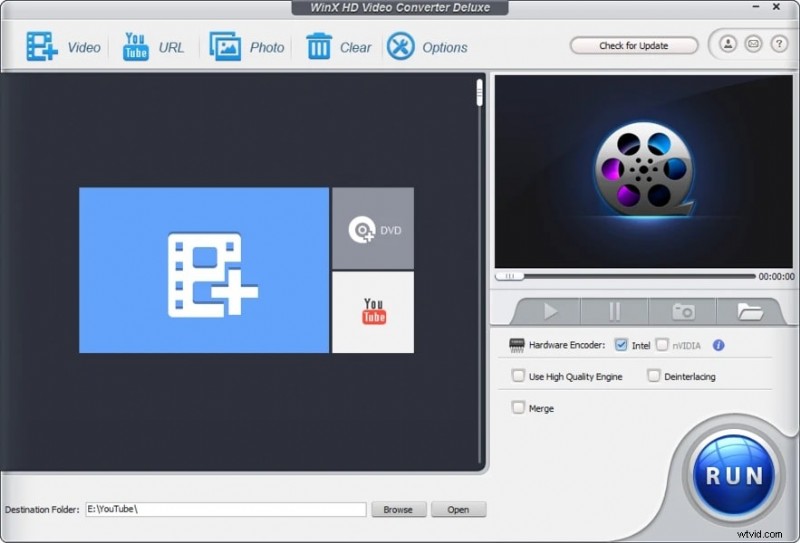
1. WinX HD Video Converter Deluxe
If you're after high-quality video and don't mind using desktop software, you can try WinX. It works on both Windows and Mac, supports tons of formats, and handles batch YouTube downloads with ease. Plus, the output quality stays sharp, even after compression.
Compatibility
Windows, macOS
Pricing
Free trial with feature limits; Full version starts at $29.95
Best For
Users who need high-quality output and batch conversion of YouTube to MPEG
Pros & Cons
- Excellent video quality even after compression
- Reliable support for various formats, including MPEG
- Built-in downloader handles long YouTube playlists
- The free trial has some limitations
- The interface may feel outdated to some users
Key Features
- High-quality video conversion
- Batch downloads from YouTube
- Supports over 370 input formats and 420+ output formats
- Hardware acceleration for faster processing
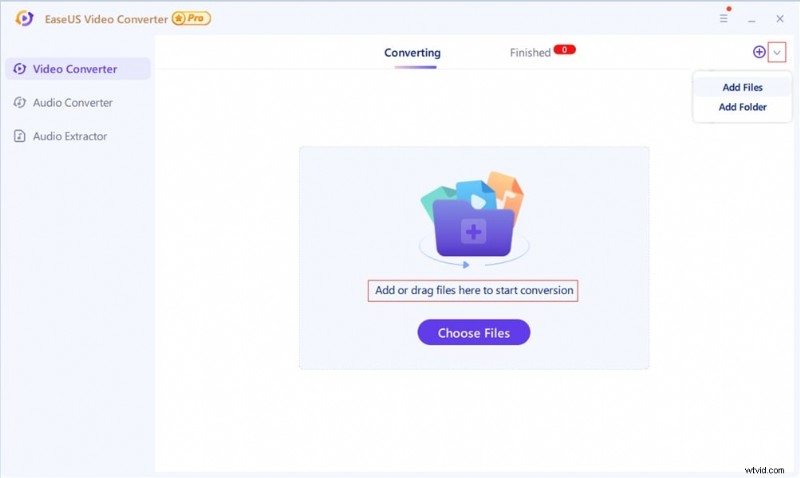
2. EaseUS Video Converter
EaseUS is a good YouTube to MPEG converter if you're working on Windows and want speed without all the fuss. You only need to drag and drop your YouTube video file, and it's ready to convert. The process is quite fast, and it works well for large files.
Pricing
Free version available; Premium starts at $17.97/month or one-time price at $79.95
Best For
Quickly convert YouTube to MPEG with minimal user settings
Pros & Cons
- One of the fastest YouTube to MPEG converters available
- Clean and beginner-friendly user interface
- Maintains a balance between speed and quality
- Ideal for converting large files
- Only available for Windows
- Watermark on free version
- Limited format customization options for advanced users
Key Features
- Super-fast conversion
- Easy drag-and-drop interface
- Multiple output presets, including MPEG
- Built-in YouTube downloader
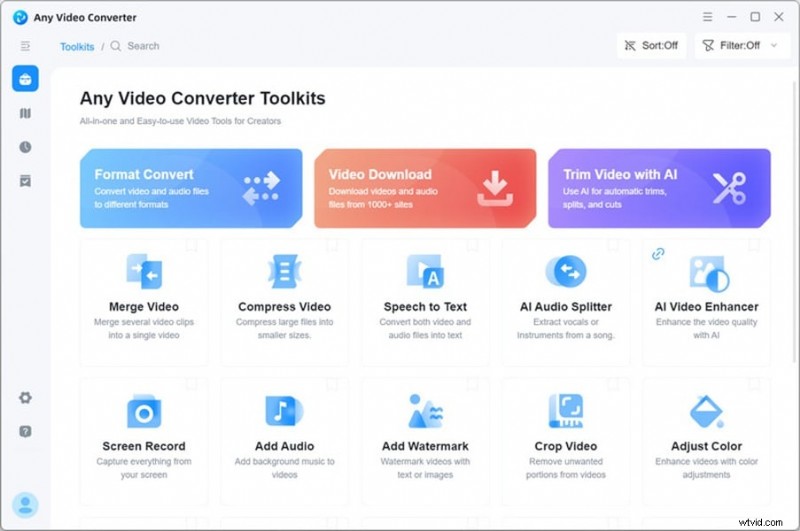
3. Any Video Converter (AVC)
AVC is a handy little tool that does more than just convert. It lets you download YouTube videos, trim or crop them, and then export to MPEG. Just keep an eye out during installation to skip any extra software.
Compatibility
Windows, macOS
Pricing
Free version with ads; Pro starts at $39.95
Best For
Convert and trim YouTube clips before exporting them to MPEG format
Pros & Cons
- Good for basic editing and conversion
- Direct YouTube integration
- Solid format compatibility
- Easy to use even for casual users
- Integrated ads in the free version
- The installer may include additional software (uncheck during installation)
- Occasional loss of output quality in MPEG-2
Key Features
- YouTube downloader and converter
- MPEG-1 and MPEG-2 format options
- Built-in video editor for trimming and cropping
- GPU acceleration
4. Freemake Video Converter
Freemake has one of the most intuitive interfaces that we recommend for beginners. You can download YouTube videos, merge clips, and export to MPEG without problems. However, you may want to consider upgrading your plans to remove the watermark.

Pricing
Free version with watermark; Premium starts at $39.95 (one-time)
Best For
Simple YouTube to MPEG conversion without complex settings
Pros & Cons
- User-friendly interface
- Provides basic video customization features
- Converts large files smoothly
- The free version adds a watermark and slower speeds
- Limited features unless you upgrade
- Windows-only and no support for batch YouTube playlists
Key Features
- Supports over 500 video formats, including MPEG
- Download and convert YouTube directly
- Merge and burn to DVD
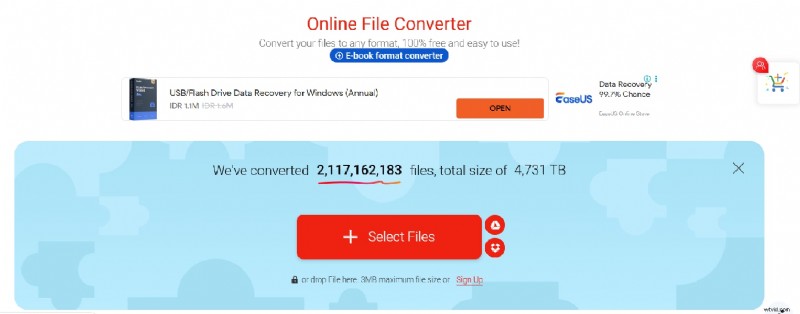
5. OnlineConvert.com
Using OnlineConvert doesn't require you to install anything. Just open your browser, drop in a YouTube link or file, and convert. It's super convenient for small jobs. But, the free version has a file size limit, and it's not the fastest.
Pricing
Free with file size limit; Premium plans from $9.99/month
Best For
Quick, one-time conversion from YouTube to MPEG directly in your browser
Pros & Cons
- Easily accessible from any browser
- Supports multiple input sources, including Dropbox, Drive, and URLs
- Detailed settings for resolution, bitrate, and aspect ratio
- Limited file size for free users
- It may be slower than desktop software
- Occasional ad interruptions
Key Features
- No software installation
- Drag-and-drop uploads or paste a YouTube link
- Various output settings, including MPEG format
6. Motionbox
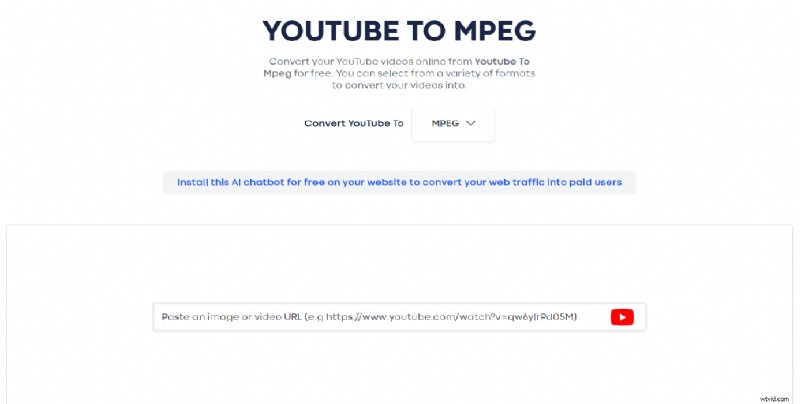
MotionBox can be a good consideration for quick edits and short videos. You can trim, crop, and add text right in the browser, then convert to MPEG. It's not great for long or high-quality files, but it's useful for simple projects without installing software.
Pricing
Free plan available; Premium starts at $20/month (including video editing features)
Best For
Quick edits and conversions for short YouTube videos to MPEG
Pros & Cons
- No software required, runs directly in your browser
- Allows quick trimming, cropping, and adding text to videos after conversion
- Simple and intuitive interface for beginners
- Video quality is not as high as that of desktop converters for MPEG
- Less suited for long videos or large file sizes
Key Features
- Online YouTube downloader and editor
- Fully browser-based tool, all editing and conversion happen in the cloud
- Converts video files (such as MP4) to MPEG with drag-and-drop ease; supports many input formats
- Built-in video editing functions
7. Convertio.co
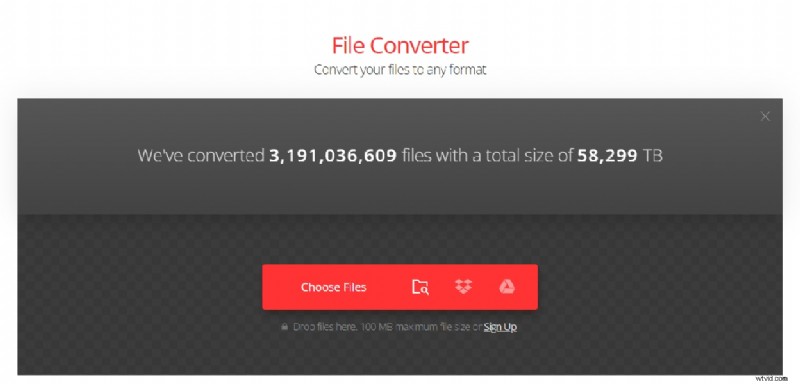
Convertio is another YouTube to MPEG online converter. However, it doesn't let you paste YouTube links. You'll need to download the video first. But once it's uploaded, converting to MPEG is quick and works on any device. There's a 100MB limit on the free plan, so it's better for short clips.
Pricing
Free with a 100MB limit; Paid plans start at $9.99/month
Best For
Converting short YouTube files (after downloading) to MPEG on any device
Pros & Cons
- Most conversion types support custom settings
- Supports import via Dropbox or Drive
- Works on all platforms
- No direct YouTube link converter (must upload file)
- The free version has file size limitations (100 MB maximum file size)
Key Features
- Cloud-based conversion with wide format support
- Upload files downloaded from YouTube for MPEG conversion
- No installation required
- 300+ formats supported
Part 3. How to Choose the Best YouTube to MPEG Converter
Each converter has its strengths, so choosing the right one depends on your specific workflow and quality needs. Here are key points to help you decide:
- Direct MPEG Support: Make sure the tool offers direct output to the MPEG format without needing an extra conversion step. Some tools only export to MP4 or AVI, which requires additional software to convert to MPEG.
- Conversion Speed: Fast conversion is essential, especially when working with large files. Desktop tools generally offer quicker performance than browser-based ones, but premium online tools are starting to catch up.
- Ease of Use: If you're a beginner, choose a tool with a simple interface and straightforward steps. Some converters can be too technical, while others let you convert with just a few clicks.
- Desktop vs Online: Desktop converters like WinX or EaseUS offer better speed and quality for batch processing. Online tools such as Motionbox or Convertio are more convenient for quick, smaller tasks.
- Post-Editing Needs: If you need to edit your MPEG videos, such as trimming, adding text, or applying filters, choose a converter that includes basic editing tools or works well with editors like Filmora.
Bonus: Edit MPEG Files Easily with Filmora
After converting your YouTube video to MPEG format, you may want to edit it first before sharing or saving it. This is where Wondershare Filmora plays a role. Although it is not a converter, Filmora is a powerful and beginner-friendly video editor that helps you quickly and professionally enhance your MPEG files.
 Secure Download
With Filmora, you can:
- Trim, cut, and merge MPEG clips for cleaner storytelling
- Add text, effects, transitions, and filters to enhance visual appeal
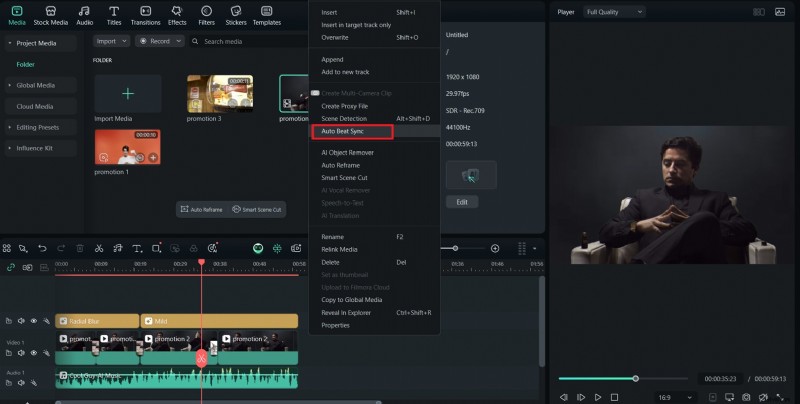
- Include royalty-free music or use the Auto Beat Sync feature to match the video with the sound
- Generate subtitles automatically using Speech-to-Text
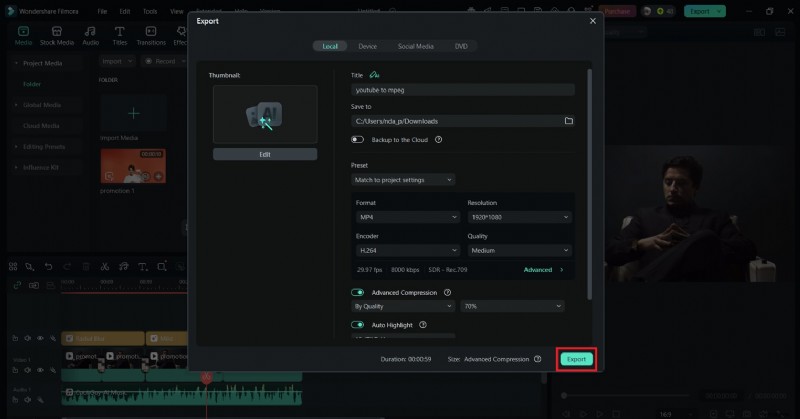
- Export your finished project in multiple formats or directly to social platforms
How to Edit MPEG Videos in Filmora:
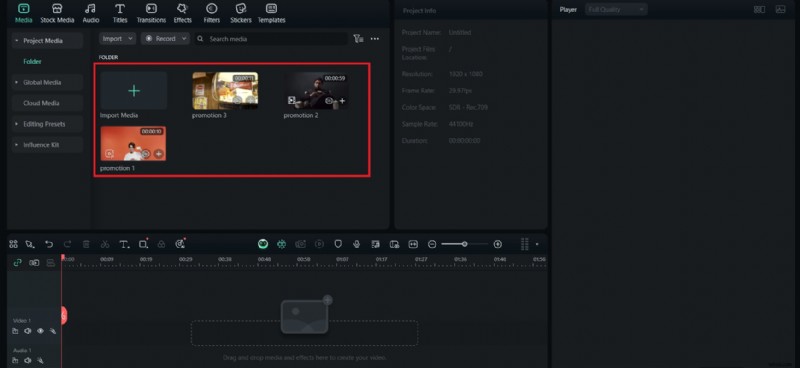
Step 1Open Filmora and drag your MPEG file into the media panel.
Step 2Drop the video onto the timeline to start editing.
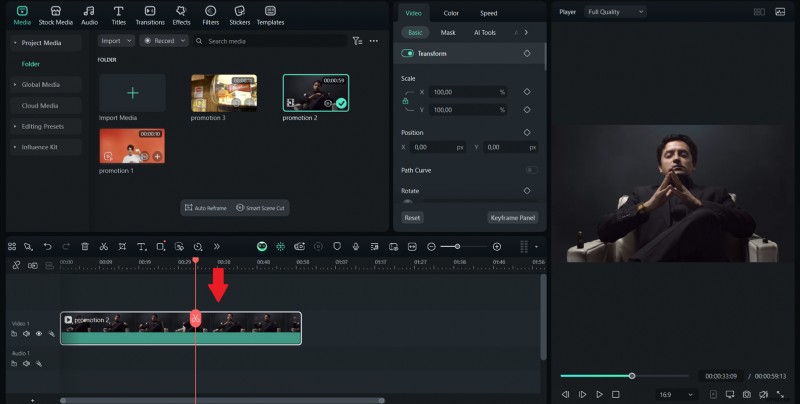
Step 3Trim clips, add text or transitions, apply filters, or insert background music.
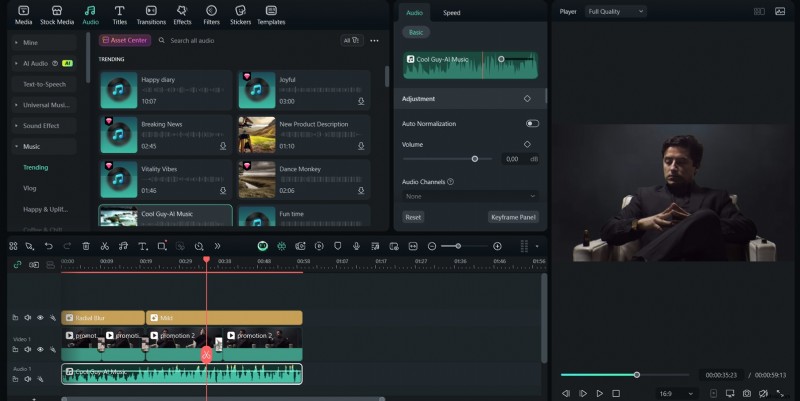
Step 4Try features like Auto Beat Sync or Speech-to-Text for faster results.
Step 5Click Export and choose your preferred format or platform.
Conclusion
We have discussed the 7 best tools for converting YouTube to MPEG. In conclusion, converting YouTube videos to MPEG doesn't have to be a hassle when you have the right tools. Whether you need high-quality output, fast processing, or a simple online experience, this guide has you covered with reliable options.
Each converter serves different needs, so take a moment to choose one that fits your workflow. And if you plan to enhance your MPEG files further, Filmora simplifies the editing process with smart features and an intuitive interface. With the right setup, you can transform your downloads into polished videos in just a few clicks.

Filmora
AI Video Editing App & Software
Best tool for making videos anywhere for all creators!
Simplify all your steps in video editing, from the pre-processing to finalizing, Filmora AI stays tuned.
Frequently Asked Questions
-
1. What is the best free YouTube to MPEG converter?
OnlineConvert.com, Motionbox, and Convertio are great free tools that support MPEG output directly. They work in your browser and don't require installation, making them convenient for quick tasks.
-
2. Can I convert YouTube videos to MPEG format without installing software?
Yes, online converters allow you to convert YouTube to MPEG without downloading any software. Just paste the video URL, choose MPEG, and download your file.
-
3. Is it legal to convert YouTube videos to MPEG?
It depends on the content. Converting public domain or your videos is legal. However, downloading copyrighted material without permission may violate YouTube's terms of service.