
Need to convert FLV to MP4 for better compatibility? While FLV was once the standard for YouTube, modern devices and editors now favor MP4. Whether you’re looking for an online FLV to MP4 converter for a quick fix or a professional desktop tool like Filmora for batch processing, we’ve tested and ranked the top solutions for 2025.
For this reason, we've selected the top FLV to MP4 converters, covering both web-based and desktop options. The list features tools for quick fixes, batch processing, and full video editing.
Our 3 Best FLV to MP4 Converter Choices
Choosing the right FLV to MP4 converter is one thing, but having built-in editing features makes a big difference, especially if you want to refine your video right after conversion. To help you skip the trial and error, we've selected three reliable options that combine solid conversion performance with practical editing tools in one place.

Wondershare Filmora – Best Overall for Creators
An intuitive all-in-one video editing platform that supports FLV to MP4 conversion and lets you easily create polished, platform-ready content. Ideal for YouTubers, vloggers, and social media editors.
Download Download Download
VideoProc Converter AI – Best for Fast Batch Conversion + Light Editing
It's perfect for those working with large or multiple FLV files. This tool offers fast conversion with hardware acceleration, along with basic trim and crop tools for quick fixes.
View detail
Movavi Video Editor – Quick FLV to MP4 Conversion and Simple Edits
If you prefer creative control over your content, Movavi provides a detailed timeline editor, built-in effects, and support for various formats, including FLV.
View detail
Part 1. Quick Comparison of the Best FLV to MP4 Converters
Choosing an FLV to MP4 converter depends on the speed, file size limits, file size, batch processing support, and the ability to edit FLV files, among other things. This comparison breaks down the fundamental differences, based on actual functionality, not fluff.
| Tool | Platform | Price | Batch | Details |
| Filmora | Windows/Mac | Free & Paid | Built-in editor, AI tools, audio cleanup, High up to 8K | |
| FreeConvert | Online | Free & Paid | Drag & drop UI, file size adjust, Moderate quality | |
| VLC Media Player | Windows/Mac/Linux | Free | Playback, format conversion, streaming, Good quality | |
| HandBrake | Windows/Mac/Linux | Free | Presets, compression, subtitle support, High quality | |
| OBS Studio | Windows/Mac/Linux | Free | Live recording, FLV to MP4 remux, Standard quality | |
| VideoProc | Windows/Mac | Free & Paid | GPU acceleration, noise reduction, trim/edit, High quality | |
| Movavi | Windows/Mac | Free Trial & Paid | Timeline editor, export presets, Moderate quality | |
| HitPaw | Windows/Mac | Free & Paid | Toolkit (compressor, cutter, watermark), GIF creator, Good quality | |
| Freemake Video Converter | Windows | Free & Paid | Subtitle support, basic trimming, Good quality | |
|
Show more Show less |
If you want to change FLV to MP4 without losing any quality, use the Remux feature in OBS or Handbrake. This changes the "container" without re-encoding the video stream.
Part 2. Detailed Reviews of the Top FLV to MP4 Converters
Now it's time to go hands-on after analyzing the core specs. These in-depth evaluations reveal the real value of each FLV to MP4 converter, going beyond the surface-level features and checkboxes.
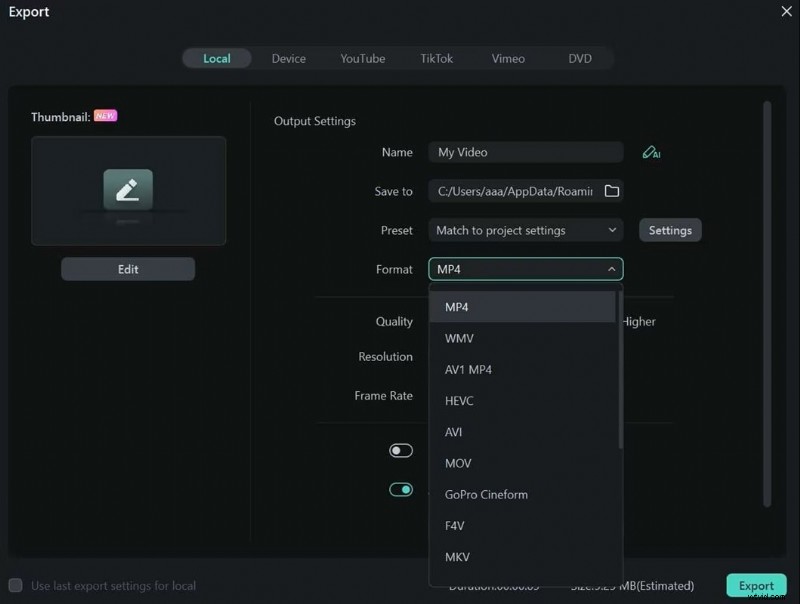
1. Wondershare Filmora – FLV to MP4 Converter with Built-in Editor
Filmora is more than just a video editor. It is also a great FLV to MP4 converter for casual users and professional editors. FLV files can be imported, edited on Pro Tools, and exported to MP4s for uploading or sharing. The software is designed for modern speed and still uses tons of creative packs.
 Secure Download
Pros & Cons
- Intuitive for both new and experienced users
- Editing, converting, and publishing all in one place
- In-app templates ease exports for various devices and platforms
- Regular updates and creative asset packs
- Ideal for creators looking for a YouTube video converter, FLV to MP4 with a built-in editor
- Watermark appears on exports in the free version
- Some premium effects and export settings require a paid plan
Key Features
- Compatible with all significant video formats as FLV, MP4, MOV, and others
- Enhanced timeline editing with drag-and-drop simplicity
- Large content–integrated library of effects, overlays, and clips.
- Instant Cutter for trimming without quality loss
- Supports up to 8K export and direct sharing to social platforms

Filmora
AI Video Editing App & Software
Best tool for making videos anywhere for all creators!
Simplify all your steps in video editing, from the pre-processing to finalizing, Filmora AI stays tuned.
2. FreeConvert
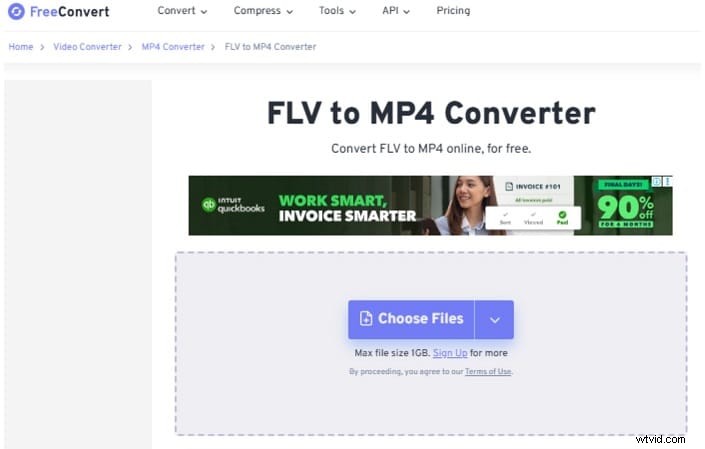
FreeConvert is a free FLV to MP4 converter online that works directly in your browser. It offers multiple upload options for videos, including device storage, cloud storage, and URLs. You don't need to take much time to learn how to use it. It can also handle videos, images, audio, documents, and more.
Pros & Cons
- 100% web-based, no downloads required
- Easy interface with guided steps for easy use
- Works across all major browsers and devices
- An excellent free FLV to MP4 converter for occasional, quick usage.
- Free users are limited to 25 conversions per day
- Maximum video duration per file is 5 minutes without upgrade
- Ads in the workspace may distract during conversion
Key Features
- It only takes a few taps to convert FLV files to MP4.
- Upload options available are local drives, Dropbox, Google Drive, or a direct URL link
- As input, you can use a variety of formats, including MOV, AVI, MKV, and WebM.
- Offers tools for video cropping, video compression, and conversion of subtitles
- Optional advanced settings: codec, resolution, aspect ratio, and output size
3. VLC Media Player – The Best Free Open-Source FLV to MP4 Converter
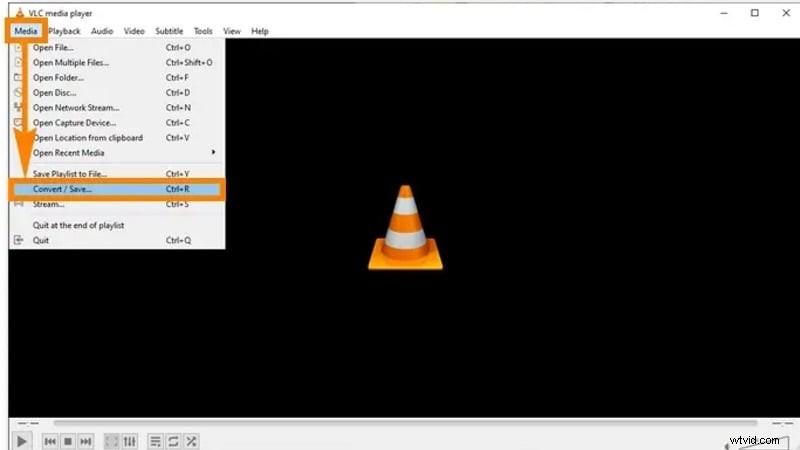
Besides playing videos, VLC Media Player has many more uses. You can also use it to convert FLV to MP4 with ease and reliability. No further tool is required; VLC takes care of everything. There are a lot of video and audio formats that the built-in converter can handle. It can process FLV, export as MP4, and even handle batch jobs.
The program is compatible with almost all systems and is available for free. The user-friendly interface of VLC makes file conversion straightforward for everyone. While VLC may lack eye-catching features, it is reliable when you need to quickly change a file's format, and does so without sacrificing quality.
Pros & Cons
- Open-source and freely accessible
- Cross-platform compatibility
- Easy interface for basic format conversion
- Reliable for quick FLV to MP4 conversions
- Slower conversion speed on large files
- Lacks advanced editing or export control
Key Features
- Supports FLV, MP4, MOV, MKV, AVI, and More
- Allows for basic editing, speed manipulation, filtering, and more
- Supports HEVC codec and deinterlacing
- Batch conversion and preview are available
- No advertisements, tracking, or spyware. Total freedom and security.
4. HandBrake
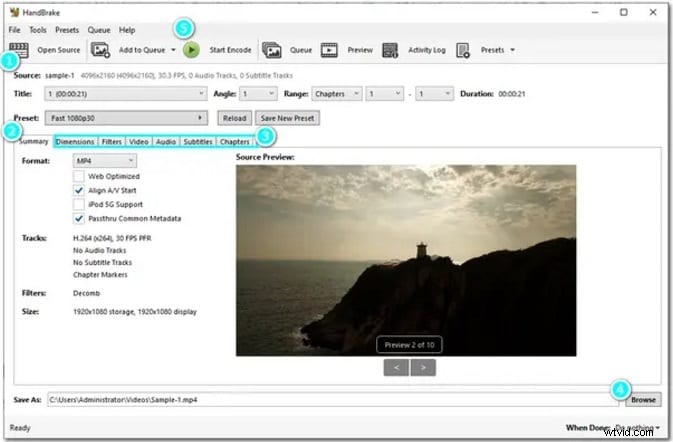
HandBrake is a reliable open-source video converter from FLV to MP4. It is well-known for processing big batches of files. With this software, you have complete control over video processing parameters to set the format, video size, quality, and even more. It provides custom-made presets for quick configuration, too.
While it gives professionals room to tweak every detail, the interface still remains simple enough for beginners to explore. HandBrake is updated often and remains completely free to use.
Pros & Cons
- Free, no advertisements, and community-supported updates
- Excellent for processing large batches of files
- Advanced users can tweak every detail of the output
- The interface may feel complex for beginners
- Slower conversion speed with heavy settings enabled
Key Features
- Converts FLV and other formats to MP4 with ease
- Offers presets for iOS, Android, and web platforms
- Supports batch conversion with file queuing
- Adjust codec, bitrate, frame rate, and filters
5. OBS
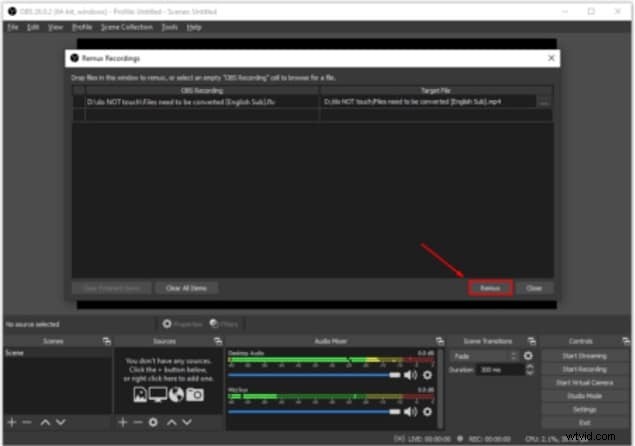
OBS Studio is an application you can download and use for free. It is open source and is primarily developed for live streaming and screen recording. To prevent a crash from corrupting files, FLV files are used by default. You can, however, change the settings to save directly in MP4 or, at a later time, convert FLV files to MP4.
This is done through OBS's built-in "Remux" feature, which allows for the changing of container format without re-encoding, preserving the original quality and speed. OBS is especially great for creators who want a fast method for converting FLV to MP4, and already have other tools for recording.
Pros & Cons
- Completely free and open-source
- Works well across major platforms
- Great for both beginners and professionals
- Flexible scene layouts help customize recordings
- Ideal tool if you already use OBS for streaming or tutorials
- May crash during long recordings or on low-end devices
- Network drops can interrupt live streams
- Troubleshooting can be time-consuming for some users
Key Features
- Records in FLV or MP4 formats
- Built-in Remux tool converts FLV to MP4 instantly
- No re-encoding needed, keeps original quality
- Scene creation for advanced layout control
- Multiple output and stream configurations
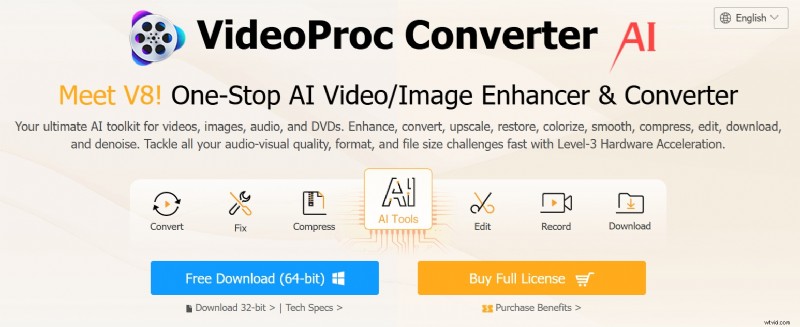
6. VideoProc Converter AI
VideoProc Converter AI is a fast and lightweight converter built for swiftly converting FLV videos to MP4 without compromising quality. Its GPU acceleration ensures a smooth, efficient experience, making it perfect for batch conversions of large folders.
Pros & Cons
- Lightweight and fast tools
- Suitable for converting multiple videos at once
- Built-in basic editing tools
- Doesn't overload your CPU
- Limited editing tools compared to full editors
- Free version limits conversion length
Key Features
- High-speed FLV to MP4 converter with GPU acceleration
- Batch conversion for large video folders
- Simple trim, crop, merge, and subtitle tools
- AI features like stabilization and noise reduction
- Supports over 420 formats and devices
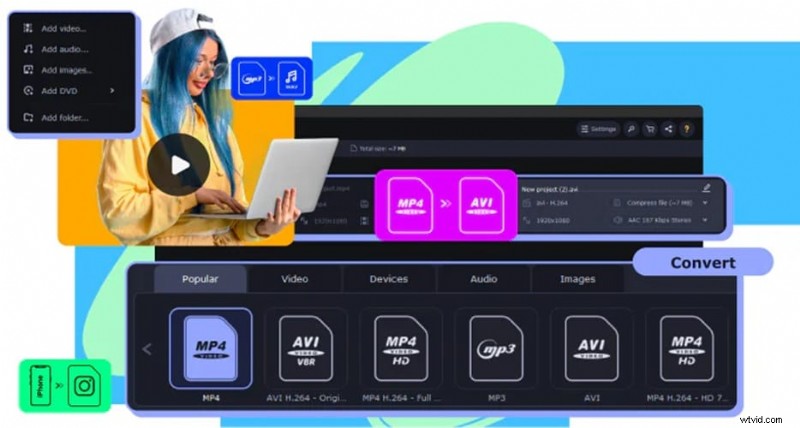
7. Movavi Video Editor
Movavi Video Editor seamlessly converts FLV files to MP4, letting you quickly transition from conversion to creative editing. Its beginner-friendly drag-and-drop interface, combined with visual effects and export presets, streamlines workflow for social media or mobile uploads.
Pros & Cons
- Great for beginners and intermediate editors
- Well-organized editing features
- Convenient templates and export profiles
- Limited free version
- Lacks advanced tools like motion tracking
Key Features
- Seamlessly convert FLV to MP4 before sending it to the timeline editor
- Clean interface with drag-and-drop features and visual effects
- Audio editing, voiceover tools, and chroma key
- Transition presets, stickers, and motion effects
- Export presets for YouTube, TikTok, mobile devices, and more
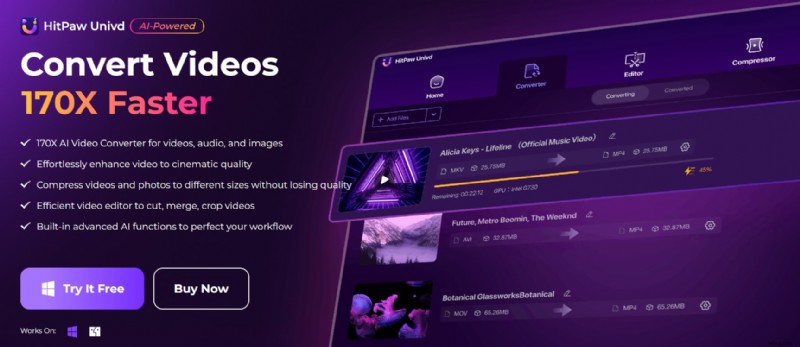
8. HitPaw Video Converter
HitPaw Video Converter provides fast online FLV-to-MP4 conversion with an easy-to-use interface ideal for quick edits. Its multi-functional toolkit is handy for users who need fast video trimming, compression, or GIF creation, as well as conversion.
Pros & Cons
- Compress videos and photos to different sizes without losing quality
- Multi-functional toolkit
- Suitable for quick edits and format switching
- Lacks a full editing timeline
- Watermark on the free version
Key Features
- Quickly convert FLV to MP4 with wide format support
- Simple video trimmer, cutter, and a watermarking tool
- The toolbox includes a video compressor, GIF maker, and image converter
- Lightweight and easy to use
9. Freemake Video Converter
Freemake Video Converter is a straightforward, budget-friendly tool that converts FLV files to MP4 with ease. Ideal for casual users, it supports numerous formats and includes basic trimming and direct YouTube upload features, though advanced editing tools are limited.
Pros & Cons
- One of the best FLV to MP4 converter free tools trusted by millions
- Easy to navigate
- Supports many formats
- All videos exported with the free version include a watermark
- Lacks modern editing tools and features
Key Features
- Converts FLV to MP4 and over 500 formats
- Simple trimming and merging tools
- Send your videos, photos, or music to YouTube directly from your desktop.
- Supports adding subtitles to videos in SRT, ASS, and SSA file formats.
Part 3. Why You Need a YouTube FLV to MP4 Converter?
Many legacy YouTube downloader tools save videos in .flv format, which isn't compatible with iPhones or Premiere Pro. To solve this, you need a converter that maintains the original YouTube bit rate.
- Upload your FLV file.
- Select MP4 (H.264) as output.
- Click Convert and Download.
Part 4. How to Choose the FLV to MP4 Converter for You?
Not all FLV to MP4 converters are the same, especially if you also want built-in editing features. To help you pick the one that fits your workflow, here are some important things to consider before making a choice:
- User Interface: If you frequently edit videos, a clean and intuitive interface can save you time and reduce burnout while editing. Tools like Filmora and Movavi are known for their beginner-friendly designs, making it easy for you to navigate the timeline, effects, and export settings without a steep learning curve.
- Editing Needs: Consider the type of edits you want to make after converting your FLV file. Do you just need to trim or crop? Or are you planning to add transitions, subtitles, effects, or background music? Some tools, like VideoProc Converter AI, offer light edits, while others, like Filmora, provide a full editing suite.
- File Size: Some free versions of FLV to MP4 converters have file size limitations. If you're working with long videos or high-res footage, choose a tool that can handle larger files without lag or quality loss. Batch conversion is also a big advantage if you are processing videos in bulk.
Conclusion
If you have FLV videos from older downloads or saved content from YouTube, using an FLV to MP4 converter is a great way to make them easier to play, share, or edit. The tools we've covered not only handle the conversion well but also come with helpful editing features.
Choosing the right converter depends on your editing style and goals, but once you find it, converting FLV files into polished MP4 videos becomes a simple and enjoyable process.
Filmora
AI Video Editing App & Software
Best tool for making videos anywhere for all creators!
Simplify all your steps in video editing, from the pre-processing to finalizing, Filmora AI stays tuned.
Frequently Asked Questions
-
Can I convert and edit FLV files at the same time?
Yes. Some tools, like Filmora and VideoProc, let you convert FLV to MP4 and edit the video in one place. This is faster and easier than using separate apps.
-
What's the easiest video editor for beginners?
Filmora is the right choice. The app is simple to use with drag-and-drop features and ready-made effects, even if you've never edited a video before.
-
Is there a free FLV to MP4 converter with no watermark?
Yes. VideoProc Converter AI has a free version that lets you convert FLV files to MP4 without adding a watermark. You can also use FreeConvert, which is a web-based tool that allows free FLV to MP4 conversions with no watermark and no need to install software.