
Whether you're marketing a product or educating your audience, conveying your message clearly and creatively is key. Videos are one way to get your messages across to your audience because they provide visuals, sound effects, and movement that text or images alone cannot do. To create these videos, you need a top video maker tool, and Biteable video maker is among the best options to explore.
This article delves into the Biteable app, covering its features, use cases, pricing, pros and cons, how to make videos, and nearest substitutes. Read on.
In this article
-
- Features of Biteable App
- Marketing
- Sales Enablement
- Human Resources
- Operations
- Education
- Recruiting
- Pros of Biteable
- Cons of Biteable
- Biteable Pricing Plans
- Advanced Video Editing Tools
- Customization & Creativity
- Audio Editing
- 4K and High-Resolution Support
- AI Sound Effect Generator
- Cross-Platform Availability
- Short Guide on How to Use Filmora
Part 1: Overview of Biteable Video Maker
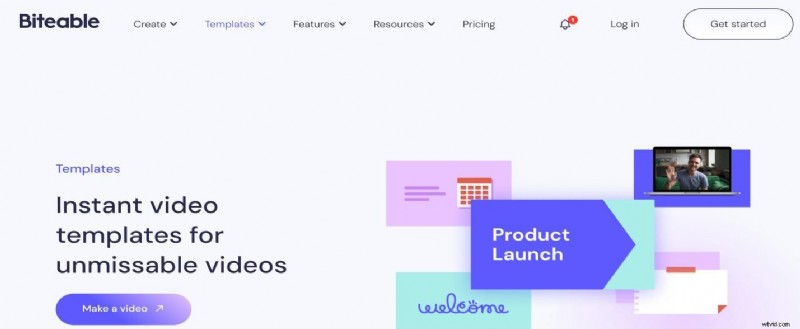
The Biteable app was first launched in 2014 as a cloud-based video creation tool. Founded by Simon Westlake, James MacGregor, and Tommy Fotak, Biteable streamlines the process of creating engaging and professional-quality videos. Biteable focuses on providing users with simple, customizable templates and built-in features.
Features of Biteable App
Here are the key features that make the Biteable app effective in helping users create high-quality, engaging videos for different industries.
1. Diverse Video Templates
Biteable video maker offers a rich library of creative video templates, designed to cater various occasions and needs. These include:
- Animated templates: Ideal for creating engaging explainer videos or educational content that captivates audiences.
- Celebratory themes: Perfect for team spirit videos like birthday greetings or company milestone celebrations.
- Business-focused templates: Tailored for marketing updates, job ads, and corporate communication, helping companies maintain a professional image.
These templates and many others ensure that you can create a visually appealing and informative video.
2. Customization Options
Every video creator or editor has their own unique ideas for making videos that reflect their objective. Biteable app provides extensive customization options to personalize videos according to your brand’s identity. You can edit templates by adding custom logos, brand colors, fonts, and watermarks, ensuring consistency across all marketing materials.
3. Advanced Video Editor
With the advanced video editor feature, you can trim, splice, and use markers, match frames, adjust layers, and so on to make professional and engaging videos. Additional features like subtitles and voice-overs enhance the accessibility of your videos, and you can also extract audio from video clips.
4. Capability to create longer and speedy videos with a new and improved AI video maker
With Biteable video maker AI-driven capabilities, you can create longer and multiple videos within a single scene. With this feature, you can transform text prompts into branded videos. All you need to do is choose the video type you want, including other custom info, and then wait for the AI to perform the magic.
5. Shared editing tools.
Biteable video app allows users to collaborate effortlessly, making it easier for teams to work on projects from different locations. The shared editing tools feature allows multiple users to edit videos in real-time, providing feedback and making changes instantly. This feature ensures seamless collaboration, which is especially beneficial for teams working remotely.
6. AI voice-over
Biteable’s AI voice-over ability enables users to generate high-quality voice-overs, eliminating the need for external voice actors. There will not be a need for recording studios because you can write narrations that match the tone and style of your videos, and the AI will generate them. This feature is perfect for explainer videos, tutorials, or presentations.
Part 2: Biteable Video App Use Cases
The Biteable app is adaptable to various uses where engaging your audience through videos is essential. Let’s explore how certain industries can leverage Biteable’s features to enhance communication and drive results.
1.Marketing
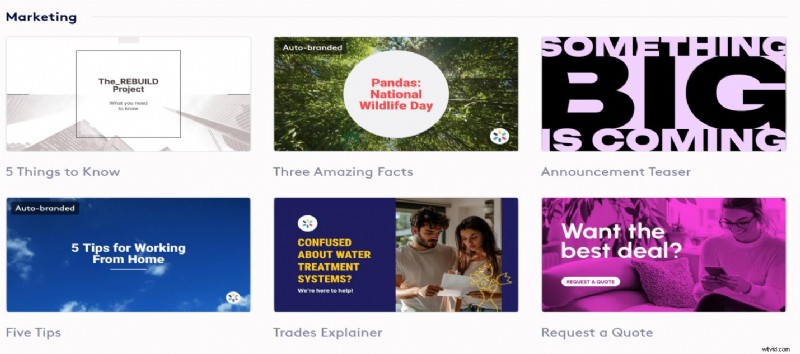
Biteable helps marketers create engaging advertisements and social media content quickly. The platform’s diverse templates and animation options enable users to tell compelling stories that convey their brand messages effectively.
2.Sales Enablement
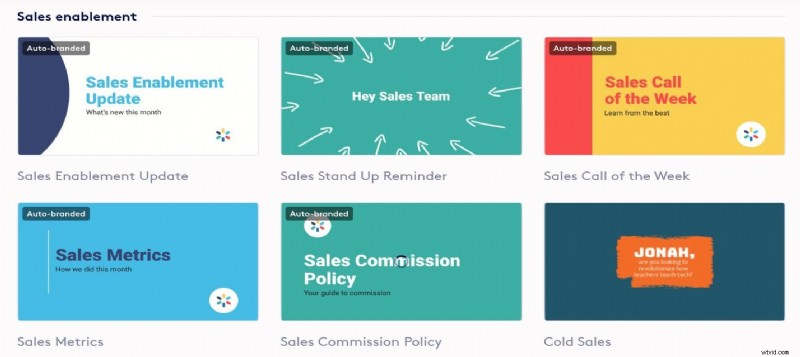
For sales teams, Biteable is a powerful tool for crafting impactful product demos and customer testimonials. These videos can enhance presentations and product pitches. For example, AI-generated voice-overs add professional narration to sales materials without extra effort.
3.Human Resources
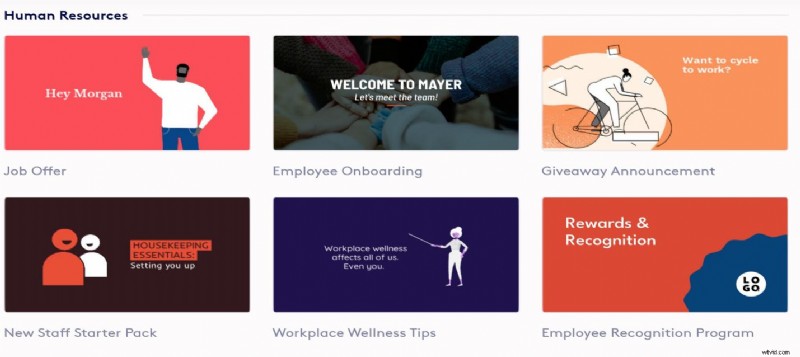
Biteable’s features allow HR departments to craft engaging onboarding videos, training modules, and culture showcases. These videos help employees learn company processes faster while highlighting the organization’s core values.
4.Operations
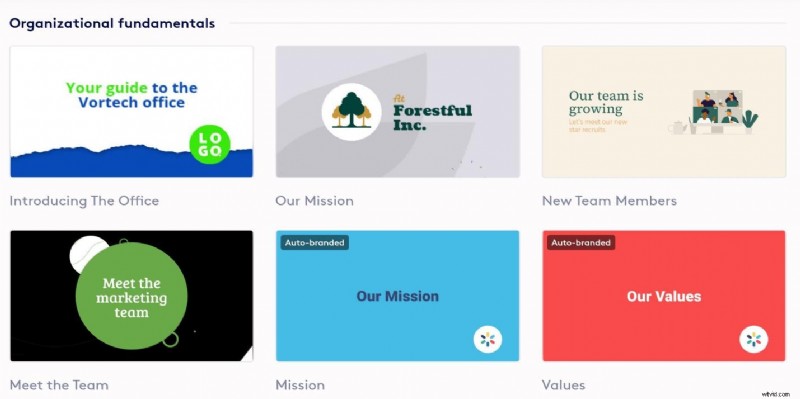
Operations teams can use Biteable video maker to document processes and create internal updates for employees. Creating videos that explain workflows or procedures fosters better communication within teams. This leads to increased efficiency and fewer errors in day-to-day operations.
5.Education
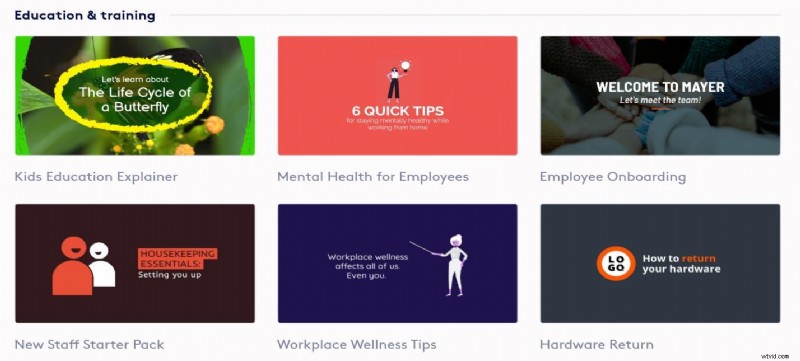
Educators can use Biteable video creator to design captivating educational videos, tutorials, and lectures. The platform’s animation library and stock footage allow teachers to create engaging content for students as educators create a more dynamic learning experience.
6.Recruiting
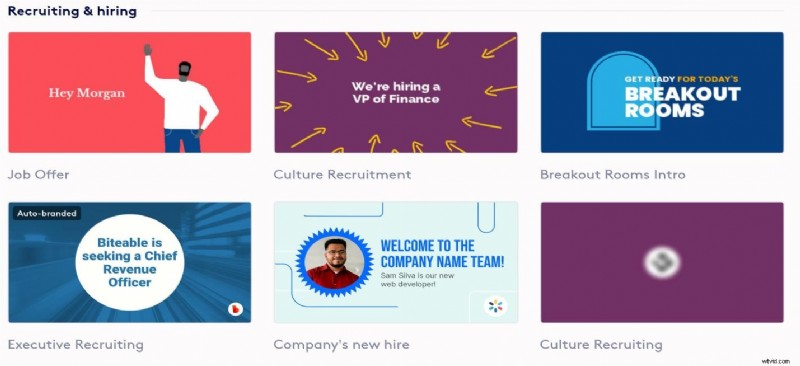
Recruiters can take advantage of Biteable video maker to produce vibrant video job ads that attract top talent. With its wide range of templates and customization options, crafting professional-looking job postings that stand out on platforms like LinkedIn and job boards is straightforward. Additionally, Biteable’s collaboration tools also allow for easy editing and feedback sharing within the team.
Part 3: Biteable App: Pros and Cons
Like any other video tool, Biteable video maker comes with its strengths and weaknesses. Below are pros and cons of the Biteable app.
Pros of Biteable
- Offers a wide range of creative templates suitable for various use cases.
- Enables teams to collaborate using shared editing tools for real-time cooperation.
- Provides a vast library of royalty-free music and advanced AI capabilities to enhance productivity and efficiency.
- Auto-branding feature allows businesses to automatically apply their logo and colors to videos.
Cons of Biteable
- Biteable is a cloud-based tool that works best with a stable internet connection, which may cause difficulties for users in areas with unreliable internet.
- The basics are easy to grasp, but the advanced features may require extra time to master.
Biteable Pricing Plans
Biteable offers an incredible 7-day free trial, giving you access to its top-tier features from both the Pro and Premium plans. During the trial, you can explore everything Biteable has to offer, from advanced content creation tools to seamless collaboration features.
You can publish and share your videos directly from the platform, and you don’t need a credit card to get started. Below is an overview of the Biteable pricing plans.
| Plan | Monthly price | Yearly price | No. of Users | What you get |
| Pro | From $15 | From $180 | 1 | 24/7 customer service
24M+ stock footage, animations, and image clips Unlimited screen recordings and HD exports Video analytics |
| Premium | From $49 | From $588 | 3+ | Unlimited 4.HD / SD exports
Custom fonts 40+ AI text-to-speech voices AI-powered language translation Automate closed captioning. Videos lasting up to 20 minutes |
| Business | - | - | - | - |

Note: The business plan is reserved for organizations with custom requirements. Hence, you will have to reach out to customer care to discuss and agree on the best plan for your project.
Part 4: How to Create, Edit, Add Content, and Share Videos with Biteable
Creating videos with the Biteable video maker is a straightforward process. Follow these simple steps to create your own videos:
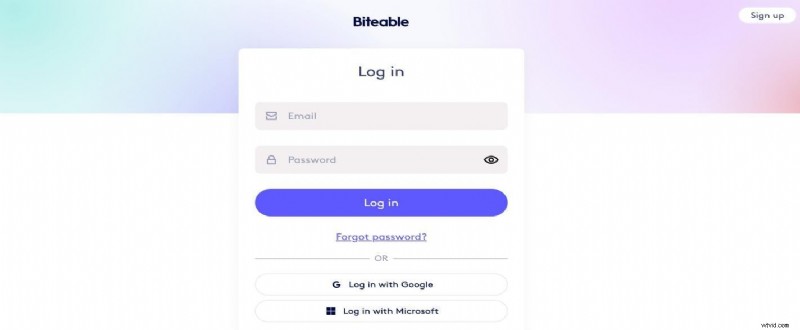
Step 1: Visit Biteable website, sign up or log in to your existing one.
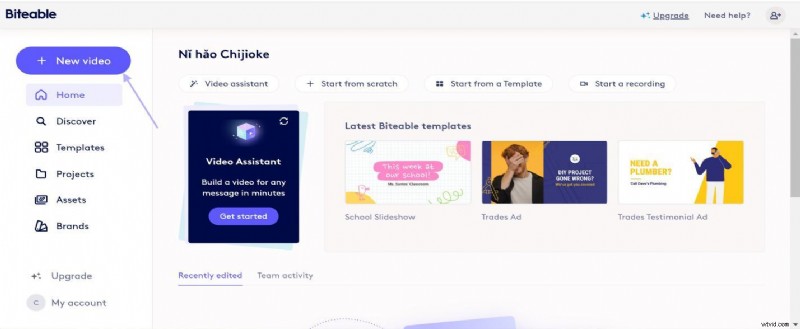
Step 2: Navigate to your Dashboard to select a Template that fits your project or create one from scratch.
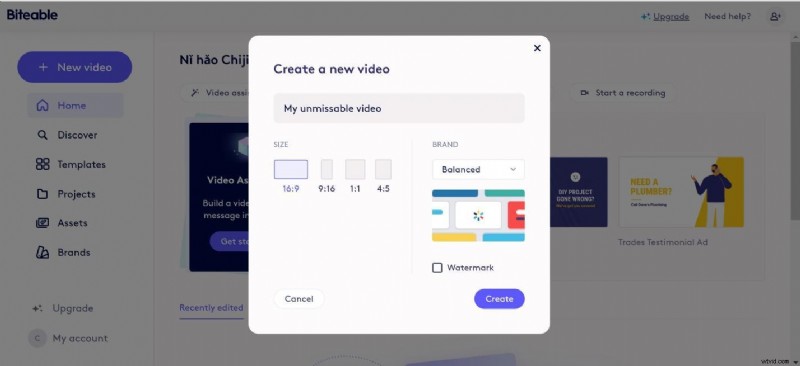
Step 3: Choose your settings. You can choose if you want watermark features on or off
Step 4: Select the animation or background you prefer to start building and customizing your video using the editing tools
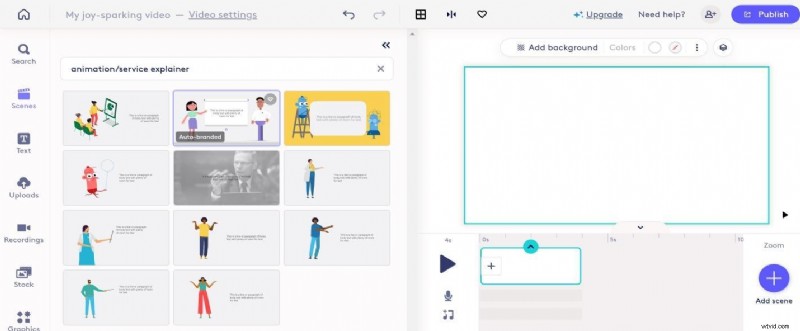
Step 5: Click on anywhere on the timeline to start editing. You can replace the background with any custom image or videos you prefer.
biteable-video-5
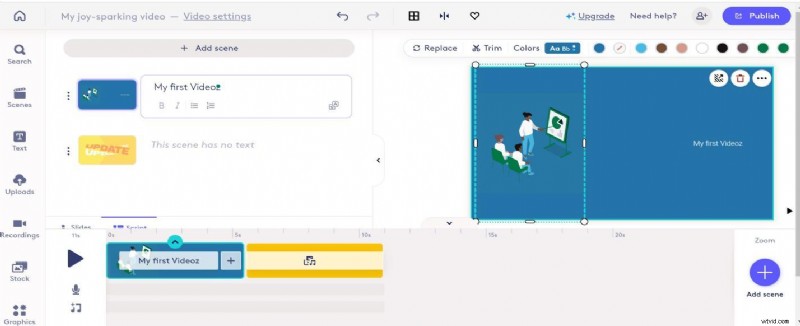
Step 6: Add Text and more Scenes if you want your video having different stages
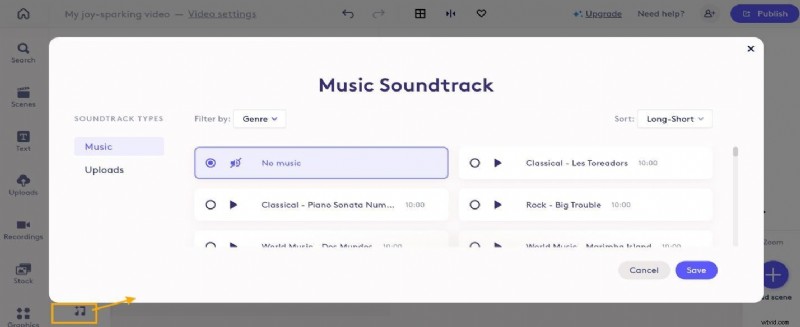
Step 7: Add audio and preview your Video. Ensure everything flows smoothly and meets your expectations and make any necessary adjustments before finalizing.
biteable-video-7
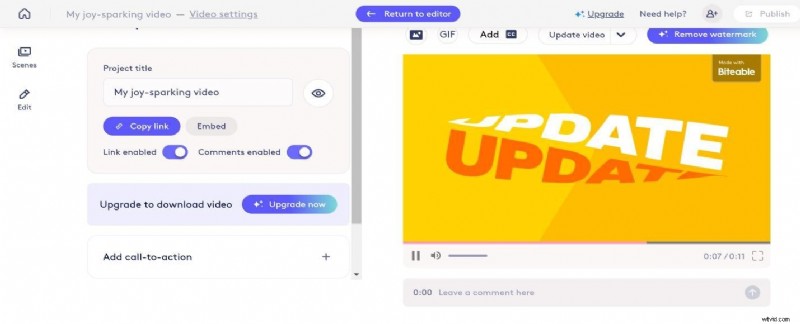
Step 8: Publish, Share or Download
Part 5.Fresh Option to Try: Wondershare Filmora
While Biteable Video Maker offers a powerful online video-making experience, Wondershare Filmora is a top alternative. It is a versatile video editing software with built-in tools for screen recording and audio enhancement.
Again, its intuitive interface and multi-platform compatibility make it ideal for creating videos for social media, marketing, education, and personal projects. It offers a range of features, including drag-and-drop editing, a vast library of templates, special effects, transitions, and music effects.
Here are key Filmora features that can make up for Biteable's shortcomings, especially for users looking for more control and advanced editing options:
Stabilize Videos with Wondershare Filmora
- Superb video stabilization with low distortion.
- Vast video/audio effects and creative assets.
- Powerful AI for effortless content creation.
- Intuitive, professional yet beginner-friendly.
- Works on Mac, Windows, iOS, and Android.


1. Advanced Video Editing Tools
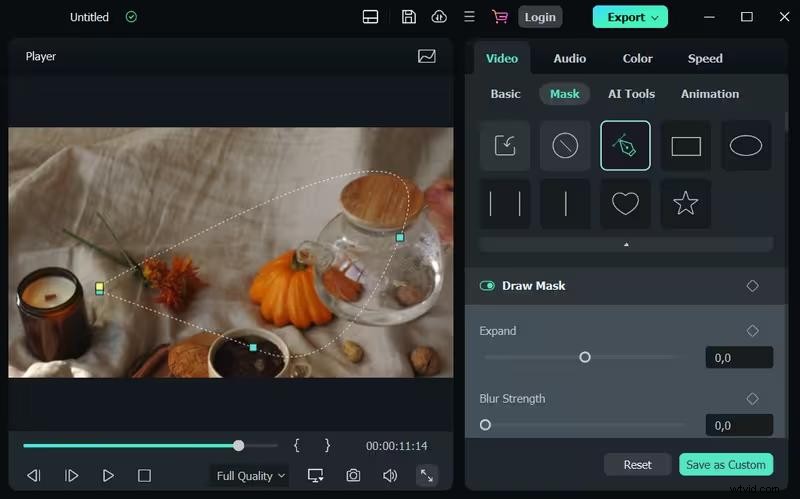
Filmora provides a comprehensive suite of editing tools like keyframing, masking, motion tracking, and split-screen editing. This offers far more flexibility compared to Biteable, which is template-driven and focuses more on simplicity.
2. Customization & Creativity
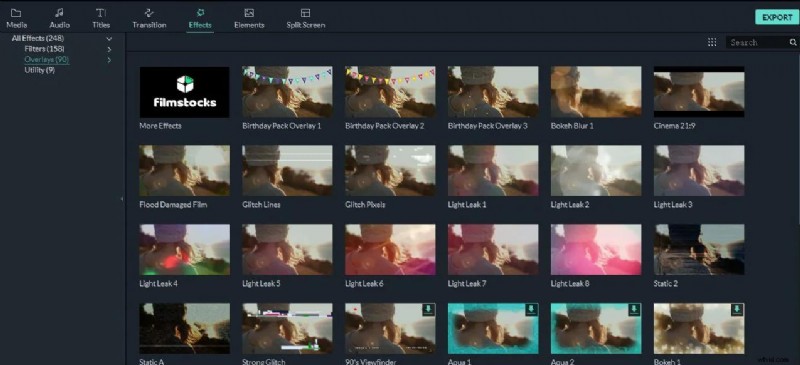
Filmora allows you to customize your videos with hundreds of transitions, effects, and filters. This variety lets you add creativity and flair to your videos, enhancing viewer engagement. Green screen/chroma key editing is available in Filmora, making it a powerful tool for creating more professional videos with layered backgrounds.
3. Audio Editing
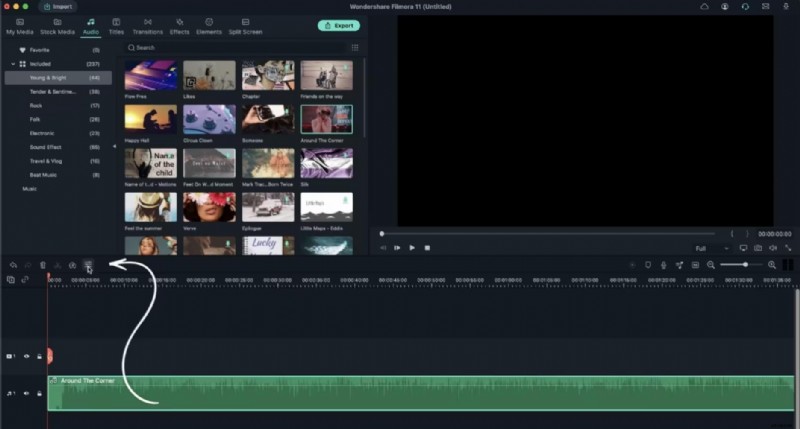
Filmora integrates advanced audio editing features, including audio ducking, keyframe audio control, and a built-in music library. Biteable usually concentrates on adding pre-selected music tracks with minimal editing flexibility.
4. 4K and High-Resolution Support
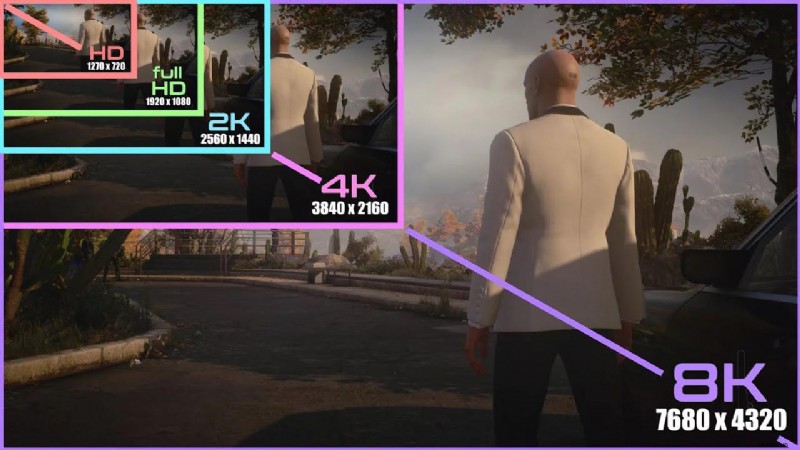
Unlike Biteable, which is made for faster, lower-resolution outputs, particularly for social media, Filmora supports 4K video editing, guaranteeing high-quality exports for professional use.
5. AI Sound Effect Generator
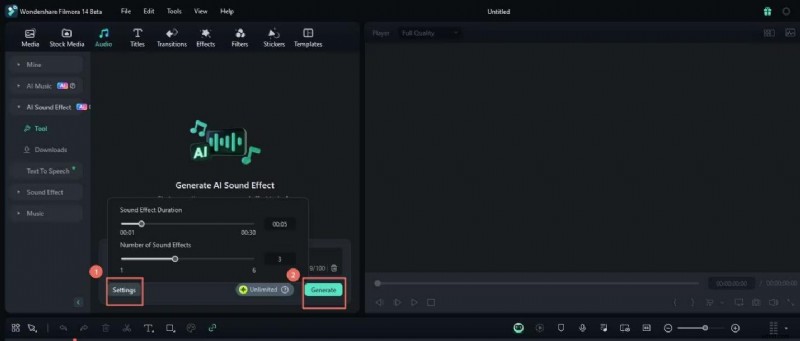
The Filmora AI Sound Effect Generator enhances video creation by automatically generating custom sound effects that perfectly match the mood and tone of the video. This promotes better audience engagement by enhancing storytelling through audio that complements the visual elements.
6. Cross-Platform Availability
While Biteable is a cloud-based platform primarily for creating content on the go, Filmora is available for desktop (Windows & Mac) and mobile. Filmora also offers more power on desktops for larger, more complex projects.
Filmora Limitations
- Some advanced features may require a learning curve.
Short Guide on How to Use Filmora
Whether you're working on a whiteboard doodle animation or another video project, Filmora offers an intuitive interface and creative tools to help bring your ideas to life. Here’s a quick guide to help you get started:
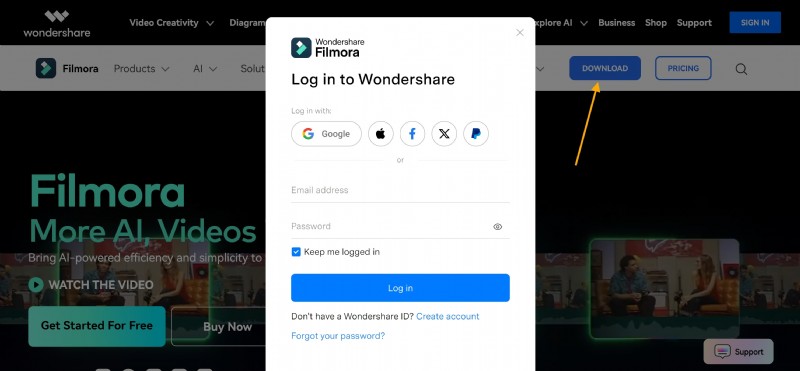
Step 1: Register, download, and install the software from the official website.
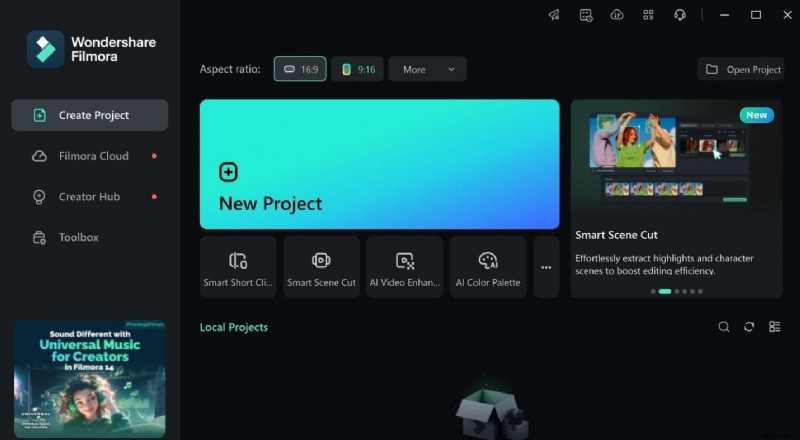
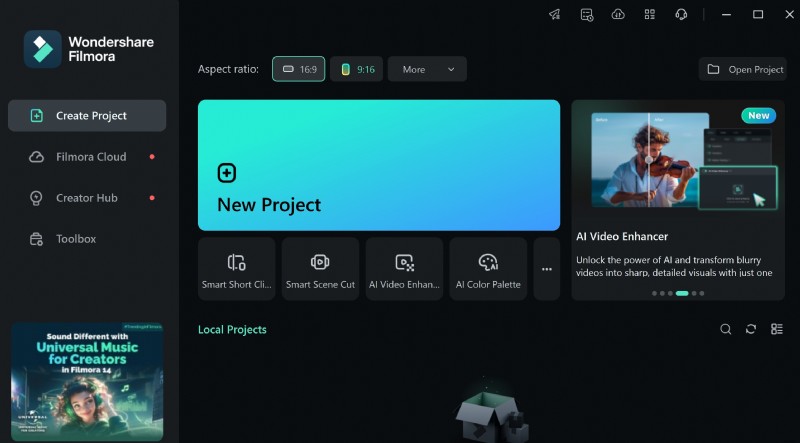
Step 2: Launch the app. Click "New Project" and set your video format.
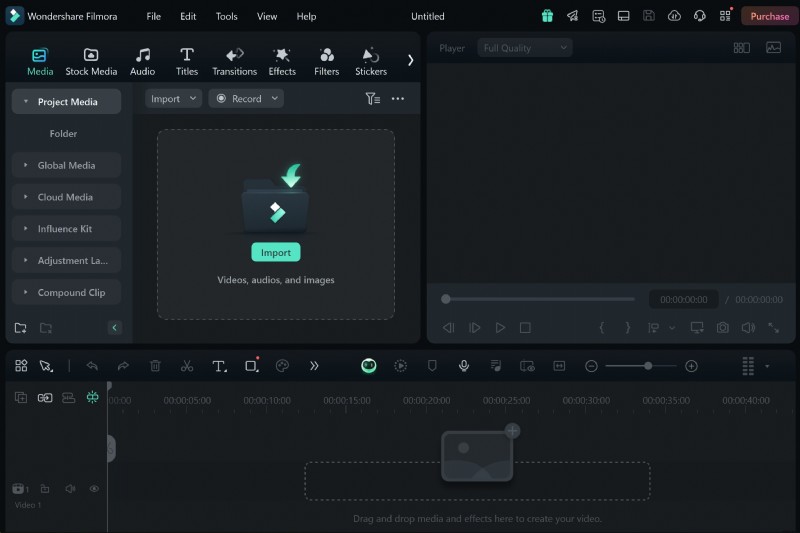
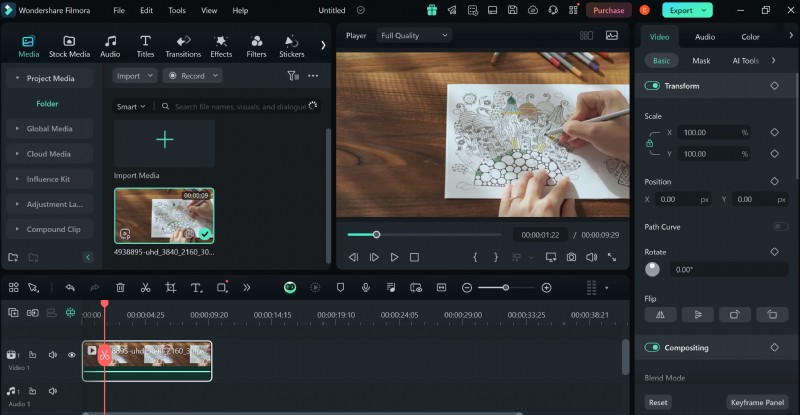
Step 3: Import media
biteable-video-12
Step 4: Edit video and audio
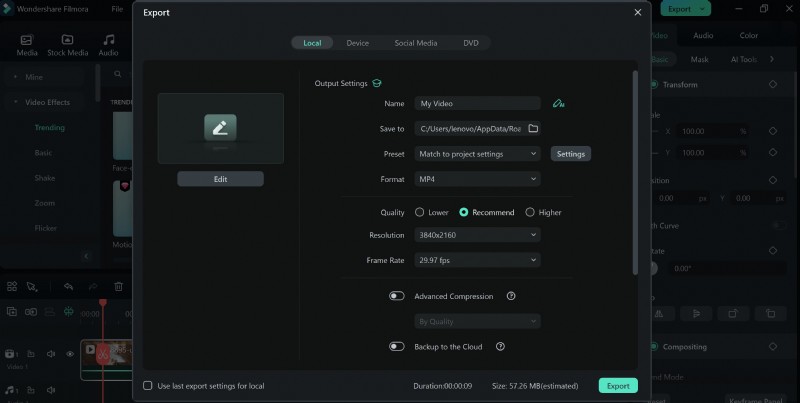
Step 5: Export and Share
Conclusion
Biteable app is a powerful tool for creating engaging videos that enhance communication and marketing efforts. Its user-friendly interface, diverse templates, and collaborative features make it a great choice for businesses of all sizes.
However, while Biteable has many strengths, alternatives like Filmora offer advanced editing capabilities, making it suitable for more complex video projects. So, evaluate your requirements, budget, and desired features to determine which option best fits your needs.