
In 2025, TikTok’s trend data shows that vintage VHS filters are among the most popular video effects. If you want to recreate the grainy, soft‑blur look of an old camcorder, you don’t need a relic from the past—just a modern VHS app.
Part 1. What Is a VHS App? The Modern Tool for Retro Video Production
A VHS app turns your smartphone into a digital camcorder, applying the signature grain, color distortion, and static that made 1980s and 1990s home videos memorable. The apps are available on iOS and Android, and many support real‑time recording with on‑screen time stamps, tape‑static overlays, and glitch effects.

Key Highlights
- Live VHS recording that mirrors authentic camcorder footage.
- Retro filters adding grain, blur, and color fade.
- Classic time stamps for a period‑accurate feel.
- Tape static and glitch overlays for added realism.
What’s New
Recent updates have refined user interfaces, smoothed filter controls, and introduced batch import capabilities, allowing you to apply retro effects to existing footage after recording.
Pricing
Most apps offer a free tier with basic features and a watermark. Premium upgrades unlock higher resolution, a broader filter library, and watermark removal, usually via a one‑time purchase or a low‑cost subscription.
System Requirements & Compatibility
- Android: Requires Android 7.0 (Nougat) or newer; app sizes range from 40 MB to 100 MB.
- iOS: Compatible with iPhone models running iOS 13+; app sizes typically 50 MB–120 MB.
- Device Compatibility: Best performance on mid‑range to flagship phones with solid camera hardware and ample storage.
Part 2. Core Features That Bring the Nostalgia to Your Phone
The charm of a VHS app lies in its simple, user‑friendly features that emulate classic camcorders.
Key Features
Vintage VHS Filters
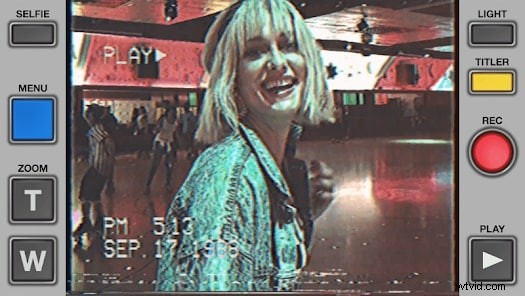
Instantly convert any clip into a grainy, faded video with soft color distortion, low‑resolution blur, and classic tape noise.
Glitch Overlays & Date Stamps
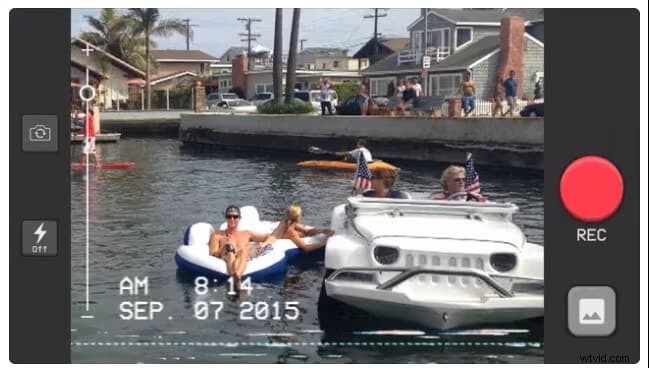
Add flickering glitches and customizable on‑screen dates to emulate footage from specific eras.
Real‑Time Camcorder‑Style Recording
Record directly in VHS mode and preview the final look as you shoot, eliminating the need for post‑processing.
Post‑Recording Editing Tools
Import existing footage and fine‑tune grain, glitch intensity, saturation, and more using intuitive sliders.
Is It User‑Friendly?
Yes. Most apps feature a clean, camcorder‑inspired interface that lets you toggle filters, start/stop recording, and apply effects with a few taps, regardless of your editing experience.
Part 3. Hands‑On Guide: Record & Edit with a VHS Video Editor
After understanding the capabilities, let’s walk through the creation process.
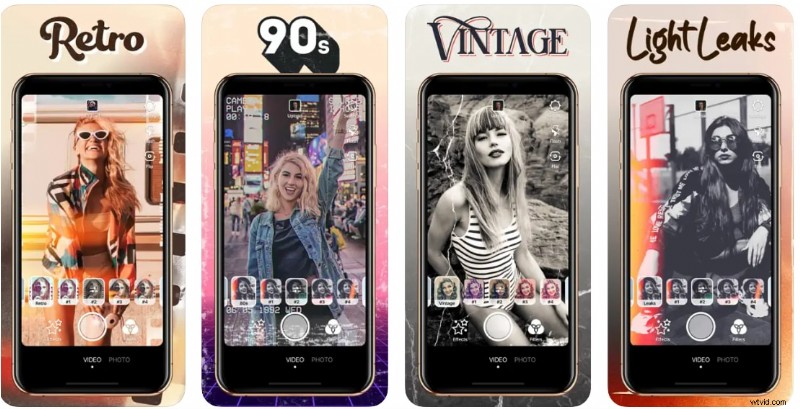
Step‑by‑Step: Record and Edit
- Launch the app and select your preferred VHS filter or mode.
- Begin real‑time recording or upload an existing clip.
- Export in your chosen quality, then save or share directly to social media.

Performance Evaluation
Testing on both Android and iPhone devices shows smooth real‑time recording, with export times typically under one minute for short videos. Heavy glitch effects may introduce slight lag on older hardware, but the final output retains excellent video and audio sync.
Part 4. Pros & Cons of VHS Apps
Pros
- Authentic retro look in seconds.
- Intuitive interface.
- Real‑time preview.
- Fast export and sharing.
- Low storage footprint.
Cons
- Limited free features.
- Occasional glitches or lag.
- Basic editing tools.
- Niche appeal.
Part 5. Who Should Use a VHS App?
If you’re a creator who values a nostalgic aesthetic, a VHS app is worth exploring. It’s ideal for:
Best Suited For
- TikTok and Reels creators seeking standout, vintage vibes.
- Aesthetic vloggers wanting a unique visual style.
- Instagram storytellers curating themed or vintage‑styled posts.
- Editors crafting short films or mood boards with retro flair.
Great Use Cases
- Music‑matched mood edits.
- Travel vlogs with a nostalgic touch.
- Fashion clips styled with vintage flair.
- Event highlights that feel like throwback home videos.
- Everyday moments transformed into memorable retro memories.
Pro Tip: For professional 4K retro editing, consider Filmora’s Desktop VHS Overlay library, which offers 50+ customizable CRT and grain effects beyond mobile apps.
Below are the top‑rated VHS camera apps available today, each offering free filters or advanced glitch effects to elevate your smartphone into a vintage camcorder.
1. Filmora Mobile – All‑In‑One AI Video Editor
Filmora Mobile blends simple filters with professional editing. Its dedicated VHS pack and AI‑driven retro effects can be applied to any footage, complemented by auto‑captioning and background removal.
Pros & Cons
- Combines retro filters with powerful AI tools.
- Access to a vast library of 90s‑style stickers and music.
- Cross‑platform project syncing.
- Steeper learning curve due to advanced features.
Key Features
- Customizable VHS noise and tracking lines.
- AI Text‑to‑Video for retro explainers.
- Advanced timeline for complex storytelling.
2. Rarevision VHS – Authentic 80s Look
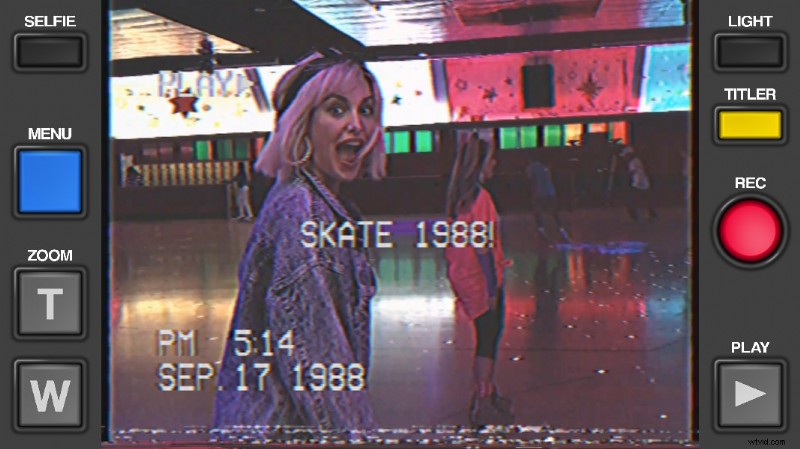
Rarevision is the pioneer of VHS‑style apps, simulating classic camcorder internals. From the iconic tracking noise to customizable on‑screen dates, it delivers a genuine 80s experience used by celebrities like Snoop Dogg and Kendall Jenner.
Pros & Cons
- Most accurate simulation of vintage tape glitches.
- Custom date overlays to match specific eras.
- Functional zoom slider mimicking old hardware.
- Paid only; no free version.
- Limited modern editing features.
Key Features
- Original skin‑tone processing for 80s warmth.
- Real‑time distortion and shaking effects.
- In‑app library for retro recordings.
3. Prequel – Aesthetic Visual Effects
Prequel offers a massive library of VHS, retro, and disco filters. It’s ideal for creators who want stylized, TikTok‑ready looks rather than technical authenticity.
Pros & Cons
- Hundreds of AI‑driven vintage presets.
- Built‑in music library and 3D effects.
- Regular updates with viral TikTok trends.
- High subscription price.
- May run slow on older Android devices.
Key Features
- AI‑powered Vaporwave and Retro presets.
- Advanced color correction tools.
- One‑tap export to Instagram Stories.
4. Dazz Cam – iOS Film‑Style Capture
Inspired by 80s film cameras, Dazz Cam captures the texture, noise, and light leaks of old film and VHS without post‑editing.
Pros & Cons
- Realistic texture and light leaks.
- Minimalist, easy‑to‑use interface.
- Double‑exposure features.
- Pro subscription required for advanced models.
- Android version unavailable.
Key Features
- Photo and video vintage capture.
- Fisheye lens simulation for 90s skate videos.
- Self‑timer and flash customization.
5. 1998 Cam – Free Android VHS App

1998 Cam offers a robust free selection of vintage filters, including film, retro, and VHS overlays, ideal for casual sharing.
Pros & Cons
- Generous free features.
- Dedicated Dust and Grain overlays for VHS.
- Fast processing and light storage footprint.
- Frequent ads in the free version.
- Interface slightly cluttered compared to Dazz Cam.
Key Features
- Real‑time date stamp editing.
- 4K export support.
- 100+ filters spanning Film, Vintage, and Retro.
6. VHS Video Editor – Glitch‑Focused App
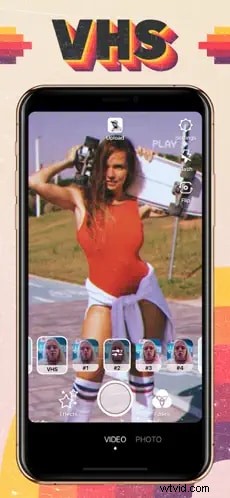
Designed for the glitch‑enthusiast, this app emphasizes tape jumps, color bleed, and static noise, popular in lo‑fi music videos.
Pros & Cons
- Wide range of RGB glitches and trippy filters.
- Import existing footage from gallery.
- Integrated music library for mood edits.
- Long video export can be slow.
- Watermark in free version.
Key Features
- VHS‑style text overlays and stickers.
- Multi‑layer editing for glitch transitions.
- Canvas resizing for Reels and TikTok.
7. FIMO – Analog Simulation
FIMO offers a tactile editing experience by letting users “load” virtual film rolls, each representing a distinct retro era, and displays detailed metadata for every clip.
Key Features
- Virtual film rolls for various eras.
- Detailed metadata display.
- High‑quality grain processing.
8. Camcorder – Point‑and‑Shoot 90s Home Video
For zero‑complexity recording, simply hit record and enjoy a 90s home‑movie look. It’s the ultimate point‑and‑shoot VHS app for iPhone.
Key Features
- One‑tap recording interface.
- Automatic date‑stamping.
- Flash and lens flip support.
9. Indie – Aesthetic Vloggers’ Choice
Indie is tailored for Gen Z lifestyle vloggers, offering dedicated glitch and VHS categories popular on social platforms.
Key Features
- Fashion‑forward filters and sparkles.
- Custom retro frames.
- Direct sharing to social platforms.
10. Filmic Pro – Professional Retro Filming
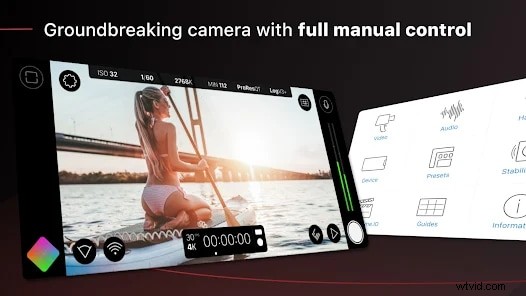
Filmic Pro is a cinema‑grade camera app. By combining its advanced color grading with VHS LUTs, you can achieve the most sophisticated retro look for filmmakers.
Key Features
- Log color profile for advanced grading.
- High‑bitrate recording.
- Manual focus and exposure control.
VHS Apps Comparison Table (iPhone & Android)
| App | Price | Key Features | Watermark | Compatibility |
| VHS Camcorder | Free + optional upgrade | Live VHS preview, REC & timestamp overlay, classic camcorder filter, export in 4:3 / 9:16 / 1:1 | Yes (removable with upgrade) | iOS / Android |
| RetroCam | Free + in‑app items | Overlay + scanlines, retro glitch effects, live VHS preview, export up to 1080p | Yes (removable with purchase) | iOS / Android |
| VHS Video Editor | Free + subscription | Camcorder‑style UI, social media presets, VHS filter library, live preview | Yes (removable with subscription) | iOS / Android |
How to Choose the Best VHS Filter App for Your Needs?
Consider these three criteria when selecting a vintage video app:
- Real‑time vs. post‑processing: Do you want to record live or edit existing clips?
- Customization: Can you adjust glitch and grain intensity?
- Export quality: Does the free version support 1080p or 4K?
Part 7. Alternatives to a VHS App When You Need More Than Filters
While VHS apps are convenient for quick retro effects, they lack advanced editing tools for professionals. For higher‑quality results, consider Filmora’s mobile video editor.
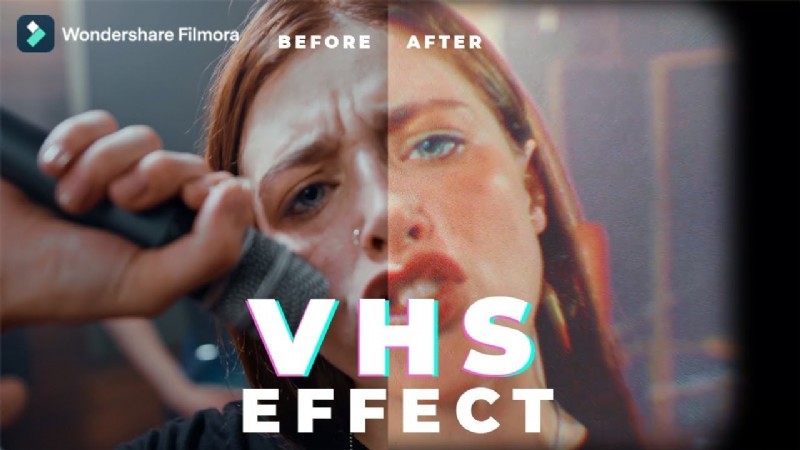
Filmora Mobile offers a comprehensive set of tools—including a dedicated VHS filter, trim functions, music integration, and AI features like auto‑captions and background removal—providing greater creative freedom.
Conclusion
VHS apps deliver an accessible way to inject nostalgia into your videos. They’re quick, user‑friendly, and perfect for adding retro charm without a full VHS‑to‑digital conversion. For more control, higher output quality, and advanced editing, Filmora Mobile or similar professional editors are worth exploring.

FAQ
Can I use VHS apps for professional editing?
VHS apps are best for short, fun videos. For professional use, advanced tools like Filmora Mobile are recommended.
What is the best free VHS camera app for iPhone & Android?
Popular options include VHS Camcorder and RetroCam, offering free vintage filters and real‑time recording.
How do I get the VHS effect on iPhone videos?
Download a VHS filter app from the App Store, apply real‑time filters, and export the retro‑styled video.
Which VHS app has the best camcorder filter?
Apps such as VHS Video Editor provide strong camcorder‑style overlays and grain effects for an authentic look.