
If you’re new to video production and want to turn audio into engaging visual stories, this 2026 guide evaluates the most reliable free online converters. Designed for podcasters, marketers, and casual creators, these tools let you transform podcasts, voice‑overs, and music into polished videos without advanced editing skills.
Part 1. Quick Overview of Our Three Best Online Audio‑to‑Video Tools
When time is limited but quality matters, these three online converters stand out. Each delivers a beginner‑friendly workflow while producing professional‑looking results. Here’s why they shine:
FlexClip – Ideal for casual creators seeking an all‑in‑one editor
FlexClip lets you convert audio to video with drag‑and‑drop editing, ready‑made templates, and a library of stock visuals and music.
View detail
Canva Audio to Video – Perfect for beginners and marketers wanting stunning visuals quickly
Canva merges its renowned design platform with video features, enabling polished audiovisual content with minimal effort.
View detail
Adobe Express – Best for creators who need quick, branded results from Adobe’s ecosystem
Adobe Express offers an audio‑to‑video tool that delivers beautiful templates and Adobe‑quality design, all within a user‑friendly interface.
View detail
Part 2. Online Audio‑to‑Video Tool Comparison Chart
The following side‑by‑side table summarizes each converter’s key attributes, focusing on beginner usability. It highlights platform support, ideal use cases, standout features, free plan availability, and overall ratings.
| Tools | Platforms | Best For | Best for Beginners? | Key Features | Free Plan | Rating |
| Canva | Web, iOS, Android | Fast, polished audio‑to‑video for marketers and novices | ✅ Yes – easiest start | Ready‑made audiogram templates, drag‑and‑drop editor, waveform animations, brand kit | ✅ | ⭐ 4.5 |
| FlexClip | Web | All‑in‑one workflow for casual creators | ✅ Yes – simple timeline | Audio waveform animation, templates, stock library, screen recording, quick subtitle tools | ✅ | ⭐ 4.5 |
| Adobe Express | Web, iOS, Android | Quick, branded outputs for Adobe users | 🟡 Good – light learning curve | High‑quality templates & fonts, cloud sync, audio‑visual sync, brand kits | ✅ | ⭐ 4.5 |
| Vmaker | Web | Simple audio‑visual presentations and tutorials | ✅ Yes – guided flow | Screen + webcam recorder, voice narration, built‑in editor, quick export to YouTube | ✅ | ⭐ 4.2 |
| Wavve | Web | Podcasters sharing clips on social platforms | ✅ Yes – podcaster‑friendly | Audiogram styles, text animations, progress bars, scheduling, platform‑optimized sizes | ✅ | ⭐ 4.2 |
| Headliner | Web, iOS, Android | Automated podcast clip creation for media teams | ✅ Yes – automate clips | AI transcripts, audiograms, auto‑video from RSS, captions & subtitles, batch clip creation | ✅ | ⭐ 4.2 |
|
Show more Show less |
Part 3. Top 6 Free Online Audio‑to‑Video Converters for Beginners
Below are the best free tools that let you transform audio into engaging video content. These platforms combine flexibility with a gentle learning curve, whether you’re creating social media clips, podcast teasers, or branded material.
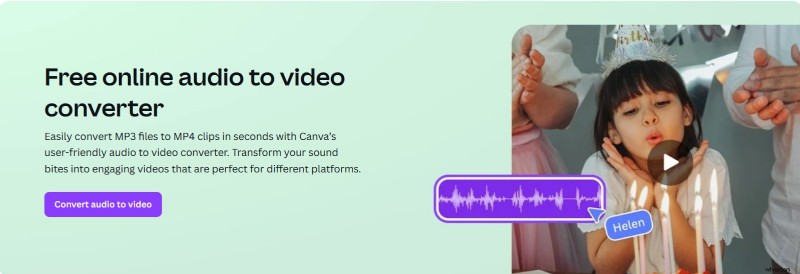
1. Canva Audio to Video Converter – Quick, Ready‑to‑Use Designs
Price
Free plan available; Pro starts at $12.99/month
Platforms
Web, iOS, Android
Best For
Beginners and marketers who want engaging visuals quickly
Pros & Cons
- User‑friendly interface, even for novices
- Extensive library of templates and music
- Robust branding tools with the Pro plan
- Limited audio‑editing controls
- Premium templates require Canva Pro
Key Features
- Ready‑made audio‑visual templates
- Drag‑and‑drop editor
- Waveform animations and subtitle support
Why It’s a Top Pick
Canva streamlines the design process, enabling anyone to produce polished audio‑visuals without prior experience.
For more advanced editing beyond basic designs, Wondershare Filmora offers a full‑featured timeline editor and AI tools.
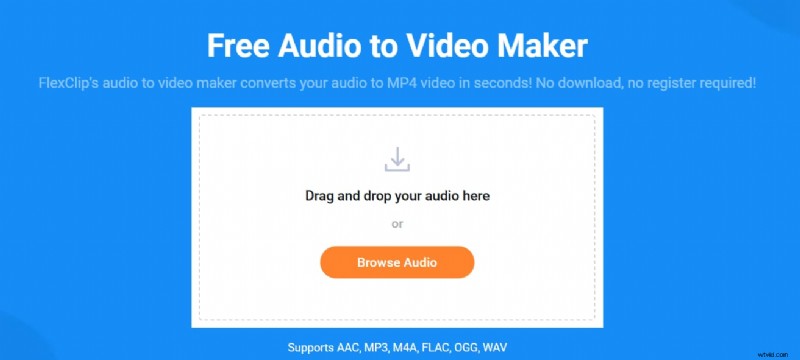
2. FlexClip – All‑in‑One Online Editor
Price
Free plan available; Premium plans start at $11.99/month
Best For
Casual creators and small businesses needing flexible tools
Pros & Cons
- Balanced simplicity and feature set
- Clean interface, no steep learning curve
- Wide selection of stock assets
- Free plan has export limitations
- Not suited for complex projects
Key Features
- Timeline‑based editor
- Built‑in stock music and footage
- Animated text, shapes, and audio waveforms
Why It’s a Top Pick
FlexClip delivers powerful editing tools directly in the browser, ideal for quick yet polished videos.
For professional‑level features without a steep learning curve, Filmora offers a more robust toolkit.
3. Adobe Express – Polished Branded Content

Price
Free plan available; Premium from $9.99/month
Platforms
Web, iOS, Android
Best For
Creators who want quick, Adobe‑quality branded videos
Pros & Cons
- Seamless integration with Adobe ecosystem
- Modern, professional templates
- Excellent for logos and brand visuals
- Limited dedicated audio tools
- Learning curve for new Adobe users
Key Features
- High‑quality templates and fonts
- Easy audio‑visual sync
- Access to Adobe Stock and Fonts
Why It’s a Top Pick
Adobe Express offers the polish of Adobe products without requiring Premiere Pro expertise.
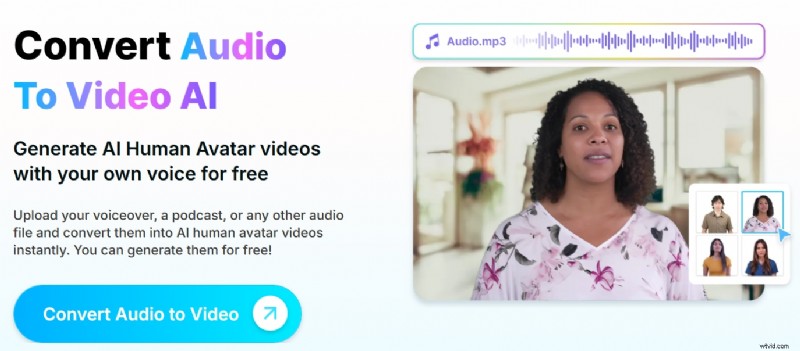
4. Vmaker – Simple Audio‑Visual Presentations
Price
Free plan available; Premium from $7/month
Best For
Teams and educators creating screen recordings or video guides
Pros & Cons
- Easy‑to‑use for tutorials and meetings
- Combines audio and visuals seamlessly
- Good for quick walkthroughs
- Not focused on design or audiograms
- Limited customization on free version
Key Features
- Screen + webcam recorder
- Voice narration and basic editor
- Quick export to YouTube
Why It’s a Top Pick
Vmaker excels at practical audio‑to‑video conversions such as educational content and demonstrations.
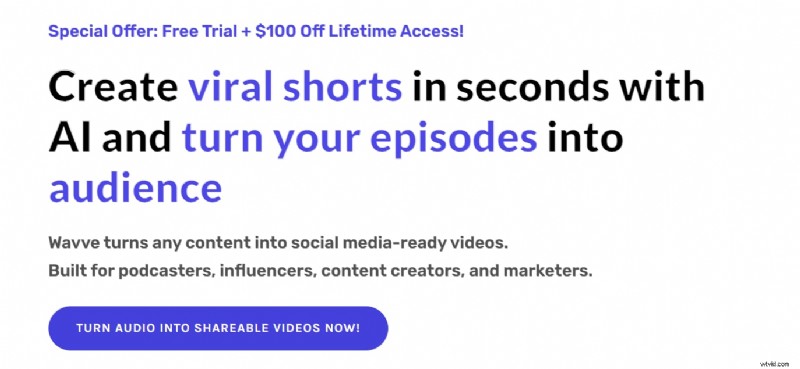
5. Wavve – Podcast Promotion and Teasers
Price
Free trial; Paid plans from $15.99/month
Best For
Podcasters sharing audio clips on Instagram, TikTok, and YouTube Shorts
Pros & Cons
- Specifically designed for podcast audiograms
- Drag‑and‑drop editor
- Social‑ready exports
- Limited use beyond podcasting
- Full customization requires paid plan
Key Features
- Audiogram templates
- Custom waveforms and progress bars
- Optimized export sizes for all platforms
Why It’s a Top Pick
Wavve turns podcast audio into engaging social snippets with minimal effort.
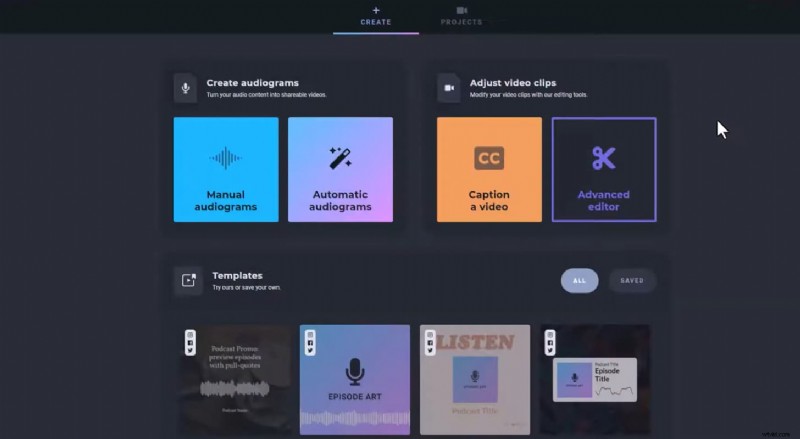
6. Headliner – Automated Podcast Clips
Price
Free plan available; Pro from $19.99/month
Platforms
Web, iOS, Android
Best For
Media teams automating podcast content for social media
Pros & Cons
- Time‑saving auto‑generation of clips
- Built‑in subtitle support
- Batch clip creation capability
- Interface feels slightly dated
- Free version has some limitations
Key Features
- Automatic import from podcast RSS feeds
- Waveform visuals + subtitles
- Easy editing for clip creation
Why It’s a Top Pick
Headliner is ideal for podcast teams seeking to convert audio into shareable, captioned videos efficiently.
Part 4. Why Wondershare Filmora Is the Best Desktop Alternative for Advanced Control
Online converters are excellent for quick jobs, but they can fall short when creators need deeper control. For those ready to move beyond basic audio‑to‑video conversion, Wondershare Filmora delivers full creative freedom without overwhelming complexity. It’s perfect for YouTube channels, detailed tutorials, and branded content.

Best For
Creators who want detailed editing with intuitive tools
Pros & Cons
- Professional editing capabilities without steep learning curve
- Ideal for YouTube, Reels, and tutorials
- Built‑in AI tools like Audio Ducking, voice effects, and Speech‑to‑Text analysis
- Supports high‑resolution exports
- Requires desktop installation (not browser‑based)
- Free version adds a watermark on exports
Key Features
- Full‑featured timeline editor
- Manual or waveform‑guided audio sync
- Subtitles, background music, and animated text
- Extensive royalty‑free music, sound effects, and visual templates library
What Makes It Stand Out
Unlike most online converters, Filmora grants you granular control over every element—perfect for tutorials, podcasts, reels, or promotional videos. If you’re after maximum creative freedom, Filmora is worth the download.
Part 5. How to Choose the Right Audio‑to‑Video Converter for Your Needs
Unsure which tool fits your project? Use this quick decision guide based on your content goals:
- Professional Editing: Try Filmora for offline, detailed customization.
- Social Media Creators: Canva or FlexClip offer rapid, eye‑catching visuals.
- Podcasters: Wavve or Headliner specialize in turning audio into shareable clips.
- Branded Content: Adobe Express ensures consistent, polished brand identity.
- Complete Beginners: Canva’s intuitive interface is the easiest entry point.
Key Factors to Consider
- Do you need desktop‑level editing or online convenience?
- Will you add subtitles, captions, or waveform animations?
- Will you publish across multiple platforms like YouTube, Instagram, or TikTok?
- How reliant are you on templates, automation, or AI for faster editing?
Conclusion
Transforming audio into video is no longer daunting. Whether you’re promoting a podcast, showcasing a brand, or simply adding visual flair to a voice note, a free online audio‑to‑video converter can elevate your content effortlessly. If you crave deeper customization, desktop solutions like Filmora offer the flexibility you need. The right choice hinges on your workflow, creative vision, and technical comfort.
Experiment with a few tools to find the one that best matches your goals.

Filmora
AI Video Editing App & Software
Best tool for making videos anywhere for all creators!
Simplify all your steps in video editing, from the pre-processing to finalizing, Filmora AI stays tuned.
FAQ
-
What are the best tools for beginners converting audio to video?
For newcomers, Canva and FlexClip are top picks. They offer drag‑and‑drop editors, ready‑made templates, and waveform animations—no prior editing experience required.
-
Which free audio‑to‑video converters work best for podcasts?
Podcasters benefit most from Wavve and Headliner, which specialize in audiograms, captions, and platform‑optimized snippets. Both offer robust free plans.
-
Is Canva a good choice for beginners converting audio to video?
Yes—Canva’s intuitive interface, template library, and waveform visualizations enable beginners to produce professional‑looking videos in minutes.
-
How do I add subtitles when converting audio to video?
Tools like Headliner and Adobe Express provide auto‑generated captions or manual subtitle uploads, enhancing accessibility and engagement on social platforms.
-
What’s the easiest audio‑to‑video tool in 2025?
FlexClip remains the most user‑friendly option in 2025, featuring a simple timeline editor, extensive stock resources, and automated subtitle generation.
-
Can I convert MP3 to video for YouTube easily?
Yes—Canva, FlexClip, and Filmora let you upload MP3, add visuals such as waveforms or images, and export in YouTube‑compatible formats, all with minimal effort.